LMS migration is the process of moving learning data and content from one learning management system to another. Exporting files is usually the easy part. The harder questions are what should move, how old records will fit the new system, and how you will prove nothing important disappeared along the way.
My approach is to make those decisions before the production transfer starts.
TL;DR
Before migrating, classify everything in your current LMS as migrate, archive, rebuild, or drop. Then map the source data to the structure of your new platform.
Run a test migration with normal records and awkward cases. Check totals, dates, statuses, certificates, content launches, and permissions.
Plan separately for activity created in the old LMS after your first export. This is your delta data.
Most importantly, do not shut down the legacy LMS simply because the import finished. Keep it accessible until your acceptance checks pass and the right people sign off.
What is LMS migration?
LMS migration means transferring learning data, records, and content from a source LMS to a target LMS.
Depending on your setup, that may include:
- Users and learner profiles
- Groups and organizational structures
- Courses and SCORM packages
- Enrollments
- Completion history
- Certificates and certification dates
- Learning paths or curricula
- Course metadata
- Custom fields
- Attachments and learner files
The word “migration” can make this sound like everything travels intact from one database to another. Usually, it is more selective.
Two LMSs may describe or store the same concept differently. A curriculum in one system might become a learning path in another. A department field might become a group. Some historical properties may have nowhere obvious to go.
That is why I separate LMS migration from LMS implementation. Migration deals with moving and preserving existing information. Implementation covers the wider work of configuring and launching the new platform.
When does an LMS migration make sense?
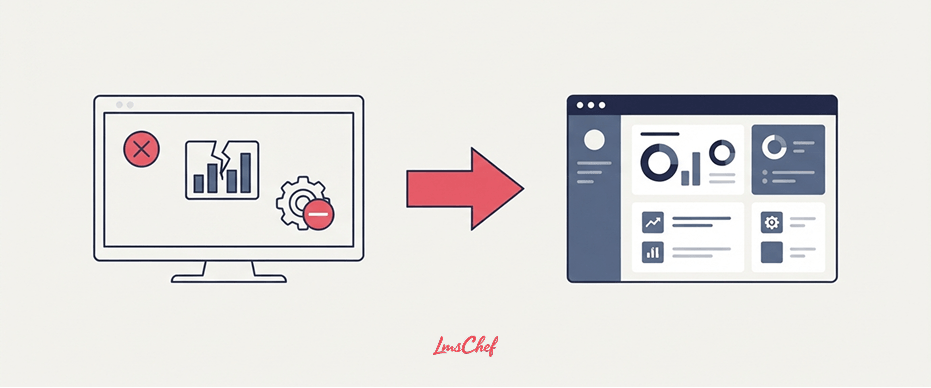
Usually, by the time I am discussing migration, the decision to replace the LMS has largely been made.
The existing system may be reaching end of life. Administration or reporting may have become unmanageable. The business may have requirements the current platform cannot support. Sometimes the organization has already bought its replacement.
At that point, I would stop revisiting the entire vendor-selection exercise and start examining what is sitting inside the old system.
If you are still comparing platforms, my guide on how to choose an LMS covers that stage in more detail.
Migration planning becomes much easier once you know exactly what the destination can accept.
What actually moves during an LMS migration?
There is no standard list that applies to every LMS.
Even when two platforms support similar LMS features, that does not mean the underlying objects can be exported and imported with every property intact.
I would build an inventory like this before deciding the migration scope:
| LMS object | Likely decision | What to verify |
| Active users | Migrate | IDs, names, email addresses, status, profile fields |
| Inactive users | Archive or migrate | Retention requirements and historical records |
| Groups and departments | Migrate or rebuild | Target hierarchy and group rules |
| Active courses | Migrate | Source files, format support, metadata, tracking |
| Old courses | Archive or drop | Usage, retention need, replacement content |
| SCORM packages | Migrate or rebuild | Original package availability and target support |
| Completion history | Migrate or archive | Dates, status, scores, IDs, course references |
| Certificates | Migrate or archive | Issue date, expiry date, certificate evidence |
| Learning paths | Map or rebuild | Sequence rules and target LMS structure |
| Custom fields | Map or drop | Equivalent target field and allowed values |
| Reports | Usually rebuild | Fields, filters, formulas, and target reporting model |
| Automations | Usually rebuild | Triggers, rules, deadlines, notifications |
| Learner files | Verify individually | Export availability, ownership, target storage |
Pay particular attention to SCORM.
Having a SCORM course inside your old LMS does not necessarily mean you have the original package available for migration. Confirm that you can retrieve the source package and that the new platform is a SCORM-compliant LMS for the version you use.
If you are unsure what is actually inside an older package, it can also help to understand the differences between SCORM 1.2 and SCORM 2004.
Also separate course content from learner history. Successfully importing a SCORM package does not automatically bring the learner’s previous attempts or completion records with it.
Before you migrate: decide what to keep, archive, rebuild, or drop
I would not make “move everything” the default.
A migration is one of the few times you can see years of LMS accumulation in one place. There may be duplicate courses, test accounts, abandoned programs, obsolete files, and users who left years ago.
For every major object, I use five questions.
1. Is it still being used? An active compliance course needs different treatment from a course nobody has opened for three years.
2. Does it have to be retained? Training records may be subject to company, contractual, industry, or legal retention requirements. This is especially important for organizations using an LMS for compliance training. Ask the records owner instead of guessing.
3. Does the business still need it? Some material may not have a formal retention requirement but is still valuable.
4. Can it move cleanly? An object may have no equivalent in the target LMS. In that case, decide whether to transform it or rebuild it.
5. Is the data good enough to keep? Duplicate profiles, broken metadata, invalid dates, and obsolete fields should not be copied blindly.
The result is a much cleaner migration scope. You also avoid spending time converting information nobody will ever use.
LMS migration project plan: 7 steps
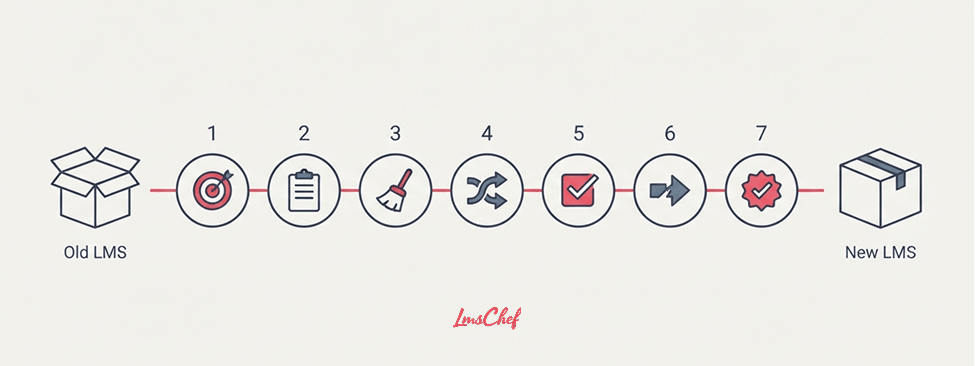
Here is the LMS migration project plan I would use once the replacement platform has been chosen.
1. Define migration scope and acceptance criteria
Start with a written definition of what is moving.
Specify objects, date ranges, user populations, courses, learning history, certificates, custom fields, and any records that must remain available.
Then define what has to be true before you call the migration successful.
For example:
- All active users are present.
- Required historical completions are available.
- Completion and certificate dates match the source.
- Migrated courses launch and track correctly.
- Required custom fields contain the correct values.
- All critical migration errors are resolved.
Certificate history deserves particular attention when formal certification is part of your training model. The new platform may handle certification management differently from the old one.
These criteria matter because “the files imported” is not a useful definition of success.
2. Inventory and export the source LMS
Next, establish your source-of-truth snapshot.
Count the objects you plan to migrate. Record how many users, groups, courses, enrollments, completions, certificates, paths, custom fields, and files exist.
For each export, record:
- Export date and time
- Person responsible
- Source system
- Export format
- Number of records
- Filters used
- Date range
- File version
Keep untouched copies of the original exports.
I prefer this to repeatedly working from freshly edited CSV files. Once people start cleaning, transforming, and renaming fields, it becomes surprisingly easy to lose track of what came directly from the source LMS.
For a large enterprise LMS, I would also divide the inventory by business unit or learner population. A single total can hide major gaps inside individual divisions.
3. Clean and archive legacy data
Now apply your migrate, archive, rebuild, or drop decisions.
Remove duplicates. Separate inactive accounts that do not need to appear in the new LMS. Retire courses that have reached the end of their useful life.
Do not confuse “not migrating” with “deleting.”
Historical training evidence may be better stored in a read-only archive than loaded into the live LMS. That can reduce migration complexity while preserving records the organization still needs.
This is also when I would check course ownership. If nobody can explain what a course is for, who maintains it, or whether it is still valid, carrying it into the new content library deserves a second look.
4. Map source objects to target objects
This is where many apparently simple migrations become complicated.
Do not map files alone. Map concepts and fields.
For example:
| Source LMS | Target LMS |
| Curriculum | Learning path |
| Department | Group |
| Employee ID | External user ID |
| Completion date | Completion date |
| Certificate expiry | Certification expiry |
| Legacy custom field | Target custom field |
Then document any transformation required.
Maybe the source stores one “Full name” field while the target requires first and last names separately. Perhaps completion status uses different values. Perhaps a source field accepts free text while the target uses a fixed list.
This becomes especially important when replacing a highly customized platform or a custom LMS. A field that looks standard to your team may exist only because somebody built it years ago.
Write those rules down before the full migration.
Otherwise, people end up making field decisions in the middle of an import, and nobody remembers exactly what happened later.
5. Run a representative test migration and reconcile it
Do not test only your neatest records.
Choose a sample containing ordinary cases and the records most likely to cause trouble.
I would include:
- Active and inactive users
- Users with multiple group memberships
- Current and old completions
- Passed and failed attempts
- Expired certificates
- Courses with different formats
- Custom fields
- Long or unusual text values
- Records with missing optional fields
- Users with substantial learning history
Then compare source and target.
Check record counts, IDs, dates, statuses, scores, certificate information, course availability, and permissions.
For migrated SCORM courses, I would also test the SCORM packages rather than relying on the fact that the import completed. Opening the course is only part of the test. Check completion and score tracking too.
If your library contains several standards, my comparison of AICC, SCORM, xAPI, and cmi5 can help identify content that may need separate handling.
Keep an exception log. For every mismatch, record the cause, action, owner, and whether it blocks production migration.
A test migration is useful only if somebody reconciles the result.
6. Plan the cutover, freeze window, and delta migration
Your learners may continue training while migration work is underway.
Suppose you export completion history on Monday. The migration takes several days. Meanwhile, 800 people continue completing courses in the old LMS.
Those records did not exist in Monday’s export.
That difference is the delta.
This can be especially significant when the LMS supports large, continuous employee training programs. A few days of activity may create thousands of new records.
Decide when the final cut-off will happen and what users can do around it. You may temporarily make the old system read-only, pause certain training, or run another export immediately before the switch.
Your cutover plan should state:
- Final activity cut-off
- Freeze or read-only period
- Last source export
- Delta data to capture
- Expected access interruption
- Final validation owner
- Conditions for stopping or rolling back
Do not leave this discussion until the night before launch.
7. Validate the final migration and decommission the old LMS
After the production migration and delta transfer, repeat your acceptance checks.
Compare final counts. Sample learner records. Check historical dates. Open courses. Confirm certificates. Review unresolved exceptions.
Then ask the owners of critical records to sign off.
Compliance should validate compliance evidence. L&D should check courses and learning history. Data owners should confirm their fields.
Only after this process would I consider retiring the source LMS.
Before doing so, retain the exports, mapping documents, exception log, migration results, and any other audit evidence your organization requires.
Once migration is accepted, the wider launch, configuration, admin preparation, and learner adoption work belongs in your LMS implementation plan.
LMS data migration checklist
I use the following checklist to keep an LMS data migration from turning into a collection of unrelated exports and imports.
Scope and retention
- Define which LMS objects are in scope.
- Agree how much historical learner data to retain.
- Identify records subject to retention requirements.
- Classify objects as migrate, archive, rebuild, or drop.
- Define migration acceptance criteria.
Source export
- Inventory users, groups, courses, history, certificates, and metadata.
- Capture record counts.
- Export original source data.
- Record export timestamps and filters.
- Preserve untouched copies.
Clean-up and mapping
- Remove unnecessary duplicates.
- Separate obsolete content.
- Resolve obvious data-quality problems.
- Map source objects to target objects.
- Map individual fields.
- Document transformation rules.
Testing
- Run a representative test migration.
- Include edge cases.
- Compare source and target record counts.
- Check dates, statuses, scores, and certificates.
- Test migrated course launches and tracking.
- Record discrepancies in an exception log.
Cutover
- Set the final cut-off time.
- Decide whether the source becomes read-only.
- Capture delta activity.
- Define rollback conditions.
Final validation
- Repeat reconciliation checks.
- Resolve critical exceptions.
- Obtain owner sign-off.
- Preserve required source evidence.
- Decommission the legacy LMS only after acceptance.
What usually does not migrate cleanly?
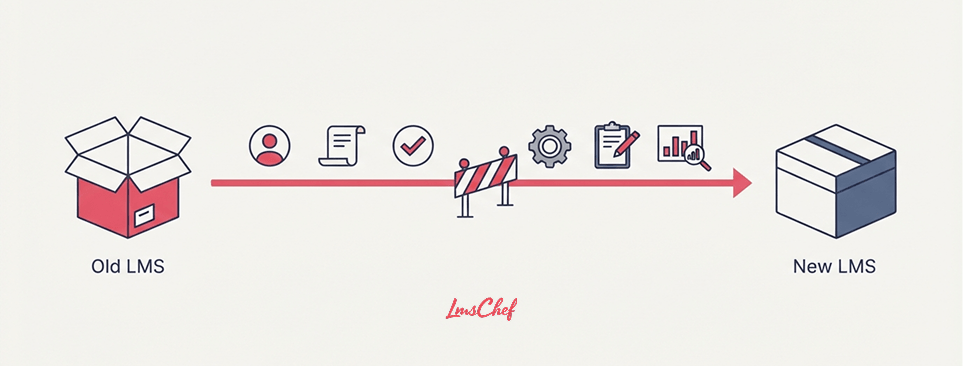
I would verify anything that depends heavily on the way the old LMS itself works.
Reports are a good example. Even when the underlying data moves, the report may depend on filters, calculations, fields, or dashboards unique to that platform.
The same caution applies to:
- Automated enrollment rules
- Notifications and reminders
- Learning-path logic
- Custom objects
- Custom fields
- Roles and permissions
- User-generated files
- Course versions
- Report definitions
- Dashboard layouts
- Vendor-specific settings
I would also ask specifically about courses already in progress.
A learner may have completed six modules of an eight-module course. Importing that person’s enrollment is one thing. Recreating the exact course state is another.
Do not assume the answer is yes or no. Ask the source and target vendors exactly which properties can be exported, mapped, and restored.
How to verify an LMS migration before shutting down the old system
My acceptance process has four layers.
First, compare totals. If 47,812 completion records were supposed to migrate, find out why the target contains 47,596.
Second, inspect individual records. Totals can match while individual fields are wrong. Check user IDs, course IDs, completion dates, status, scores, and certificate dates.
Third, test behavior. Launch migrated courses as a learner. Complete sample content. Check tracking, permissions, group membership, and access.
If you need to isolate whether a problem comes from the LMS or the package itself, a standalone SCORM player can also help during troubleshooting.
Fourth, resolve exceptions. Not every discrepancy has to block the project. Every discrepancy should have an explanation.
Your exception log might classify an issue as accepted, corrected, scheduled for manual repair, or migration-blocking.
I would not let a vendor’s successful import message replace this process.
The organization receiving the data needs its own evidence that the migration produced the expected result.
Questions to ask the old and new LMS vendors
Ask these questions early enough for the answers to change your migration plan:
- Which objects can the old LMS export?
- In which formats?
- Which objects can the new LMS import?
- Can historical completion dates and statuses be preserved?
- What happens to certificate issue and expiry dates?
- Can custom fields be migrated?
- Who creates the source-to-target mapping?
- Can we run a test migration?
- How are import errors reported?
- How will delta activity be handled?
- What needs to be rebuilt manually?
- Are there separate migration fees?
- What support is available during final cutover?
- Can a failed production migration be rolled back?
- How long will we retain access to the legacy data?
I would ask for these answers in writing. They affect scope, workload, timing, and the evidence you should retain.
Common LMS migration mistakes
The mistake I see behind many migration problems is making assumptions before inspecting the source data.
Watch for these in particular:
Migrating everything. Old clutter becomes new clutter.
Setting the deadline before measuring volume. You cannot plan intelligently if nobody knows how much history exists.
Assuming one-to-one mapping. Similar LMS features can use very different data structures.
Ignoring retention requirements. Decide what must remain accessible before deleting or excluding records.
Testing only clean records. Your odd records are the ones most likely to expose mapping problems.
Forgetting delta activity. Learners do not stop generating data because your migration project started.
Closing the source LMS too soon. Finish reconciliation first. Decommissioning should be the final migration task, not a calendar date you reach automatically.
How long does an LMS migration take?
I would be suspicious of a universal LMS migration timeline.
A company moving 60 courses and one year of learner history has a different project from an enterprise preserving ten years of certification data.
The main timing drivers are:
- Number of users and courses
- Volume of historical records
- Data quality
- Number of custom fields
- Differences between source and target structures
- Retention requirements
- Number of test cycles
- Amount of content requiring rebuild
- Cutover and delta complexity
Organizations that rely heavily on employee training software may also have much more active enrollment and completion data to reconcile during the cutover.
Measure those factors first. Then build the schedule.
Final thoughts
A good LMS migration should leave you with less baggage, not a perfect copy of your legacy LMS.
Start by deciding what deserves a place in the new system. Map it before importing it. Test with difficult records. Capture the delta. Reconcile the final result against the source.
And keep the old LMS available until you can prove the migration worked.
That is the point where the LMS migration ends and the next stage of running your new learning platform can begin.
FAQs
What is the difference between LMS migration and LMS implementation?
LMS migration moves existing learning content, users, and records from one system to another. LMS implementation covers the broader setup and launch of the new platform.
Should I migrate all historical LMS data?
Usually, no. Decide what the business still uses and what must be retained. Older records can sometimes remain in an archive instead of the active LMS.
Can completion history be transferred to a new LMS?
Often it can, but the available fields depend on both platforms. Verify completion dates, statuses, course identifiers, scores, and certificate properties before committing to the migration scope.
Can SCORM courses be moved between LMS platforms?
They can often be moved when you have an exportable SCORM package and the target LMS supports its format. Test the package after import. Learner history should be treated separately.
What is delta migration?
Delta migration captures records created or changed in the source LMS after the main migration extract. It prevents learner activity during the migration period from being missed.
How do you test an LMS migration?
Run a representative sample migration. Compare source and target counts, inspect individual records, test course behavior, review edge cases, and log every discrepancy.
What data is most difficult to migrate?
Vendor-specific configurations often need the most attention. Examples include automations, report definitions, custom objects, permissions, learning rules, and some historical course states.
When can I shut down the old LMS?
After the final migration has passed the agreed acceptance criteria, required exceptions are resolved, owners have signed off, and necessary source records have been preserved.