Nobody leaves Cornerstone over a feature comparison. They leave because a routine report took three weeks, or the one person who understood the configuration resigned, or a renewal quote landed with a number nobody could defend to finance.
So “what is the best Cornerstone alternative” has no single answer. A team drowning in configuration work needs a different platform than a bank defending its training records to a regulator. Most roundups of Cornerstone OnDemand competitors skip that diagnosis and go straight to ranking products.
This guide reverses the order. Eight Cornerstone alternatives, sorted by the problem that sent you searching, each with the trade-off it introduces and the point where Cornerstone is still the better system. Where the honest answer is to stay and reconfigure, I say that too.
In ten years of selecting and implementing learning platforms, the pattern I see most often is not a bad LMS. It is a mismatch between what a company bought and what it actually runs. If Cornerstone is not the system you are really replacing, I index LMS alternatives by incumbent platform separately.
One naming note. Cornerstone’s current learning product is marketed as Cornerstone Learning, inside a wider platform called Cornerstone Galaxy, which combines learning, performance, succession, recruiting, and workforce intelligence in one system. People still search for “Cornerstone OnDemand,” so that is what I use here. In the body I just say Cornerstone.
TL;DR: your Cornerstone alternatives shortlist, sorted by why you are leaving
- Enterprise scale, but you want out of Cornerstone specifically: Docebo.
- Paying for breadth you never use: iSpring LMS.
- Reporting is the whole problem: Absorb LMS.
- Your subject matter experts should be building content, not your L&D team: 360Learning.
- Training customers, partners, or franchisees alongside staff: LearnUpon.
- Compliance training plus a big off-the-shelf library: Litmos.
- Under 200 learners and one part-time admin: TalentLMS.
- You already run Workday or SAP SuccessFactors: the native learning module deserves a look before any standalone LMS.
- Keep Cornerstone if the compliance depth, global scale, and existing HRIS integrations are working and you have the admin capacity to run them.
If you are on Saba specifically, your situation is different and more urgent. Skip to the Saba note below.
Cornerstone alternatives at a glance: what to read next
| LMS | Best for | Where it may beat Cornerstone | Main compromise | Pricing model |
| Docebo | Enterprise replacement without an HCM suite | Faster configuration, modern admin UI | Add-ons stack fast; quote-based | Quote, per active user |
| iSpring LMS | Cutting cost and admin overhead | Published prices, authoring included, self-hosting available | Thin native HRIS list | Published, per active user |
| Absorb LMS | Reporting and BI-led L&D teams | Ad hoc reporting via Absorb Analyze | Capabilities sold as separate products | Quote, per active learner |
| 360Learning | SME-authored content at scale | Collaborative authoring workflow | SSO and API sit above the entry tier | $8/user/mo entry, then quote |
| LearnUpon | Customers, partners, franchisees | Multi-portal architecture | Billed on registered users | Quote, per registered user |
| Litmos | Compliance plus ready-made content | Large library in one contract | Private equity roadmap questions | Quote, tiered per user |
| TalentLMS | Small teams, lean admin | Public prices, real free tier | Caps out around 500 learners | Published tiers |
| SuccessFactors / Workday Learning | Companies already on that HCM | Skills data lives in one place | Learning features trail specialists | Bundled with HCM |
Why companies look for Cornerstone alternatives: five recurring triggers
These are recurring evaluation triggers, not universal faults. Cornerstone has more than 7,000 organizations and 140 million users across 180 countries, and plenty of them are perfectly happy. It holds a 4.3 average across 231 verified reviews on Capterra, which is a solid score, not a damning one.
Where the ratings get interesting is underneath the average. On that same Capterra profile, ease of use sits lower than the overall score, and customer service lands between the two. That gap is the story of this article. Read the sources below yourself before you trust any roundup, including mine.
- Cornerstone Learning pros and cons on G2, where G2’s own sentiment tags surface reporting, interface design, and integration issues as recurring themes.
- Cornerstone Learn on Gartner Peer Insights, which skews to enterprise reviewers and requires a verified business email.
- Cornerstone LMS reviews on Capterra, useful for admin-level detail on content versioning and assignment workflows.
Administration: configurable means configurable by someone
Cornerstone is configurable, and configuration is work. Role hierarchies, organizational units, availability rules, and dynamic groups all interact. Get one permission wrong and a manager sees the wrong team. Companies with two dedicated LMS admins handle this fine. Companies where the LMS is 20% of one HR generalist’s job usually do not.
G2 reviewers describe the admin side as click-heavy with a steep curve, and one reviewer at a 500-person company concluded the platform needed a full-time administrator they did not have. Capterra reviewers raise a narrower version of the same point, describing content versioning and its linked assignments as easy to get wrong and hard to undo.
This is the most common reason I get called in. Not a missing feature. Nobody left who knows how the thing was configured.
Reporting: the answer exists, extracting it is the problem
The complaint is rarely that reports do not exist. It is that building a new one takes a ticket, or a services engagement, or someone who knows the report engine well. When your CFO asks a new question every quarter, that latency becomes the problem.
This shows up consistently in reviews. G2 reviewers call the reporting expansive but note that advanced dashboards often mean exporting data out first, and several ask for filters that update results as they are adjusted. Reporting customization is one of G2’s top recurring dislikes for the product.
Total cost of ownership, not license cost
Cornerstone pricing is quote-based, typically per employee per month, with modules priced separately. Content Anytime, the curated content subscription, is its own line. Implementation is the number people underestimate. Vendr’s contract data puts it at roughly 15% to 30% of first-year subscription fees for standard deployments, higher for complex or global rollouts, and notes that data migration, training, and change management are often excluded from base implementation quotes.
Ask for years one, two, and three separately, with the uplift written in. My walkthrough on calculating LMS ROI covers how to model the internal hours alongside the invoice.
Implementation quality is also worth diligence, not just cost. One Gartner Peer Insights reviewer flagged that implementation was outsourced to a partner firm and said they believed Cornerstone running it directly would have gone better. The same reviewer found support escalation too slow for a customer-facing deployment, with contractual SLAs written too broadly. Ask who actually delivers your implementation, by name.
Learner experience: usually a configuration story
Mixed, and it depends on how your instance was built. A well-configured Cornerstone learner homepage is fine. One layered with ten years of legacy catalog structure is not. Before blaming the platform, check whether anyone has touched the learner-facing configuration since go-live.
Reviews split cleanly on this. Plenty of G2 reviewers say end users need almost no training, while others describe specific screens, including certificates and team views, as dated. Outdated design is another of G2’s recurring dislike tags. That pattern points at configuration and version age rather than the platform being uniformly poor.
The Saba exception: you are migrating either way
If you are on Saba, now Cornerstone SBX, this is not a normal renewal. Cornerstone is directing Saba customers toward Galaxy, and product investment has followed. In late 2025, Visma Talent Solutions told its customers the Saba product would be phased out, offering migration to Galaxy over the following two years.
You are migrating either way. So the real comparison is Galaxy against the open market, not Galaxy against staying put. Get end-of-support dates for your own contract in writing before evaluating anything. A vendor-led migration is still a migration, and it burns the same internal hours a competitive one would.
When Cornerstone is still the right answer
Keep it if you run compliance training that has to survive an audit, operate across many countries and languages, need learning tied to performance and succession in one data model, and already have working HRIS and SSO integrations. Rebuilding all of that elsewhere costs real money and introduces real risk. A replacement has to beat Cornerstone by enough to cover the migration, not just look nicer in a demo.
How I scored these Cornerstone competitors
Same criteria for every product: administration effort, learner experience, reporting, integrations, compliance evidence, extended enterprise, implementation and migration, scalability, total cost of ownership, and support model. If you want the longer version of that list, I break it down in key LMS features worth evaluating and in my guide to how to choose an LMS. AI features count only where they solve a defined problem. “AI-powered” on a homepage is not a capability.
I did not publish an overall score. Weighting these criteria is your job, because the weights differ completely between a hospital network and a software company.
The 8 best Cornerstone alternatives, ranked by the problem they solve
1. Docebo
Best for: enterprise-scale learning when you want to leave Cornerstone but do not want to move into an HCM suite.
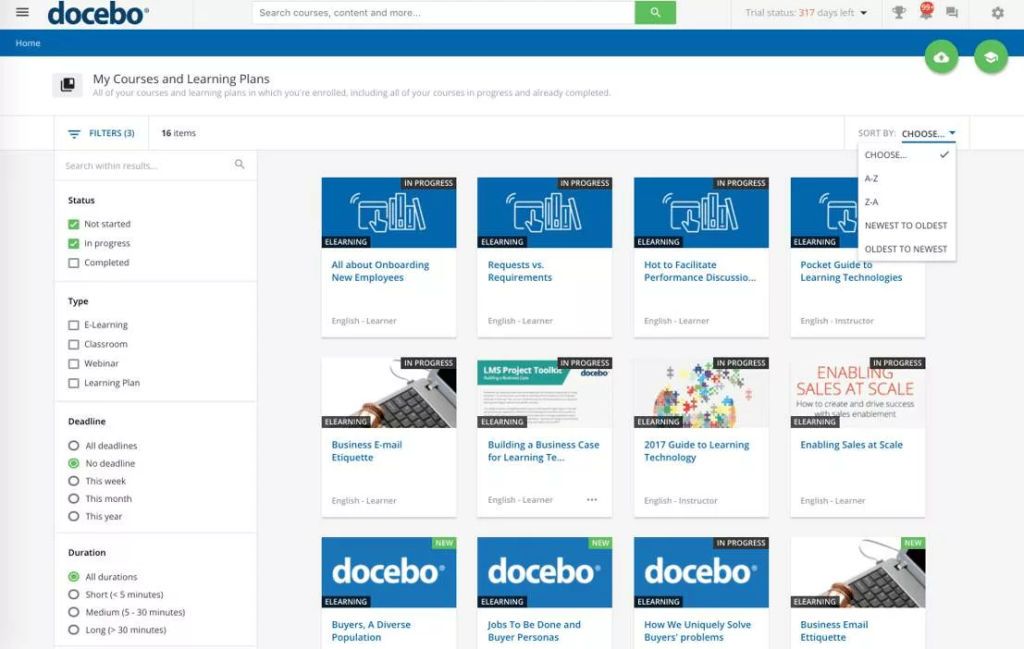
The like-for-like case. Docebo is the closest thing to a straight swap here. It handles multiple audiences, complex org structures, and extended enterprise, and admin configuration is generally faster than Cornerstone’s. If your requirements have not shrunk, Docebo belongs on the shortlist.
The add-on math is the whole negotiation. Docebo does not publish pricing. Tiers run Elevate and Enterprise, priced per active user with a choice of monthly, yearly, or registered active counting. Several advanced capabilities, including AI authoring, advanced analytics, extended enterprise, and the mobile app, are paid add-ons. Independent estimates put total cost of ownership commonly starting near $25,000 per year.
Build your quote with every module you actually need switched on. A base-tier price excluding extended enterprise is not a price for your use case.
Active-user billing can genuinely save money. Provision 5,000 people, have 3,000 log in monthly, and you are billed for 3,000. That favors compliance-heavy populations who touch the LMS twice a year. Confirm which counting method your contract uses and what happens in an overage month.
Where Cornerstone may still be stronger. Talent depth. If learning must feed succession and performance reviews in one data model, Cornerstone does it natively and Docebo needs integration work. Docebo report customization also tends to need technical skill, so check that against your team.
Verify in the demo: your five most-used reports, rebuilt live. Your HRIS field mapping. What the mobile experience costs.
Related reading: my Docebo alternatives guide and Docebo LMS review.
2. iSpring LMS
Best for: organizations that concluded they are paying enterprise prices for capability they never turned on. I go deeper on the platform in my iSpring LMS review.
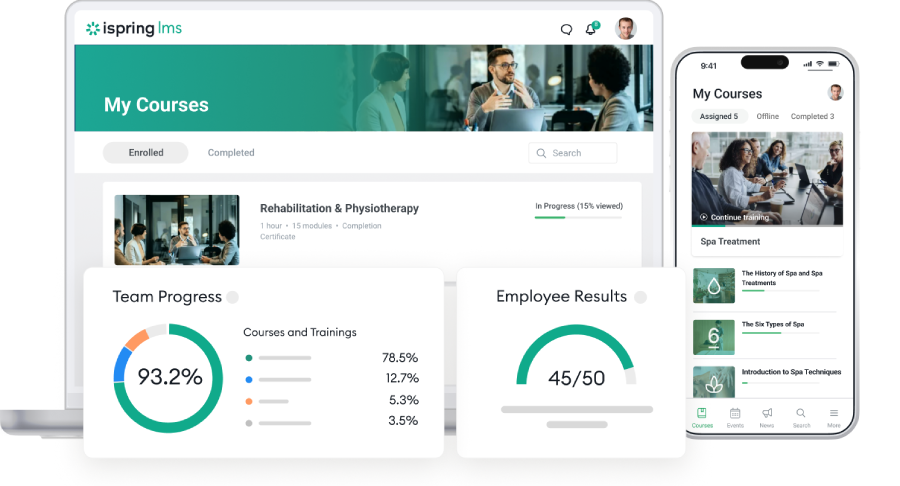
Published pricing, billed on active users. As of August, 2026: iSpring LMS charges $6.91 per user per month at 100 users, $4.46 at 300, $3.97 at 500, with Enterprise quoted separately. You can register anyone and pay only for those who logged in that month, which is materially cheaper for compliance populations that surface once a year. Model your real active rate before assuming the saving.
Modules other vendors bill separately sit in the base plan. Training and user management automation, custom roles, 360 degree feedback, on-the-job training, unlimited storage, API access, scheduled reports, a corporate portal, 24/7 support, and the iSpring Suite AI authoring tool. Suite runs inside PowerPoint, and the LMS has AI course creation built in, drafting structure and knowledge checks from files you upload. Administrator roles are unlimited at no extra cost, which is unusual on this list.
Compliance and frontline delivery. Completion tracking, expiry visibility, certification, attempt-level quiz reporting, and support for SCORM 1.2 and 2004, xAPI, and AICC. The free mobile app syncs offline progress on reconnect, which puts it among the stronger mobile LMS options for deskless teams. Self-hosted deployment is available too, which matters when data sovereignty is a first-round filter.
Where Cornerstone may still be stronger. Reporting depth is the main thing. iSpring covers operational reporting well, with report templates, scheduling, and custom reports built on request, and that is enough for most compliance and onboarding programs. Cornerstone’s report engine goes further for organizations running complex, self-service analytics across many business units, and that difference is real at the top end.Then the practical one: native HRIS connectors are limited to BambooHR and OrangeHRM, so a Workday or SuccessFactors sync is an API project rather than a switch you turn on.
Verify in the demo: your HRIS field mapping, and the most awkward custom report your CFO has ever asked for.
3. Absorb LMS
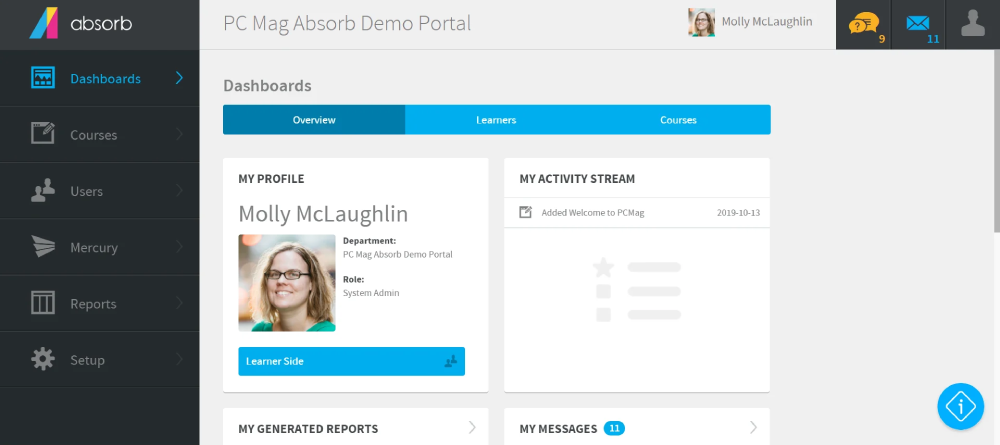
Best for: L&D teams where reporting is the reason they are leaving. See my Absorb LMS review for the fuller picture.
The reporting question first. Absorb sells Absorb Analyze, a self-serve business intelligence and ad hoc reporting tool. If your Cornerstone complaint is “I cannot answer a new question without help,” this is the most direct fix on the list. Test it with a question you have not asked before, not one their solutions engineer has a saved dashboard for.
It is a suite, and that shapes your quote. Absorb Create handles authoring, Absorb Amplify is the microlearning library, Absorb Analyze is the BI layer, and Absorb Infuse delivers learning in the flow of work. All are separate products on top of the base subscription, which is quoted per active learner with an implementation fee.
The AI layer is new, so ask about terms. Absorb rolled out Absorb Aura, a set of AI agents for learners and admins, between May and June 2026. Per Absorb’s own release notes, Aura is available only to customers who have signed the required AI terms or moved to its latest terms and conditions. If your legal team reviews AI data handling, start that during evaluation rather than after signature.
Where Cornerstone may still be stronger. Compliance and talent breadth. Absorb is a learning platform, not a talent suite, so regulated organizations with deep certification requirements should test evidence workflows hard. Some reviewers also note limited layout customization on the learner side.
Verify in the demo: build a report live from a question you write down that morning. Get every add-on priced individually.
4. 360Learning
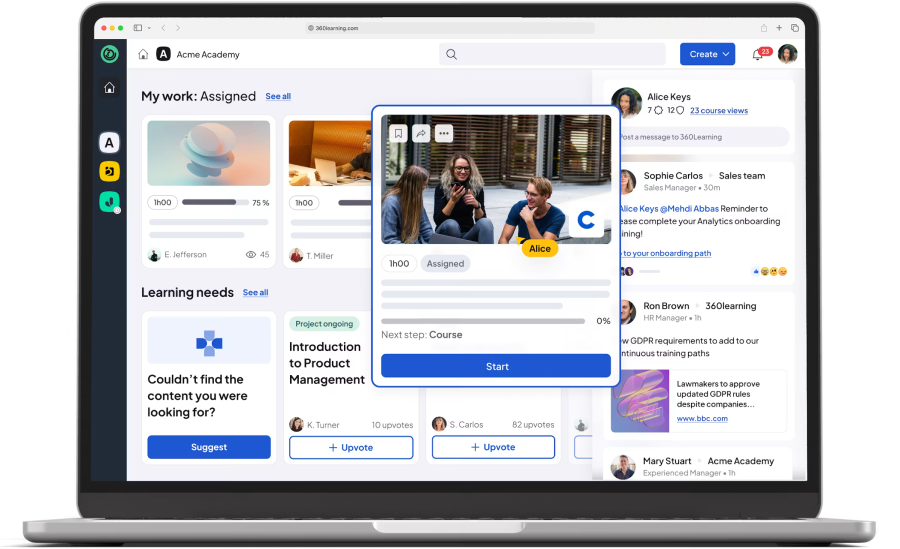
Best for: organizations whose real bottleneck is that L&D cannot write content fast enough.
This is an operating model change, not a feature swap. 360Learning is built so subject matter experts create and maintain courses, with review workflows and learner feedback loops. Buy it because you want to change who makes content. Buy it for any other reason and the collaborative features become clutter.
The model has a prerequisite most buyers skip: your SMEs need time formally allocated to authoring. If nobody’s manager has agreed to that, the platform will not fix it.
Pricing is partly public. The Team plan runs $8 per user per month for up to 100 users, then moves to a quoted Business contract, with SSO and API access sitting above the entry tier. For a Cornerstone replacement you are in Business territory immediately, so read the $8 figure as a signal about transparency rather than your likely price.
Where Cornerstone may still be stronger. Compliance rigor and administrative control. Distributed authoring and strict content governance pull in opposite directions. If every course needs sign-off before publication, you will be configuring against the platform’s grain.
Verify in the demo: the approval workflow for a regulated course, end to end, with a rejection in the middle.
5. LearnUpon
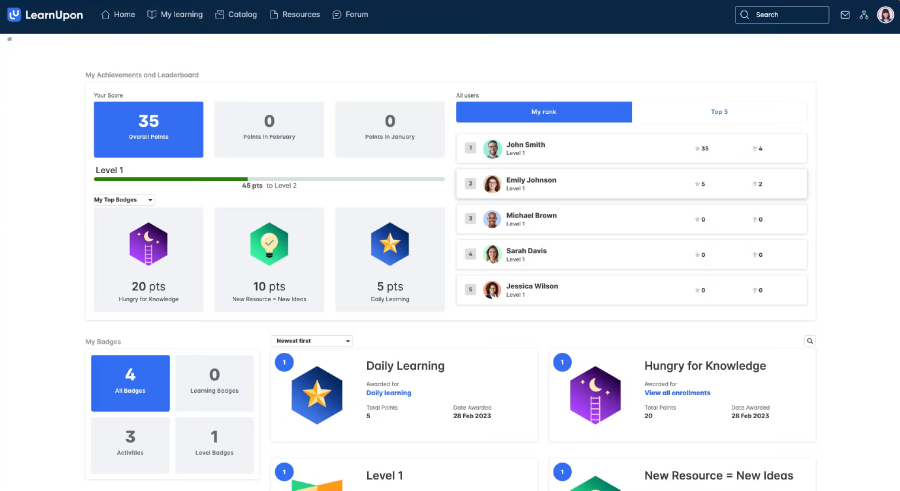
Best for: training customers, partners, franchisees, or contractors alongside employees.
Portals are the architecture. LearnUpon‘s multi-portal design gives each audience its own branded environment with separate catalogs and admins, reporting up to a parent. If you are running distributor training out of a Cornerstone instance built for employees, this is a cleaner structural fit.
The billing metric is the thing to check. LearnUpon prices per registered user, so every learner account counts toward your limit whether or not that person logs in. That is the opposite of Docebo and iSpring, and for external audiences with long tails of dormant accounts it changes your number substantially. Third-party estimates put typical cost around $6 to $9 per user per month with minimums near $10,000 to $15,000 annually, but LearnUpon publishes no list prices, so treat those as budgeting ranges only.
Ask directly: what is the deprovisioning process, and does removing a user reduce the bill mid-term?
Where Cornerstone may still be stronger. Internal enterprise depth, particularly recertification cycles and complex internal org hierarchies. LearnUpon’s center of gravity is multi-audience delivery, not internal talent management.
Verify in the demo: one learner who exists in two portals. Watch what happens to reporting.
6. Litmos
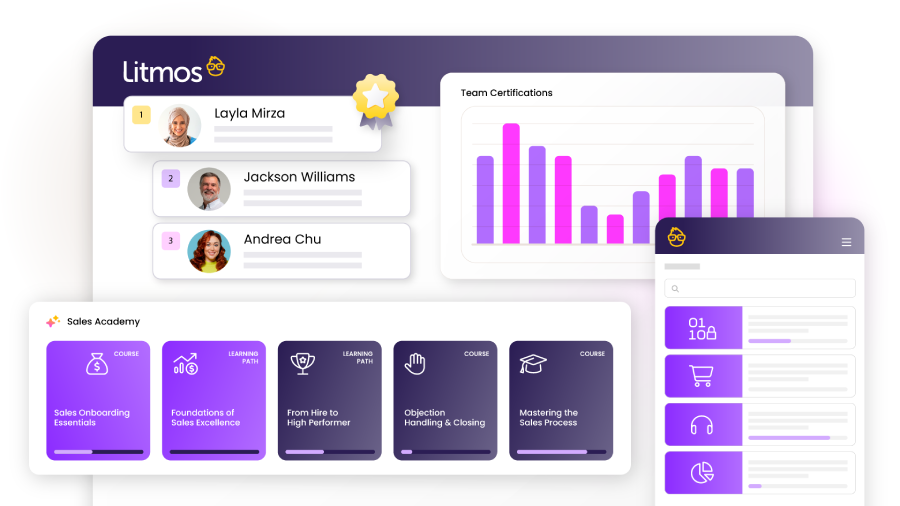
Best for: compliance-driven training where you also want a large off-the-shelf library in the same contract. My Litmos review predates the rebrand but still covers the platform mechanics.
Content is the reason to look. Litmos Training Content is a substantial library, and bundling platform with content simplifies procurement. Litmos reports its solutions are used by more than 20 million people across 150 countries and 35 languages.
Ownership history matters here, so I will state it plainly. Litmos went from CallidusCloud in 2011, to SAP in 2018, to Francisco Partners in 2022, and has run as an independent private-equity-owned company since. It is no longer SAP Litmos, and any material still using that name is out of date.
Private equity ownership is not disqualifying. Absorb has a PE owner, and so does Cornerstone. It does mean roadmap questions deserve direct answers. Ask what shipped in the last four quarters and what is committed for the next four.
Pricing. Quote-based and tiered per active user, in LMS-only or LMS-plus-content bundles. Content is a separate purchase even when it lands on one contract. Get that line broken out with a title list you can audit before committing.
Where Cornerstone may still be stronger. Global scale and integration breadth. If you have complex multi-region governance requirements, Cornerstone was built for that shape of problem.
Verify in the demo: audit trail export for a recertification cycle, and confirm the specific library titles your compliance matrix requires actually exist.
7. TalentLMS
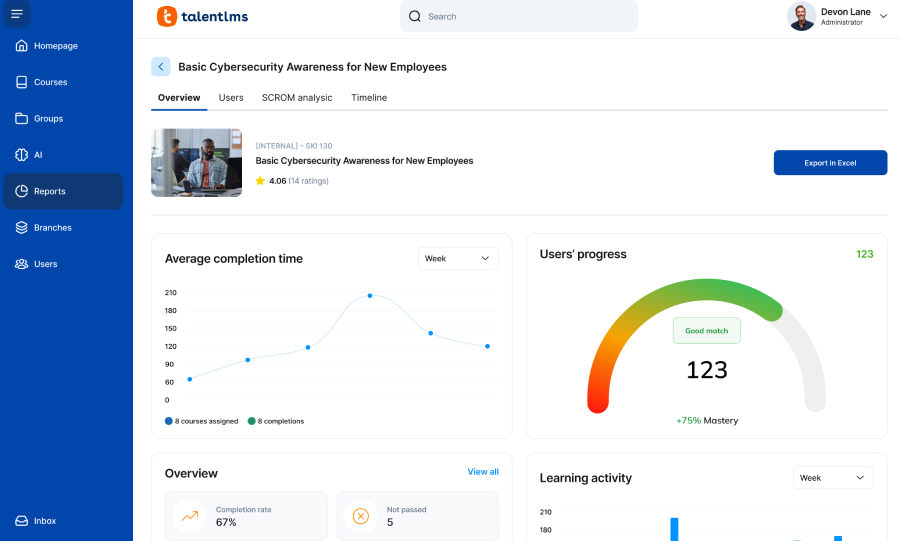
Best for: small and lower mid-market teams who want a price on a webpage and no procurement cycle.
Published pricing, with one catch. TalentLMS lists Core, Grow, and Pro publicly. The displayed $119, $229, and $449 per month are billed-yearly rates, and they are base-bracket prices: Core covers 1 to 40 active users, Grow 1 to 70, Pro 1 to 100, with each tier stepping up as you select higher brackets toward 1,000 users. Branches differ too, at 1, 3, and 15.
So the advertised price is not your price unless you are tiny. Size your bracket first, then check which features that tier unlocks. TalentLibrary, the off-the-shelf catalog, is quoted separately and not shown on the plans page.
The free tier is real but capped at 5 users and 10 courses. Useful as an extended trial, not as a platform.
Where Cornerstone may still be stronger. Almost everything at scale: compliance depth, extended enterprise, analytics, governance. TalentLMS is here because “we are far too small for what we bought” is a legitimate reason to leave Cornerstone, and the honest answer in that case is a smaller system.
Who should skip it: anyone above roughly 500 learners, or with multi-region governance requirements.
Related reading: my TalentLMS alternatives guide and TalentLMS review.
8. SAP SuccessFactors Learning or Workday Learning
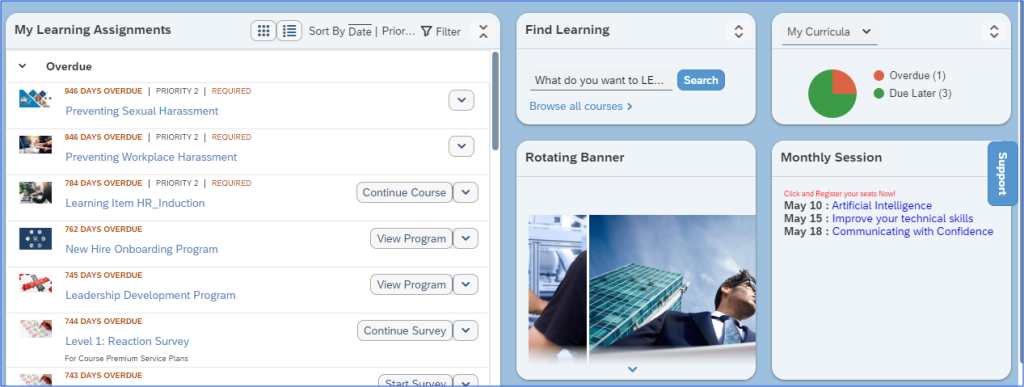
Best for: companies already running that HCM, where the deciding factor is who owns the skills data.
I am covering these together because it is the same decision.
The suite logic. If your skills profiles, performance reviews, and promotion readiness already live in Workday or SuccessFactors, running learning there means assignments and measurement share one data model. That argument frequently wins even when the learning features lose. Industry analysis suggests a significant share of enterprises on those platforms adopt the HCM-native learning module regardless of feature comparison, with the deciding factor being which system owns the skills dataset.
Standalone is possible with SAP. Per SAP’s own product pages, SuccessFactors Learning runs as a cloud LMS without the full HCM suite, and includes a validated SaaS environment for life sciences with over ten years in regulated industries. For GxP-regulated organizations that validation history is a serious differentiator worth investigating directly.
Workday Learning is generally bundled with Workday HCM rather than sold standalone. If you already pay for Workday HCM, the learning module is a smaller incremental line than buying a new platform outright.
Where Cornerstone may still be stronger. Learning-specific functionality, extended enterprise, and content ecosystem. These are HR platforms with learning modules, and specialists generally do learning better. Usability draws complaints in both.
Verify in the demo: make your incumbent HCM vendor run the same demo script as everyone else. No exceptions for the incumbent.
The demo script every Cornerstone replacement has to survive
Demos are worthless for comparison unless you control the scenario. Confirm each finalist is a genuinely SCORM compliant LMS before you spend an hour on it. Send this list in advance and require realistic data. If a vendor will not use a sample of your own employee file, that tells you something.
- Import or sync a realistic employee population from your HRIS.
- Auto-assign training by role, department, location, and employment status.
- Complete a course on desktop, then on mobile, then offline.
- Issue a certificate and trigger a recertification cycle.
- Give a line manager team completion and overdue visibility.
- Build a compliance report you have not shown them beforehand.
- Change a learner’s role and show what happens to existing assignments.
- Import an existing SCORM package and an xAPI package, then verify tracking. If the differences between SCORM, xAPI, AICC and cmi5 matter to your content library, settle that before the demo.
- Configure SSO against your identity provider and show the real login flow.
- Export learning data into whatever system owns downstream reporting.
Step 6 separates products more reliably than anything else here. Step 7 produces the most unpleasant surprises, because role changes hit assignment logic, permissions, and history at once.
How to migrate off Cornerstone without losing your audit trail
Nobody can promise a clean migration. Scope depends on your source configuration, your destination, and what your contract lets you extract. My LMS implementation guide covers the project shape in more detail.
Inventory. Active users, terminated users, organizational units, groups, roles, permissions. Then content: SCORM and xAPI packages, video, documents, curricula, assessments, and instructor-led records.
Decide what history has to move. This drives cost more than anything else, and it needs legal and compliance in the room, not an assumption from L&D. Regulated buyers should also read my notes on LMS requirements in healthcare and banking and financial services, where retention rules often decide the architecture. Which completions, certificates, credits, and audit records must you retain, and for how long? Archiving in a read-only repository is often cheaper and lower risk than forcing records into a new schema.
Map integrations at field level. Not “we integrate with Workday.” Which fields, which direction, how often, and who owns the mapping when HR changes a job title taxonomy.
Rebuild, do not port, your automation. Assignment rules, certification cycles, notifications, manager permissions, and reports all get recreated. Budget real hours. This is the most underestimated line in most plans.
Pilot, then reconcile. Run a pilot with real groups and real content, then run your key completion and compliance reports in both systems and compare before cutover. If they disagree, find out why while you still have both.
Plan the boring parts. Freeze window, comms, week-one support, rollback path. Confirm export rights and retention terms with Cornerstone in writing before you give notice, because post-termination access is contractual, not technical.
Fifteen questions that actually change the decision
- Which specific Cornerstone problems are we solving, in writing?
- Which current capabilities must the replacement preserve?
- What does the new platform make easier for administrators, day to day?
- Which integrations are native, which are API work, and which are paid services?
- How will historical completions, certificates, and audit data be handled?
- What migration work sits inside the implementation fee, and what is extra?
- What data cannot move cleanly?
- How does price change if learners, portals, or storage double?
- Which of our reports need professional services to build?
- Is billing on registered or active users, and how is active defined?
- What are the support model and contractual escalation targets?
- Can we test our real SSO, HRIS data, content, and reporting before signing?
- Can we speak to a customer who migrated from Cornerstone with a similar use case?
- What will we lose by leaving?
- What are years one, two, and three separately, with uplift?
Question 13 is the one vendors resist most, and the one worth pushing hardest.
How Cornerstone replacements go wrong
- Choosing on license price without modeling migration, integration, and year-three cost.
- Comparing feature lists rather than the workflows that caused the frustration.
- Weighting the learner interface heavily while ignoring administrator effort. Learners visit a few times a year. Admins live in it.
- Treating an integration logo as proof the data flow you need is supported.
- Failing to define historical record requirements before migration starts, then hitting a retention obligation mid-project.
- Letting each vendor run its own demo, which makes comparison meaningless.
- Buying a smaller platform that cannot carry your compliance or governance load.
- Replacing one enterprise suite with another and reproducing the complexity you wanted to escape.
- Signing before renewal terms, uplift caps, and services rates are settled.
The fourth is the one I see most. “Integration available” and “the data flow you need works” are different claims.
Final call: which Cornerstone alternative should you choose?
Choose the platform that fixes the problems driving the switch, preserves the Cornerstone capabilities you still depend on, and produces migration risk and total cost you can defend to your CFO. A simpler platform is the right replacement only when the organization can genuinely give up the complexity it no longer needs, and that is an organizational question as much as a technical one.
If you cannot write your reason for leaving in one sentence, do not start an RFP. Fix the sentence first.
If the honest answer is that Cornerstone is fine but your configuration is not, reconfiguring is usually cheaper than replacing. That option belongs on the shortlist alongside the eight above.
Still deciding whether you need enterprise capability at all? My enterprise LMS guide covers where the real thresholds sit. If the trigger was onboarding specifically, LMS options for employee onboarding is a narrower starting point, and employee training software is the broader market view.
FAQs
What is the best alternative to Cornerstone OnDemand?
There is no universal best. Docebo is the closest enterprise-scale swap, iSpring LMS the strongest fit if you are cutting cost and admin overhead, Absorb LMS the pick if reporting is the problem.
Who are Cornerstone’s main LMS competitors?
Docebo, Absorb LMS, iSpring LMS, 360Learning, LearnUpon, Litmos, TalentLMS, and the native learning modules in SAP SuccessFactors and Workday.
What LMS is easier to use than Cornerstone?
For administrators, iSpring LMS and TalentLMS are consistently simpler to configure. Both trade breadth for that simplicity. Judge ease of use on the admin side, since that is where the hours go.
What is a cheaper alternative to Cornerstone?
iSpring LMS and TalentLMS both publish pricing and sit well below typical enterprise contracts. Compare total cost including implementation and migration, not license alone.
What is Cornerstone OnDemand called now?
The company is still Cornerstone OnDemand. The learning product is marketed as Cornerstone Learning, inside the wider Cornerstone Galaxy platform.
How much does Cornerstone LMS cost?
Cornerstone does not publish pricing. Contracts are quote-based, typically per employee per month, with modules and content priced separately. Implementation commonly adds 15% to 30% of first-year fees.
Which Cornerstone competitors publish pricing?
iSpring LMS and TalentLMS publish tier pricing. 360Learning publishes its entry tier only. Docebo, Absorb, LearnUpon, and Litmos are quote-based.
How hard is it to migrate from Cornerstone?
Difficulty tracks configuration complexity, not user count. Users and content usually move without drama. Historical completions, automation rules, permissions, and integrations are where the effort concentrates.
Can Cornerstone learning records be migrated to another LMS?
Often partially. Completions and certificates can usually be exported and imported, though field mapping is rarely one to one. Confirm export rights in your contract first.
Which Cornerstone alternative is best for compliance training?
Litmos if you want platform and content together, iSpring LMS for recurring assignments and audit-ready exports without enterprise overhead, SAP SuccessFactors Learning in a validated GxP environment.
Which Cornerstone alternative is best for customer or partner training?
LearnUpon, for its multi-portal architecture. Docebo and Absorb also handle extended enterprise, usually as a paid module.
Should I replace Cornerstone or reconfigure it?
Reconfigure if the platform has the capability and your instance is simply out of date. Replace if the mismatch is structural. Get an independent configuration audit before committing to a migration budget.