
Almost every 360 review I have watched collapse, collapsed for the same quiet reason. Someone did not believe their answers were really anonymous, so they wrote nothing honest, and the report that came out the other side was polite, vague, and worthless.
That is the test I hold this category to. A 360 tool is not really software for collecting ratings. It is software for earning enough trust that people will say something they would never say to a manager’s face. Buyers tend to shop on feature lists. I pay more attention to whether a tool survives contact with a skeptical employee, because that is what decides whether the program changes anything at all.
I review learning platforms and the people tech that grows up around them for a living, training systems, knowledge bases, SOP tools, pulse surveys, and feedback software, all independently, with no vendor paying for a place on any list. What follows is the shortlist I would hand a client in 2026, the thing each tool does better than the rest, and the exact point where each one starts to grate. Every entry includes a real weakness, because a roundup that only praises is a sales page wearing a lab coat.
Prices move and most of these vendors negotiate, so treat any figure here as a starting point and get a current quote for your own headcount.
What 360 feedback software actually does
A 360 review gathers feedback on a person from several directions at once. Their manager, their peers, the people who report to them, and the person themselves. Some setups add input from clients or other departments. The point is to replace a single manager’s opinion with a fuller picture of how someone shows up at work.
The reason this matters is that one manager’s view carries a lot of bias. Recency bias, where the last month colors the whole year. Similarity bias, where a manager rates people like themselves more kindly. Plain blind spots about how someone works with peers the manager never sees. Gathering input from several people at once dilutes any single rater’s distortion, and when three peers independently flag the same habit, the feedback is much harder to wave away.
Software exists because the manual version is miserable. Spreadsheets, chasing people for responses, hand counting scores, and trying to keep raters anonymous all at once. A decent tool sends the invitations, collects the answers, aggregates the ratings, protects who said what, and hands you a report you can sit down and talk through with the person being reviewed. Good tools also connect the results to something useful afterward, usually a development plan or training.
That last part is where a lot of programs quietly fall apart, and it is the reason I pay attention to where the tool lives in your stack.
What to look for, and what to ignore
After enough rollouts you stop being impressed by feature lists. Here is what I weigh.
Anonymity that holds up under pressure. This is the one feature people will test you on. If a junior employee suspects their manager can trace a comment back to them, they will write nothing honest. Check two things. Can the survey administrator see individual responses, and is there a minimum number of raters before results are shown? A minimum of three to five responders per group is sensible. Several well known tools let admins view raw data by default, which is fine for a leadership program run by an outside facilitator and a real problem for an internal HR team.
Competency models you can edit. A sales manager and a software engineer are not measured on the same things. If you cannot build separate question sets tied to your own competencies, you will end up forcing everyone through one generic survey, and the results will be too vague to act on.
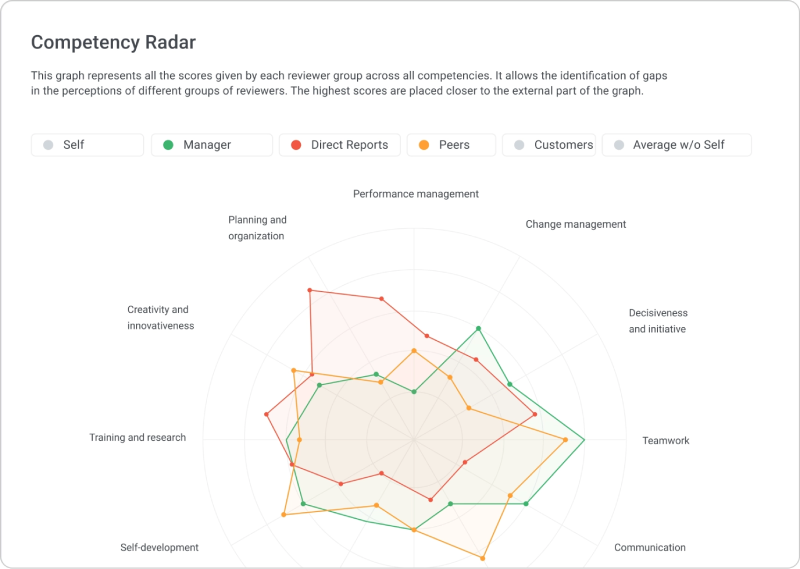
Reports a normal manager can read. Gap analysis between how someone rates themselves and how others rate them is the single most useful view in a 360 report. If the output is a wall of numbers, managers will skim it and nothing will change.
Where it connects. Feedback that sits in its own silo dies there. The tool should talk to your HRIS so you are not re-entering names, and ideally to your LMS so a low score on, say, coaching, can route someone to a course on coaching without a manual handoff.
Language and distributed teams. If your people work across countries or time zones, check for multi-language surveys and proper mobile access. A survey that ignores language and cultural context produces data you cannot really trust, and remote teams will quietly ignore a desktop-only form.
Things I would not over-weight. Slick mobile apps, AI summaries, and engagement dashboards are nice. None of them rescue a program that nobody trusts or that ends with a PDF and no follow up.
How I shortlist for a client
Three questions usually settle it.
How many people are involved? Tools priced for two thousand employees punish a team of forty, and lightweight tools buckle under a company-wide cycle.
Is this for development or for decisions? Development programs can be lighter and more frequent. The moment 360 data feeds promotion or pay, you need stronger anonymity, cleaner audit trails, and a calibration step, because people start gaming inflated or deflated scores.
What do you already own? If you run a learning platform that includes a 360 module, buying a second standalone tool is often money spent to recreate something you have. This is the part most listicles skip, and it is the part that saves real budget.
The tools I keep recommending
Here is the shortlist, with rough pricing as a starting point only.
| Tool | Best for | Starting price | Free trial or tier |
| Spidergap | Focused leadership and development programs | Per person assessed, free for tiny projects | Free for a small number of people |
| Culture Amp | Engagement plus 360 in one place | Quote based, leans enterprise | Demo only |
| Lattice | Mid-market performance management | Around $11 per user per month, billed annually | Demo only |
| iSpring LMS | Running 360 inside the platform that delivers training | Quote based, on the Business plan | 30 day trial |
| eloomi | Combined learning and people development | Quote based, 360 in the top plan | Demo only |
| 15Five | Continuous feedback and manager coaching | From roughly $4 per user per month for entry plans | Free trial |
| Leapsome | Performance, engagement, and learning together | Quote based, per user | Demo or trial |
| Workleap | Engagement-led continuous feedback | Per user, quote based | Free trial |
| Betterworks | Enterprise OKRs tied to feedback | Custom enterprise pricing | Demo only |
| Qualtrics | Large, global, research-grade analytics | Custom enterprise pricing | Demo only |
| Primalogik | Small and growing teams wanting a dedicated tool | Per user, lower cost | Free trial |
| Google Forms | Zero-budget pilots and one-off use | Free or freemium | Free |
1. Spidergap
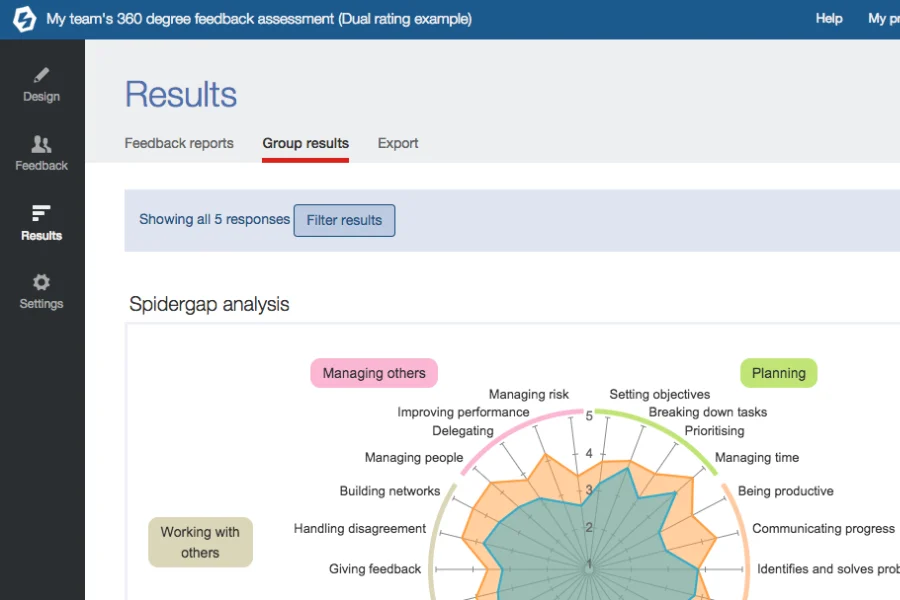
Spidergap does one thing and does it carefully. It is a dedicated 360 platform, not a suite trying to be everything, and that focus shows in the setup experience. You get prebuilt competency models, a custom question builder, automated reminder emails, and spider charts that make the self versus other gap easy to see in seconds. For a leadership program where an external facilitator runs the process, it is one of the easiest tools to get moving.
The one caveat I always raise with clients is confidentiality. By design the administrator can see participant data, and teams that want truly blind results have had to work around it, in one case by routing everything through an outside email account. Ask the vendor directly how they handle admin visibility for your use case before you commit. Pricing runs per person assessed, with a free option for very small projects, which makes it friendly for piloting before you scale.
Skip it if you want feedback wired into ongoing goals, pay, or training. That is not what it is for.
2. Culture Amp
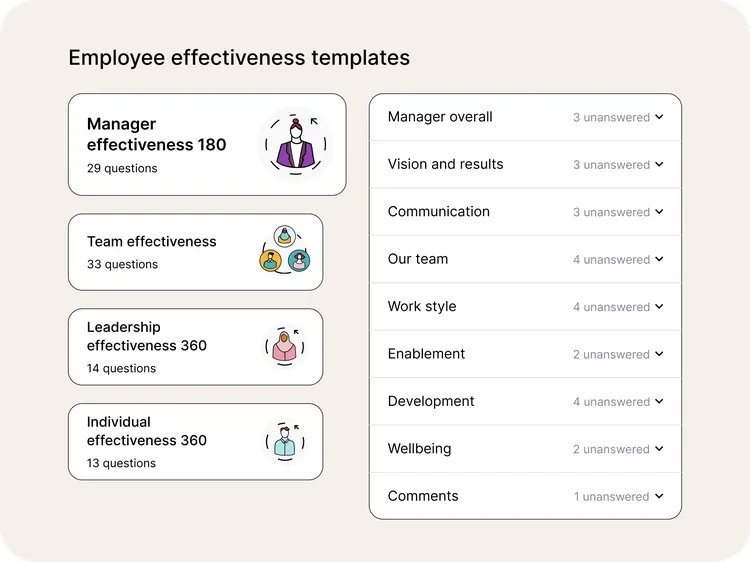
Culture Amp built its reputation on employee engagement surveys, and its 360 functionality sits inside that wider listening picture. If you already care about sentiment, eNPS, and tracking how teams feel over time, having 360 in the same place is genuinely useful, because you can connect how people are doing to how people feel. The survey design has a research backed pedigree that shows in the question quality.
The trade-offs are cost and weight. It leans toward larger organizations, pricing is quote based and not cheap, and smaller teams new to this kind of data can find the platform more than they need. Performance and 360 are also not its original core, so buyers who want deep, configurable review cycles sometimes find it thinner than a dedicated performance tool.
3. Lattice
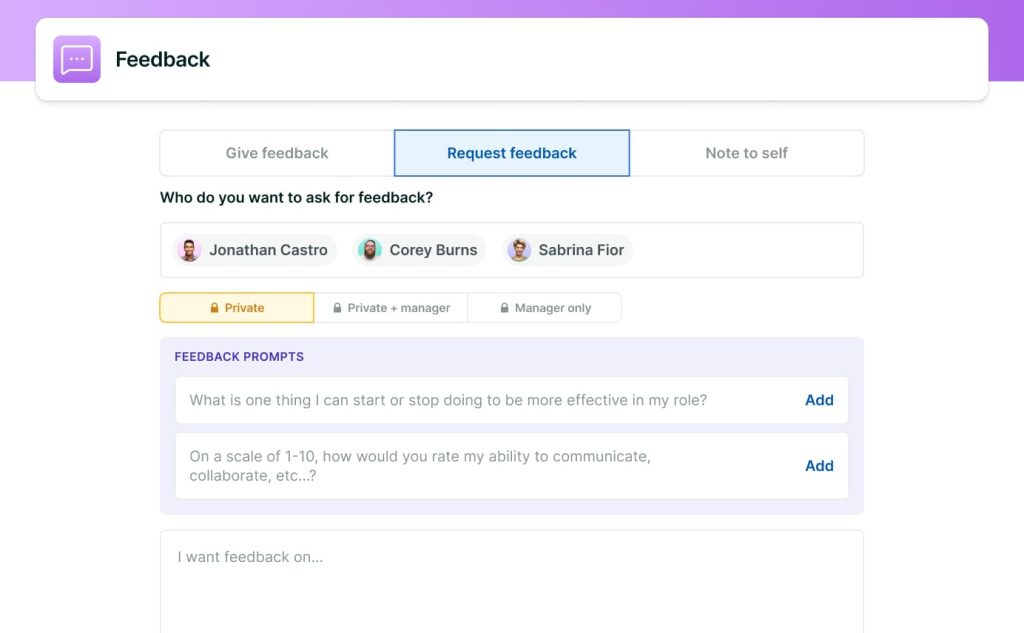
Lattice is the platform I most often suggest to mid-market companies that take performance management seriously. Its 360 capability is part of a fuller review system that also covers goals and OKRs, one on ones, and continuous feedback, and the review customization is among the best in this group. If you want 360 results connected to development plans and goal tracking rather than living alone, this is the natural fit.
The base performance plan starts around $11 per user per month, billed annually, and you pick modules from there, so a full setup costs more. Watch for minimum annual spend, which has put it out of reach for very small teams. I generally tell companies under about fifty people to look elsewhere, since the platform is built to align larger groups and the price assumes scale.
4. iSpring LMS
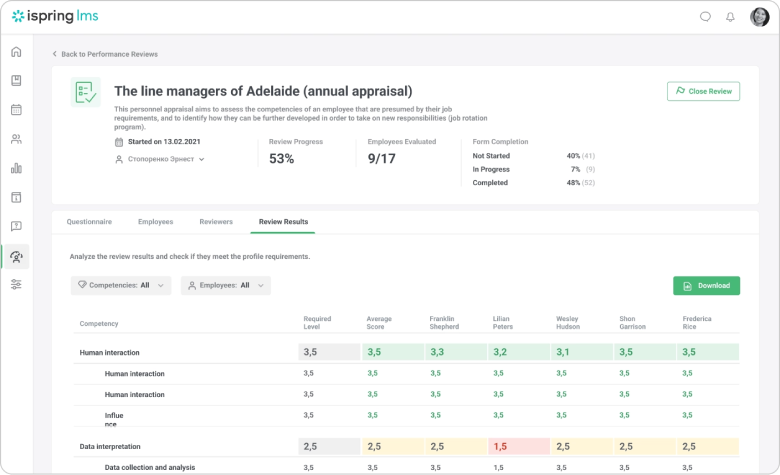
This is the one most relevant to readers here, because it answers a question buyers often do not think to ask. Can I run 360 reviews inside the tool I already use for training?
iSpring LMS includes a 360 Review module, available on its Business plan, that runs multi-rater assessments on top of the learning platform. You build a survey with a competency builder, assign it online, and the system collects responses, keeps them anonymous, and generates a report. Results are visible to administrators only, employees do not see who reviewed them, and you can build separate competency models per role or department. Because it is the same platform that delivers courses, a development plan coming out of a review can connect straight to the training that addresses the gap, with no export and re-import in between.
That integration is the real argument for it, and I want to be evenhanded about the limits. iSpring LMS is a learning platform first, so the 360 module is a capable feature rather than the deep, standalone instrument you get from a tool like Spidergap. The report visualizations are practical rather than elaborate, and the admin-only visibility model, while good for protecting raters, means you should plan how results get shared back to employees and managers. You are also buying an LMS, so this makes sense when learning and development is the home for the program, and far less sense if all you want is a one-off leadership survey with no training attached. Pricing is quote based per user, so get a number for your headcount.
In short, it earns its place on this list for organizations whose 360 lives inside their L and D workflow, not as a generic HR utility.
5. eloomi
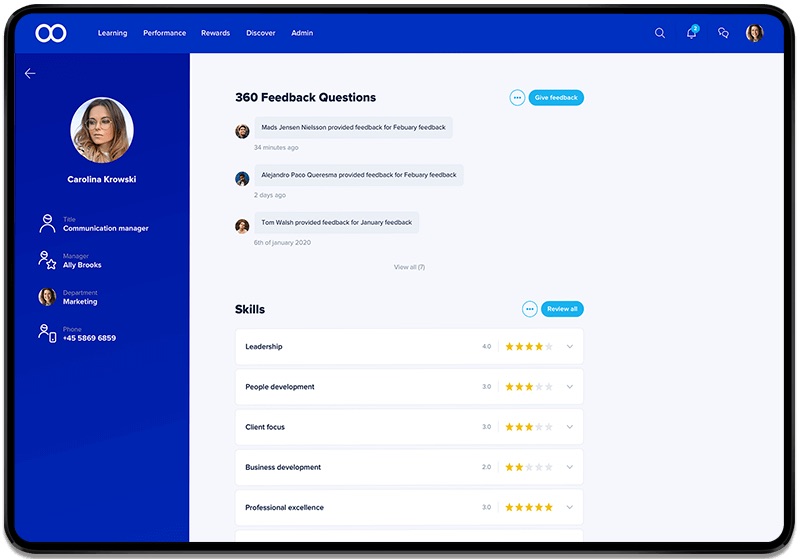
eloomi is the other learning-led option here, a Copenhagen built platform that combines an LMS with people development. Its 360 feedback sits in the top “eloomi ONE” plan alongside performance management, goal setting, and one on one scheduling, and it integrates with a long list of HR systems. The logic is similar to running 360 inside iSpring LMS. Keep learning and development under one roof so feedback and training are not strangers to each other.
Two things to check. The 360 capability lives only in the highest tier, so confirm what plan you actually need before comparing prices, and there are fewer public reviews of the 360 module specifically than of the core learning features, so ask for a live walkthrough of a full review cycle rather than relying on the marketing pages. Pricing is quote based.
6. 15Five
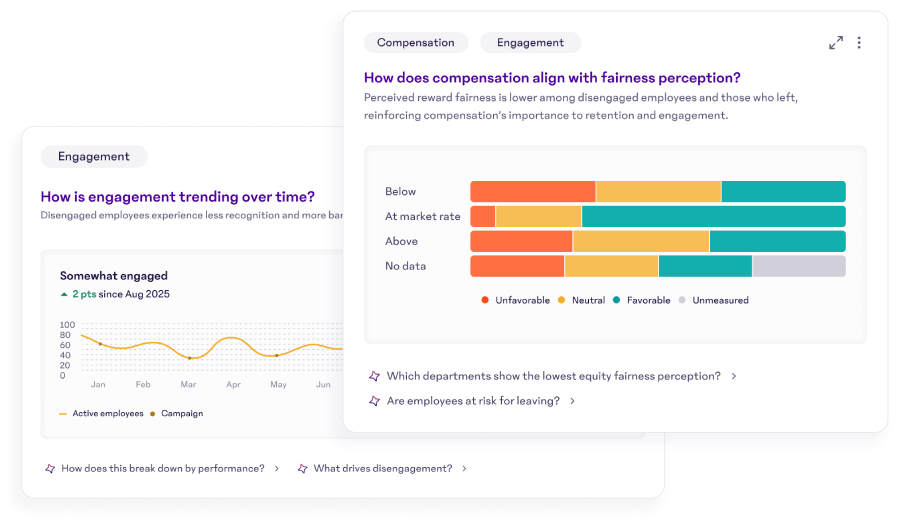
If your culture runs on frequent, lightweight feedback rather than a heavy annual event, 15Five is built for that rhythm. Weekly check-ins, manager coaching, and a 360 feature that ties into a nine-box talent view make it a strong pick for organizations that want development to be a continuous habit. Entry pricing is approachable, which suits smaller and growing teams.
It is less suited to a formal, high stakes annual 360 that feeds promotion decisions across a large company. That is not where its strength lies. Match it to coaching cultures, not compliance heavy review machinery.
A few more worth a shortlist
The six above are where I usually start, but several other platforms earn a look, and for some companies the right answer lives here.
Leapsome combines performance, engagement, and learning in one place, which makes it the closest non-LMS cousin to the learning-led options above. You can run 360 reviews, set goals, and then assign learning paths off the back of the results, so the feedback to the development loop stays inside one system. It suits mid-size companies that want performance and learning together. The trade-off is breadth, since you pay for a suite, and a small team that only wants 360 will carry modules it never opens.
Workleap comes at this from the engagement side, with pulse surveys, peer feedback, eNPS, and recognition, plus a dashboard that tracks sentiment over time. It connects to most major HRIS systems and fits mid-size and hybrid teams that want continuous, lightweight feedback rather than a heavy annual cycle. It is lighter on formal, competency-driven review structure, so it is a weaker fit when you need rigorous appraisal data.
Betterworks is built for the enterprise and centers on OKRs. The draw is connecting multi-rater feedback to goals, calibration, and talent decisions in one system, which large organizations running formal cycles value. Pricing is custom and enterprise grade. For anything under a few hundred employees it is more machinery than you need.
Qualtrics treats 360 as one piece of a wide employee experience platform, with engagement surveys, sentiment analysis, multi-language support, and the capacity to run thousands of participants across countries. It is the pick for large, global organizations that need research-grade analytics and localized surveys. The cost and complexity put it well out of range for a mid-size team.
Primalogik is the quieter option for small and growing teams that want a dedicated 360 and review tool without suite-level cost or complexity. It is customizable, priced per user at a friendlier level than the big platforms, and usually offers a trial. Its ecosystem is narrower than the large suites, so confirm its integrations cover what you run.
Free and low-cost options
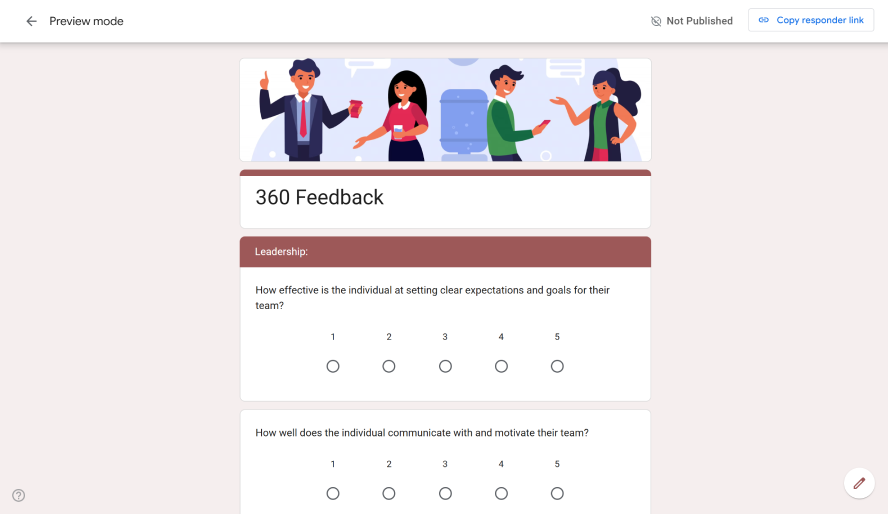
If you have no budget and a one-time need, you can approximate a 360 with general survey tools. Google Forms costs nothing and is flexible, but it has no anonymity safeguards and you aggregate the results by hand. SurveyMonkey and SurveySparrow have freemium tiers that can mimic a 360, though they are weak on rater anonymity and on the reporting that turns raw answers into something usable.
These are fine for a small-business pilot, a nonprofit, an academic exercise, or a single leadership assessment where simplicity matters more than rigor. They are a poor fit for an ongoing program, for anything tied to pay or promotion, or for remote teams, where shaky anonymity quietly kills honest answers. Once the program becomes a habit, move to a real tool.
Running 360 inside the LMS you already own
Since this site lives in the learning world, let me make the case and the counter case plainly, because it is where I see the most wasted money.
The case for it is simple. The whole point of a 360 is to change behavior, and behavior usually changes through practice and training. When the review and the learning live in the same system, the loop closes itself. A weak score on giving feedback can route the person to a short course on giving feedback, their manager can see both the review and the course completion in one place, and you are not stitching together three vendors with a spreadsheet in the middle. iSpring LMS and eloomi both work this way, and for companies whose center of gravity is L and D, it removes a real source of friction.
The counter case matters too. An LMS 360 module is rarely as deep as a specialist 360 tool. If your only goal is a sophisticated leadership assessment for thirty executives, run by an outside coach, a dedicated tool will probably serve you better and you do not need to involve your learning platform at all. The honest test is whether 360 is part of an ongoing development effort, in which case keep it near the training, or a standalone exercise, in which case a focused tool wins.
I have watched companies buy a separate 360 product while already owning an LMS that did the same job, simply because nobody checked. Check.
Rolling it out without wrecking trust
The software is the easy part. The program is where things go sideways, and a few habits prevent most of the damage.
Tell people what the data is for before you collect a single response. Development or decisions. If you blur that line, you lose honesty in both directions.
Set a minimum number of raters per group and stick to it, so no one can reverse engineer who said what. Brief raters on how to write feedback that helps, because untrained raters either inflate everything or vent.
Then, and this is the step people skip, do something with the results. A review that ends in a filed PDF teaches everyone that the exercise is theater. Tie each result to one or two concrete development actions and check back on them next cycle.
Where AI fits, and where it does not
Most of these tools now summarize free-text comments and flag themes automatically, and used well that saves a manager real time, since reading forty open comments and finding the pattern is genuinely tedious. I am in favor of it for that.
I am against handing it judgment. AI can cluster comments. It should not decide who gets promoted, and it can flatten the nuance that makes a comment worth reading in the first place. Keep a human reading the actual feedback before any decision attaches to it. Treat the summaries as a first pass, not a verdict.
Frequently asked questions
What is the best 360 feedback tool for a company of around two hundred people?
At that size you have real options. If you want 360 connected to goals and reviews, Lattice fits well. If learning and development is your home base, iSpring LMS or eloomi let you keep feedback and training together. For a focused leadership program only, Spidergap is enough on its own.
Which LMS platforms include built-in 360-degree feedback?
iSpring LMS includes a 360 Review module on its Business plan, and eloomi includes 360 in its top “eloomi ONE” plan. Both let you connect a review to the training that follows it.
How much does 360 feedback software cost per employee?
It varies widely. Continuous feedback tools start around a few dollars per user per month, mid-market performance suites sit near $11 per user per month before add-ons, and learning platforms and dedicated 360 tools are usually quote based. Confirm a current price for your exact headcount, because most vendors negotiate.
Is 360 feedback anonymous, and how is it kept confidential?
It can be, but it is not automatic. The two safeguards that matter are whether the administrator can see individual responses and whether the tool hides results until a minimum number of raters have answered. Ask both questions of any vendor before you buy.
360 feedback versus a traditional performance review, what is the difference?
A traditional review is mostly one manager’s view flowing downward. A 360 gathers input from several directions at once, which reduces single-rater bias and surfaces blind spots, though it takes more effort to run and only pays off if you act on what it shows.
What is the best 360 feedback software for a small business?
Small teams are usually better served by something simple and affordable. Primalogik and 15Five both work without enterprise overhead, Spidergap’s free option is good for a first project, and if your needs are basic you can start in a survey tool. Hold off on the large suites until you actually need them.
What works for remote and hybrid teams?
Look for reliable anonymity, real mobile access, and, if you span countries, multi-language surveys. Continuous feedback tools like 15Five and Workleap suit distributed teams that prefer frequent light touchpoints, while Lattice and the LMS-based options handle structured remote cycles. Avoid anything desktop-only or with shaky anonymity, since remote staff are the quickest to disengage from a process they do not trust.
What are the best low-cost options in 2026?
Spidergap has a free option for very small projects, and Primalogik keeps per-user pricing low for growing teams. 15Five’s entry plans are affordable for smaller teams. For a zero-budget pilot, a survey tool like Google Forms can stand in, as long as you accept weak anonymity and manual work. And if you already own an LMS with a 360 module, the lowest cost option may be the one you are already paying for.