Most companies don’t have an SOP problem. They have an adoption problem.
I’ve spent the better part of a decade helping businesses pick and roll out learning and operations software, and the pattern is almost always the same. A team finally sits down, writes a beautiful set of standard operating procedures, drops them in a shared drive or a wiki, and feels great about it. Six months later, the new hire is still asking the same questions in Slack, the senior person is still the only one who knows how to close the books, and half the documents are quietly out of date.
So before we get into the list, let me be clear about the lens I’m using. The best SOP software in 2026 isn’t the one with the longest feature sheet. It’s the one your team will actually open, follow, and keep current after the novelty wears off. That’s the whole game.
This guide compares the leading standard operating procedure tools against four questions that matter:
- How fast can you create a procedure?
- Will people actually use it?
- What does it really cost?
- What can it genuinely not do?
I’ve included an honest limitation for every tool because no platform is right for everyone, and a comparison that pretends otherwise isn’t worth reading.
A quick note on pricing: Every figure below was checked in mid-2026, but SOP vendors change their plans often. Treat these as ballpark numbers and confirm current pricing on each vendor’s site before you buy.
What is SOP software?
SOP software is a tool built specifically for creating, organizing, distributing, and maintaining standard operating procedures—the documented, repeatable steps for how work gets done in your business. Think onboarding a new sales rep, processing a refund, running payroll, or cleaning a piece of equipment to spec.
A good SOP tool does more than store a document. The strong ones in 2026 do some combination of the following:
- Capture a process quickly (often by recording your screen)
- Turn that capture into a clean, step-by-step guide
- Assign it to the right people
- Confirm they’ve read or completed it
- Keep a version history so you know what changed and when
In other words, they’re designed to close the gap between writing a procedure and following one.
The underlying job is knowledge transfer. Every business runs on a layer of “tribal knowledge”—the stuff that lives in one person’s head. SOP software exists to get that knowledge out of heads and into a single source of truth that survives turnover, promotions, and vacations.
SOP software vs. a knowledge base, Google Docs, or Notion
This is the question I get most, so let’s settle it.
You can write SOPs in Google Docs, Notion, or a generic knowledge base, and plenty of small teams do exactly that for a while. The reason dedicated SOP software exists is that those general tools are missing three things that drive adoption:
- Completion tracking: A Google Doc can’t tell you whether your new hire actually read the safety procedure. Dedicated tools can.
- Structured assignment: Purpose-built software lets you assign the right procedures to the right roles and reassign them when something changes.
- An audit trail: When a regulator or an auditor asks, “Who was trained on this version, and when?” a wiki shrugs. SOP software answers.
My rule of thumb: If you have fewer than ten people and your processes rarely change, Notion or Google Docs is genuinely fine—don’t overspend. The moment you’re onboarding regularly, operating across multiple locations, or working in a regulated industry, the lack of tracking and version control starts costing you real money, and a dedicated tool pays for itself.
Who actually needs SOP software?
Four groups get the most value out of these tools:
- Operations leaders trying to standardize how work gets done across a growing or multi-location business.
- HR and L&D teams who want onboarding and procedures in one place, with definitive proof that people completed them.
- Founders and small-business owners without a dedicated ops person, who need to get processes out of their own heads before they become the bottleneck.
- Compliance-heavy and frontline teams (manufacturing, healthcare, financial services, food service, retail) where simply saying “we have a procedure” isn’t enough and you need to prove adherence. Many also require certification training alongside documented procedures.
If you fit none of those descriptions and just need to write down a handful of how-tos for yourself, you probably don’t need to spend anything. Skip to the section on writing good SOPs at the end and use a free tool.
The real problem: why most SOPs get ignored
It’s worth naming why procedures fail because the fix shapes which tool you should buy.
SOPs get ignored for predictable reasons:
- They’re hard to find when someone needs them.
- They’re a wall of text nobody wants to read.
- They go stale because nobody owns updating them, so people stop trusting them.
- They live somewhere separate from where the actual work happens, so following them means stopping, switching tabs, and hunting.
The tools that win in 2026 attack these failure points directly through fast creation (so procedures get written at all), point-of-use or in-app delivery (so guidance shows up where the work is), and clear ownership of updates (so documentation stays current). Keep those three elements in mind as you read—the right tool for you is the one that fixes the specific way your procedures are currently dying.
Key features to look for
Here is what I put on a shortlist’s evaluation criteria, ranked roughly by how much they affect adoption:
- Creation speed: If documenting a process takes two hours, it won’t happen. The best modern tools turn a screen recording into a finished SOP in minutes. This is the single biggest predictor of whether you’ll build a real library or three lonely documents.
- AI and templates: An AI SOP generator that drafts a first version from a prompt or a recording removes the blank-page problem. Templates do the same more affordably.
- Version control: Documentation that stays current is documentation people trust. Look for a robust version history and a clear way to flag when a procedure needs a review.
- In-app or point-of-use delivery: Guidance that appears inside the software your team is already using beats a separate document nobody opens.
- Completion tracking: Knowing who has read or finished a procedure is the difference between hoping and knowing.
- Audit trails and role-based access: Non-negotiable for regulated industries. You need a record of who saw what and tight controls over who can edit.
- Integrations: Look for tools that connect to the rest of your stack, including Slack, your CRM, your LMS, and Zapier.
- Mobile and offline access: Critical if your team is on a shop floor, in a clinic, or in the field rather than at a desk.
The 8 best SOP software tools in 2026
I’ve ordered these by general usefulness for a typical growing business, but pay more attention to the “Best for” designation than the rank—the right pick depends entirely on your specific use case.
1. Scribe — best for capturing a process fast
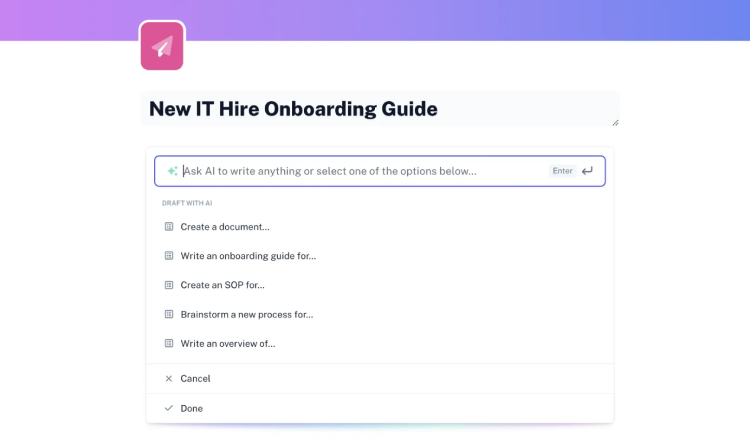
Overview. Scribe is the tool most people mean when they say, “I wish I could just record myself doing this and have it write the SOP.” You click through a process using the browser extension or desktop app, and Scribe automatically builds a step-by-step guide complete with screenshots and instructions. For documenting software workflows, nothing is faster.
Key features:
- Automatic step capture from screen recordings
- Auto-generated screenshots and instruction text
- Basic editing and annotations
- Sensitive-data redaction on higher tiers
- Sharing via link or PDF, plus a content library to organize guides
- SOC 2 Type II, HIPAA, and CCPA compliance
Pricing: There is a free plan available (web capture with limits). Paid options scale from roughly $13 per seat per month on the Team plan (note the five-seat minimum) up to about $25 per seat per month for the Personal Pro tier (paid annually). Enterprise plans require a custom quote.
Ideal use case: A team that needs to document a lot of browser- and desktop-based processes quickly, such as IT setup steps, software how-tos, and repetitive admin tasks.
Honest limitation: Scribe shines for digital, screen-based work but struggles with physical or frontline procedures. Captured steps can sometimes read generically (e.g., saying “Click here” instead of “Click Submit”), meaning they still require manual editing. Additionally, because guides are screenshot-heavy, they go stale fast when an interface changes—which is fine for stable software but painful for platforms that ship UI updates every week.
2. Trainual — best for turning SOPs into onboarding and training
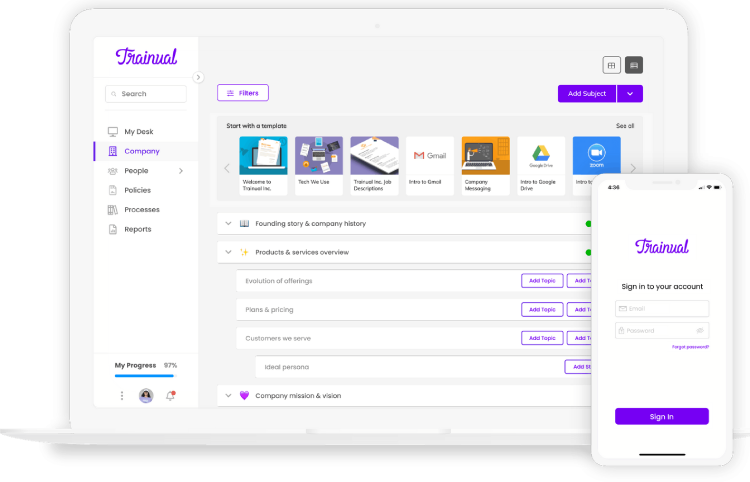
Overview. Trainual is one of the best-known names in the category because it blends SOP documentation with onboarding and training. You don’t just store procedures; you assign them, add quizzes to confirm understanding, and track completion by role. For many SMBs, it serves as the bridge between basic process docs and a formal training program.
Key features:
- Role-based assignment of procedures and policies
- AI-assisted content drafting
- Quizzes and completion tracking
- An org chart and centralized policy hub
- Built-in feedback loops, commenting, and @-mentions
- HRIS integrations
Pricing: Trainual uses flat workspace pricing rather than a per-user model. Plans start around $249 per month for up to 10 seats (billed annually), with additional seats costing roughly $3–$5 each per month. Higher tiers range from $319–$399 per month. There is no permanent free plan—only a trial—and you may encounter a one-time implementation fee.
Ideal use case: A 20-to-200-person company where onboarding and consistent role training are major pain points, and you want procedures, quizzes, and tracking centralized in one place.
Honest limitation: The flat $249 floor feels steep for very small teams, and pricing above the entry tier moves to custom quotes, making budgeting less predictable. It is also more platform than you need if you only want quick, shareable how-to guides without an added training layer.
3. iSpring LMS — best for SOPs you need to deliver and track like training
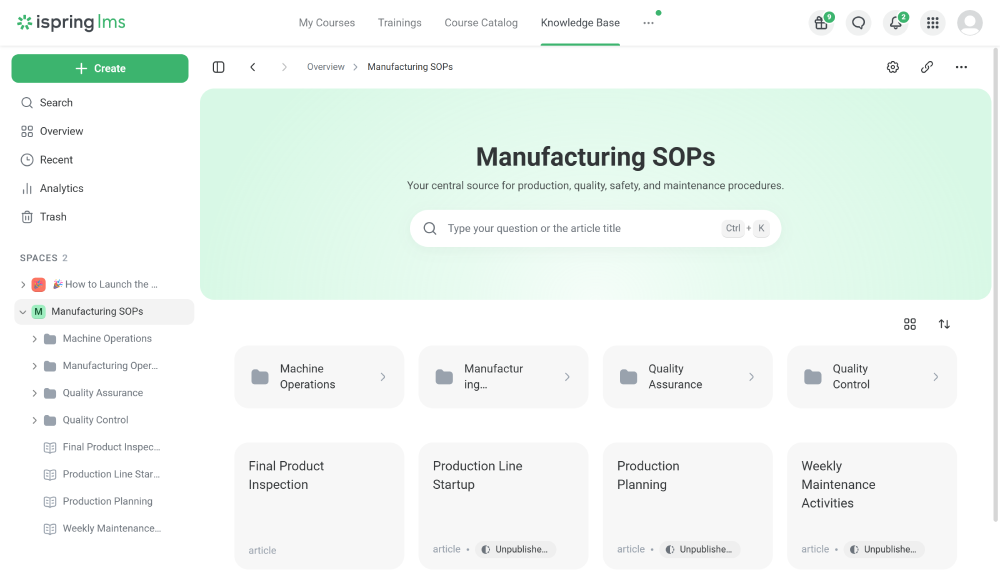
Overview. iSpring LMS is the one tool on this list that is a full learning management system rather than a pure SOP builder—and that is exactly why it earns a spot. If simply having people read a document isn’t enough, and you need procedures delivered as structured, testable training with hard completion records, a searchable knowledge base, and compliance re-enrollment, this is your tool. The key difference from quick-capture tools: you assign a procedure, then see exactly who completed it.
Key features:
- A centralized knowledge base for SOPs
- Multiple storage methods: native Pages (Notion-like docs), uploaded PDF/Word/Excel files, links to external docs, full courses, or assignments
- On-the-job training and observation checklists that verify a procedure was actually performed, not just read
- Screen and webcam recording
- An AI course generator plus PowerPoint-to-course conversion, complete with quizzes and role-play simulations
- Completion tracking, automated enrollments, and compliance re-enrollment
- Mobile app with offline access
Pricing: iSpring uses an active-user billing model, meaning you only pay for the people who log in during a given month. On annual plans, it runs roughly $3.97–$6.91 per user per month at larger volumes (around 100+ users), making it one of the more affordable options at scale. A 30-day free trial is available.
Ideal use case: Regulated, frontline, or distributed teams (manufacturing, healthcare, retail, financial services) that need procedures turned into trackable training, want a knowledge base and an LMS in one system, and must prove regulatory compliance.
Honest limitation: It is a heavier platform than a quick-capture SOP tool, so it is overkill if all you want are shareable step-by-step guides. The authoring tools (iSpring Suite and Cam Pro) run only on Windows, the active-user pricing model favors larger teams over tiny ones, and some users find the built-in reporting options limited. If you don’t need the training and tracking depth of an LMS, simpler tools will get you there faster.
4. Process Street — best for recurring checklists and workflow accountability
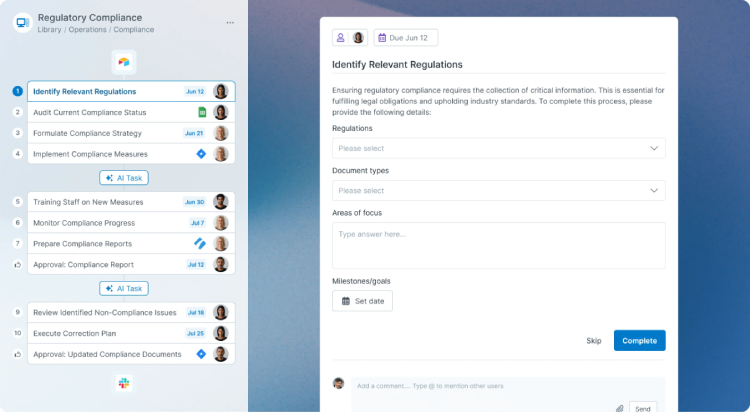
Overview. Process Street treats SOPs as living workflows rather than static documents. You build a checklist or process, and every time it runs, the platform tracks progress, enforces approvals, and uses conditional logic to branch based on inputs. It is less about “here’s how to do it” and more about “do it in order and prove each step happened.”
Key features:
- A modern, in-browser document editor
- Recurring checklists for repeatable processes
- Conditional (decision-based) logic that branches workflows
- Approval gates and digital sign-offs
- Versioning and audit trails
- Workflow run tracking for full accountability
- Native integrations with tools like Slack, Salesforce, and Zapier
Pricing: A free trial is available, with paid plans starting around $29 per user per month.
Ideal use case: Operations and compliance teams running the same process repeatedly (such as client onboarding, monthly financial closes, or quality checks) where accountability and step-by-step completion matter more than software walkthroughs.
Honest limitation: Its strength is execution, not documentation depth or rapid visual capture. If your primary need is a polished, easily browsable library of how-to guides rather than enforced, recurring workflows, it can feel like a slightly awkward fit.
5. Tango — best for in-the-moment, in-app guidance
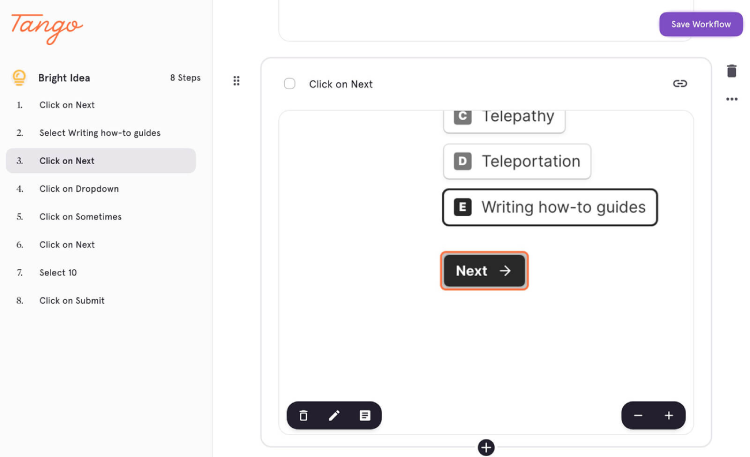
Overview. Tango is in the same software family as Scribe—you capture a process by clicking through it to generate an instant step-by-step guide. However, Tango places a stronger emphasis on real-time, in-app guidance that walks someone through a task while they are actively doing it.
Key features:
- Automatic workflow capture with screenshots
- In-app walkthroughs that guide users live (available on higher tiers)
- Real-time collaboration on guides
- Shareable step-by-step documentation
- Browser extension and desktop capture capabilities
- Detailed adoption analytics
- Cross-platform functionality across CRM, ERP, and HRIS systems
Pricing: There is a genuinely useful free plan (supporting up to 10 users and 5 workflows), with the Pro tier running around $15–$22 per user per month. Custom enterprise plans are also available.
Ideal use case: Small teams that want fast, browser-based how-tos along with the option to guide people through a task live, especially during software rollouts.
Honest limitation: Per-user pricing adds up quickly past about 20 people. Like Scribe, it focuses heavily on digital, screen-based processes rather than physical or frontline work.
6. SweetProcess — best for small teams that want simple, no-frills documentation
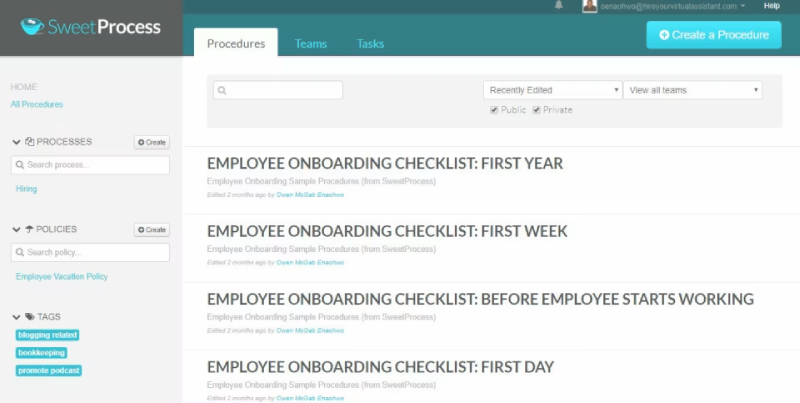
Overview. SweetProcess has been around since 2013 and leans into being reliable and predictable. Procedures nest logically inside broader processes, the interface remains consistent, and teams that get overwhelmed by flashier tools often appreciate the straightforward layout.
Key features:
- Clean, intuitive procedure-and-process structure
- Task assignments to individual team members
- Version control for tracking document changes
- Built-in screen capture
- Visual process maps
- AI document generation
- Quizzes to assess your team’s grasp of company policies
- Broad integrations via Zapier (supporting over 1,000 apps)
Pricing: $99 per month for up to 20 active users, then about $5 per additional user per month (with an “active user” defined as someone who has logged in or used the platform recently).
Ideal use case: An established small team—say, 20 or more people—that wants straightforward, text-based SOP documentation without a steep learning curve or excessive features they will never touch.
Honest limitation: The interface can feel dated compared to newer tools, it lacks an advanced AI search layer, and fast-growing teams sometimes outgrow it within a year. You are getting a solid, dependable tool, but not a cutting-edge one.
7. Whale — best for an AI-assisted SOP and knowledge base
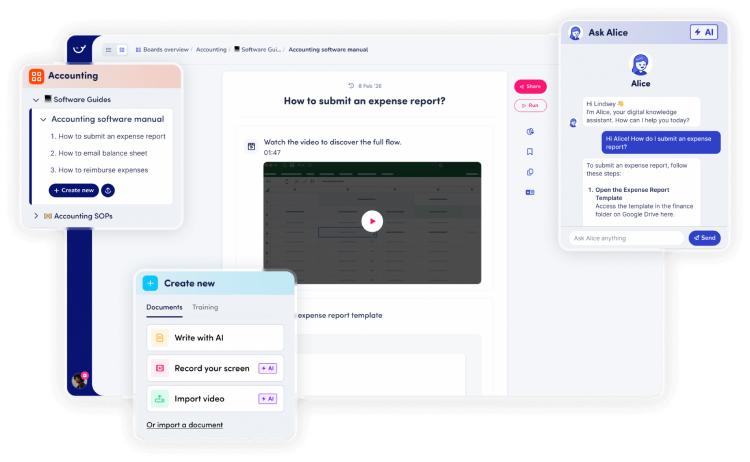
Overview. Whale sits right at the intersection of SOP documentation and knowledge management. It features a clean interface, an AI writing assistant, and a handy browser extension that helps people find and share procedures without much friction. Reviewers consistently praise its search functionality.
Key features:
- AI writing assistant for drafting SOPs from scratch
- A step recorder and video screen recorder
- Strong keyword and AI-powered search infrastructure
- A browser extension for finding procedures in context
- Approval flows and expert reviews
- Automatic redaction of sensitive information
- Mobile-first access
Pricing: There is a free tier available, with the Team plan running around $249 per month for 10 users.
Ideal use case: Teams that want a true knowledge-base experience—easy to search and easy to share—combined with AI assistance to get procedures written in the first place.
Honest limitation: Some users may find themselves wanting richer, sector-specific templates to structure their processes. It functions primarily as a knowledge and documentation play rather than a deep workflow-execution or trackable training platform.
8. Notion — best free or DIY starting point
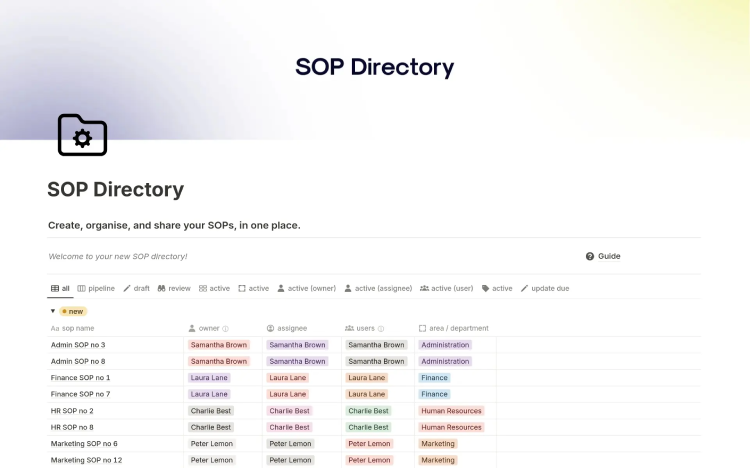
Overview. I’m including Notion because for a lot of small teams, it is the most honest answer, and pretending otherwise would undercut the rest of this list. If your team already lives in Notion, you can build a perfectly serviceable, highly customized SOP hub right inside it.
Key features:
- Highly flexible pages and databases
- A massive library of community and official templates
- A familiar, well-designed block editor
- Over 50 distinct content types available
- Easy linking and cross-referencing between documents
- Advanced security, admin controls, and permissions (on the Enterprise plan)
- Real-time team collaboration
Pricing: Free personal tier; team plans start from about $10 per seat per month.
Ideal use case: Small teams already using Notion who want a lightweight documentation structure without adding yet another software tool to their stack.
Honest limitation: It is not purpose-built for SOPs. There is no native completion tracking, no automatic audit trail, and no role-based procedure assignment. Keeping documentation updated remains a strict manual discipline. It is a fantastic place to start, but a frustrating place to scale once compliance requirements or onboarding volumes pick up.
Also worth a look:
Waybook is an all-in-one SOP, onboarding, and knowledge base tool starting around $99 per month (popular with 20-to-200-person service businesses).
Document360 is strong for technical documentation and developer-facing knowledge bases.
Guru is enterprise knowledge management with AI verification, though it comes with a higher pricing floor.
Comparison table
| Tool | Best for | Free plan | Starting paid price | Mobile / Platform |
| Scribe | Fast capture of software processes | Yes (limited) | ~$13/seat/mo | Web / Desktop |
| Trainual | SOPs + onboarding and training | No (trial only) | ~$249/mo (10 seats) | Yes |
| iSpring LMS | SOPs delivered and tracked like training | 30-day trial | $3.97–$6.91/user/mo | Yes (with offline access) |
| Process Street | Recurring checklists and workflows | Trial | ~$29/user/mo | Yes |
| Tango | In-the-moment, in-app guidance | Yes (10 users) | ~$15–$22/user/mo | Browser / Desktop |
| SweetProcess | Simple, no-frills small-team docs | Trial | $99/mo (20 users) | Web (responsive) |
| Whale | AI-assisted SOP + knowledge base | Yes | ~$249/mo (10 seats) | Yes |
| Notion | Free/DIY starting point | Yes | ~$10/seat/mo | Yes |
How to choose the right SOP software
Skip the feature comparison table for a second and answer one foundational question: What is killing your procedures right now? Once you know that, match the tool to the failure point.
- “We never write them because it takes too long.” You have a creation-speed problem. Start with Scribe or Tango—rapid capture always beats staring at a blank page.
- “We have docs, but new hires still don’t follow them.” You have an onboarding and accountability problem. Look into Trainual or iSpring LMS.
- “We need to prove people are trained and compliant.” You have an audit problem. iSpring LMS (for training-grade tracking and a centralized knowledge base) or Process Street (for enforced workflows) will fit best.
- “We run the same process over and over, and steps get skipped.” You have an execution problem. Process Street is built for exactly this scenario.
- “We’re a tiny team and just need something simple and cheap.” SweetProcess, Whale’s free tier, or even Notion will do the job perfectly.
- “Our team is on a floor or in the field, not at a desk.” Prioritize mobile and offline access. iSpring LMS and Whale are exceptionally strong here.
One final piece of advice: Pick the tool your team will actually tolerate, not just the one that scores highest on a spreadsheet. The most powerful platform is completely worthless if people quietly stop using it. Run a free trial with the actual people who will maintain the SOPs day-to-day, not just the executive buying the software.
SOP software by industry
The right choice shifts noticeably depending on your sector.
Manufacturing
You need work instructions that hold up on a physical shop floor, mobile (and ideally offline) access, and a hard audit trail for safety and quality. Training-and-tracking platforms like iSpring LMS and execution-focused tools like Process Street tend to fit much better than pure screen-capture tools since the bulk of the work isn’t happening on a computer screen.
Healthcare
Compliance and proof of training dominate this space. You want foolproof completion records, automated re-enrollment for when certifications lapse, and tight role-based access controls. An LMS-grade option with an integrated knowledge base easily earns its keep here.
Real estate and agencies
These are fast-moving, people-heavy environments with lots of repeatable client and listing processes. Quick-capture tools (Scribe, Tango) and checklist-driven platforms (Process Street) usually win because procedures change frequently and must be created without friction.
Retail and frontline service
High turnover rates make onboarding speed and mobile access your top priorities. Look for procedures that double as bite-sized training and a centralized knowledge base that staff can quickly search directly from their phones.
How to write an SOP that actually gets adopted
No software tool can fix a badly written procedure. Regardless of the platform you choose, here is the short version of what works:
- Write for the person doing the task, not the person auditing it. Use plain language and stick to one clear action per step.
- Show, don’t just tell. A quick screen recording or a few well-placed screenshots beat three dense paragraphs of text every time.
- State the trigger and the outcome. Clearly define: When does this process start, and what does “done” look like?
- Assign an owner and a review date. A procedure with no explicit owner is a procedure that is already rotting.
- Keep it where the work happens. The closer the SOP lives to the actual task, the more likely it is to be followed.
Get those five fundamentals right, and almost any tool on this list will serve you well. Get them wrong, and even the fanciest platform won’t save you.
FAQs
Which SOP software has the best free plan?
Tango’s free plan (up to 10 users and 5 workflows) and Whale’s free tier are the most generous options for building a usable library without upfront costs. Scribe and Notion also offer solid free plans to start with. iSpring LMS focuses on a comprehensive 30-day free trial rather than a permanent free tier.
Is Notion or Google Docs good enough, or do I need dedicated software?
For a team under ten people with stable processes, they are genuinely fine. However, you will want dedicated software the moment you require completion tracking, role-based assignments, a version history you can completely trust, or an official audit trail. This transition typically happens when you start onboarding regularly or operate in a regulated industry.
Which SOP software automatically captures a process from a screen recording?
Scribe and Tango both auto-generate clean, step-by-step guides directly from your live screen recordings. iSpring Cam Pro (bundled with the iSpring LMS authoring suite) and Whale also offer robust screen and step-recording tools to build video walkthroughs.
How do I stop my SOPs from going out of date?
Assign every procedure a specific owner and a recurring review date, and choose a tool featuring built-in version control and automated stale-content flags. Keep in mind that screenshot-heavy guides (like Scribe’s) go out of date faster when software interfaces change, so reserve them for your most stable digital processes.
What’s best for compliance and audit trails in regulated industries?
You need completion records, role-based access, and automated re-enrollment workflows. An LMS-grade tool like iSpring LMS covers comprehensive training and tracking needs, while Process Street is exceptionally strong for building enforced, auditable, and recurring workflows.
How do I make sure employees actually follow SOPs?
Combine three core pillars: make procedures fast to find, keep them easy to follow, and deliver them right where the work happens. Using completion tracking also allows you to see who is actually engaging with the documentation. Adoption is ultimately a delivery problem just as much as a documentation one.
Can SOP software integrate with Slack, Salesforce, or our LMS?
Yes, many do. Process Street connects directly to Slack and Salesforce, SweetProcess integrates with over 1,000 apps via Zapier, and Scribe plugs cleanly into tools like Notion, Confluence, and SharePoint. If you already run a learning management system, an all-in-one platform like iSpring LMS keeps your SOPs and training materials in the exact same system.
How much does SOP software cost per user?
It ranges widely. Per-seat tools like Scribe, Tango, and Process Street run roughly $12–$29 per user per month. Flat-rate tools like Trainual start around $249 per month for a set block of seats. LMS-based options like iSpring LMS can drop as low as $2–$3 per active user per month when scaling to larger team volumes.
This article is independent and reflects my own evaluation of these tools as of mid-2026. I am not compensated to rank any specific product here. Because software prices and features change often, always confirm current details with each vendor before committing.