In this review, I’ll take a look at Litmos LMS, a training platform for business that includes an LMS, AI-powered content creation tools, and a vast course catalog. Formerly known as SAP Litmos, it became an independent company after being acquired by Francisco Partners in 2022. Let’s find out how well it performs.
And here’s what I’ll cover in this review:
- Features
- Detailed overview
a) Learning the ropes, ease of use
b) Managing users and user roles
c) Creating and adding content, and assigning it to users
d) Reporting
e) Branding, integrations, and security
f) Learning experience and mobile device support - Pros and Cons
- Pricing
- Business tasks that it handles
Litmos LMS Features
For this review, I’ve placed Litmos LMS’s features into five categories: Administration, Content, User management, User experience, and Customization, as well as showing some features it lacks:
| ✔ | ✘ |
|---|---|
| Administration – ease of getting started with and administering the platform | |
| Automated enrollments, assignments, and reminders | Advanced AI features require a higher-tier plan |
| Calendar of events for ILT (instructor-led training) | Some administrative tasks and bulk course updates can require extra steps |
| Multi-factor authentication and single sign-on | Reporting can be cumbersome to configure and customise |
| E-commerce capabilities for selling courses online | |
| Skills and competency management features | |
| Scheduled reports | |
| Custom reports | |
| AI-powered learning insights and analytics on eligible plans | |
| Content – authoring capabilities, supported formats, and the option of combining separate modules into learning paths | |
| Supports common video, audio, document, and eLearning formats, including MP4, PDF, PowerPoint, SCORM, xAPI, and AICC | Premium content libraries require an additional subscription |
| Supports 360-degree video | |
| Allows the creation of quizzes and surveys | |
| Ready-made content libraries available through additional subscriptions | |
| Built-in content authoring, with AI-powered course and assessment generation on eligible plans | |
| User management – adding and managing users, creating and assigning roles | |
| Self-registration | Role permissions may not offer enough flexibility for complex organisations |
| Bulk user import via CSV | |
| Users can be organized in tree-like hierarchies using Teams | |
| Configurable roles and permissions | |
| User experience and Social learning – using the platform to study on a desktop or mobile, notifications for due activities, discussion forums | |
| Gamification – points, badges, leaderboards | Limited depth of social learning compared with dedicated community platforms |
| Possible to add learning records from external sources | |
| Learners can request “Time off” from ILTs from the UI | |
| Customizable certificates of completion | |
| Discussion forums | |
| Easy to provide feedback to admins during the course | |
| Mobile app with downloadable courses and offline SCORM | |
| Customization and Integrations – changing the design and integrating the platform with third-party applications | |
| Customizable email notifications for users | |
| Multiple brands with custom design can be created within a single account | |
| Many ready-to-use integrations with popular services like Salesforce | |
| API for more integrations | |
Litmos Detailed Overview
Let’s delve deeper with a detailed overview of Litmos and see what kind of experience it offers.
Learning the ropes, ease of use
As I started my free trial of Litmos, the first screen I encountered was the learner view:
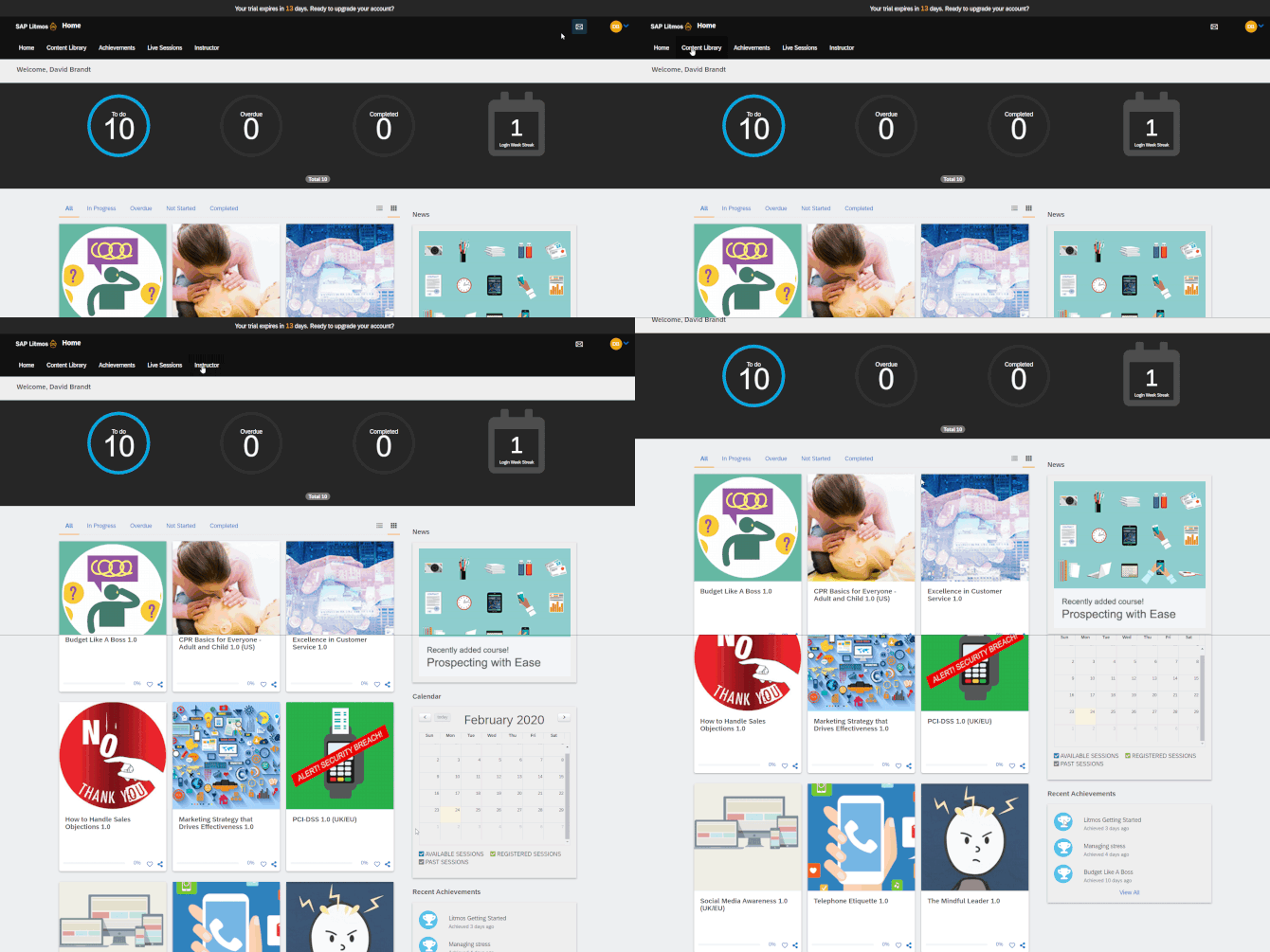
The screenshots in this review were captured during my original hands-on test, so some interface details may differ from the current Litmos platform.
I appreciate it when an LMS doesn’t shy away from the learner mode and lets you feel what it’s like to study on the platform right off the bat.
After briefly exploring the learner interface and finding it straightforward, I launched one of the courses that came with my trial version:
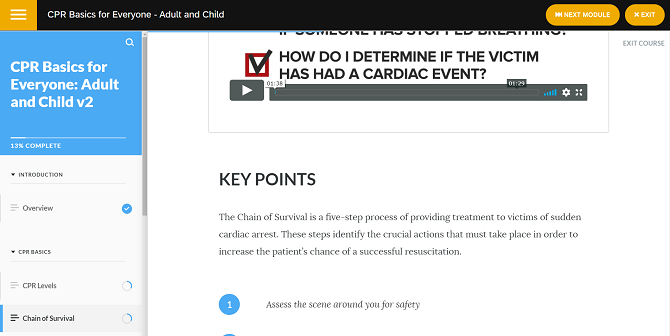
The navigation from course to course (yellow buttons on the screenshot above) was on point and I had no problem getting the hang of it.
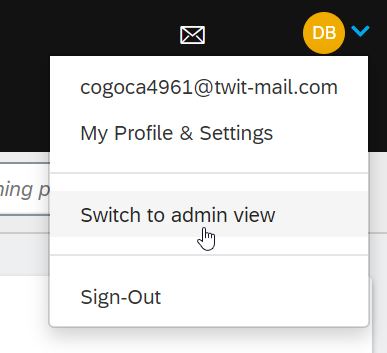
Then I wanted to switch to the admin view and the corresponding button was easy to find:
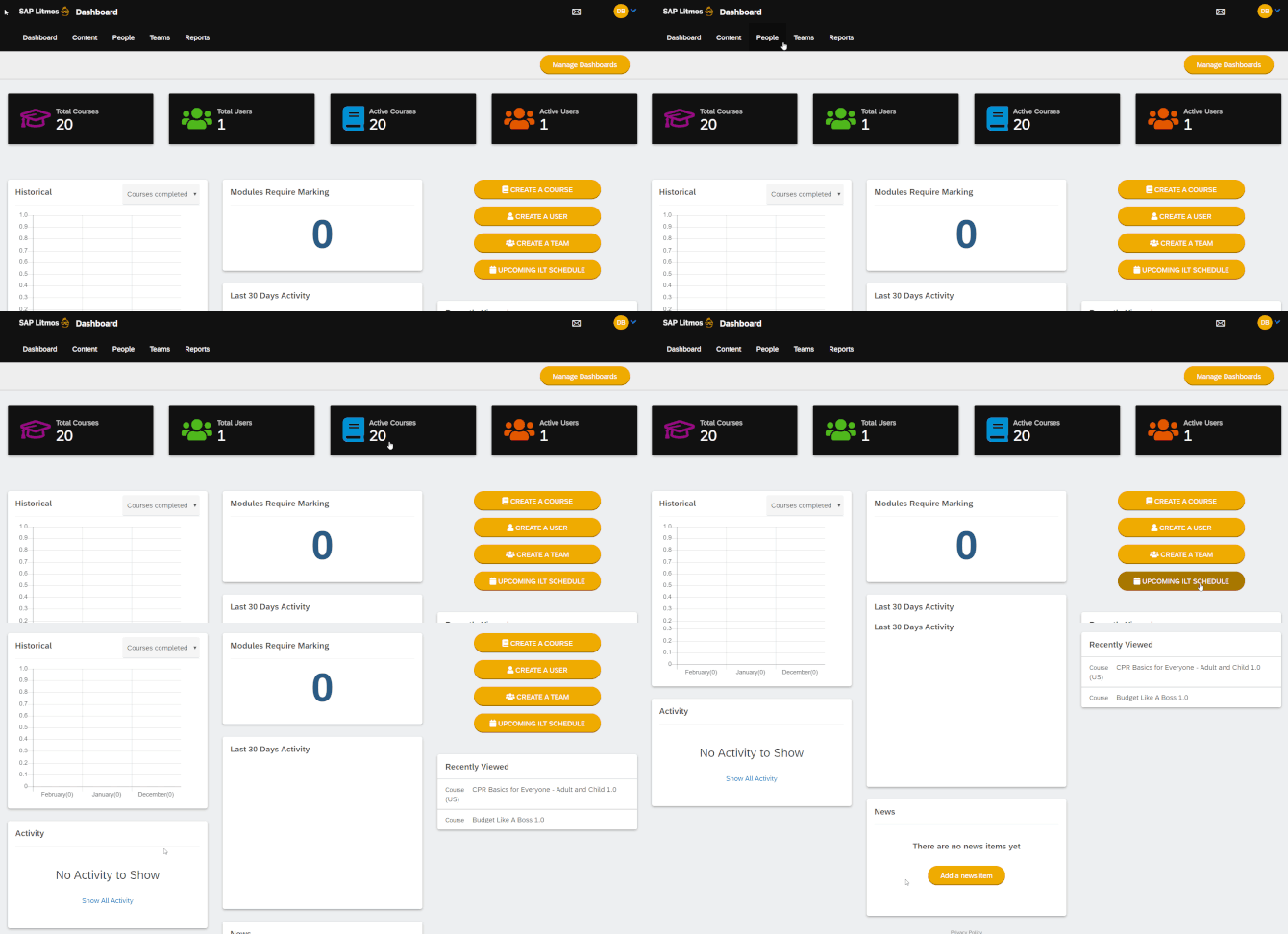
The admin view is not really different from the learner view in terms of design and menu placement, so I didn’t have to start from scratch and learn an entirely new menu layout just to get started as an administrator:
Then I found the Litmos Dojo, which is an onboarding content catalog for folks like me who had just started their journey with the platform.
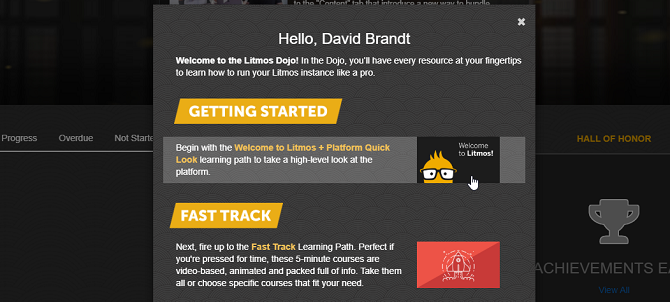
There are many courses and learning paths on various aspects of working with the LMS, providing something to learn for any skill level.
I’m sure the onboarding course in this section has lots of helpful information on getting started and is probably a crucial piece of the puzzle for mastering Litmos, but I couldn’t stand another 30 minutes of loud repetitive business music in every video of the course. Sorry, Litmos folks, it’s probably just me and the number of new products I review that want to cheer me up with some business tunes on a weekly basis.
To conclude this chapter of my review, I’ll mention that the quality of the Knowledge Base that the Litmos staff maintains is well written and concise.
Managing users and user roles
New users can be added one by one through the platform interface and in bulk via CSV import (the trial version doesn’t include that). I found the former to be easy and quick, so I suspect that one wouldn’t experience any difficulties with the latter.
If you go to Account settings – Litmos Features, it’s possible to enable Self Sign Up, which will allow learners to register with the portal. You can generate a bunch of codes that users can enter when they register to get access to a specific course or a certain group of users.
Portal hierarchy is built using Teams that you can create in the UI or import in bulk via CSV. Each team can include an unlimited number of users and one user can be in multiple teams at once, which lets you create multiple hierarchies within your account at the same time. For example, you can create one based on workers’ locations and one based on their position and area of work.
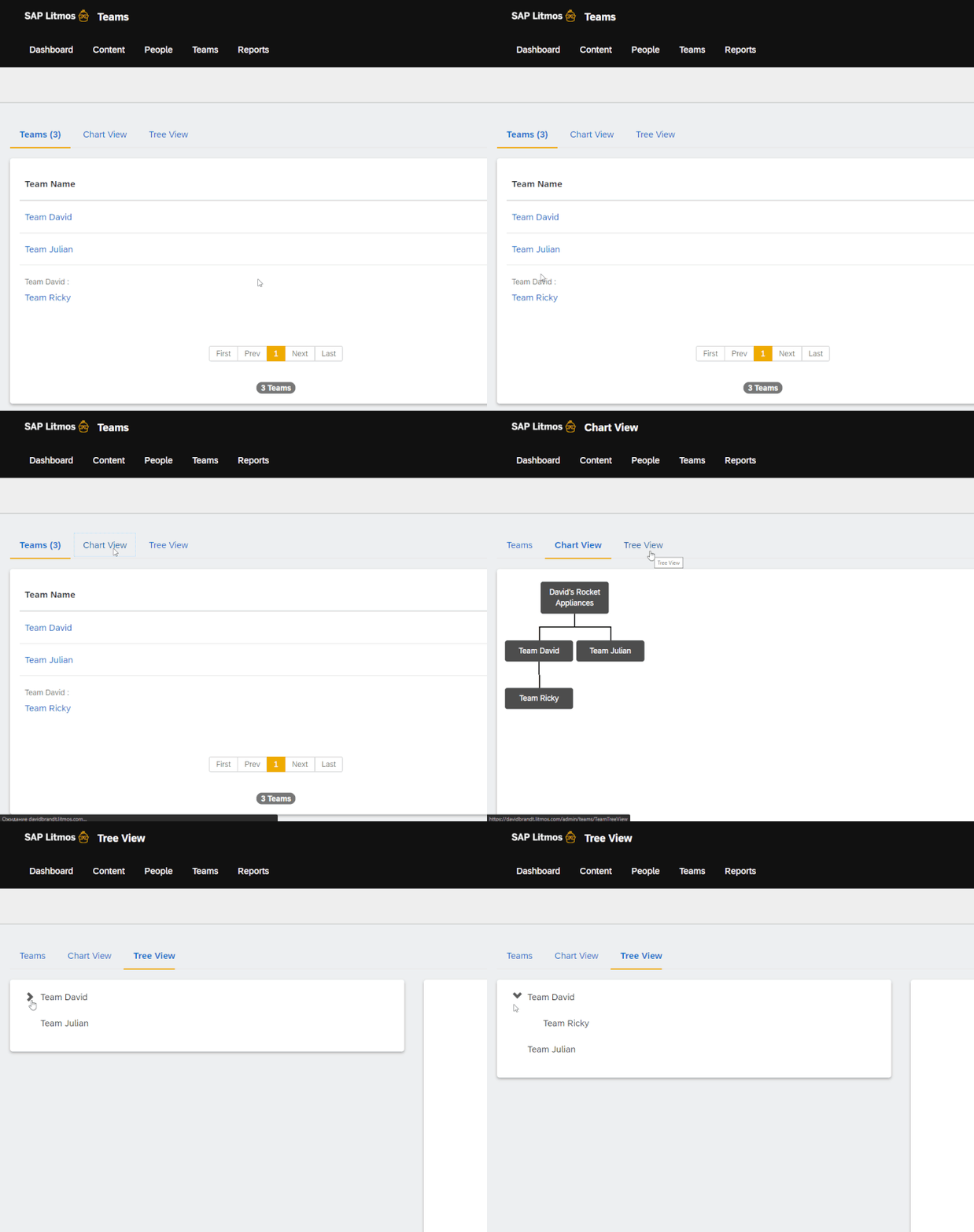
In order to free up some of your time, you can delegate management inside the teams. To do so, you can designate Team Leaders – they will have permission to monitor learner progress within their team and add new users to it.
Permissions of the Team Leader and Team Admin’s roles can be customized in your Account Settings:
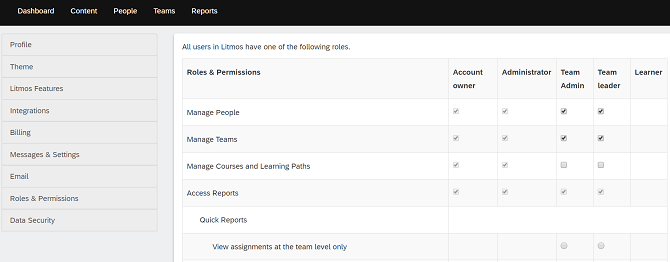
During my trial, I found the role customisation options somewhat limiting compared to other LMSs like TalentLMS or iSpring LMS. I could adjust certain team-level permissions, but not every role offered the same flexibility.
To sum this section up, managing users in Litmos is convenient, but the team organization side of it could be made more user friendly by making it possible to drag and drop teams onto the hierarchy tree, for example. As it is, you have to go to each team and select a parent team from its settings to organize your account’s hierarchy.
For organisations managing multiple teams and complex permission structures, these administrative limitations are worth checking during a demo.
Adding and managing content
To add content to Litmos, you can create a course and upload files as modules, or use the platform’s built-in authoring tools to create content from scratch. These include the Quiz Editor, Survey Editor, and AI-assisted course creation tools.
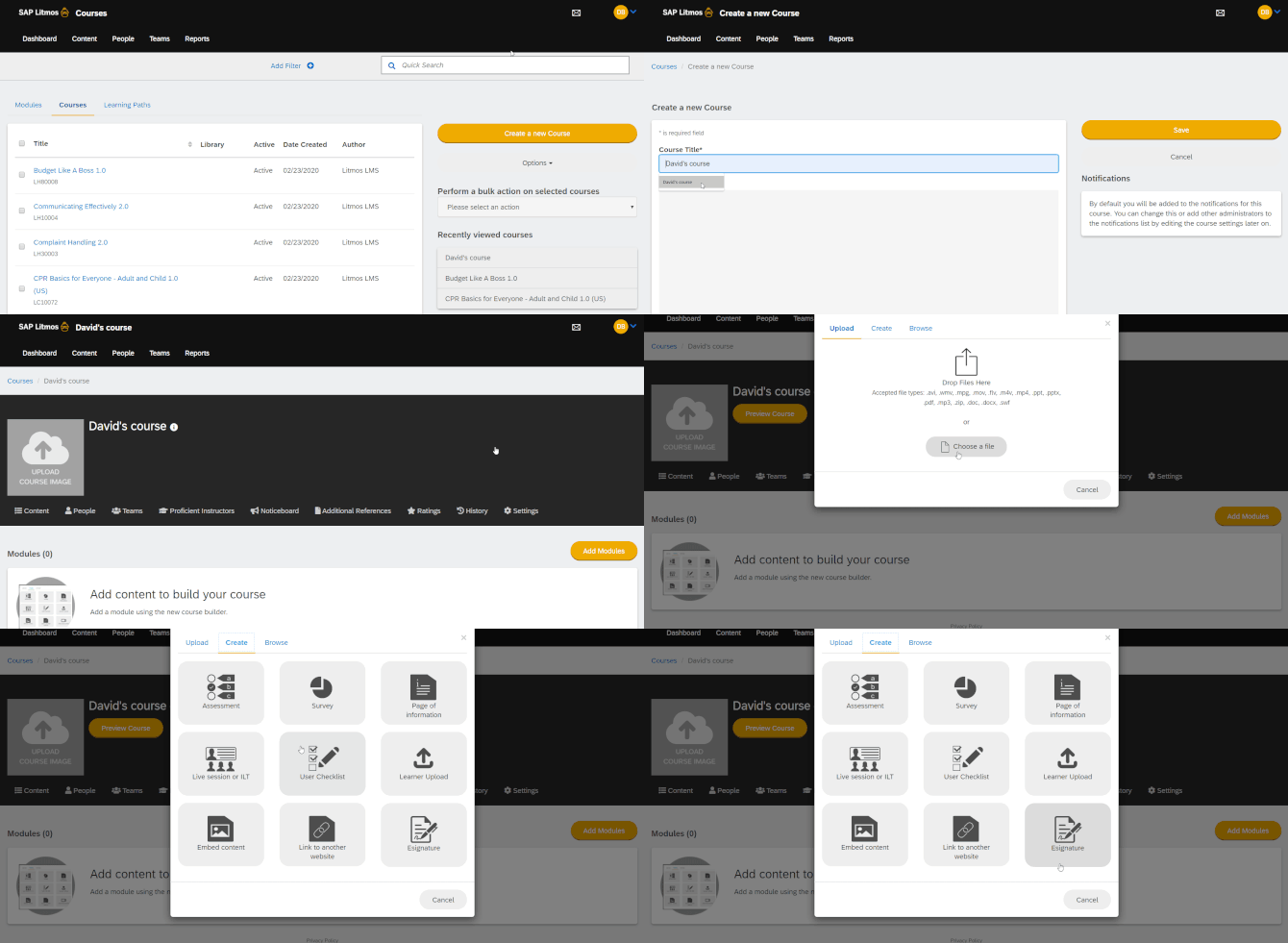
Courses can then be combined into Learning Paths and you can set flexible due dates for either:
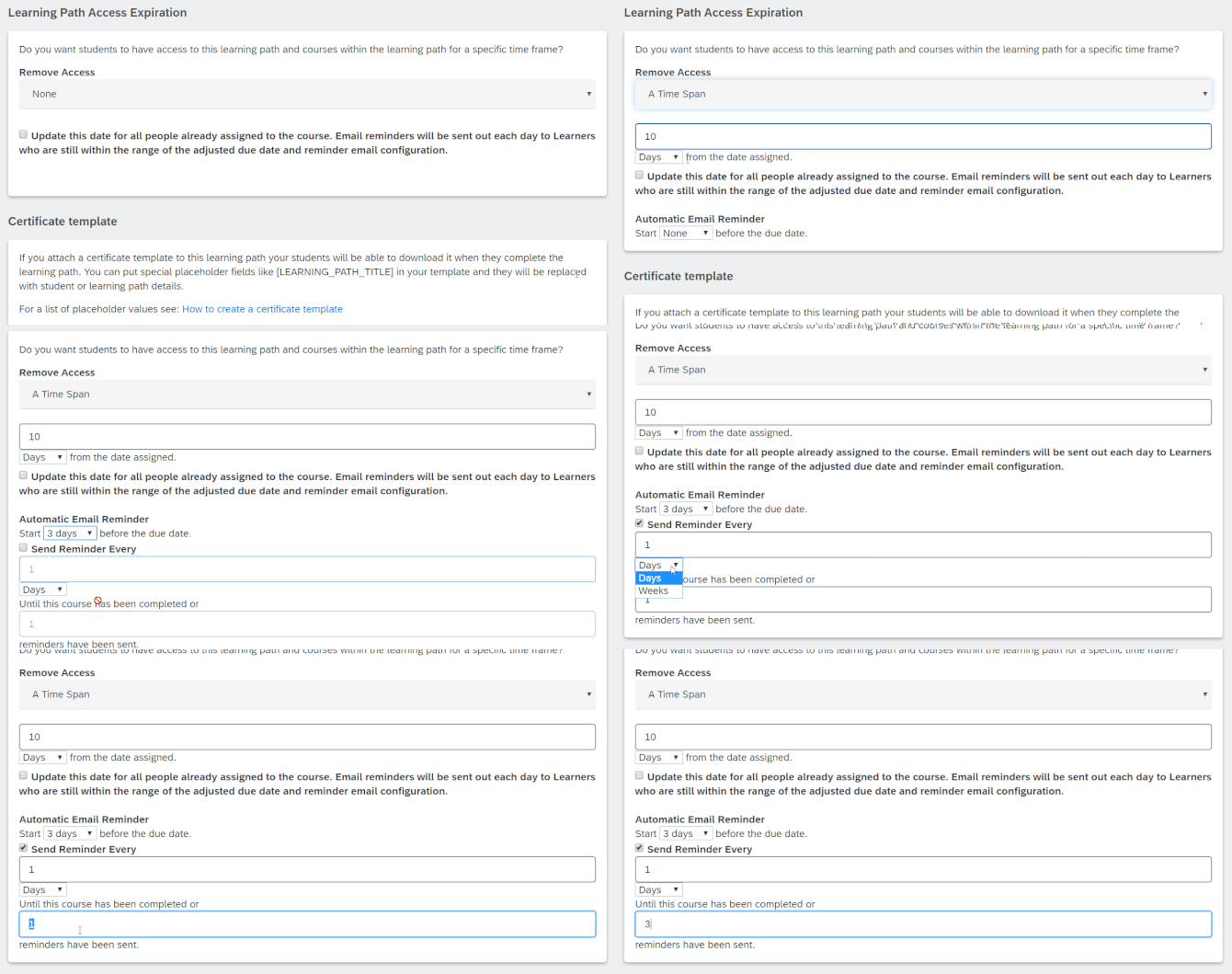
Compliance settings are simple and convenient – select a number of days in which compliance for this course expires and select when to automatically re-assign it with a notification:
Aside from quizzes and surveys, you can create simple text pages with information, ILT sessions, embed content from other websites or add a learner upload that will allow users to upload their own content on the platform which you will then have to grade.
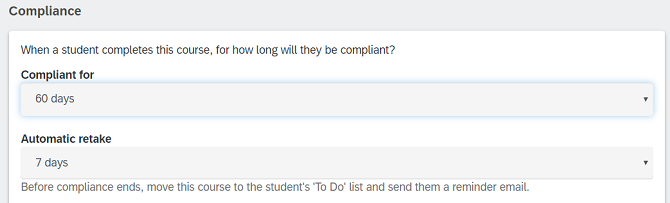
ILT can be a classroom-based training or a webinar, and creating a recurrent training session is easy:
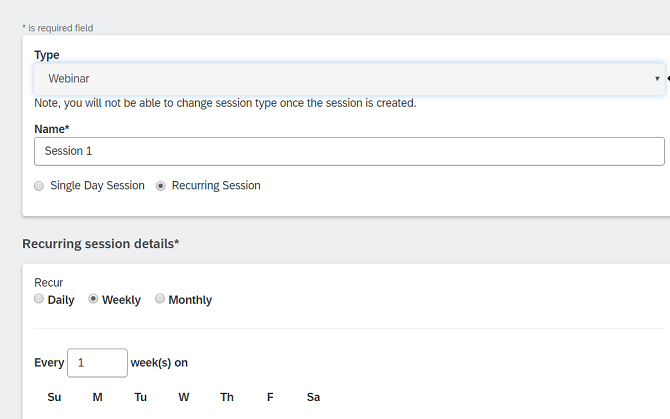
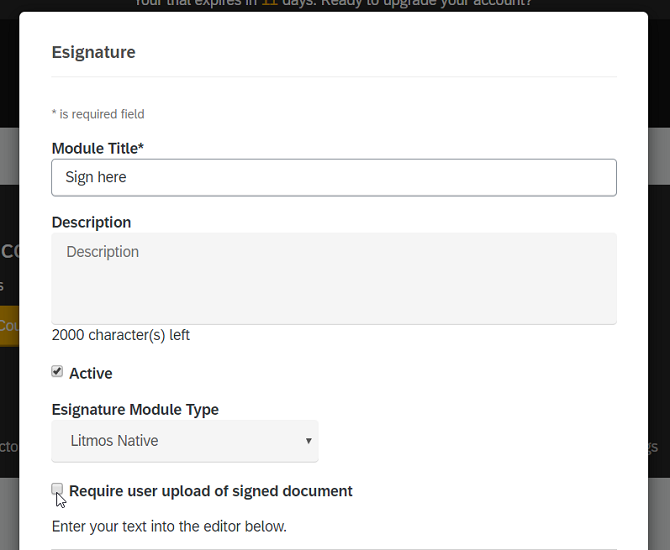
One feature that I found interesting is e-signature, which you can add as a module to any of your courses – it can be used to ask learners to acknowledge the terms of your training. Whether an e-signature is legally binding depends on how it is implemented and the applicable legal requirements, but it can be a useful feature for recording learner acknowledgements.
Every course and learning path has its own Noticeboard where you can post updates to the curriculum that learners will see. Also, any type of file can be attached to a course as a reference that users can download when taking the course.
Litmos has also introduced AI-powered content authoring tools that weren’t available when I originally tested the platform. They can help generate course outlines, learning modules, assessments, and other training materials. As with any AI-generated content, the results still need to be reviewed before publishing.
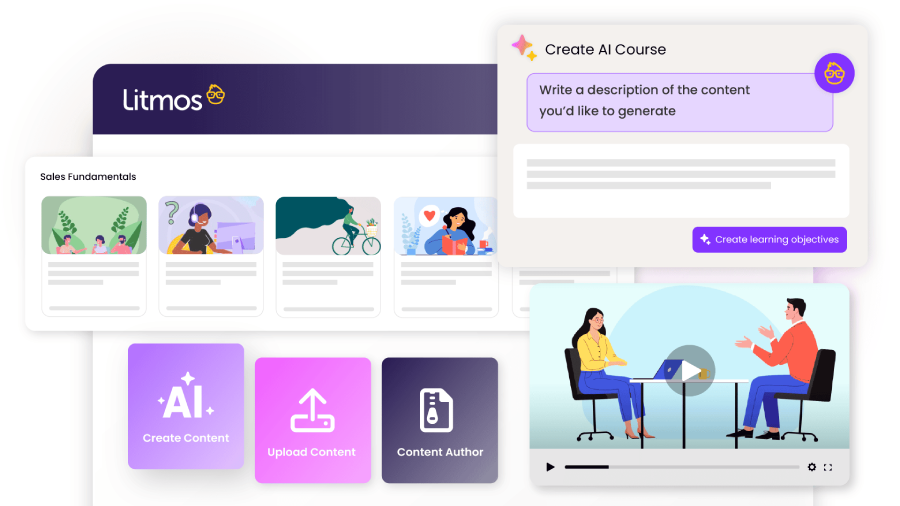
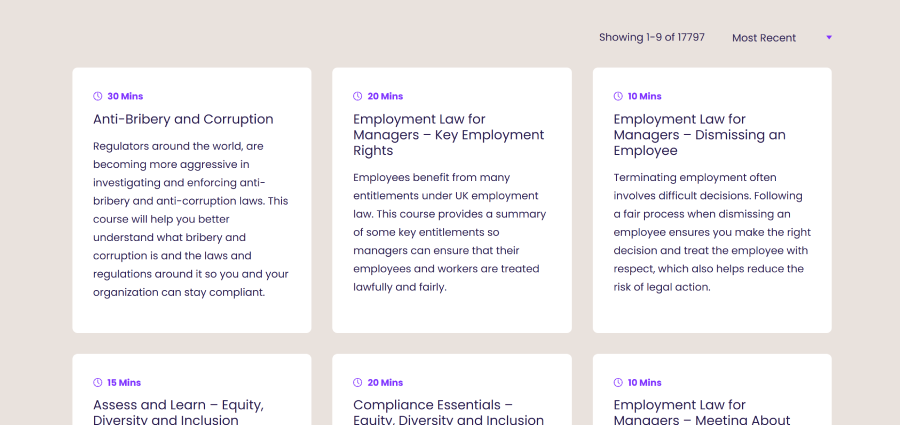
Then there’s Litmos’s ready-made course library, previously promoted under the Litmos Heroes name. They have courses on Customer Service, Leadership and Management, Human Resources, and almost anything you can imagine being useful for a business. Litmos now offers premium content libraries and partner content libraries, with availability and pricing depending on the selected plan. It should be interesting for companies that haven’t built their own course library yet.
It’s important to mention that features like Litmos Boost and Video Assessments weren’t available during my original trial, so I couldn’t test them myself. Litmos has since expanded its offering with AI-powered authoring, video assessments, and other tools.
To sum this section up, I wish the Litmos interface was a bit better thought out at times but, overall, it shows solid performance in the content management section.
Reporting
When I tested Litmos, its reporting didn’t particularly amaze me. I could access the usual statistics for courses, learning paths, teams, and users, although the interface felt somewhat sloppy and could use some polishing. Litmos has since expanded its reporting capabilities with dashboards, AI-assisted insights, and additional data services.
All reports can be downloaded and scheduled for automated export to a specified email address as CSV or PDF documents:
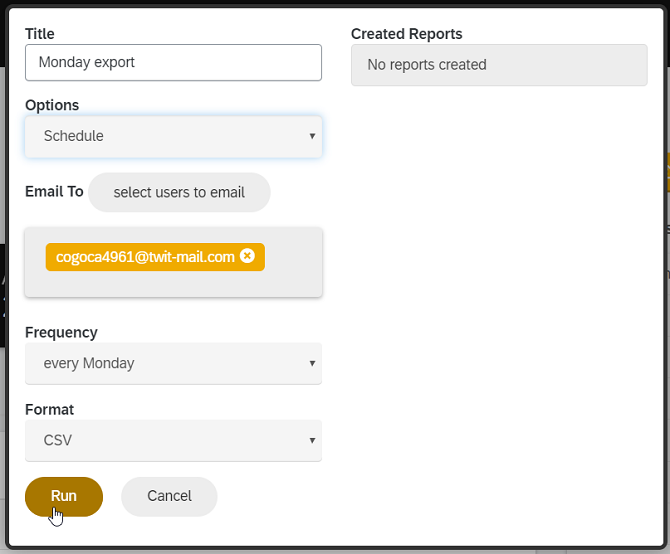
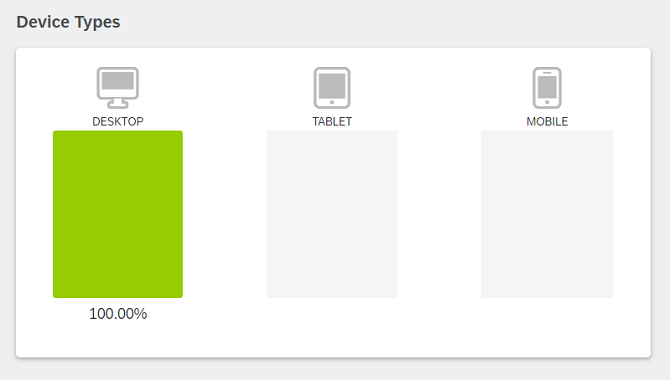
There are some additional reports like Compliance Summary and Login Analytics that will show you how compliance training is going or when and where learners entered your learning portal from, including a chart that shows what devices they were using to study:
You might ask, “Okay, we’ve got canned reports, but what about custom ones?” and I’d respond that Litmos does have a custom report creation mechanism. From what I saw, they’re the same canned reports, but with more customization. And you can ditch the info that you don’t need:
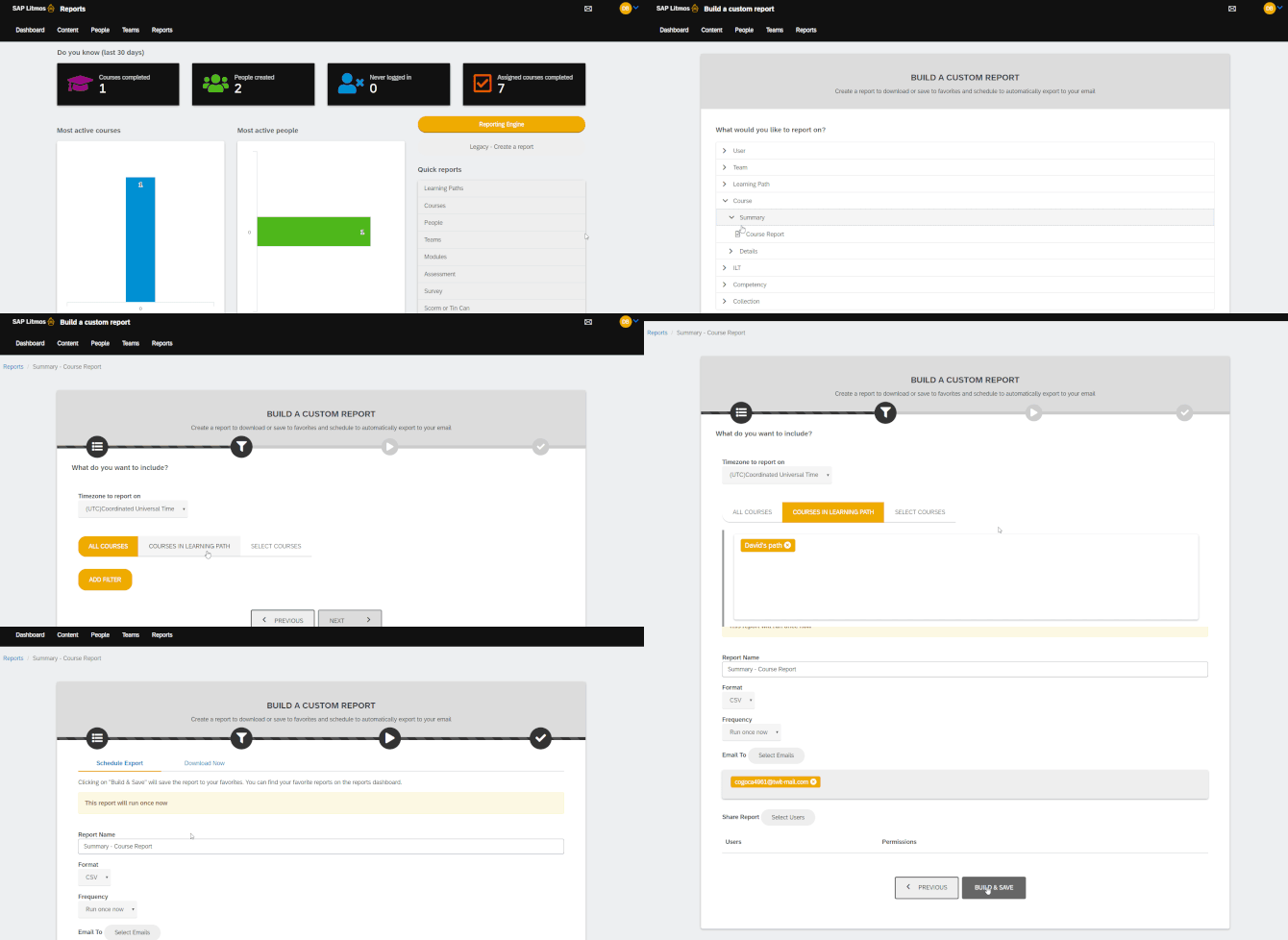
While Litmos has expanded its reporting capabilities, some users still find custom report configuration and data retrieval more complicated than they would like.
Litmos also offers AI-assisted reporting and data services that can help organisations analyse learning activity alongside broader business data. The availability of these features depends on the selected plan and any additional services.
The reporting tools I tested weren’t particularly neat or visual, but they got the job done and had some nifty tricks up their sleeve.
Branding, integrations, and security
In terms of branding the learner portal, Litmos offers the usual logo, background image, and color customization, plus the possibility of inserting a Metrics banner, custom CSS and custom header/footer HTML. It’s cool that you can choose which widgets your learners will see on their dashboards:
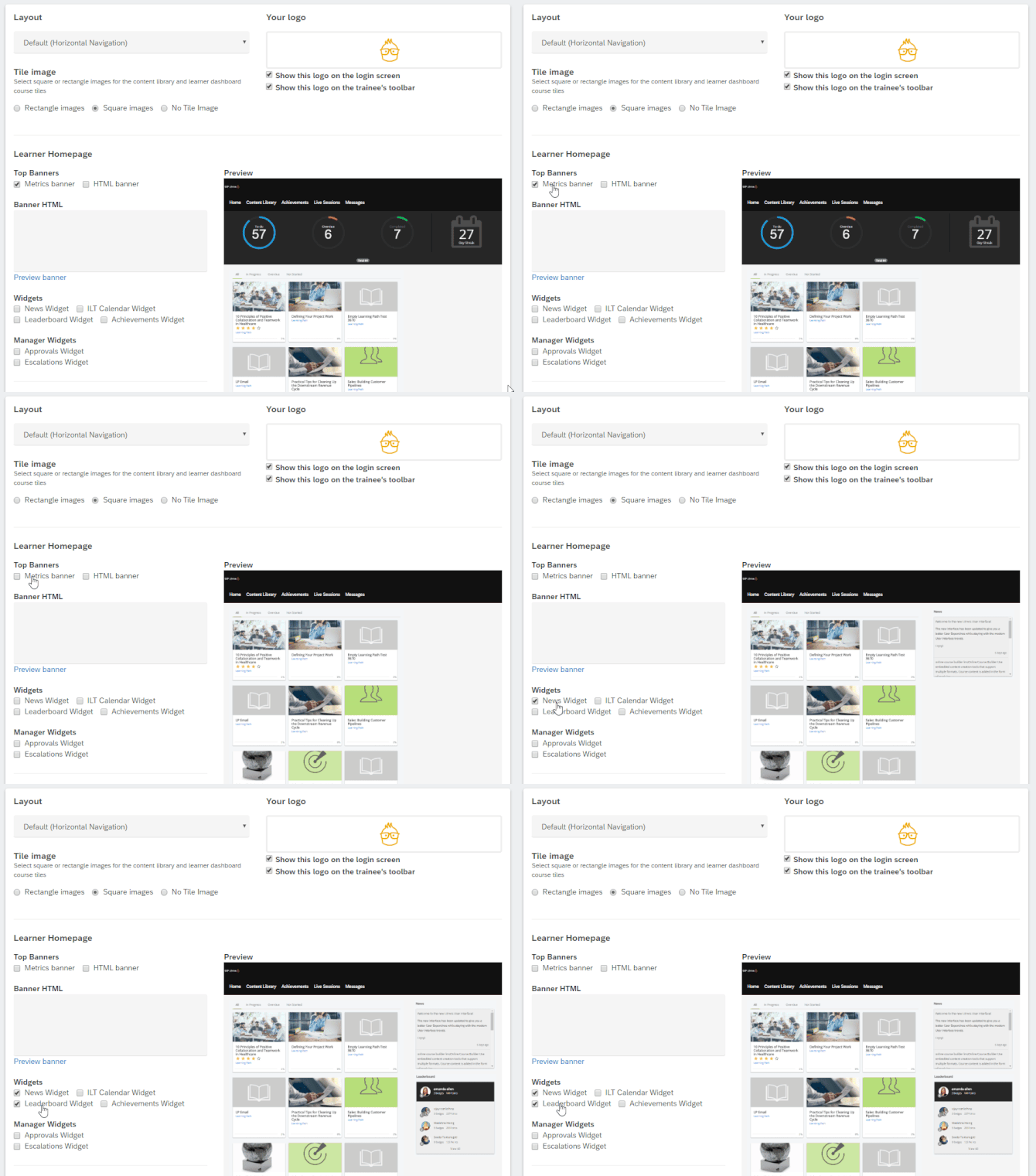
You can create multiple Brands inside your portal that feature their own unique learner portal design.
Now let’s talk about integrations, because there’s a lot to unravel about this function in Litmos. The platform supports single sign-on, webinar integrations, and connections with business tools such as Salesforce, BambooHR, Workday, Microsoft Teams, and Zoom.
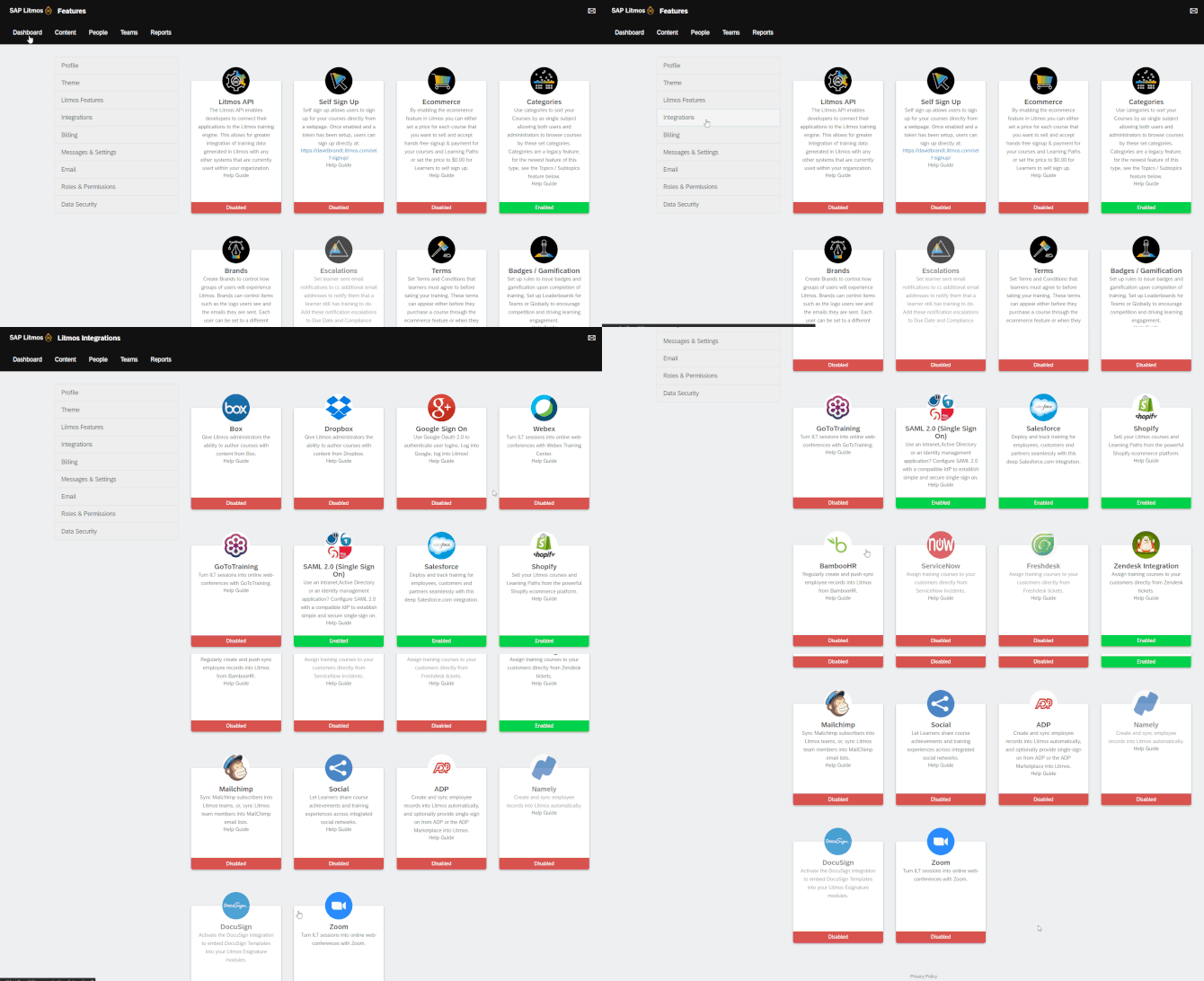
There is also an API that you can use to build custom integrations with other applications. I checked out the list of API hooks that Litmos provides and they’re good – gamification, ILT, and pretty much any function you can find in the UI is available in the API.
In terms of security, Litmos offers more than just HTTPS, strong passwords, and automatic logoff. The platform has undergone a SOC 2 Type II examination and holds ISO 27001:2022 certification. Litmos also provides security monitoring and privacy controls designed to help organisations protect learner data and meet regulatory requirements.
That’s it regarding Customization, Integrations, and Security.
Learning experience and mobile device support
When you begin your Litmos experience as a learner, you’ll encounter this welcome screen for setting up a password and entering profile information:
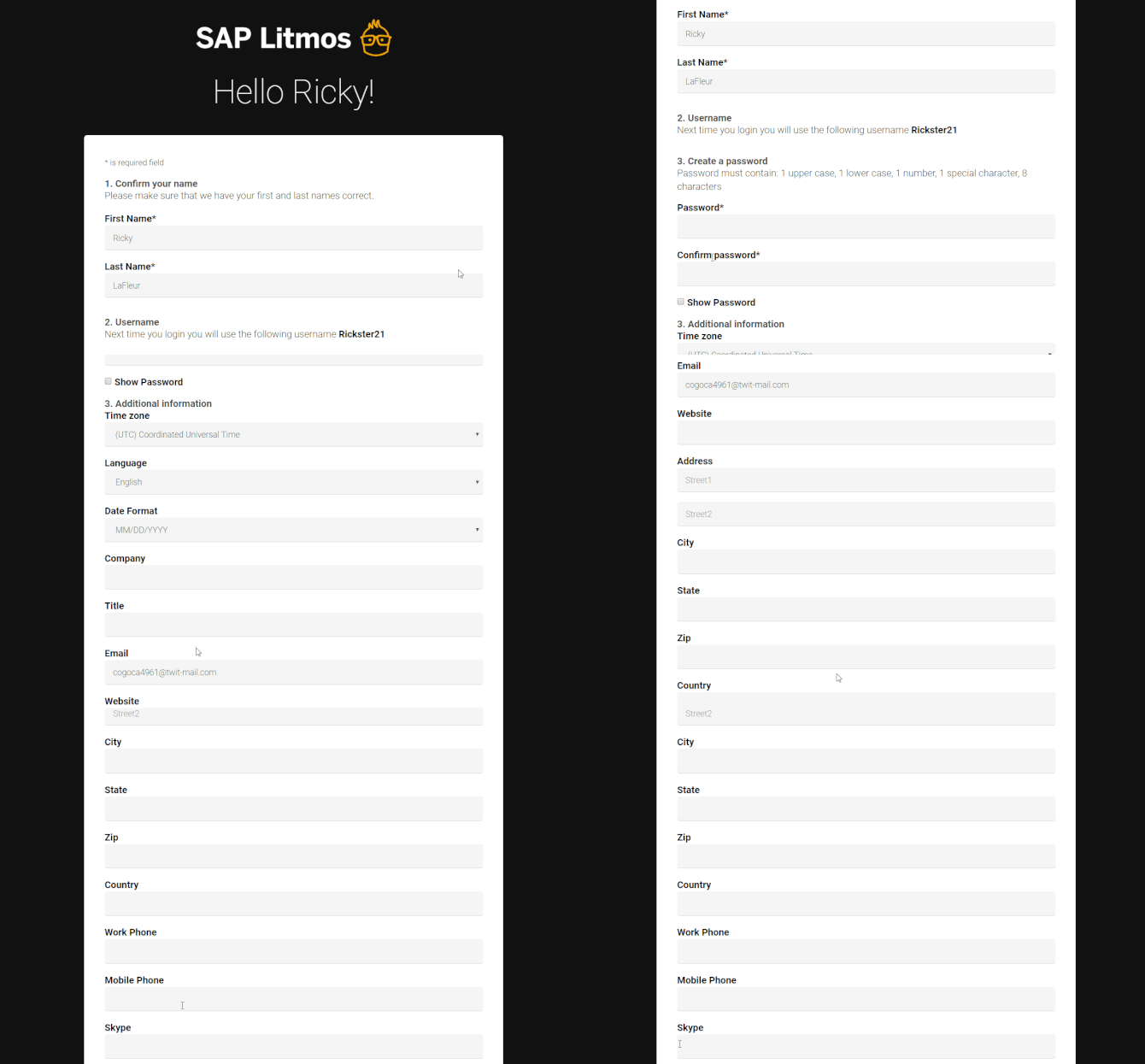
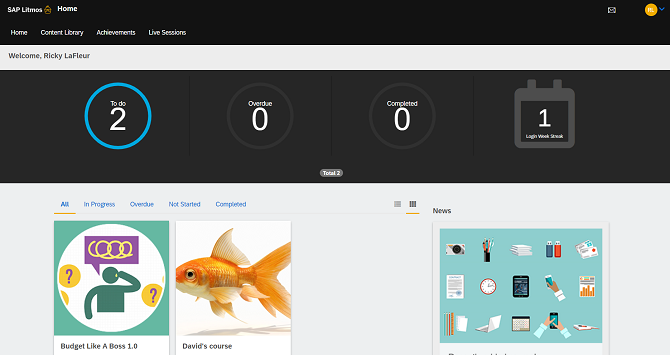
The learner dashboard looks simple enough, and I didn’t have to hunt around to find courses I’m enrolled in:
The mobile app is also simple, giving learners access to courses and other key learning features, although some functionality may differ from the browser version.
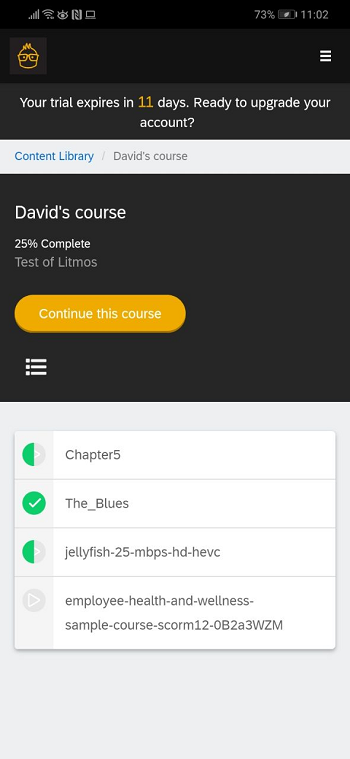
Litmos is available for Android and iOS, can launch SCORM packages and do so offline. In other words, it can store your stats on your mobile device until you reconnect to the web to transfer them to the Litmos database.
Discussion forums that are available in the desktop version, as well as the mobile app, are conducted in the form of simple comments to which any user or manager taking the same course can reply. There are also Direct Messages that learners and other roles can send to each other.
There’s a gamification element that awards badges and points for completing certain courses. It also enables learners to compete for a higher ranking on the leaderboard. In other words, it’s all the usual gamification stuff that LMSs offer these days; nothing fancy.
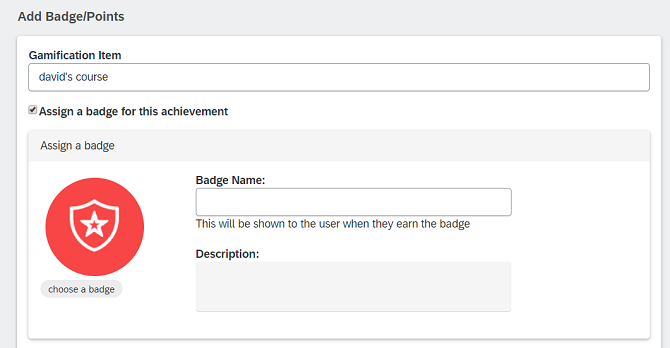
After you complete a module as a learner, you can not only get a badge but also a custom certificate of completion, which admins can upload as a Microsoft Word document.
To wrap up this detailed review, I can say that I liked what Litmos has to offer in terms of user experience – a neat mobile app with offline learning support, a good workflow when it comes to taking courses on a desktop, and a straightforward gamification system that will work for e-learning adopters out there.
Litmos Pros and Cons
Pros:
- Easy to begin, good onboarding courses
- Simple UX-driven design in both admin and learner roles
- Off-the-shelf content available through Litmos content libraries
- Many integrations and add-ons that can expand the functionality of your Litmos platform and provide a greater means for tailoring it according to your taste
- Built-in content authoring with AI-assisted course creation
Cons:
- Reporting can be cumbersome to configure and customise
- Some admin tasks and bulk course updates can take too many steps
- Role permissions may not offer enough flexibility for complex organisations
- Advanced AI features and content libraries may increase the overall cost
- Starting prices can be high for small training teams
- Some users report inconsistent customer support experiences
Litmos Business Use Cases
Ideal for:
- Continuous employee training for mid-sized and large companies: It’s a good choice for an organisation’s learning platform as it offers a broad range of training management features.
- Employee onboarding: With a simple user interface and a mobile app, this LMS is a good choice when you need to launch an onboarding course for your company’s new employees. It helps that it’s also pretty simple for an admin to begin using.
Suitable for:
- E-commerce: Litmos offers tools for selling courses online, including built-in e-commerce capabilities and integrations such as Shopify, although it’s more focused on business learning.
- Academic: The platform allows organizing a few branches with different designs and languages, while also providing a way to organize your students into a hierarchy tree, so it will be a good fit for academic use. One factor that might drive you away is the annual starting price, especially if you only need a basic LMS for a small number of learners.
Won’t work for:
- Small companies with limited budgets: Litmos may be more than they need, particularly if they only want to deliver a few courses to a small number of learners. In this case, I recommend comparing it with simpler LMS platforms.
Litmos Pricing
Litmos offers three plans: Foundation, Platinum, and Platinum AI. They differ in their administration, content authoring, reporting, and AI capabilities, with some features and content libraries available as add-ons.
Litmos lists starting prices of $8,000 per year for Foundation and $15,000 per year for Platinum. Pricing for Platinum AI is available on request. The final cost depends on the selected plan and any additional services or content libraries.
You can compare the available options on the Litmos pricing page.
Summary
We’ve taken a look at Litmos, a cloud-based LMS that can provide you with a library of courses if you don’t have your own. It also offers built-in authoring tools, including AI-assisted content creation. My overall impression of the system was good, although some advanced features and services may require higher-tier plans or add-ons.
In addition, there are some quirky parts that could use tweaking here and there and I wish certain admin routines were simpler but, aside from that, it’s a solid product worth considering.