LMS integration means connecting your learning management system with the other software your organization already uses.
That might be an HR system that sends new employees to the LMS, Microsoft Entra ID handling sign-ins, Salesforce passing customer data, Zoom running live sessions, or Power BI receiving training results.
The important question is not whether the LMS “integrates with” another product.
I want to know exactly what happens between the two systems.
Which data moves? In which direction? How quickly? Which system is allowed to change it? What happens when the connection fails?
Those questions tell you far more than a page full of integration logos.
If you are still deciding what role the LMS should play in your technology stack, start with my learning management system guide. If you are comparing vendors, use the LMS selection guide alongside the integration questions below.
LMS integration in a nutshell
A working LMS integration needs seven things defined:
- A clear business process
- A source system
- A source of truth for each piece of data
- The fields or events that move between systems
- The direction and timing of the connection
- A way to identify and recover failed records
- Someone responsible for the integration after launch
Connections can use native integrations, file feeds, APIs, webhooks, middleware, or custom development. The technology comes second. Start with what you expect to happen.
For example, a new sales employee is added to the HRIS. Their LMS account is created automatically, they are placed in the Sales group, and their onboarding program is assigned within one hour.
That is an integration requirement. “Connect the LMS to our HR system” is not.
What is LMS integration?
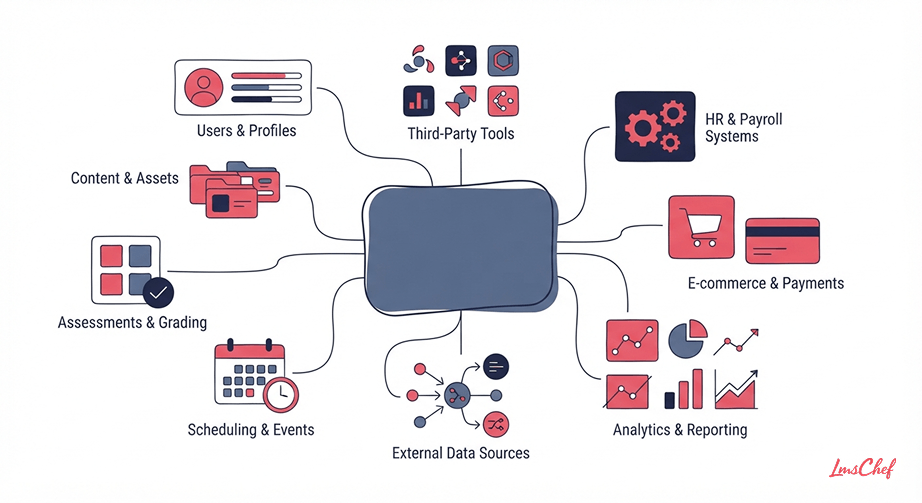
LMS integration is an ongoing connection between a learning management system and another application.
The connection lets the systems exchange information or trigger actions without someone manually moving the information between them.
For employee training, the HR system may send:
- Employee name
- ID
- Department
- Job title
- Manager
- Location
- Employment status
The LMS can then use those values to create the learner, place them in the correct group, and assign training.
That is particularly useful when the LMS is part of an employee onboarding process. A new hire can receive the correct training based on information HR has already entered elsewhere.
The same idea applies outside employee training.
A customer education team might create learner accounts from CRM contacts. A partner’s account type could determine which courses they receive. Training completion could then be returned to the CRM.
An integration is different from an LMS migration.
Migration moves existing information from one platform to another, usually when replacing a system. Integration is an ongoing exchange that continues after launch.
How LMS integrations work
The easiest way to understand an LMS integration is to follow one record.
Take a new employee.
The HRIS creates the employee record. The integration reads the fields it needs, such as employee ID, email, department, manager, and role. The LMS receives that information and creates the account.
Rules inside the LMS can then assign the learner to the correct groups or courses.
Later, if HR changes the employee’s department or manager, the integration updates the LMS record. When employment ends, the same connection can deactivate the LMS account.
Every part of that process needs a rule.
What triggers the update? What happens if the email address is missing? Does HR overwrite changes made manually inside the LMS? What happens if the employee already exists? How long does the synchronization take?
These details matter more as your learning operation grows. A company managing several departments, countries, training programs, and learner groups through an employee training LMS will quickly feel the cost of a poorly defined connection.
Five common ways to connect an LMS
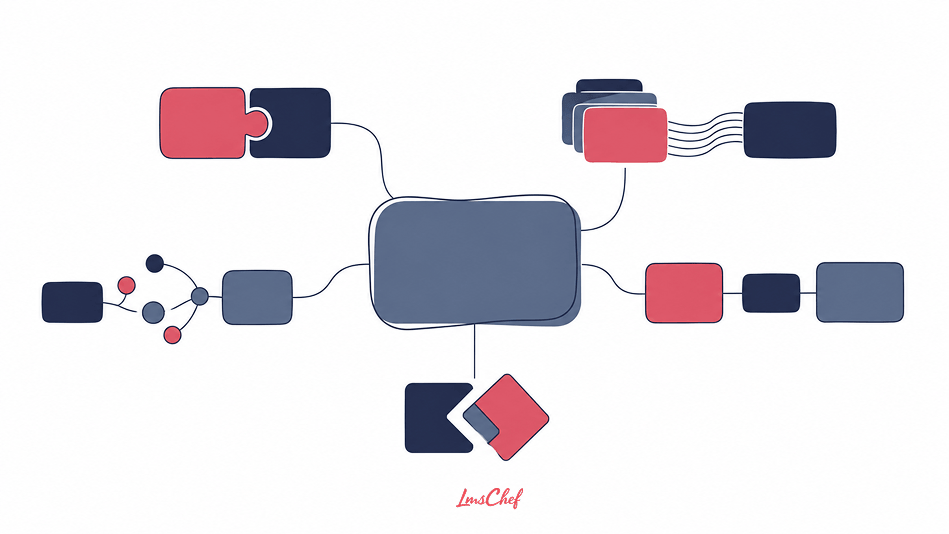
There is no single integration method used by every LMS. The right method depends on what needs to move and how quickly.
1. Native connector
A native connector is a ready-made connection between the LMS and another application. This is often the easiest option because the vendors have already built much of the connection.
But the word “native” tells you surprisingly little. One connector might synchronize 20 employee fields in both directions. Another might only create a meeting link. Another might move data once per day. I would ask exactly what the connector supports before counting it as a feature.
Check:
- Supported records
- Supported fields
- Direction
- Frequency
- Custom field support
- Error logs
- Usage limits
- Additional cost
- Support responsibility
This belongs in the same conversation as the other key LMS features you are evaluating. An integration that exists but cannot handle your required workflow is not much help.
2. Scheduled file feed
File-based integration is less exciting to talk about, but it still makes sense for many LMS workflows.
One system creates a CSV or another structured file. The LMS imports it automatically on a schedule. For employee data, that might happen every night. The main limitation is timing.
If somebody joins the company at 9:00 AM but the LMS imports employee data at 2:00 AM, they may wait until the next day for training access.
That may be perfectly acceptable. For a monthly compliance report, a few hours rarely matter. For a same-day onboarding process, they might. Also test what happens when the file contains bad data. Does the whole import stop because one record is invalid? Does the LMS skip the bad row? Does anybody receive an alert?
3. API integration
An API gives another application a defined way to read or change information in the LMS. Depending on the LMS, an API may allow another system to:
- Create users
- Update users
- Deactivate accounts
- Create enrollments
- Retrieve course information
- Retrieve completion records
- Read certification status
- Work with groups
Having an API does not automatically mean the LMS can support any integration you want. I would look at the actual endpoints. If you need to update custom learner fields, retrieve certificates, or enroll 50,000 learners at once, confirm that those actions are supported.
Also check rate limits. A connection can work perfectly during testing with ten learners and behave very differently when thousands of records need updating.
4. Webhooks
A webhook lets one application tell another that something happened. For example, when a learner completes a course, the LMS can send an event to the CRM. The CRM then updates the learner’s training status.
That is different from another system repeatedly checking the LMS to see whether anything has changed. Webhooks are useful when another business process needs to react quickly to activity inside the LMS.
Completion, certification, enrollment, or account events are common examples. I would still ask what happens if the receiving system is unavailable when the event is sent. Is the event retried? How many times? Can someone resend it manually?
5. Middleware or custom integration
Middleware sits between systems. It can route information, transform values, or apply rules before sending data to the next application. For example, the HRIS may store a country as “United Kingdom,” while the LMS expects “UK.”
Middleware can translate the value before sending it. It can also combine information from several systems or apply business rules. A company might decide that employees based in Germany who belong to the Sales job family should automatically enter a specific German sales training group.
A custom connector goes further and gives you control over a workflow a standard connector cannot handle. That may be necessary when your organization uses custom software, unusual data structures, or business rules the LMS vendor did not design for.
But custom code needs an owner. Who monitors it? Who updates it when the LMS API changes? Who knows how it works two years from now?
If the project starts moving into software development rather than configuration, my custom LMS guide covers that subject separately.
Common LMS integrations and what they actually do
Most organizations do not need every possible connection. They need a handful that support the way training is run. These are the ones I would look at first.
HRIS and HCM integration
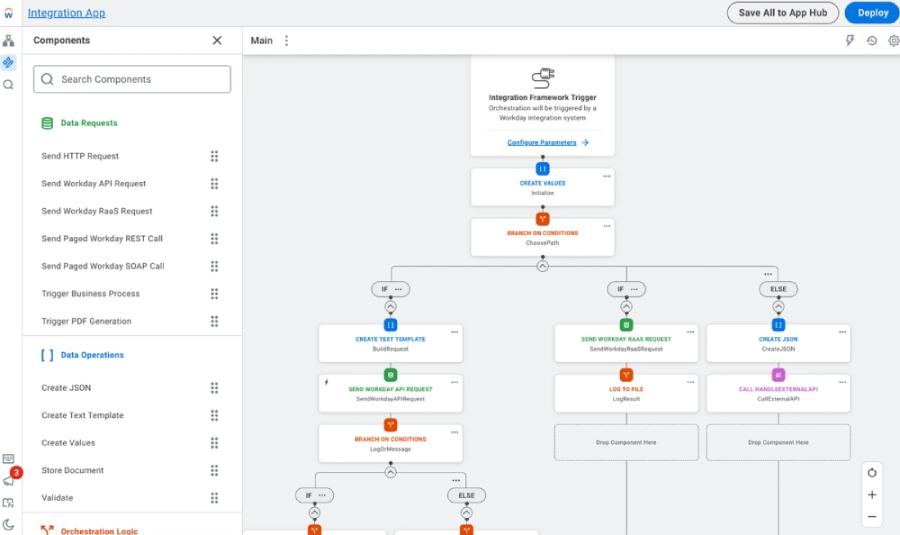
For corporate training, HR is usually the most important data source. Systems such as Workday, BambooHR, and ADP already know who works at the company. The LMS should not require someone in L&D to enter that same information again.
A typical HRIS integration may send:
- Employee ID
- Full name
- Business email
- Department
- Role
- Manager
- Location
- Hire date
- Employment status
The LMS can use those fields to control access and training assignments. This works particularly well when training follows organizational structure. An LMS for corporate training may assign different learning to managers, salespeople, warehouse staff, and new hires.
The source of truth matters
Suppose an LMS administrator changes someone’s department manually. That night, the HR synchronization runs. Which value wins? If HR is the source of truth for the department, the LMS should probably restore the HR value.
That behavior needs to be agreed before launch. Otherwise, administrators may spend weeks “fixing” fields that the integration correctly overwrites every night.
Use a stable employee ID
Email is tempting as a unique identifier because everybody has one. It can also change. Employees change names. Email formats change. Contractors leave and return. Companies rebrand domains. Where possible, use a stable employee ID to match records between systems.
SSO and identity integration
SSO and account synchronization are often treated as the same feature. They are not. SSO answers one question: How does the learner prove who they are? Provisioning answers another: Should this person have an LMS account, and what should that account contain?
You can have one without the other. For example, Microsoft Entra ID might handle sign-in, while user accounts are still created from an HR file.
Protocols such as SAML and OpenID Connect are commonly associated with authentication. SCIM is used for identity provisioning and can help create, update, and deactivate user accounts.
The question I would ask is not simply, “Do you support SSO?” I would ask whether the identity system can authenticate users, create accounts, update their attributes, and deactivate them when access should end. You may receive several different answers.
CRM and LMS integration
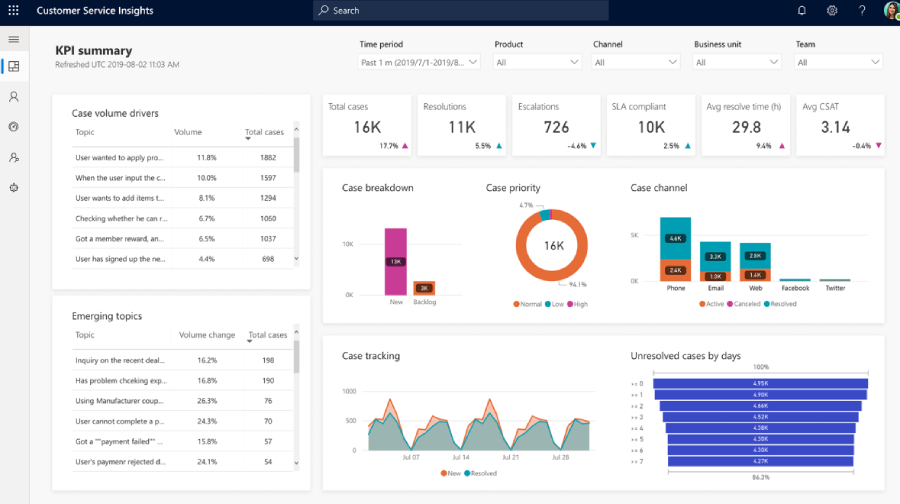
CRM integration becomes important when training extends beyond employees.
Think:
- Customer education
- Partner enablement
- Dealer training
- Franchise training
- Sales enablement
A CRM may send customer or partner information to the LMS.
That could include:
- Contact
- Account
- Region
- Product
- Customer tier
- Partner type
- Account owner
Those fields can determine which learning the user receives. Training information can also move back. For example, when a partner completes a product certification, the LMS can update the certification status in the CRM. The partner manager can then see the new status without opening the LMS.
For internal teams, similar connections can support an LMS for sales training, especially when sales structure or product responsibility already lives in a CRM.
Watch the account structure
External training often has another layer that employee training does not. The learner belongs to an organization. If 300 people work for the same customer, you probably want to report on that customer as a group.
Make sure the integration preserves the relationship between users and their accounts. Otherwise, you end up with hundreds of learner records but no easy way to answer a simple question such as how far one customer has progressed with certification.
Microsoft Teams, Zoom, Webex, and calendar integrations
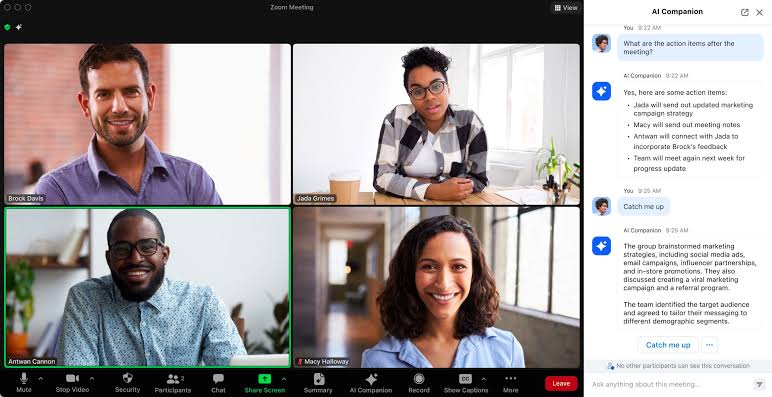
Virtual session integrations can remove a lot of repetitive administration.
Depending on the system, they may handle:
- Meeting creation
- Meeting links
- Registration
- Calendar invitations
- Session updates
- Attendance
- Recordings
- Cancellations
Do not assume all of those actions are included because an LMS advertises a Zoom or Teams integration. I would test attendance closely. A learner joining a meeting for three minutes may technically appear in an attendance record.
That does not necessarily mean they should receive credit. If attendance drives completion, define the rule. For the wider process of running classroom and virtual sessions inside an LMS, see my guide to instructor-led training.
Reporting, BI, and data warehouse integrations
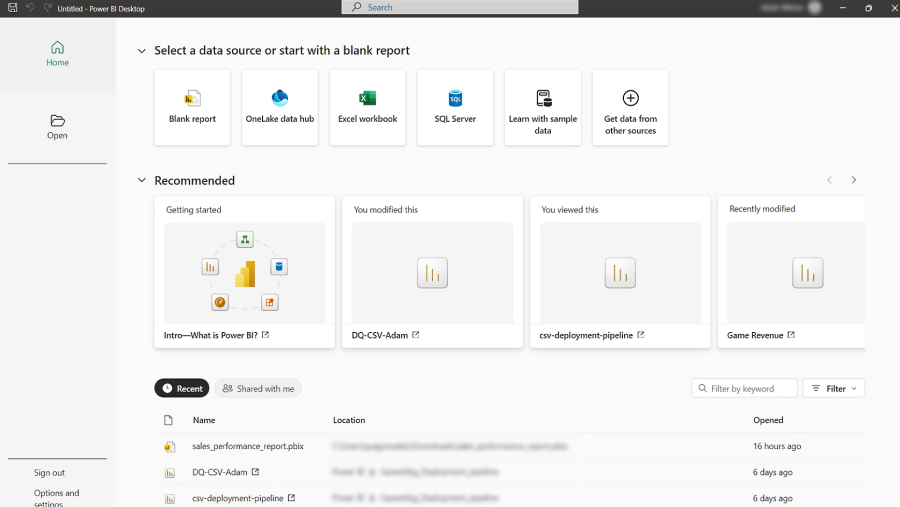
An LMS report tells you what happened in the LMS. A BI system can connect that information with the rest of the business.
You might combine learning data with:
- Sales results
- Employee retention
- Customer adoption
- Safety incidents
- Quality data
- Performance metrics
- Support tickets
The LMS might send completions, certifications, enrollments, quiz results, or activity data into a reporting platform or data warehouse. The hard part is often matching identities.
The LMS may know someone as learner ID 45218. The HR system may use employee ID 1892. The CRM may know the same person through a separate contact ID.
Someone has to define how those records join. Integration gives you access to more data. It does not automatically prove that training caused a particular result. If the bigger question is whether the LMS is producing financial value, see my guide to calculating LMS ROI.
Content and authoring integrations
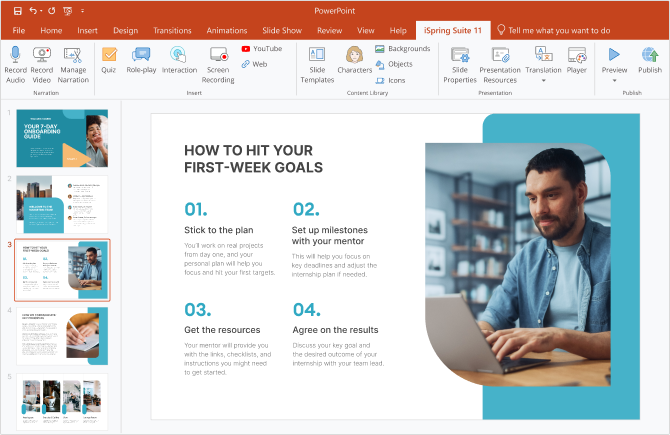
Content integration can mean several things.
An LMS may connect with:
- An authoring platform
- A course library
- A content marketplace
- A video platform
- A document repository
The workflow matters. Can an author publish directly to the LMS? Does an updated course replace the existing version? Are learner records preserved? Does the LMS receive completion data from third-party content? If content creation is part of your LMS project, I cover those tools separately in my guide to eLearning authoring software.
Do not confuse content standards with business integrations
SCORM is often described in the same conversation as APIs, SSO, and HR integrations. They do different jobs. SCORM mainly defines how course content communicates with an LMS. SAML deals with authentication.
An API exposes application functions or data. SCIM deals with identity provisioning. For the deeper standards discussion, see my comparison of SCORM, xAPI, AICC, and cmi5. If SCORM support itself is a key LMS requirement, I also have a separate guide to SCORM compliant LMS platforms.
Assessment and certification integrations
Some organizations run assessments or certifications outside their main LMS.
In that case, the systems need to agree about:
- Learner identity
- Assessment launch
- Attempt
- Score
- Pass or fail status
- Certificate
- Expiry date
The first question I would settle is ownership. Which system contains the official result? Imagine the assessment platform says a learner passed, while the LMS record says incomplete.
Which one is used during an audit? That decision should not be left to whoever happens to export the report. If certification is a major part of the training program, see my guide to certification software.
eCommerce integration
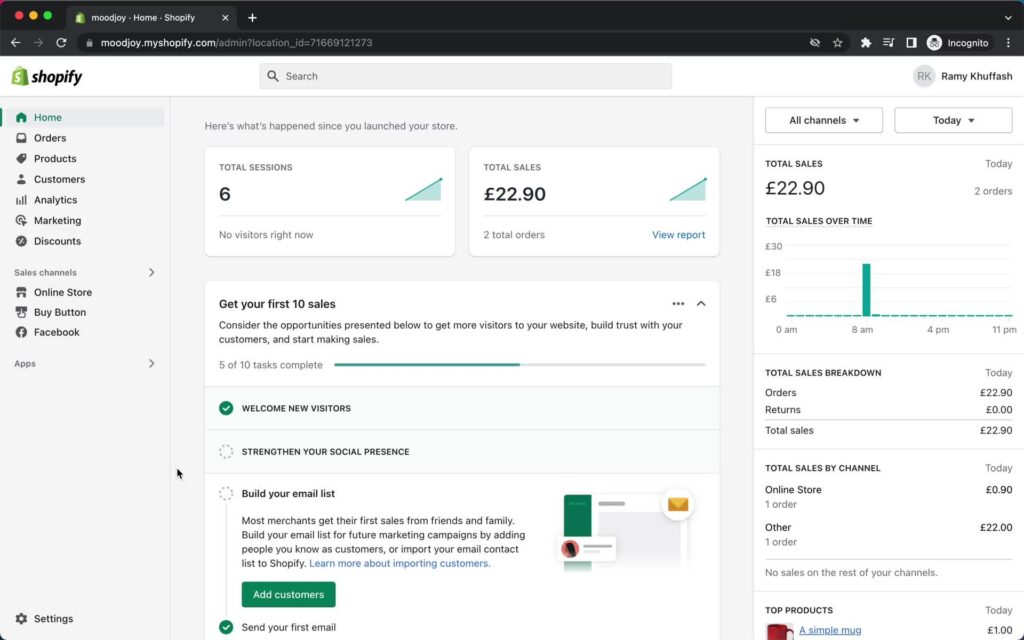
For paid training, the workflow often starts outside the LMS. A customer buys a course. Once payment is confirmed, the system identifies or creates the learner and grants access to the purchased course. But successful purchases are the easy case.
Ask what happens when:
- Payment fails
- Customer requests a refund
- Purchase is cancelled
- Customer buys the course twice
- An existing learner purchases another course
- The email used for payment differs from the LMS email
An eCommerce integration needs rules for those cases too.
What LMS integration can improve
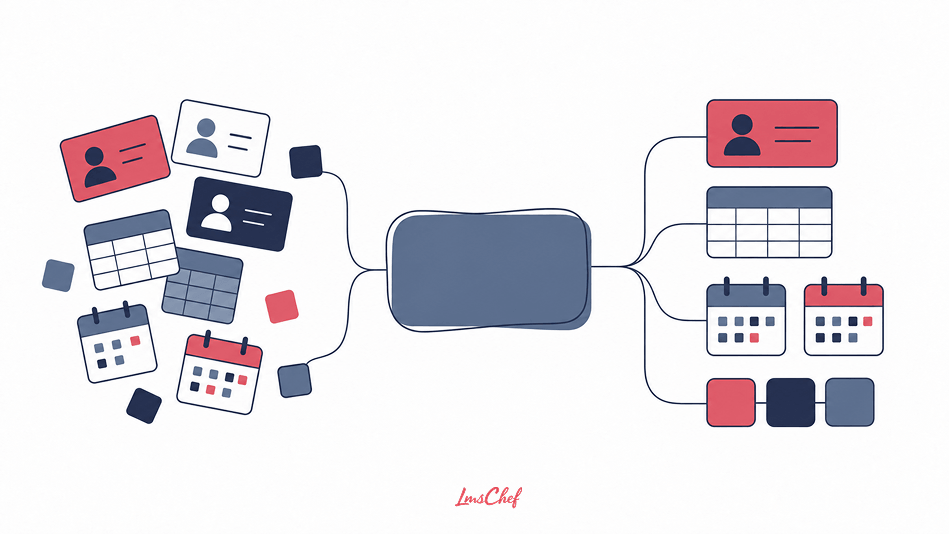
The strongest reasons for integrating an LMS are usually administrative. You are reducing the number of times someone has to move or re-enter information.
A useful LMS integration can:
- Create learner accounts automatically
- Keep employee information current
- Remove access when people leave
- Assign training from job or department data
- Reduce spreadsheet imports
- Reduce duplicate data entry
- Give learners a single sign-in
- Synchronize live training information
- Move learning records into business reporting
- Connect external training with customer data
For teams running large training programs through employee training software, the hours saved on recurring administration can add up quickly.
The same applies to compliance. If training is assigned according to role, location, or employment status, stale information can mean somebody receives the wrong training or no training at all.
That is why data synchronization matters when evaluating compliance training software.
Map the integration before anyone builds it
I would create a small integration specification before configuration starts. You do not need a huge technical document.
Start with something like this:
| Use case | Source | Source of truth | Data | Direction | Trigger | Failure handling | Owner |
| New employee onboarding | HRIS | HRIS | ID, email, role, department, manager | From HRIS to LMS | New employee | Log, retry, admin review | HR and LMS admin |
| Customer certification | CRM and LMS | CRM for account, LMS for training | Contact, account, certification status | Both systems | Account change or completion | Queue, alert, retry | CRM ops and L&D |
This exercise catches vague requirements early. I would also add a row for every field that can be changed in both systems.
| Field | Owner |
| Employee name | HRIS |
| Department | HRIS |
| Course completion | LMS |
| Certification expiry | LMS |
| Customer account | CRM |
Now everyone knows which system wins when values disagree. This becomes more important in an enterprise LMS setup, where several business systems may be feeding information into the same learning environment.
Native connector vs file feed vs API vs middleware vs custom connector
| Method | Setup | Flexibility | Who usually maintains it | Common use |
| Native connector | Lower | Depends on connector | Vendor plus customer admin | Common SaaS connections |
| File feed | Lower to medium | Moderate | Customer plus vendor | Employee and organization data |
| API | Medium to high | High | IT, integration team, or partner | Automated business workflows |
| Middleware | Medium | High | Integration team | Multiple connected applications |
| Custom connector | High | Very high | Customer or development partner | Unusual systems or business rules |
I would not choose a method because it sounds more advanced. Choose the simplest approach that supports the required workflow reliably. A nightly file feed can be perfectly fine for organizational updates. A real-time API may be necessary when another system must react immediately to a training event.
LMS integration checklist
This is the LMS integration checklist I would use during vendor evaluation and integration planning.
Business process
- What business process does the integration support?
- What should happen automatically?
- Which users are included?
- Which systems are involved?
- How quickly must the action happen?
Source of truth
- Which system owns each field?
- Which system can update it?
- What happens when the values disagree?
- Are manual LMS changes overwritten?
Data
- Which records move?
- Which fields move?
- Are custom fields supported?
- Which fields are required?
- Can blank values remove existing LMS data?
- What is the unique user ID?
Direction
- Does data move into the LMS?
- Does anything move back?
- Is the integration one way or two way?
- Can different fields have different directions?
Timing
- Is the integration real time?
- Is it event driven?
- Is it scheduled?
- How often does it run?
- How long can the LMS safely be out of date?
Authentication and permissions
- How do the systems authenticate?
- Which account owns the connection?
- What permissions does it need?
- Can those permissions be restricted?
- How are credentials rotated?
SSO and provisioning
- Which SSO protocols are supported?
- Is provisioning included?
- Can accounts be created automatically?
- Can groups be synchronized?
- Can users be deactivated automatically?
Error handling
- Where are failed records shown?
- Does the integration retry automatically?
- Can administrators retry manually?
- Does one bad record stop a whole batch?
- Who receives alerts?
Limits
- Are there API rate limits?
- Are there user limits?
- Are there file-size limits?
- Are bulk operations supported?
- Are there limits on historical data?
Testing
- Is a test environment available?
- Can we use our own sample records?
- Can we test invalid data?
- Can we test a duplicate user?
- Can we test a role change?
- Can we test termination?
- Can we test a failed connection?
Support
- Who supports the LMS side?
- Who supports the connected application?
- Who investigates a failed sync?
- Is connector documentation available?
- Who updates the integration when one product changes?
Cost
- Is the connector included?
- Does API access cost extra?
- Is a higher plan required?
- Is middleware required?
- Are implementation services required?
- Is ongoing integration support included?
If a vendor cannot answer those questions, I would not consider the integration confirmed.
Common LMS integration problems
The biggest problems usually come from unclear rules rather than exotic technology.
Duplicate users
A learner already exists under one email address. The HR system sends another. The LMS creates a second account. Now completions and certifications are split between two records. Decide how users are matched before enabling automated creation.
Wrong identifier
Email addresses look unique until they change. If the company has a stable employee ID, that may be a better identifier for employee records.
One-way integration mistaken for two-way integration
The HRIS sends employee data into the LMS. Someone assumes the LMS will send completion records back. It does not. Always document direction.
Stale data
An integration can only be as current as the source. If HR updates employee status three days late, the LMS will also be three days late.
Leavers remain active
New user creation usually gets tested first. Deactivation should receive the same attention. Check what happens when an employee leaves, changes employment type, or loses access.
Unexpected field overwrites
An LMS administrator corrects a department manually. The nightly HR sync changes it back. That may be exactly what the integration was designed to do. The problem is that nobody told the administrator.
Permission changes
The integration works for six months. Then security changes the service account permissions. Synchronizations stop. Monitoring needs to catch that.
API limits
Testing with a small dataset proves very little about volume. Ask what happens during a mass organizational change or large enrollment event.
Silent failures
I would rather have an integration fail loudly than quietly. If records stop moving, somebody should know. Error logs and alerts are part of the integration.
No owner
This is one of the easiest problems to avoid.
Write down who owns:
- The LMS
- The source system
- The connector
- The credentials
- Monitoring
- Vendor support
Do it before launch.
How to test an LMS integration
Seeing one successful user synchronization is not enough. I would test the full lifecycle.
1. Create
Add a completely new user. Confirm the account appears with the correct fields.
2. Update
Change their department, manager, location, or role. Confirm the correct fields change in the LMS.
3. Training assignment
Change something that should trigger training. Confirm the correct enrollment occurs.
4. Existing user
Send data for somebody who already has an LMS account. Confirm you do not get a duplicate.
5. Invalid record
Remove a required value or send an invalid field. Check whether the problem is visible.
6. Deactivation
Terminate the employee. Confirm access changes as expected.
7. Failed connection
Break the connection in a test environment. Check how the failure appears.
8. Recovery
Restore the connection. Confirm records continue from the right point and are not duplicated.
9. Permissions
Test with the permissions planned for production. Do not test using an administrator account if production will use restricted access.
10. Volume
Test enough records to expose timing and rate-limit problems.
11. Reporting
Confirm the resulting records appear correctly in LMS reports.
12. Logs
Make sure administrators can trace what happened to a specific record. These are integration tests.
The wider project, including stakeholder management, pilot planning, admin preparation, and launch, belongs in the LMS implementation guide.
Questions to ask an LMS vendor about integrations
I would take these questions into the demo:
- Is this integration maintained by you, another vendor, or a third party?
- Which objects and fields does it support?
- Can we map our own custom fields?
- Which direction does each piece of data move?
- How often is data synchronized?
- Which identity and provisioning protocols do you support?
- What happens when a record fails?
- Can administrators see integration logs?
- What API or connector limits apply?
- Which integration features cost extra?
- Can we test the connection with our own data?
- Who supports the integration when something goes wrong?
Do not stop at: “Do you integrate with Workday?” A vendor can truthfully answer yes while supporting only part of the workflow you need. Ask them to show your scenario.
Final thoughts
When someone tells me an LMS has “hundreds of integrations,” that number does not help me much. I would rather see one connection that handles the full workflow we need. Take a normal process, such as hiring an employee. You will learn more from that test than from scrolling through a marketplace full of logos.
A good LMS integration is predictable. You know where the data comes from, what the LMS does with it, how errors are handled, and who is responsible when something goes wrong.
FAQs
What is LMS integration?
LMS integration is an ongoing connection between a learning management system and another application. It lets systems exchange data or trigger actions automatically. Common examples include HRIS synchronization, SSO, CRM connections, Teams or Zoom sessions, reporting systems, content platforms, assessment tools, and eCommerce systems.
Why integrate an LMS with an HRIS?
An HRIS already contains employee information such as department, role, manager, location, hire date, and employment status. Integrating it with the LMS can automate user creation, updates, deactivation, organizational structure, and training assignments.
What is the difference between LMS integration and an API?
An integration is the complete connection and workflow between two systems. An API is one method software can use to create that connection. LMS integrations can also use native connectors, file feeds, webhooks, middleware, or custom development.
Is SSO an LMS integration?
Yes. SSO is an identity integration that allows learners to authenticate through an existing identity provider. SSO does not automatically mean user provisioning is included. Account creation, updates, and deactivation may use a separate mechanism.
Can an LMS integrate with Salesforce?
Yes, depending on the LMS. Common CRM workflows include creating learners from contacts, assigning training based on customer or partner data, and sending completion or certification status back to the CRM. The exact fields and direction need to be confirmed with the vendor.
Can an LMS integrate with Microsoft Teams or Zoom?
Many LMS platforms support integrations with virtual meeting systems. Depending on the connector, the LMS may create meetings, register learners, send links, synchronize attendance, or store recording information. Check the exact workflow rather than assuming every feature is included.
Is SCORM an LMS integration?
SCORM is mainly a standard for communication between learning content and an LMS. It is different from connecting the LMS with an HR system, CRM, identity platform, or BI tool. If you need the deeper standards explanation, see my eLearning standards comparison.
What is the difference between LMS integration and LMS migration?
LMS migration moves existing users, content, and records from one platform to another. LMS integration creates an ongoing connection between systems. A company replacing its LMS may need both.
Do I need a custom integration if there is no native connector?
Not necessarily. Check the LMS API, middleware options, webhooks, and scheduled data feeds first. A custom connector becomes necessary when those methods cannot support the required system or workflow.
Which LMS integrations are most important?
For employee training, I would usually investigate HRIS, identity, SSO, live meeting tools, and reporting first. For customer or partner education, CRM, eCommerce, identity, and reporting may matter more. There is no universal list. Start with the systems that already hold data your LMS will otherwise require someone to enter manually.