A custom LMS is a learning platform built for one organization instead of licensed from a vendor and configured. That is the clean definition. The messy reality is that “custom LMS” gets applied to at least five different things, from swapping a logo to commissioning original software, and the gap between the cheapest and the most expensive of those is enormous.
So this guide does two jobs. It pins down what each level of custom actually involves. Then it gives you a way to work out which level your requirements justify, before anyone writes a line of code or a statement of work.
I implement and consult on LMS software for a living, and I write extensively about LMS selection. I don’t sell development services, so I have no vested interest in steering you toward a particular solution.That shapes what follows.
TL;DR: do you actually need a custom LMS?
Most organizations asking this question do not need custom software. They need better configuration of a platform they already own, or a different platform.
Here is the short version of my recommendation map.
Choose a configurable SaaS LMS when your requirements are branding, role logic, automated enrollment, portals, catalogs, standard integrations and reporting. This covers the large majority of corporate learning programs.
Consider open-source or an extensible platform when you need deeper control over the data model or the interface, and you can sustain technical ownership in-house or through a retained partner.
Consider a full custom build when the learning workflow itself is proprietary, commercially differentiating, unusually regulated, or genuinely impossible to support without permanent manual workarounds.
Do not build because the current LMS is badly configured, because a vendor said no to one feature request, or because a development agency told you the market has nothing suitable. Run a proper LMS selection process first.
If you do build, budget for owning a software product for years. Launch is the cheap part.
What is a custom LMS?
A custom LMS is learning management software designed and developed for a specific organization’s workflows, data model and user groups, rather than bought as a ready-made product. The organization typically owns the source code, controls the roadmap, and takes on hosting, security, support and maintenance for the life of the system.
That is the strict definition. In the market, the term is far looser. Development agencies use “custom LMS” for original software. SaaS vendors use it for configuration and white-labeling. Both are selling something, and both are technically defensible uses of the word.
This matters more than it sounds. I have watched budget conversations go sideways for weeks because the L&D team, IT and Finance were each picturing a different thing when someone said “custom.”
The five levels of “custom”
Before you cost anything, work out which level you are actually discussing.
Level 1: Branding and white-labeling. Logo, color palette, custom domain, branded login and certificates. No development. Almost every mid-market LMS includes this.
Level 2: Configuration. Roles, permissions, org hierarchy, automated enrollment rules, learning paths, notification logic, catalogs, portals, custom fields, report templates. Still no development. This is where most “we need custom” requests actually land.
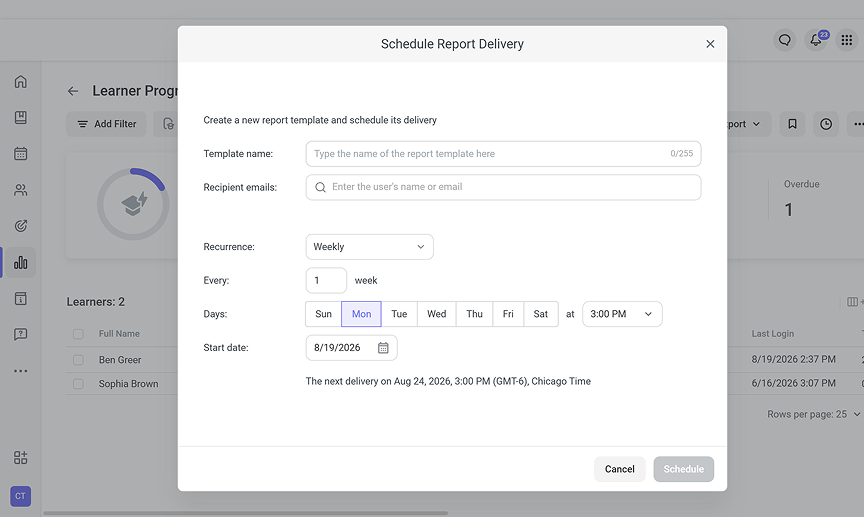
Level 3: Integrations and data extensions. SSO, HRIS provisioning, CRM or ERP data flows, warehouse feeds, webhooks, middleware. This is real development work, but you are building connectors around a platform, not building the platform.
Level 4: Extending an existing codebase. Open-source modification (Moodle, Open edX, Totara), vendor-supported custom modules, or low-code extensions on a platform that permits them. You inherit a mature core and own the parts you change.
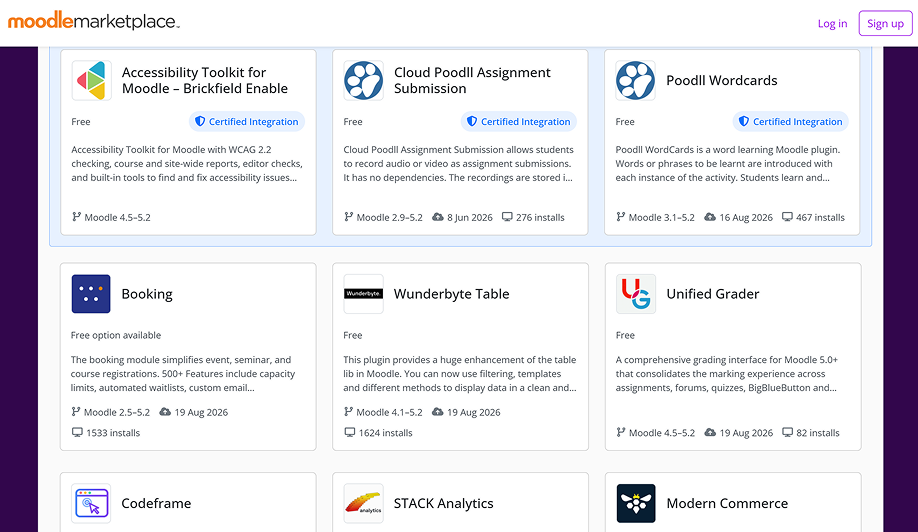
Level 5: Fully custom-built software. Original architecture, original data model, original interface. You own everything, including the obligation to keep it secure and running.
Levels 1 and 2 are configuration. Level 3 is integration engineering. Levels 4 and 5 are software ownership. Treat them as one category and your estimate will be wrong by an order of magnitude.
Custom LMS vs customizable LMS vs open-source vs off-the-shelf
The words look similar. The commitments behind them are not.
| Custom-built | Configurable SaaS | Open-source / extensible | Off-the-shelf SaaS | |
| What you control | Everything: data model, UX, roadmap, architecture | Settings, rules, branding, portals, reports | Codebase, hosting, data model, plus core updates | Settings and branding within vendor limits |
| Time to production | Longest. Discovery, build, integrate, migrate, pilot | Weeks to a few months, mostly configuration and data | Medium to long, depending on how much you modify | Fastest |
| Upfront cost shape | Large project spend, capitalized or phased | Licence plus implementation | Low licence, real infrastructure and engineering cost | Licence plus light setup |
| Who maintains it | You, permanently | Vendor | You, for everything you touch | Vendor |
| Integration flexibility | Unlimited, and unlimited effort | Good within available APIs and connectors | High, with engineering capacity | Limited to published connectors |
| Best fit | Proprietary or commercially differentiating learning workflows | Standard corporate learning at scale, multi-audience programs | Strong internal engineering, strict hosting or data-residency needs | Straightforward training delivery, small admin teams |
| Biggest risk | You build what vendors already solved, then maintain it forever | Hitting a hard platform limit late in the program | Underestimating the ongoing engineering commitment | Outgrowing the platform in eighteen months |
The decision rule I use: choose the least complex option that satisfies the non-negotiable requirements. Not the most capable option. Not the most flexible. The least complex one that clears the bar you have written down.
Complexity you do not need is a cost you pay every year. If you have not yet mapped your requirements against what the market already sells, my roundup of the best LMS vendors is the place to start.
The signals a custom LMS may be justified
Custom development becomes rational when the requirement is structural, not cosmetic. These are the situations where I stop pushing back on a build.
- The learning workflow is part of what you sell. A certification body, a training company, a franchisor licensing a curriculum. The platform is the product, or close to it.
- Certification or compliance logic cannot be modeled reliably. Multi-stage assessment, supervised practical sign-off, conditional recertification driven by external events. Some of this genuinely breaks standard platforms, though dedicated certification software covers more of it than buyers expect.
- Different audiences need materially different business rules. Not just separate portals. Different commercial models, different data separation obligations, different administrative hierarchies. Check what enterprise LMS platforms already handle here before assuming they cannot.
- The LMS sits in the middle of complex bidirectional data flows. It has to write back to operational systems, not just receive a user list from an HRIS.
- Workarounds have a measurable cost. Someone rebuilds a report by hand every month. Enrollment is maintained in a spreadsheet. Compliance evidence is assembled manually before every audit. Put a number on that number.
- Ownership of the roadmap or the IP is strategically necessary. Usually because the learning data or the workflow itself is a competitive asset.
- You can fund software ownership after launch. Not just the build. The years after it.
If fewer than three of these describe you, I would look very hard at configuration first.
Signals you probably do not need custom development
The counter-list matters just as much, and no development agency is going to write it for you.
- You want your branding, your domain and your look. That is Level 1.
- You need SSO and an HRIS sync. Standard on most enterprise platforms.
- You need automated enrollment by role, department or location. Configuration.
- You need separate portals for employees, customers and partners. Widely supported.
- You need a structured onboarding program for new hires. Common, and well solved.
- You need a compliance report your current admin cannot build. Often a training gap, not a platform gap.
- Your users dislike the current system. Investigate why. Poor configuration and poor content produce the same complaints as poor software.
- You work in a regulated sector and assume nothing standard will fit. Vertical options exist, including platforms built for healthcare.
- One vendor said no. Ask three others before concluding the market cannot do it.
I want to be blunt about the last two. A large share of the “we need something custom” conversations I get pulled into turn out to be an implementation that was never finished properly. The platform was bought, configured to about sixty percent, and then the person who understood it left. Rebuilding from scratch does not fix that. It repeats it, expensively.
What building actually gets you

Every benefit below is real. Each one is also conditional on a requirement you can state in writing.
Workflow fit. The system models your process instead of approximating it. Worth it when the process is genuinely unusual, and expensive when it is merely unexamined.
Integration control. You decide the data model, the sync direction, the error handling and the retry logic. This matters most when the LMS has to write into systems that other departments depend on.
Audience-specific experiences. Distinct journeys, commercial rules and data boundaries per audience, without bending a multi-tenant feature that was designed for something else.
Roadmap and IP ownership. No waiting on a vendor’s release cycle. No feature deprecated underneath you. You also inherit every prioritization decision, which is less fun than it sounds.
Business logic you cannot buy. Proprietary scoring, competency models tied to operational data, certification rules unique to your regulator.
Notice what is missing from that list. Speed, cost savings, ease of use and better learner engagement are not inherent benefits of custom software. Mature platforms have had years of usability work poured into them. Your version one will not match that.
The risks nobody quotes for
The build price is the visible number. These are the ones that show up later.
Time to value. A configured platform can be live in a quarter. A custom build competing with it is often still in discovery.
Scope creep. Learning requirements expand when stakeholders see a prototype. Every addition has a price, and the price rises the later it arrives.
Permanent maintenance. Security patches, dependency upgrades, browser changes, SSO certificate rotations, accessibility fixes, monitoring, backups, incident response. This never stops.
Technical debt. Year one is quick. Year three is slow, because the shortcuts taken to hit the launch date are now load-bearing.
Continuity risk. If two people understand the system and one leaves, you have a problem. If the development partner disappears, you have a larger one.
The invisible surfaces. Mobile, accessibility, offline behavior, exports, audit trails, admin tooling. Vendors solved these over many releases. Custom builds routinely underfund them and rediscover why they were expensive.
Rebuilding the commodity. The genuinely differentiating part of your requirement might be ten percent of the system. The other ninety percent is a course player, a user table and a report builder, which the market sells cheaply.
Requirements: the framework to fill in before you cost anything
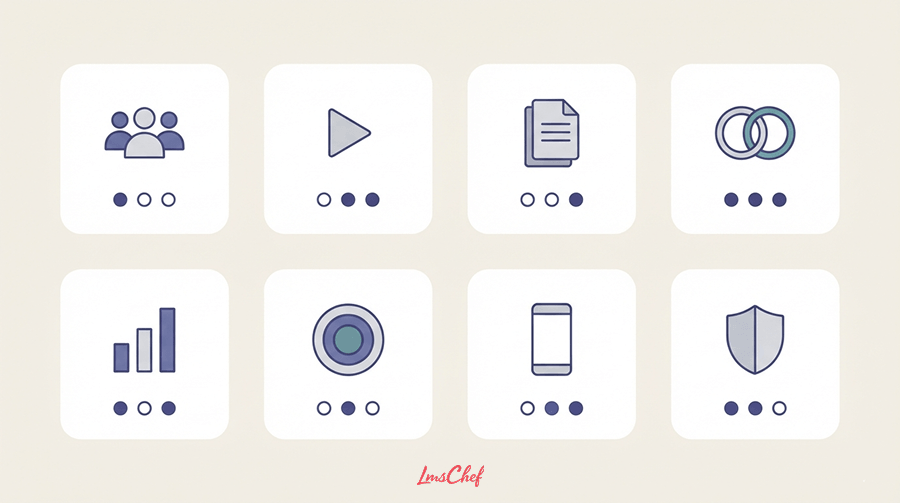
Do not start from a feature list. Start from what the business needs to be true, then ask which level of custom delivers it. Work through these eight categories with the relevant owner in the room.
Users, roles and permissions. Learners, managers, instructors, admins, delegated admins, external audiences. Role inheritance. Org hierarchy and how it changes when someone moves.
Learning delivery. Courses, paths, prerequisites, assessments, instructor-led and virtual sessions, certificates, recertification triggers, waitlists, approvals.
Content standards. SCORM, xAPI and cmi5 support, video handling, documents, third-party content libraries, versioning and what happens to in-progress learners when a course is republished.
Integrations. For each one: which system is the source of truth, which fields move, in which direction, how often, what happens on failure, and who owns the connector after launch.
Reporting and analytics. Manager views, scheduled distribution, audit history, exports, BI or warehouse feeds, and the specific KPIs someone will be asked to defend in a board meeting. My guide to calculating LMS ROI covers which of those actually hold up.
Multi-audience needs. Portals, custom domains, catalog segmentation, delegated administration, branding per audience, commerce if you sell training.
Mobile and accessibility. Which devices, which tasks on mobile, which accessibility standard, and whether offline access is a real requirement or an aspiration.
Security and compliance. Authentication, authorization, encryption, logging, retention, backup and recovery targets, hosting location, privacy obligations, incident response.
Then mark every line: must-have, should-have, or nice-to-have. Only the must-haves get to influence the build decision. In my experience this exercise alone eliminates a meaningful share of custom projects, because the requirement that supposedly justified the build turns out to be a should-have that one stakeholder felt strongly about.
How much does a custom LMS cost?
I am not going to publish a price range, and I would treat any article that does with caution.
The quotes I see for superficially similar projects vary so widely that a published range gives you false confidence rather than useful information. Two organizations describing “a custom LMS with HRIS integration and compliance reporting” can be describing projects that differ by a factor of ten in real scope. A number scraped from a competitor’s blog will not survive contact with your requirements document.
What is portable is the cost structure. Price your own project by working through these drivers.
Build-phase drivers
- Discovery, requirements and architecture work
- UX and interface design, including admin tooling
- Core development effort, sized by must-have scope
- Number of integrations, and the complexity of each one
- Data and content migration, including historical completion records
- Mobile requirements beyond responsive web
- Accessibility conformance work and remediation
- Testing: functional, integration, security, accessibility, load
- Project management and stakeholder time on your side
Run-phase drivers, every year, forever
- Hosting and infrastructure
- Monitoring, alerting and incident response
- Security patching and dependency upgrades
- Support, both technical and administrative
- Enhancement and change requests
- Internal staff time to own the product, including implementation and rollout effort
- Periodic re-platforming as frameworks age out
Model five-year total cost of ownership
Compare like with like. A build price against a SaaS annual licence is not a comparison, it is a category error. Use a five-year window and fill in every row for every option.
| Cost line | Custom-built | Configurable SaaS | Open-source / self-hosted |
| Licence or subscription | None | Annual, scales with users | None, or paid distribution |
| Initial build or implementation | Largest single line | Implementation and configuration | Setup, theming, plugin work |
| Integration development | Per integration, yours to build | Connector config, or custom API work | Per integration, yours to build |
| Data migration | Yours | Often vendor-assisted | Yours |
| Hosting and infrastructure | Yours | Included | Yours |
| Security patching and upgrades | Yours | Vendor | Yours |
| Monitoring and incident response | Yours | Vendor | Yours |
| Support | Yours to staff or retain | Included at tier | Community, or paid partner |
| Enhancements and change requests | Development spend | Config, or vendor roadmap | Development spend |
| Internal admin and product ownership | Highest | Moderate | High |
Fill this in with your own figures before the decision meeting, not after. The row that surprises most finance teams is not the build. It is the cumulative run cost across years two to five, and the internal headcount hidden inside it.
How long does custom LMS development take?

Timeline follows scope and integration complexity, so any agency quoting a duration before seeing your requirements is quoting a sales figure. What you can plan is the shape of the project.
Discovery and architecture. Requirements, data model, integration design, security review, success metrics.
MVP build. The smallest version that supports one real workflow end to end, for real users.
Integration and migration. Usually the phase that slips, because it depends on systems and teams outside the project.
Pilot. A defined population, real content, real data, reconciled against the source systems.
Production launch. With rollback plan, support model and monitoring in place.
Post-launch iteration. Continuous, and funded.
Two planning notes. Keep the MVP genuinely minimal, because the fastest way to lose a year is letting the first release grow into a full enterprise platform before anyone has validated the core workflow. And schedule integration work early, since it exposes the data problems that quietly determine the real timeline.
The development process, with the step most people skip
- Define the business problem and the metric that proves it was solved.
- Document user groups, critical workflows, compliance rules and data ownership.
- Run a build-vs-configure market check. Test your must-haves against real platforms, including the corporate training options you may not have shortlisted, before approving a build.
- Prioritize an MVP and write down what waits.
- Define architecture, hosting, identity, security, integrations and the data model.
- Prototype the learner and admin journeys, then watch real users attempt them.
- Build and integrate in increments, with working software at each one.
- Migrate representative content and historical data, not a clean sample.
- Test functionality, integrations, reporting, security and accessibility against real scenarios.
- Pilot, reconcile the data, then launch.
- Establish support, monitoring, release management, ownership and roadmap governance.
Step three is the one that gets skipped, usually because by the time the conversation reaches a development partner, the build decision already feels made. Do it anyway. If the market check confirms the build, you have a much stronger business case and a much better requirements document.
Build vs buy: the decision matrix
Use this in the meeting where the decision actually gets made. Score each factor honestly rather than arguing about the conclusion.
| Decision factor | Custom-built tends to fit when | Configurable or off-the-shelf tends to fit when |
| Workflow uniqueness | The workflow is proprietary and cannot be modeled with standard rules | The workflow is common, even if your terminology for it is not |
| Integrations | Bidirectional custom data logic is a core requirement | Standard connectors, APIs or middleware can carry the flow |
| Time to value | The organization can tolerate a long build and pilot cycle | Something needs to be in production this year |
| Budget shape | Project capital plus sustained annual ownership is available | Predictable subscription and implementation cost is preferred |
| Roadmap control | Owning product direction is strategically important | Vendor roadmap dependence is acceptable |
| Technical capacity | Product and engineering ownership is sustainable long term | The organization does not want to operate software |
| Risk tolerance | Delivery risk is understood and governed | Predictability matters more than flexibility |
| Scale of the gap | Multiple must-haves fail across several serious platforms | One or two must-haves fail on one platform |
That last row is my quiet favorite. If a single platform cannot do it, that is a shortlist problem. If four credible platforms cannot do it, that is a product problem, and you may be looking at a genuine case for a build.
Can you get a “custom LMS” without custom development?
Usually, yes. A customizable LMS gives you branding, custom domains, configurable roles and permissions, automated enrollment logic, separate portals per audience, custom fields, report builders, published APIs and webhooks. For most corporate learning programs, this delivers the outcome people mean when they say “custom,” without the obligation to own software.
The route depends on how far you need to go.
Configuration first. Before concluding a platform cannot do something, have someone who genuinely knows that platform attempt it. Much of what buyers want sits inside standard employee training software already. Configuration depth is the single most underused capability in the LMS market. Admin turnover is why.
Automation and workflow rules. Modern platforms trigger enrollments, notifications, escalations and certificate renewals from user attributes and event data. Much of what gets specified as custom development is a rules engine that already exists.
APIs and middleware. When the gap is data movement, an integration layer usually costs a fraction of a platform build, and you keep the vendor’s maintenance obligation.
Low-code and extension frameworks. Some platforms permit custom modules or embedded applications inside a supported extension model. You get bespoke behavior without forking a codebase.
Open-source. Real control over interface and data model, with a mature core underneath. The licence is free, as it is with the free LMS options worth screening first. The engineering commitment is not, and that is the part that gets underestimated.
One caution on APIs. “Has an API” tells you nothing on its own. Ask which objects are exposed, which operations are supported, what the rate limits are, whether it is documented publicly, and whether the vendor charges for access. I have seen integrations planned around an API that turned out to be read-only for the object that mattered.
The proof-of-concept script
This is the part I would keep if you throw away everything else.
Give every finalist the same ten scenarios, using your data and your workflows. Configurable platforms, open-source partners and custom development prototypes all get the identical list. You are comparing evidence rather than presentations, and it is remarkable how quickly a polished demo separates from a working system.
| # | Scenario | What a pass looks like |
| 1 | Import or sync a realistic user population from your HRIS | Real record volume, real messy data, including duplicates and leavers |
| 2 | Auto-assign learning by a real rule (role, site, segment, contract type) | Assignment fires without manual intervention, and you can see why it fired |
| 3 | Complete a course on desktop and on a phone | Progress and completion tracked identically on both |
| 4 | Issue a certificate and trigger recertification | Renewal schedules automatically, and notifies the right people |
| 5 | Change a user attribute mid-program | Assignments and permissions update correctly, without orphaned records |
| 6 | Give a manager the exact visibility they need | Manager sees their team only, without an admin building it manually |
| 7 | Build and schedule a real compliance or executive report | The actual report, with your fields, delivered on a schedule |
| 8 | Import your existing SCORM and xAPI content | Tracking works, including resume and score reporting |
| 9 | Demonstrate the real SSO and provisioning flow | Your identity provider, not a generic demo tenant |
| 10 | Push learning data to the downstream system that owns reporting | Data arrives in the right shape, with a documented failure mode |
Two rules for running it. Insist on your data, because a vendor sandbox is designed to succeed. And write down each result immediately, since after four demos in a week nobody remembers which platform did what.
Evaluating a development partner

If the build decision holds, the partner matters more than the technology stack. I am keeping this deliberately short, because vendor selection deserves its own process rather than a checklist at the end of a guide.
The essentials to require in writing:
- Product experience in learning technology, not general web development with an LMS case study attached.
- Willingness to challenge your scope. A partner who agrees with every requirement is selling hours. The good ones tell you which requirements are configuration, not development.
- Explicit IP and source code ownership, plus documentation, environments, credentials and a defined handover.
- A change-control model agreed before work starts, not negotiated during it.
- A support and maintenance proposal covering SLA, monitoring, patching, backups, incident response and release management.
- References with comparable complexity, particularly on integrations, audience structure and compliance.
- A migration and rollout plan, not just a build plan.
One red flag worth naming. If a development partner scopes and validates your requirements without independent buyer-side review, you have removed the only check on the size of the project. Keep someone in the room whose incentive is not the size of the build.
Common mistakes I see repeatedly
- Starting from a feature wish list instead of the business problem the platform must solve.
- Calling configuration “custom development.” This alone inflates budgets.
- Skipping the market check. Building without seriously testing what existing platforms already do.
- Underestimating integration and migration. These consume more of the timeline than the features people are excited about.
- Budgeting for launch but not for ownership. Maintenance, security and enhancement work are not optional line items.
- Letting the vendor define the requirements. Independent validation is cheap compared to the alternative.
- Rebuilding commodity features with no differentiating reason.
- Never defining data ownership. Which system owns users, org structure, completions, certificates and reporting? Decide before you build.
- Treating “API available” as proof of easy integration.
- Allowing the MVP to grow into a full platform before real users have validated the core workflow.
Final decision: when is a custom LMS worth it?
Build custom when the requirements are materially differentiated, high-value, difficult to configure anywhere credible, and important enough to justify owning software for years. That is a narrow set of conditions and it should be.
For everyone else, the strategic move is usually not to build. It is to write better requirements, run a proper market check, configure the platform properly, and spend the saved budget on content, adoption and the people who administer the system. Those investments almost always return more than a bespoke platform.
If you cannot answer “what specifically breaks if we configure instead of build,” the honest answer is that you are not ready to make the decision yet.
FAQ
What is a custom LMS?
A custom LMS is learning management software built specifically for one organization rather than licensed as a ready-made product. The organization typically owns the source code and roadmap, and takes responsibility for hosting, security, support and maintenance. In practice the term is also used loosely for heavily configured or white-labeled commercial platforms.
What is the difference between a custom LMS and a customizable LMS?
A customizable LMS is a commercial product you adapt through settings: branding, roles, workflows, portals, reports and integrations. A custom LMS is software developed for you. The first is configuration work you can do yourself. The second is a software product you own and maintain permanently.
How much does a custom LMS cost?
There is no reliable published range, because comparable-sounding projects vary enormously in real scope. Price yours from the drivers: discovery, design, feature scope, number and complexity of integrations, migration, testing, accessibility, hosting, and multi-year maintenance. Compare it against configurable alternatives over five years, not against a single annual licence.
How long does it take to build a custom LMS?
It depends entirely on scope and integration complexity, so treat pre-discovery timelines as sales estimates. Plan the phases instead: discovery and architecture, MVP build, integration and migration, pilot, production launch, then continuous iteration. Integration and migration slip most often, because they depend on systems outside the project team.
Is it better to build or buy an LMS?
Buy or configure unless the learning workflow is proprietary, commercially differentiating, unusually regulated, or genuinely unsupportable on existing platforms. Buying gives you speed, vendor-maintained security and a predictable cost. Building gives you control, at the price of permanent software ownership. Choose the least complex option that satisfies your must-have requirements.
Can an existing LMS be customized?
Usually further than buyers expect. Most enterprise platforms support branding, custom domains, role and permission models, automated enrollment rules, custom fields, portals per audience, report builders and API access. Before concluding a platform cannot meet a requirement, have someone who knows that platform well attempt the configuration.
What integrations should a custom LMS support?
At minimum, identity and SSO, and your HRIS or HCM for user provisioning. Beyond that it depends on your workflows: CRM for customer or partner training, ERP for operational data, BI or a data warehouse for reporting, webinar tools for virtual sessions, and payments if you sell training. Define the source of truth for each data object first.
What are the biggest risks of custom LMS development?
Scope creep, integration and migration effort, and the permanent maintenance burden. Add technical debt, which makes year-three changes slower than year-one changes, and continuity risk if knowledge sits with one partner or one person. The largest financial risk is funding the build without funding the ownership that follows it.
Is a custom LMS worth it for a small business?
Rarely. Small organizations seldom have requirements that credible platforms cannot configure, and they usually cannot sustain the engineering ownership a build requires. The exception is a business whose product is training itself, such as a certification provider or a training company selling courses, where the platform is part of the commercial offer. Most others are served well by a platform aimed at smaller teams.
What is the difference between a custom LMS and Moodle?
Moodle is an established open-source LMS you can host, theme, extend with plugins and modify at the code level. A fully custom LMS is built from scratch. Moodle gives you a mature core plus control, in exchange for hosting, upgrade and security responsibility. A custom build gives you total control and no starting point.
Who owns the source code of a custom LMS?
Whatever your contract says, so read it before signing. Confirm ownership of source code, documentation, designs, infrastructure configuration and credentials, plus the handover process if the relationship ends. Some agreements license the code rather than transfer it, and some retain reusable components. Neither is unreasonable, but both need to be explicit.
What should be included in a custom LMS MVP?
The smallest set of features that lets one real user group complete one real workflow end to end. Typically that means authentication, user provisioning, course delivery, completion tracking, the one integration that matters most, and the single report someone is accountable for. Everything else waits for evidence from real use.