
Instructor-led training (ILT) is live training delivered by an instructor to learners at the same time. It can take place in a classroom or online as virtual instructor-led training (VILT).
For corporate employee training, ILT still has a clear role. I tend to use it when people need to ask questions, practice something, get feedback, or learn from the rest of the group.
TL;DR
Instructor-led training, or ILT, is synchronous training with a live instructor. It includes classroom sessions and virtual instructor-led training.
ILT works well for demonstrations, discussion, coaching, role-play, and guided practice. Its main limitations are scheduling, instructor time, and scalability.
An LMS can reduce the admin involved by handling enrollment, session dates, reminders, attendance, assessments, and reporting.
What is instructor-led training?
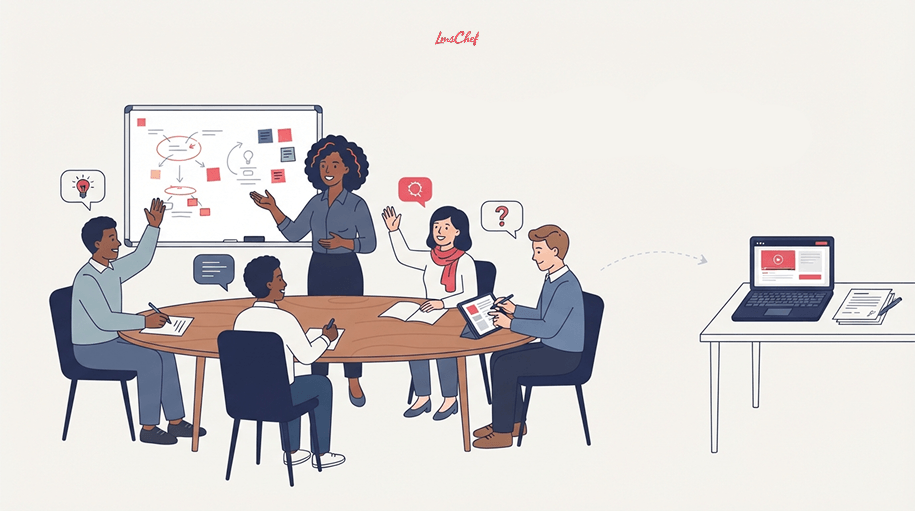
Instructor-led training is any scheduled learning session led by a real instructor in real time.
That sounds simple, but ILT is sometimes used as another name for classroom training. It is broader than that. A live online workshop is ILT too.
The key difference is timing.
With self-paced eLearning, one person can open a course today and another can take it next week. With ILT training, everyone joins at an agreed time.
That gives the instructor a chance to react to the group. They can answer a question immediately, show a process again, spend longer on a difficult topic, or stop an exercise when people are going in the wrong direction.
A session can be a workshop, technical demonstration, coaching session, seminar, lab, or group exercise.
A slide deck and a trainer talking for 90 minutes also qualifies, although I would not recommend designing much training that way.
Types of instructor-led training
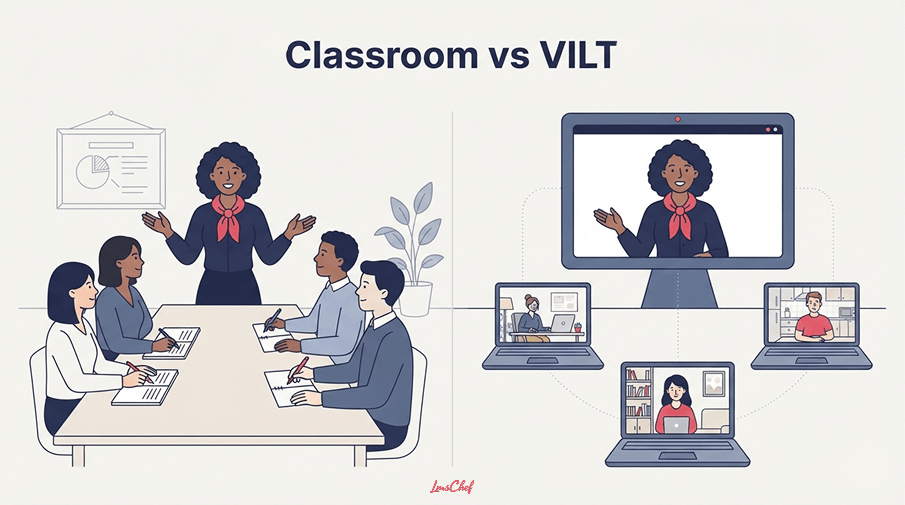
There are two main versions of instructor-led training in corporate learning: classroom ILT and virtual instructor-led training.
Classroom or in-person ILT
This is the format everybody already knows.
Learners and the instructor are in the same room. The session might include a presentation, discussion, exercise, demonstration, role-play, or hands-on task.
Being in the same room helps when the trainer needs to see exactly what somebody is doing. That matters with equipment, physical procedures, demonstrations, and some interpersonal skills.
It also makes informal discussion easier. People ask questions that were not on the agenda. Someone describes a problem they had last week. The rest of the group joins in.
The problem is logistics. You need the room, the trainer, and the learners available at the same time. Travel makes it harder again.
Virtual instructor-led training (VILT)
Virtual instructor-led training moves the same basic idea online.
The trainer and learners join a live meeting or virtual classroom. They can speak, share screens, use chat, answer polls, work in breakout rooms, and complete activities together.
VILT is a form of ILT. I would not treat it as a separate training method.
It solves some of the location problem, but it creates another issue: people can disappear mentally much faster online.
If the trainer shares slides for an hour while everybody sits muted, there is very little reason for the session to be live.
A few VILT best practices
Good virtual instructor-led training usually needs more interaction than a classroom session.
Keep presentation blocks short. Ask learners to answer questions in chat. Give breakout groups a specific task rather than sending them away to “discuss the topic.”
I would also test meeting links, permissions, screen sharing, and breakout settings before learners arrive.
Small technical problems feel much larger when 30 people are waiting for the trainer to fix them.
Benefits of instructor-led training
The main advantage of ILT is simple. The instructor can see what is happening and respond.
Learners can get an answer straight away
If somebody does not understand something, they can ask.
That sounds minor until you compare it with a self-paced course where the learner gets stuck, makes a guess, or closes the browser.
People can practice with an instructor watching
This is where I think ILT earns its place.
A trainer can demonstrate a task and then watch somebody try it. They can correct the mistake immediately.
That works well for software demonstrations, technical tasks, customer conversations, presentation skills, and management training.
Groups learn from each other
Good ILT sessions are rarely a conversation between one trainer and one learner.
Someone asks a question. Another person has dealt with the same problem. A third disagrees with the answer.
That discussion becomes part of the learning.
This is one reason live sessions fit well with areas such as new manager training, where there often is no single perfect response to a situation.
The instructor can change course
If everybody already understands the first topic, the trainer can move on.
If half the group is lost, they can stop.
A self-paced course cannot read the room.
Limitations of instructor-led training
ILT has some obvious weak points too.
Scheduling gets messy
Ten learners in one office is easy.
Two hundred learners across four countries is a different job.
You start dealing with session capacity, repeat dates, cancellations, time zones, waitlists, rooms, meeting links, and instructor availability.
VILT removes the travel problem, but not the calendar problem.
It does not scale cheaply
Every additional group may need another session and more instructor time.
This is why I would avoid spending live time on information that could easily be read or watched beforehand.
Move the background material into pre-work. Keep the session for the parts where the trainer adds something.
That is also one of the simplest forms of blended learning.
Delivery can vary
Two trainers can use the same slides and run very different sessions.
You can reduce the difference with clear learning objectives, facilitator notes, shared activities, and instructor preparation.
I would standardize the important parts without scripting every sentence.
Long sessions lose people
This happens in classrooms and it happens even faster online.
If learners have gone 25 minutes without answering, deciding, discussing, or trying anything, I would look at the session design.
The same ideas behind interactive training apply here too.
Instructor-led training vs. eLearning
When comparing instructor-led vs. self-paced learning, I would not choose based on which format sounds more modern.
Start with what somebody needs to do after the training.
| Area | Instructor-led training | Self-paced eLearning |
| Timing | Learners attend at a scheduled time | Learners usually study when they choose |
| Feedback | Immediate | Usually limited or delayed |
| Discussion | Easy to build into the session | Limited unless another social tool is added |
| Flexibility | Lower | Higher |
| Scaling | More sessions or instructors may be needed | One course can serve large numbers |
| Consistency | Can vary between trainers | Core content stays the same |
| Good fit | Practice, coaching, discussion, demonstrations | Knowledge, refreshers, procedures, pre-work |
For example, I would not book a two-hour workshop so someone can learn ten product features.
Give them a short online module first.
Then use 45 minutes with an instructor to solve customer scenarios, ask questions, and practice using those features.
That combination usually makes more sense than forcing the whole program into one format.
When should you use ILT?
Here is the test I use.
Use ILT when learners need someone to watch them
If performance needs observation, a live trainer helps.
That includes role-play, demonstrations, equipment use, presentations, and technical procedures.
Use it when mistakes matter
If an employee gets something wrong during training, you want the instructor to catch it before the same mistake appears at work.
This can matter in safety, technical, compliance, and customer-facing training.
Use it when questions are difficult to predict
Some subjects produce the same five questions every time. Put those in an online course.
Other topics produce questions based on someone’s role, customer, team, equipment, or previous experience. A live instructor handles those much better.
Use it when discussion is part of the exercise
Leadership situations are a good example.
There may be several reasonable ways to handle the same conversation. Listening to other people’s choices can be more useful than clicking the “correct” answer.
Skip ILT when the instructor has nothing to add
If the trainer is reading information that could have been a page, video, or online course, I would question why everybody had to join at 10 a.m.
How to design and run an ILT session
Good instructor-led training design starts with the thing learners should be able to do afterward.
“Understand the new CRM” is not enough.
“Create a new customer, assign the correct account owner, and log the first activity” tells you what the training needs to cover.
Then decide which part actually needs the instructor.
Basic terminology can go into pre-work. So can background reading and simple product walkthroughs.
Keep the live session for explanation, questions, practice, feedback, and difficult cases.
I would also give the instructor a facilitation guide. It does not need to be a 40-page manual. Include the learning objectives, timing, activities, key points, common questions, and anything every group must cover.
During the session, make the learners do something.
Show the process, then give them a task.
Present the case, then ask for a decision.
Explain the model, then let people use it.
If the session is virtual, I would shorten the gaps between those interactions.
A trainer can usually see when a classroom has switched off. On a video call, ten silent profile pictures tell you much less.
Finally, decide how you will know whether the training worked.
That could be an assessment, an observed demonstration, a scenario, a follow-up task, or feedback from the learner’s manager.
The session ending should not be the end of the learning.
How an LMS helps manage instructor-led training
For a small group, a calendar invitation and a spreadsheet may be enough.
That stops being fun once you have dozens of sessions.
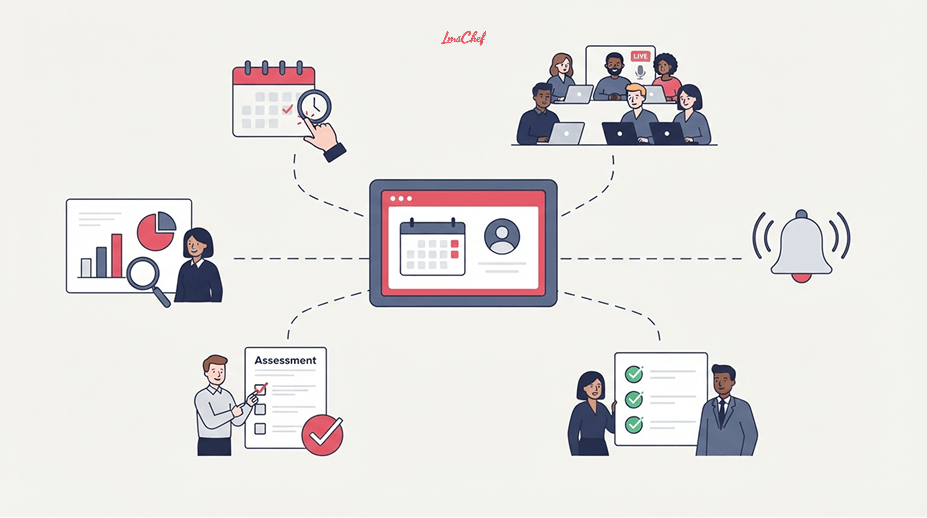
A learning management system can keep classroom and online learning in the same place.
Admins can create sessions, set dates, assign instructors, add capacity, enroll learners, send reminders, and record attendance.
The learner sees the session with the rest of their training instead of searching through email for the meeting link.
After the session, the LMS can store attendance, completion, assessments, feedback, and other learning records.
That becomes useful when ILT is part of a bigger program.
Take employee onboarding as an example. A new hire might complete three online courses, attend a live orientation session, join product training, and finish an assessment.
Their manager should not need four systems to work out what has been completed.
If you are setting this process up from scratch, I would think about ILT during LMS implementation, not after launch.
Session roles, attendance rules, integrations, and reporting are much easier to sort out before training dates start filling the calendar.
A few LMSs that support instructor-led training
This is not a ranking. These are examples of established LMSs that can manage live sessions alongside online learning.
- Absorb LMS supports instructor-led courses, sessions, enrollment, attendance, and live training within broader learning programs.
- Docebo lets administrators create ILT courses, sessions, and events for classroom and online delivery.
- iSpring LMS supports scheduled live sessions, attendance records, reporting, and integrations with Zoom, Microsoft Teams, and Google Meet.
- LearnUpon supports live learning events and sessions, including learner registration and attendance tracking.
- TalentLMS lets administrators add classroom and online ILT units to courses, manage sessions, set capacity, and connect virtual meetings.
ILT support alone would not be enough for me to choose an LMS.
Look at the rest of the platform as well. Reporting, automation, content support, user management, integrations, and admin workload will usually matter more over time.
I cover those areas in more detail in my guide to key LMS features and my separate guide on how to choose an LMS.
Instructor-led training examples
New employee onboarding
New hires complete policies and basic company information online.
Then they join a live orientation session for introductions, questions, demonstrations, and discussion.
Manager training
Managers learn the framework, then work through difficult conversations with other participants.
The instructor observes and gives feedback.
Software rollout
Employees watch a short introduction first.
In the live session, the trainer demonstrates the software and gives learners tasks to complete while help is available.
Technical or safety training
Learners cover theory before the session.
Then they attend live training to see the procedure, practice it, and demonstrate that they can perform it correctly.
The pattern is fairly consistent. Use live time when interaction, observation, or feedback changes the learning experience.
Final thoughts
Instructor-led training still makes sense when having a live instructor changes what learners can do.
That usually means discussion, feedback, demonstration, coaching, or practice.
The mistake is using ILT by default. If learners only need information, give them the information and let them move through it in their own time.
Save the scheduled session for the parts where being together actually helps.
FAQs
What does ILT stand for?
ILT stands for instructor-led training. In corporate training, it means employees attend a scheduled learning session led by a live instructor.
The instructor and learners take part at the same time, either in person or online.
What is ILT training?
ILT training is another term people use for instructor-led training.
Technically, the phrase repeats the word “training,” since the T in ILT already stands for training. In everyday use, however, it usually means a live, scheduled course led by an instructor.
What is the difference between ILT and VILT?
VILT stands for virtual instructor-led training.
It is a type of ILT delivered online. Classroom ILT takes place in a physical location, while VILT uses a web-conferencing or virtual classroom platform.
Is instructor-led training better than self-paced eLearning?
Sometimes.
Instructor-led training is a better fit when learners need live feedback, discussion, coaching, demonstration, or supervised practice.
Self-paced eLearning usually makes more sense when learners mainly need information and flexibility.
What are the benefits of instructor-led training?
The main benefits are immediate feedback, guided practice, live discussion, instructor support, and the ability to adjust the session based on the group.
ILT can also work well when learners need to practice interpersonal or technical skills.
What are the disadvantages of instructor-led training?
The main disadvantages are scheduling, instructor time, room or travel costs, limited scalability, and differences between trainers.
Virtual delivery, reusable session plans, facilitator guides, pre-work, and repeated session dates can reduce some of these problems.
How do you keep learners engaged during virtual instructor-led training?
Give them something to do regularly.
Ask questions. Use chat. Demonstrate something. Give the group a scenario. Put learners into breakout rooms. Let them try the task.
A virtual session becomes difficult to follow when learners spend most of it watching somebody talk.
How can an LMS manage instructor-led training?
An LMS can manage session dates, enrollment, capacity, reminders, meeting links, materials, attendance, completion, assessments, and reporting.
It can also put ILT records next to the learner’s online courses, which makes blended programs much easier to manage.