360Learning built its name on collaborative authoring. Subject matter experts write the courses, colleagues comment on them, and content keeps improving without one instructional designer owning every module. That model genuinely works. Which is why most teams shopping for 360Learning alternatives are not unhappy with the authoring at all.
They start looking when reporting runs out of depth, when enrollment is still manual at two thousand learners, when audit season arrives, or when finance sees the renewal quote. Below are eight platforms worth a demo, what each one is good at, and where each one will annoy you.
TL;DR
Eight platforms L&D teams most often put next to 360Learning:
- Docebo. Enterprise automation, multiple audiences, deep configuration. Expensive floor.
- Absorb LMS. Clean administration and a learner experience people actually use. Quote-only pricing.
- iSpring LMS. Structured employee training, blended and mobile delivery, low admin overhead.
- Cornerstone. Regulated industries, audit depth, skills and talent in one ecosystem.
- LearnUpon. Separate branded portals for customers, partners, and staff.
- TalentLMS. Small teams that need something running this month.
- Sana Learn. AI native authoring and adaptive paths, now owned by Workday.
- Zensai. An LMS that runs inside Microsoft 365 rather than next to it.
This is not a quality ranking. The numbering is just an order to read in. The platform that suits a 400 person manufacturer with shift workers is the wrong answer for a software company running a partner academy.
What pushes teams off 360Learning
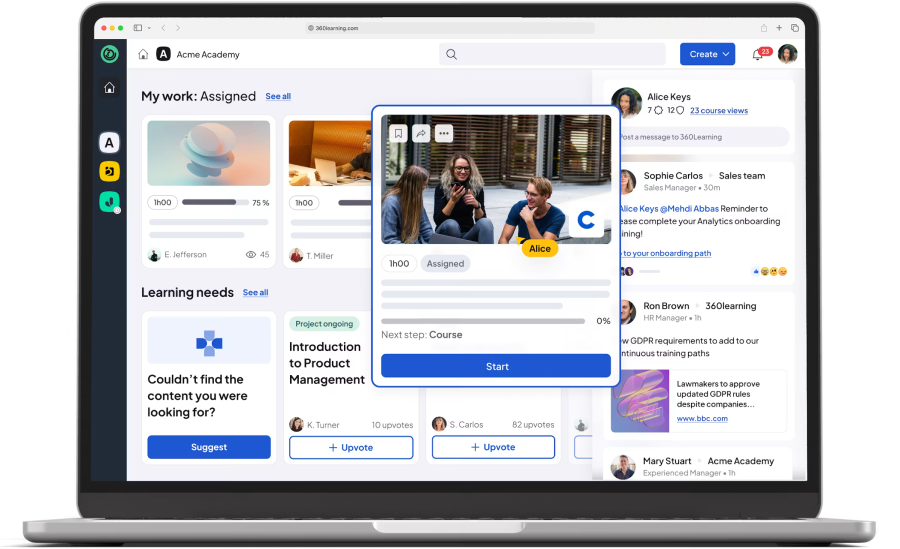
Six things, in roughly the order they come up: reporting depth, manual administration, compliance evidence, audience separation, integrations, and the cost curve as headcount grows. 360Learning is rarely replaced for doing collaborative learning badly. It gets replaced when the operational side of running training outgrows what the platform was built around.
Worth stating plainly before the list: 360Learning is well reviewed. It holds a 4.6 rating from more than 580 reviews on G2 and 4.4 for value for money across roughly 494 reviews on Capterra, both as of August 2026. The points below are recurring themes in that feedback, not a verdict on the product.
Reporting that stops where your questions start
Reporting is the most common theme in critical feedback. G2’s own summary of its review base notes that advanced customization can be limited in ways that affect branding and reporting. Reviewers on eLearning Industry describe reporting options as narrower than expected and admin and reporting tools as complex in places, while also noting the vendor is actively building in this area. If your CFO wants cost per completion by cost center, ask to see it built live in the demo. Do not accept a screenshot.
Administration that never stops being manual
G2’s side by side data puts 360Learning at 8.5 for Ease of Admin against LearnUpon’s 9.1 in the direct comparison, a real gap even though both platforms score well overall. Look at what your admins do every week. Creating users, assigning courses to new joiners in your onboarding program, chasing overdue learners, exporting a spreadsheet for a department head. Each of those should be a rule, not a task. At a few thousand learners, the gap between an LMS with real enrollment automation and one without is roughly one full time administrator.
Compliance evidence, not just compliance training
Delivering mandatory training is easy. Proving it to an auditor two years later is the hard part. You need automatic re-enrollment when a certificate expires, the kind of thing dedicated certification tracking software exists for, immutable completion records, version history on the course the learner actually took, and permissions tight enough that nobody can quietly edit a passing score.
Several audiences, each with its own brand
Training employees is one problem. Training resellers, franchisees, and customers from the same platform is another. You need separate branding, catalogs, reporting, and admins who cannot see across audiences. Limited interface and branding customization comes up repeatedly in G2 and Capterra feedback, including from reviewers who otherwise rate the platform highly. Internal training usually survives that. A customer academy usually does not.
Integrations that follow the org chart
The integration that matters most is your HRIS. When someone changes department in Workday or BambooHR, their LMS group, manager, and assigned training should follow within a day, without anyone touching a CSV. Capterra lists more than 50 360Learning integrations, so the question is not whether a connector exists. It is whether that connector supports your specific field mapping.
What it costs when you triple
Capterra lists the Team plan at $8 per user per month for up to 100 users, with everything above that priced by quote. Per user pricing is predictable and it is also linear. Model the bill at your three year headcount rather than today’s, run it through a proper LMS ROI calculation, and ask what happens at renewal if you land twenty percent over your committed user count.
360Learning alternatives at a glance
| LMS | Best for | Key advantage | Company fit | Main consideration |
|---|---|---|---|---|
| Docebo | Enterprise learning operations | Automation and configurability at scale | 1,000+ active learners | Entry cost around 25k per year, add-ons priced separately |
| Absorb LMS | Clean administration | Balance of admin power and usability | 200 to 10,000 employees | Deeper analytics sit in a paid add-on |
| iSpring LMS | Structured employee training | Low admin overhead, fast to launch | 100 to several thousand staff | Branding and custom report building are basic |
| Cornerstone | Regulated enterprise | Compliance and skills depth | 1,000+ employees, multi country | Long implementations, dated interface |
| LearnUpon | Extended enterprise | True multi-portal separation | Mid-market to enterprise | Portal count is tied to your tier |
| TalentLMS | Small teams | Speed to launch, low entry price | Under 500 learners | Costs step up sharply at tier boundaries |
| Sana Learn | AI-first content production | Course generation and adaptive paths | 300+ learners | 300 user minimum, new ownership |
| Zensai | Microsoft 365 organizations | Training delivered inside Teams | 50 to 1,000 employees, Microsoft shops | Useless outside the Microsoft stack |
Pricing figures throughout reflect published rates in August 2026. Confirm current numbers with each vendor before you build a business case, and see my wider roundup of LMS vendors if none of these eight fit.
1. Docebo: enterprise automation and complex learning operations
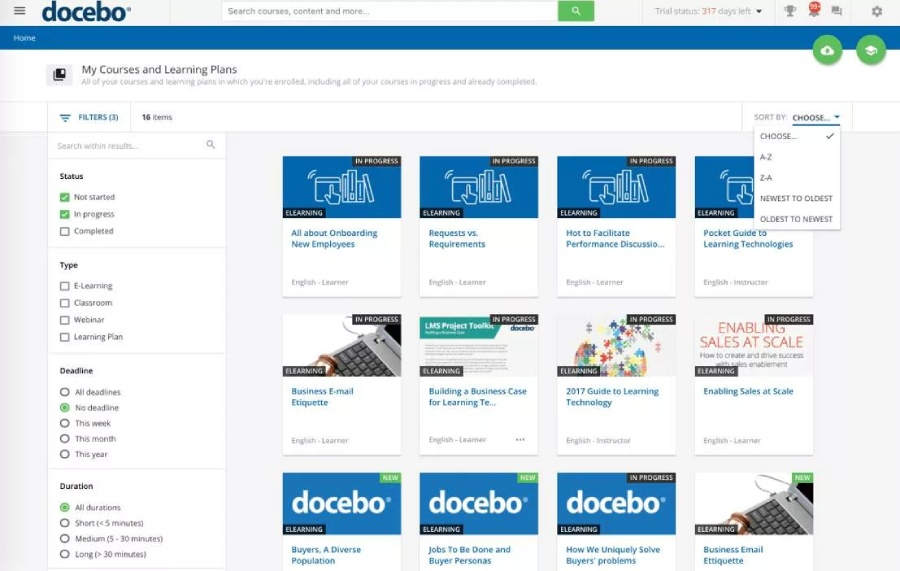
Docebo is the platform you move to when running training has become an operations function rather than a project, and it shows up on most enterprise LMS shortlists for that reason. It suits organizations juggling several learner populations, layered permissions, heavy reporting demands, and a genuine need for the system to do things without a human clicking.
The problem it solves. Rules based enrollment, automated groups, custom domains per audience, and configurable learning environments. Where 360Learning gives you strong course creation, Docebo gives you machinery around delivery.
What automation looks like day to day. Groups populate from HRIS attributes. Enrollments trigger from those groups. Reports schedule themselves to managers. AI features assist with tagging, translation, and content generation, and Docebo positions this heavily in its marketing.
Budget reality. Pricing is quote only, driven by tier (Elevate or Enterprise) and by active user count, using monthly or yearly active user models. Third party estimates put typical entry around twenty five thousand dollars a year, with several capabilities including advanced analytics, extended enterprise, and content libraries sold separately.
What buyers complain about. Support quality is the recurring theme in review data, with slow responses and long resolution times mentioned often enough to take seriously. Reviewers also flag older admin screens that feel clunky next to the newer interface, and limits on branding and layout customization that will sound familiar to anyone leaving 360Learning for that reason.
More detail sits in my Docebo review.
Shortlist it if you have over a thousand active learners, at least one dedicated LMS administrator, and a reporting brief that a mid-market platform has already failed.
2. Absorb LMS: administration that stays out of your way
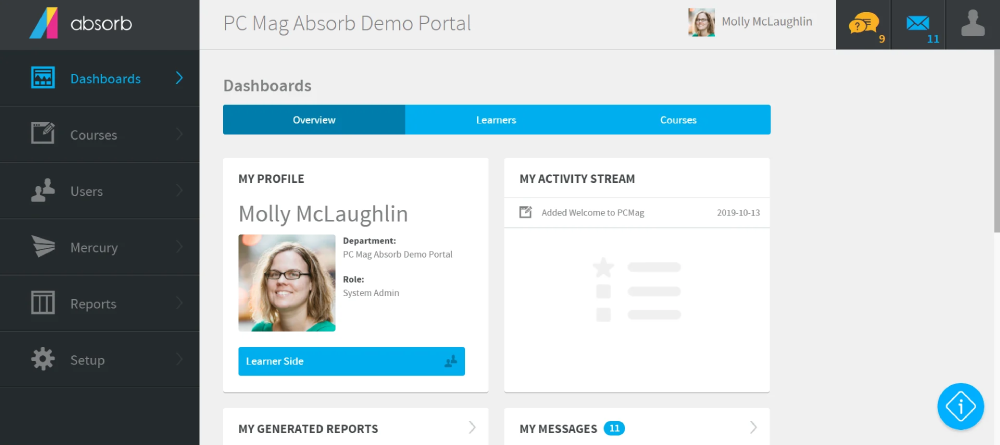
Absorb sits in the space between mid-market simplicity and enterprise capability, and it is usually the platform that survives a shortlist when nobody can agree on priorities. It handles employees, customers, and partners, and it does so without demanding an implementation team.
Why it shows up on 360Learning shortlists. Reviewers consistently rate the admin interface as intuitive, and the learner side as clean enough to drive completions without constant nudging. If you left 360Learning because your admins are drowning rather than because your content is weak, Absorb answers the right question.
Admin experience. Rules based enrollment, role scoped administration, branded portals for separate audiences, and a mobile learning app. Absorb has also pushed AI into authoring with Aura Create, which generates block based courses from prompts or uploaded documents.
The reporting asterisk. Native reporting covers standard completion and compliance needs well. Several reviewers note that deeper analysis pushes you toward the paid Analyze module, so establish in the demo whether your specific reports sit inside the base license.
Implementation notes. Absorb has a reputation for quick deployment, but review comments about setup, migration, and specific configurations taking longer than expected are common enough to plan for. Budget more calendar time than the sales cycle suggests.
My Absorb LMS review goes deeper on the admin side.
Good fit for organizations of roughly 200 to 10,000 employees who want strong administration, decent extended enterprise support, and no appetite for a six month rollout.
3. iSpring LMS: the full training cycle at a published price
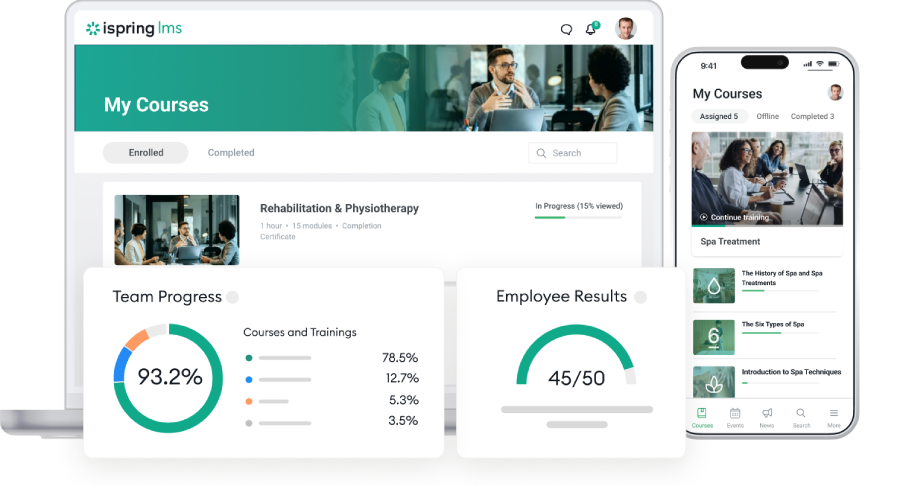
iSpring LMS covers more of the employee development cycle than its price suggests, and it is one of the few platforms here that tells you what it costs before you speak to anyone. That combination is the differentiator, not any single feature.
Pricing you can see up front. Business plan rates are published at roughly $3.97 to $6.91 per active user per month billed annually, with Enterprise by quote. Docebo, Absorb, LearnUpon, and Sana all require a sales call before you learn a number.
Where the breadth shows up. Onboarding, compliance cycles with automatic re-enrollment when certifications lapse, on the job checklists a supervisor signs off, 360-degree feedback and performance appraisal, and a knowledge base for SOPs outside formal courses. Cornerstone covers similar ground at several times the implementation cost, Zensai through two extra products.
What it takes off the admin’s plate. Courses assign themselves by department, job title, location, or a custom field. Certificates issue automatically, reports schedule once then send themselves, and a supervisor dashboard gives department heads visibility without admin rights. Instructor led sessions share a calendar with online courses and attendance tracks automatically, which makes blended learning workable, and the mobile app runs offline for shift and field teams.
Where the ceiling is. Branding is functional rather than deep: logo, colors, visible sections. There is no full custom report builder, so test unusual reporting needs first, as I noted in my iSpring LMS review. The authoring model is also different by design, built for a small content team rather than dozens of contributors. If company-wide contribution is the point of your program, 360Learning fits better.
Worth a demo when you have a small L&D team, a partly deskless workforce, and programs that repeat every year.
4. Cornerstone: compliance depth and the wider talent picture
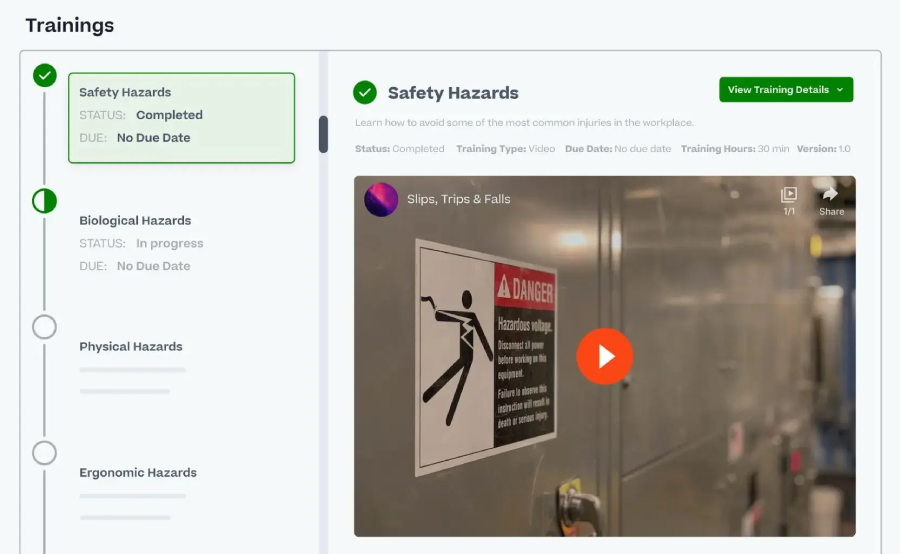
Cornerstone is not really an LMS purchase. It is a workforce development platform covering learning, skills, performance, and talent, and it gets bought by organizations that need those things connected and audited.
What you’re actually buying. Compliance and certification management at scale, skills intelligence, and reporting deep enough for regulators. Enterprise security credentials including SOC 2, ISO 27001, GDPR, and FedRAMP are a genuine differentiator when your IT and legal teams hold veto power.
Compliance and audit depth. This is where Cornerstone earns its price. Multi country regulatory requirements, training in many languages, certification chains, and permission structures for tens of thousands of employees are the environments it was built for, which is why it recurs on shortlists for banking and financial services, and few mid-market platforms will match it there.
The implementation bill. Plan for three to six months on enterprise deployments and significant professional services cost. Multiple reviewers describe needing a full time Cornerstone administrator afterward. That headcount belongs in your total cost model.
Where it frustrates admins. The interface feels dated next to Docebo or Absorb, and reviewers repeatedly describe it as complex to navigate. Reporting goes deep and also has a steep learning curve, with custom report building often required for questions that other platforms answer in two clicks.
Justified when you are over a thousand employees, operating in a regulated sector, and already treating learning as part of a talent architecture rather than a standalone system.
5. LearnUpon: one platform, several separate audiences
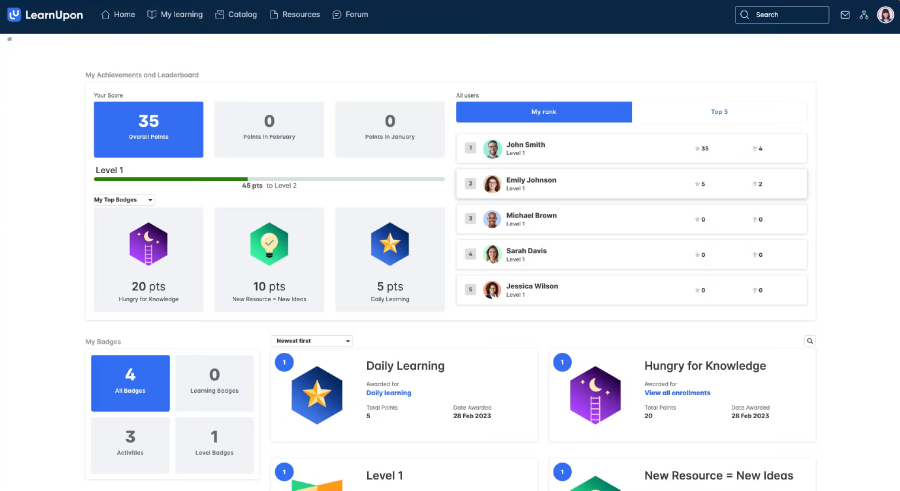
If you train customers or partners alongside employees, LearnUpon deserves a slot on the shortlist purely on architecture. Its portal model is the cleanest answer to a problem 360Learning handles less convincingly.
The portal model, explained. Each portal is a separate branded learning environment with its own catalog, its own users, its own reporting, and its own administrators, all under a single account. Your reseller network never sees your internal HR training. Your customer academy carries customer branding. Your compliance reports do not mix populations.
Where revenue generating training fits. Ecommerce, certification, and learning paths are built in, and native connections to Salesforce and HubSpot mean course activity can sit next to account records, which also makes it a candidate for sales training programs. For customer education teams reporting on adoption or renewal impact, that link is the practical difference between reporting on training and reporting on outcomes.
Pricing shape. Quote based across Essential, Premium, and Enterprise. Independent estimates put entry around fifteen to twenty five thousand dollars a year for roughly 150 learners, with per learner rates commonly cited in the six to nine dollar range. Portal count and API access scale with tier, so confirm how many portals your quote includes before comparing prices.
What it’s behind on. Reviewers describe LearnUpon as trailing competitors on learning journeys and AI features. There is also no self serve trial, so evaluation requires sales engagement from the start. Neither is disqualifying, but both slow down a fast procurement cycle.
Right call for software companies, franchise networks, and any organization where external training is a business function rather than a side project.
6. TalentLMS: the fastest route to a working LMS
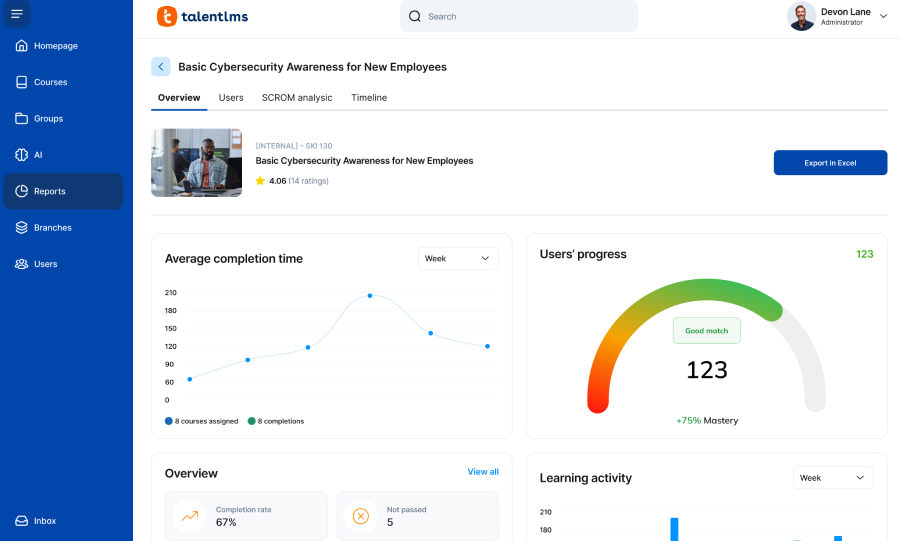
TalentLMS answers a specific question well: what if we just need training running by the end of the month, without a project plan. It is owned by Epignosis, it is well established, and it does not pretend to be an enterprise platform.
Time to first course. Setup is genuinely quick, the interface is clean, and a non technical training manager can build learning paths, branches, and assignments without help. There is a free tier capped at five users and ten courses, which is enough to actually test the thing rather than watch a demo of it, and it lands on most small business LMS lists for that reason.
How the pricing cliff works. Entry pricing published on Capterra sits around $149 per month for the Core plan covering up to 100 users, stepping to roughly $299 for 500 and $579 for 1,000, with Enterprise by quote. The costs to watch are not the plan fees. They are the tier boundaries. Crossing a user cap moves you to the next plan regardless of which features you use, and Pro tier overage is charged per active user above the cap.
Gaps to check before signing. Two factor authentication requires partner integrations rather than being native. The mobile app lacks push notifications. Live support, white labeling, custom reports, and automation sit on higher tiers. Reviewers also cite limited depth on advanced reporting. None of that matters at 80 learners. All of it matters at 800.
My TalentLMS review covers the tier structure in detail.
Makes sense when you are under 500 learners, your training is straightforward, and speed plus predictable low cost outrank capability.
7. Sana Learn: the AI native option, with an ownership caveat
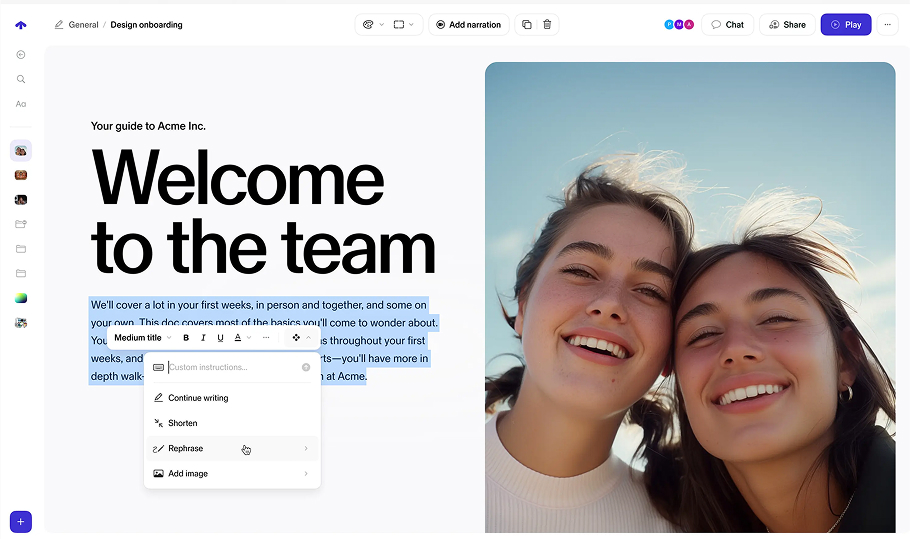
Sana resembles where 360Learning is heading rather than where it came from. It folds LMS, LXP, authoring, and virtual classroom into one AI first product, and it is the newest name that serious corporate buyers are genuinely shortlisting.
What AI native means in practice. Course generation from documents you already have, adaptive learning paths, and a knowledge assistant that indexes company data from tools like Slack, Salesforce, SharePoint, and Notion. There is an AI driven SCORM and xAPI importer for legacy content, and Sana claims most organizations are running in two to four weeks. If your reason for leaving 360Learning is that content production is still too slow, read this section twice.
The Workday question. Workday completed its acquisition of Sana on November 4, 2025 for roughly $1.1 billion, and relaunched it as a Workday AI platform in March 2026. Sana’s position is that you do not need to be a Workday customer and that Learn runs alongside any HR system. That is the vendor’s answer. Mine is that Workday HCM customers should move Sana up their list, and everyone else should ask a direct question about the standalone roadmap on the first call.
The pricing floor. Quote only, priced per provisioned user, with a 300 user minimum. Independent analysis puts the Core rate near $13 per user per month, a baseline close to $47,000 a year whether or not you fill those seats. Sana states the subscription covers the full platform with nothing behind add-ons, which is unusual here and worth holding them to in writing.
What reviewers report. Praise clusters around the AI features and real-time collaborative authoring. The recurring complaints are inconsistent progress tracking, with completion statuses not always current, plus excessive notifications and occasional glitches.
Consider it when you have 300 or more learners, content velocity is your actual bottleneck, and either you already run Workday or you are comfortable backing a young platform under new ownership.
8. Zensai: an LMS that lives inside Microsoft 365
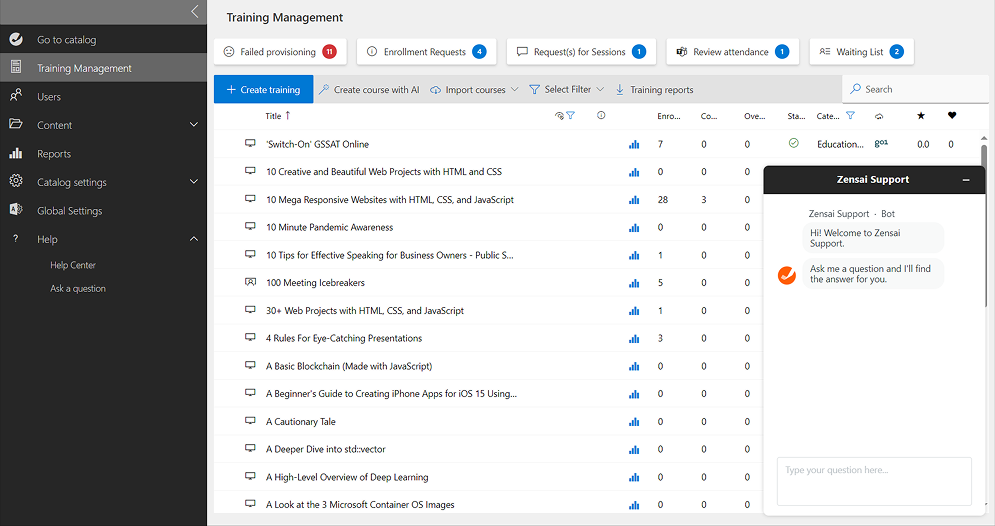
Zensai, formerly LMS365, is built natively into Microsoft 365. Its learning product, Learn365, runs inside Teams, SharePoint, and Outlook rather than beside them, and it carries Microsoft Preferred Solution status. That one architectural decision determines whether it belongs on your list at all.
The bet it makes. Adoption fails when you ask people to go somewhere new. If your workforce already sits in Teams all day, training that is assigned and completed in Teams removes the separate login, the reminder email, and the “where do I find it” ticket. Nothing else in this comparison can make that claim.
What comes with it. Course catalogs, learning paths, certifications with automated renewal, SCORM import, mobile access, and reporting. The Content365 add-on brings in Go1, OpenSesame, and LinkedIn Learning libraries. Zensai also sells Perform365 and Engage365 for performance and engagement, so it competes with Cornerstone on breadth at mid-market pricing.
Where the tiers bite. Learn365 comes in Standard, Professional, and Select. HRIS and HCM integration sits on Professional and above, which matters because HRIS sync is usually the entire reason for buying automation in the first place. G2 reviewers note that features are gated behind higher tiers, and at least one calls the step up hard to justify for basic needs. Third party listings put Standard near $4.50 and Professional near $6 per user per month, though rates vary enough that you should confirm.
The obvious disqualifier. Group assignment depends on Entra ID, so your directory hygiene becomes your LMS hygiene. Reviewers also warn that organizations running a basic Microsoft 365 setup but needing full LMS capability are a poor match. If you are a Google Workspace company, stop reading here.
Fits when you are a Microsoft shop of roughly 50 to 1,000 employees, compliance and onboarding drive the requirement, and adoption is the thing you keep failing at.
Which 360Learning alternative should you choose?
| If your priority is | Start with |
|---|---|
| Automation across complex learning operations | Docebo |
| Reducing admin effort without losing capability | Absorb LMS |
| Structured employee training, blended and mobile delivery | iSpring LMS |
| Regulated compliance at enterprise scale | Cornerstone |
| Customer and partner training in separate portals | LearnUpon |
| Getting something running fast on a small budget | TalentLMS |
| Producing content faster with AI | Sana Learn |
| Training that happens inside Microsoft Teams | Zensai |
| Decentralized SME authoring and peer learning | Stay on 360Learning |
That last row is deliberate. A meaningful share of the 360Learning replacement projects I see are solving a process problem with a procurement decision. Migrating an LMS costs six to twelve months of attention. Make sure the thing you are unhappy with is actually the software.
How to compare 360Learning alternatives without burning a quarter
Score every candidate against the same criteria, weighted by what your organization actually needs. If you are starting from scratch, my guide to choosing an LMS covers the groundwork this section assumes. Mine, in rough order of how often they decide the outcome:
- Administration effort. Hours per week to run it at your headcount, not at demo scale.
- Reporting. Named reports your stakeholders have already asked for. Write them down first, alongside the rest of your required LMS features.
- Automation. Enrollment rules, certificate renewals, notifications, scheduled report delivery.
- Compliance. Recertification, audit trail, permissions, retention of records.
- Audience separation. Only if you train externals. Otherwise ignore it and save money.
- Integrations. HRIS field mapping specifically. Everything else is easier than this.
- Content approach. Are you authoring, licensing, or migrating SCORM you already own?
- Learner experience. Mobile, offline, language coverage, login friction.
- Implementation. Weeks to first live course, and who does the work. LMS implementation is where timelines usually slip.
- Support. Response times in your timezone, and whether you reach a person.
- Total cost at year three. Licenses, add-ons, services, and administrator time.
Shortlist three. Not five. Then run the same scripted scenario with all three, using your data. Give each vendor an identical brief: here are 50 of our users, here is our org structure, here is one SCORM course, show us onboarding assignment and the report our operations director wants. Vendors will resist. Insist anyway. The demos where a vendor improvises are the ones that tell you something.
Questions to ask during an LMS demo
Print these. They are all questions where a vague answer is itself the answer.
- Can you automate enrollment from department, role, and location, and show me the rule being built?
- When someone changes job title in our HRIS, what updates automatically and what needs an admin?
- Can certificates renew automatically, and can you show an expired certification triggering reassignment?
- Show me a manager receiving a scheduled report by email, not a dashboard.
- Can we build a report joining completion data with our own custom user fields?
- Can we separate content, users, and reporting for a second audience, and can their admin see ours?
- Which integrations are native, which use Zapier, and which need professional services?
- Can we import our existing SCORM packages, and can we export them again later? Confirm the platform is genuinely SCORM compliant rather than SCORM tolerant.
- Can learners complete training offline on mobile, and how does progress sync?
- What is in the base license and what is a paid module? List every add-on.
- What happens to our price if active users double mid contract?
- What is your standard support response time, and who is on the other end at 7am our time?
Question eight catches more problems than the rest combined. Content portability is where switching costs hide.
Is 360Learning still a good LMS?
Yes, for the right use case. If your strategy depends on subject matter experts creating and updating training themselves, on peer feedback improving content, and on courses appearing without an instructional design queue, 360Learning does that better than most platforms on this list. Reviewers consistently praise how naturally it encourages contribution, which is not a small thing. Most LMS platforms fail at engagement, not at features.
The case for an alternative gets stronger when the operational side outweighs the authoring side. Reporting your leadership team keeps asking for and you keep exporting to Excel. Administration that needs a person rather than a rule. Audit requirements. External audiences needing real separation. A renewal quote that stops making sense at your new headcount. If two or more of those describe your situation, run the comparison properly, starting with the eight platforms above and widening into the broader field of corporate training platforms if none of them fit. If none of those six apply to you, spend the six months on your content instead.
FAQ
What is the best alternative to 360Learning?
There is no single answer, and any article that gives you one is selling something. Pick by requirement: Docebo for enterprise automation, Absorb for balanced administration, iSpring LMS for structured employee training, Cornerstone for regulated compliance, LearnUpon for customer and partner portals, TalentLMS for small teams, Sana Learn for AI assisted content production, Zensai if you live in Microsoft 365.
Who are 360Learning’s main competitors?
In corporate LMS deals, 360Learning most often comes up against Docebo, Absorb LMS, TalentLMS, LearnUpon, iSpring LMS, Cornerstone, Sana Learn, Zensai, and Litmos. Which of those you meet depends on your size and stack. Under 300 learners you will mostly see TalentLMS and iSpring LMS. Over 2,000 you will mostly see Docebo, Cornerstone, and Absorb. Microsoft heavy organizations increasingly see Zensai, and AI led evaluations increasingly include Sana. I also maintain separate roundups of Docebo alternatives and TalentLMS alternatives.
Is 360Learning good for enterprise companies?
It is used at enterprise scale, and its collaborative model can work well in large organizations with distributed expertise. Where enterprise buyers push back is on reporting flexibility, interface customization, and per user cost at high headcount. Those are the areas to stress test rather than assuming they fail.
Which 360Learning alternative is best for compliance training?
Cornerstone for multi country regulated environments with audit obligations. For mid-sized organizations with recurring certifications, iSpring LMS and Absorb both handle re-enrollment and completion evidence at a fraction of the implementation cost. If you need the compliance courses themselves rather than just the tracking, look at platforms that bundle a content library, including Litmos and Zensai’s Content365 add-on.
Which alternative is easiest to administer?
TalentLMS for small deployments and iSpring LMS for mid-sized ones are the two most consistently described as low overhead. Absorb is the strongest option if you want easy administration without giving up capability as you grow.
Which LMS is best for customer and partner training?
LearnUpon, on architecture. Its portals give each audience separate branding, catalogs, reporting, and administrators. Docebo and Absorb both support extended enterprise well, so include them if you also have complex internal requirements.
Which 360Learning alternatives are AI native?
Sana Learn is the closest thing to an AI first platform on this list, built around document based course generation, adaptive paths, and a knowledge assistant. It sits well outside what a conventional learning management system was designed to do. Docebo, Absorb, Zensai, and 360Learning itself all ship AI authoring features on top of conventional architecture. The distinction matters less than whether the AI output is good enough to publish without a rewrite, which is a demo question, not a spec sheet question.
What should I compare before replacing 360Learning?
Write down the three problems driving the decision, then test only those. Most failed LMS migrations are caused by buying a longer feature list rather than fixing a specific bottleneck. Run identical demo scenarios across three vendors, model cost at your three year headcount, and confirm you can export your content before you sign anything.