If you are searching for Absorb LMS alternatives, you probably already have a reason. Maybe the quote is difficult to justify. Maybe your admin team wants something simpler. Or perhaps you need better authoring, frontline delivery, analytics, or a deeper talent system.
I would not replace Absorb because another LMS has a longer feature list. The useful question is what you actually want to change.
Best Absorb LMS Alternatives in 2026Below are nine of the best alternatives to Absorb LMS in 2026, but I would shortlist them for different reasons rather than rank them by one generic score. If you still need a detailed assessment of Absorb itself, including pricing, implementation, reporting, and current product limitations, see my Absorb LMS review.
TL;DR: My Absorb LMS alternatives shortlist
For a smaller team that wants published pricing and a low-friction start, I would begin with TalentLMS. For structured employee training, easier administration, mobile learning, and stronger course creation alongside the LMS, I would put iSpring LMS next.
LearnUpon makes more sense when customers and partners need separate learning environments. Continu deserves a look from growing corporate teams that want automation, integrations, external audiences, and modern reporting without moving into a full talent suite.
Schoox has a more specific job. I would consider it for restaurants, retail, hospitality, franchises, and other organizations with large frontline workforces.
Docebo moves further into enterprise automation and extended enterprise learning. 360Learning stands out when internal experts need to create courses themselves. Cornerstone belongs on large enterprise lists where learning connects to a wider skills and talent strategy.
Finally, Moodle is the different choice here. Its open-source LMS gives you much more control, but you take on more responsibility too.
If none of those descriptions sound like your situation, my broader LMS alternatives guide may be a better starting point.
Absorb LMS alternatives at a glance
| Platform | I would shortlist it for | Company fit | Main reason to consider it | Main compromise | Pricing approach |
| 1. TalentLMS | Smaller budgets and faster setup | Small to midsize teams | Published plans, free tier, straightforward setup | Less depth for highly complex enterprise L&D | Free tier plus published plans |
| 2. iSpring LMS | Structured employee training | Small and midsize L&D teams | Straightforward admin, mobile learning, automation, strong authoring ecosystem | Not a broad enterprise talent suite | Published per-user starting price |
| 3. LearnUpon | Customers and partners | Midsize and larger organizations | Strong portal model for separate audiences | Important capabilities vary by package | Quote |
| 4. Continu | Modern corporate learning and enablement | Midmarket and enterprise | Automation, integrations, reporting, external audiences | Pricing is quote-based and some features sit in higher plans | Quote |
| 5. Schoox | Frontline and multi-location workforces | Midmarket and enterprise | Strong fit for distributed operations and deskless workers | More specialized than many office-based teams need | Quote |
| 6. Docebo | Enterprise automation and extended enterprise | Larger organizations | Broad automation, integration, and audience options | More platform complexity | Quote |
| 7. 360Learning | SME-led course creation | Small teams through enterprise | Collaborative authoring is central to the product | Less compelling if L&D owns all content production | Published Team plan plus custom tiers |
| 8. Cornerstone | Skills and talent management | Large enterprise | Learning connects with skills and talent data | Too much system for many conventional L&D teams | Quote |
| 9. Moodle | Hosting and customization control | Organizations with technical resources | Open-source LMS and large ecosystem | More technical ownership | Free software if self-hosted, paid services available |
Pricing and packages change. I would price your actual learner population, portals, integrations, support, and required modules rather than comparing headline figures.
When I would look beyond Absorb LMS
I would start looking at alternatives when the problem is structural rather than something your LMS administrator can fix.
Cost and packaging are obvious triggers. A company may like Absorb but find another pricing model easier to budget as the training program grows.
Administration is another reason. If one or two people run the entire learning operation, reducing the number of steps behind routine assignments and reporting can matter more than adding another 50 features.
Other buyers have a more specific requirement: collaborative content creation, frontline training, deeper talent data, open-source control, customer education, or stronger connections with the rest of their business software.
Before changing systems, I would define the requirement first. My guide on how to choose an LMS covers the questions I use to turn a long feature list into a shorter set of actual buying criteria.
Migration has a cost too. If the problem is simply a poorly configured report or enrollment rule, replacing the whole platform can be an expensive way to fix it.
The 9 Absorb LMS alternatives I would shortlist
The order below follows common reasons for switching. It is not a generic score from one to nine.
1. TalentLMS: for a smaller budget and faster start
Best for: Small and midsize teams that want to get an LMS running without starting with a long enterprise buying process.
TalentLMS is the first product I would look at when Absorb simply feels heavier than the training operation requires.
Pricing is easier to investigate before speaking with sales. TalentLMS offers a small free plan and publishes its standard paid tiers. That makes it useful for organizations that want to run an initial test before committing to an enterprise contract.
It is not a bare-bones system. TalentLMS supports reporting, automations, roles, branches, skills, APIs, SSO, and separate learning environments for different audiences.
I still see the main distinction when requirements become complicated. TalentLMS is convincing as a general-purpose business LMS. If your specification is full of unusual governance rules, sophisticated enterprise integrations, very granular administration, or complex talent requirements, I would test the limits carefully.
My full TalentLMS review goes further into the platform itself.
For a smaller organization, I would also compare it with the products in my LMS guide for small businesses. You may find that you simply do not need enterprise LMS complexity yet.
What gets better: The entry point is easier to understand and test.
When I would keep Absorb instead: Your existing deployment depends on complex enterprise rules that would have to be rebuilt or simplified.
Verify in the demo: Reproduce your hardest report and most complicated branch or audience structure.
2. iSpring LMS: for structured employee training
Best for: Small and midsize L&D teams running onboarding, compliance, recurring training, and employee development.
I would shortlist iSpring LMS when the reason for looking beyond Absorb is simpler administration without giving up the core tools needed for corporate training.
The platform covers learning paths, assessments, reporting, mobile learning, and offline course access. Admins can automate routine work such as enrollments, certificates, and scheduled reports. That makes it a good fit for a small L&D team managing a large learner population without a dedicated LMS administrator. iSpring’s current product information also positions the LMS around onboarding, compliance, and employee development.
The other reason I would consider it is course production. iSpring Suite AI is a separate product, so I would not count its authoring features as LMS features. Used together, though, the two give an L&D team a strong workflow for building PowerPoint-based courses, quizzes, role-plays, videos, and SCORM content.
That combination is especially relevant when most training is created internally. You can read my full iSpring LMS review for a deeper look at the platform.
I would skip iSpring if the project requires a broad talent-management ecosystem or learning standards beyond what the LMS currently accepts. Its published LMS specifications list SCORM 1.2 and SCORM 2004 packages.
What gets better: Day-to-day employee training is easier to administer, with a strong authoring workflow available alongside the LMS.
When I would keep Absorb instead: Your existing setup depends on more complex enterprise requirements that iSpring would not reproduce cleanly.
Verify in the demo: Build one recurring assignment, generate a real management report, and take a course offline on a phone.
3. LearnUpon: for customer and partner training
Best for: Organizations that need clearly separated learning environments for employees, customers, partners, or members.
I would move LearnUpon up the list when the training program stops being mainly about employees.
Its portal architecture is the reason. Organizations can create separate environments for different audiences while managing them as part of the same broader platform.
That can work well if employees use one learning environment, resellers use another, and customers use a third. Content can also be shared across portals, which reduces the need to maintain multiple copies of the same material.
LearnUpon supports the corporate LMS basics you would expect, including certifications, reporting, SSO, integrations, and APIs. The details depend on the plan, which is why I would ask for an itemized proposal rather than judging it from the demo environment.
My LearnUpon review covers the system in more depth.
What gets better: External audience management becomes a central design decision rather than an extra feature.
When I would keep Absorb instead: Your existing portals already work well and moving would mainly reproduce the same setup elsewhere.
Verify in the demo: Build your real employee, partner, and customer structure, then ask exactly which features and portals are included in the proposed plan.
4. Continu: for modern corporate learning and enablement
Best for: Midmarket and enterprise organizations that want employee training, customer or partner education, automation, integrations, and stronger reporting in one environment.
Continu supports learning tracks, assessments, SCORM content, workshops, automated assignments, custom reporting, mobile learning, SSO, and native content authoring. It can also deliver learning to external users through branded environments.
Its integration list is one reason I would investigate it. Continu currently lists connections with systems including Workday, Salesforce, Slack, Microsoft Teams, Zoom, Okta, LinkedIn Learning, and BambooHR, alongside APIs and webhooks.
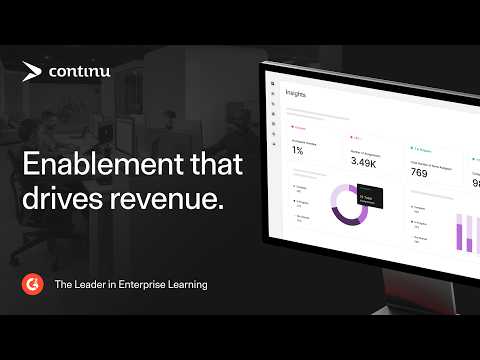
Reporting also goes beyond a fixed set of completion tables. Continu Insights supports dashboards and scheduled reporting, while its higher reporting tier adds custom dashboards and AI-assisted analysis.
There is some structure to the pricing even though dollar figures are not published. Continu currently divides plans by monthly active users: Growth below 1,000, Professional from 1,000 to 5,000, and Enterprise above 5,000. Features such as external users and some advanced capabilities sit in higher plans.
That last point is what I would investigate closely. The product can look very broad on the feature page, but the plan you actually need may be different from the entry package.
I would compare Continu with other systems in my enterprise LMS guide if your requirements include several audiences, business-system integrations, and more complicated reporting.
What gets better: You get a modern corporate learning environment with stronger automation, integrations, and external-audience options.
When I would keep Absorb instead: Your current Absorb setup already meets these needs and the switch is mainly about interface preference.
Verify in the demo: Connect a sample HRIS or CRM workflow, automate one real assignment process, and build a management dashboard from your own reporting question.
5. Schoox: for frontline and multi-location organizations

Best for: Restaurants, retail, hospitality, franchises, manufacturing, and other businesses where a large share of employees work away from desks.
Schoox is built heavily around frontline employees, mobile learning, location structures, on-the-job training, and manager visibility. That makes more sense for a restaurant group with hundreds of sites than it does for a 200-person software company where nearly everybody works at a laptop.
Organizational structures can follow brands, locations, regions, and franchises. That matters when the person checking training results is a regional manager responsible for twelve stores rather than an L&D administrator looking at the whole company.
Schoox also supports offline mobile learning. I would test that with your actual course format, because offline behavior can depend on content type and configuration.
For context, I cover other systems aimed at this type of workforce in my guides to LMSs for restaurants and LMSs for retail.
What gets better: Training can follow the way a distributed frontline organization is actually managed.
When I would keep Absorb instead: Frontline workflows are not causing the problem. For an office-based workforce, Schoox may solve issues you do not have.
Verify in the demo: Give a location manager a phone and ask them to assign, observe, track, and report on a real training activity.
6. Docebo: for enterprise automation and extended enterprise scale
Best for: Larger companies with several learner audiences, complex integrations, and a mature learning technology function.
Docebo is where I would look when the requirement is not “make our LMS smaller.” The case is usually the opposite.
It supports complex audience structures, automation, integrations, branded learning experiences, mobile learning, reporting, external training, and a growing collection of AI-driven features.
That breadth can be useful when one learning platform supports employees, customers, partners, and other groups across different markets.
You can read my independent Docebo LMS review for a fuller product breakdown.
The caution is complexity.
If your complaint about Absorb is that administrators already have too much system to manage, moving to another broad enterprise ecosystem may give you a different version of the same problem.
Docebo makes more sense when your team will actually use its automation, integrations, audience controls, and wider enterprise architecture.
What gets better: There is more room for complex automation and extended enterprise learning.
When I would keep Absorb instead: Your needs are conventional employee compliance and certification, and the existing system already delivers them reliably.
Verify in the demo: Automate one employee workflow and one external-audience workflow using your actual rules.
7. 360Learning: for subject matter expert-led course creation

Best for: Organizations where useful knowledge sits with employees and L&D cannot produce every course centrally.
360Learning is the most obvious alternative here when course production is the reason for changing platforms.
Its authoring model is designed to involve subject matter experts directly. Multiple people can contribute to courses, review material, comment, and update training without sending every small change through a specialist authoring team.
That can make sense in product companies, consulting businesses, and other organizations where internal knowledge changes quickly.
Instead of interviewing an expert and returning weeks later with a finished course, L&D can let that expert participate in production while still controlling review and publishing.
My 360Learning alternatives guide provides more context on the product category and competing approaches.
I would not choose 360Learning simply because it includes authoring. A centralized instructional design team using a dedicated tool may prefer a different workflow.
The key question is who should be able to create and update training?
What gets better: Course creation moves closer to the people who own the knowledge.
When I would keep Absorb instead: Your course library is stable and professionally produced, so collaborative authoring would change very little.
Verify in the demo: Give a real source document to someone outside L&D and see how much of a useful course they can create without administrator help.
8. Cornerstone: for learning connected to skills and talent

Best for: Large employers that see learning as one part of a wider talent and skills system.
Cornerstone is not the product I would recommend because an LMS administrator wants a cleaner course dashboard.
I would shortlist it when the company’s questions are larger: What skills do we have? Which ones are missing? How should development connect with roles, internal mobility, performance, and workforce planning?
That moves the project beyond a conventional LMS replacement.
Cornerstone combines learning with a wider skills and talent environment. For a large organization already building a skills-based HR architecture, that may be exactly the point.
For a five-person L&D department delivering onboarding and annual compliance training to 500 employees, it may be far more system than the team needs.
I cover this distinction further in my guide to Cornerstone alternatives.
What gets better: Learning can connect with wider employee development and talent data.
When I would keep Absorb instead: Training is primarily about assignments, compliance, and certification, with no plan to connect the LMS to a broader talent strategy.
Verify in the demo: Choose one real job role and ask Cornerstone to show the path from skills data to learning recommendations and manager visibility.
9. Moodle: for open-source control
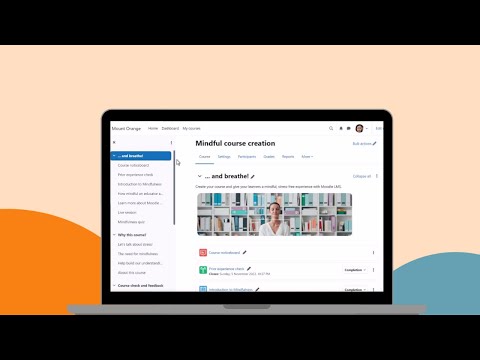
Best for: Organizations that care more about ownership and configurability than having a SaaS vendor control the complete technology stack.
Moodle is the odd one out here, which is why I think it belongs.
Moodle LMS itself is open-source software. You can host and manage it yourself or use a hosting and service provider.
That gives you a level of technical control that you will not get from a conventional SaaS LMS. Moodle also has a huge plugin ecosystem and can be adapted extensively when the organization has the resources to maintain it.
The software license being free does not make the training operation free. Self-hosting means somebody owns infrastructure, upgrades, backups, security, configuration, plugin compatibility, and support.
My Moodle LMS review looks at the platform itself in more detail. If zero-license-cost software is the main reason you are researching it, also see my comparison of free LMS options.
Corporate buyers should also distinguish Moodle LMS from Moodle Workplace, which adds enterprise functions and follows a commercial model.
What gets better: You gain far more influence over hosting, customization, and the technical environment.
When I would keep Absorb instead: You want a SaaS vendor to own infrastructure, updates, and most application support.
Verify before migrating: Put technical labor into the budget. Free source code can still result in a costly LMS operation.
Which Absorb alternative fits your reason for switching?
| Your reason | I would test first | Why |
| Lower entry cost | TalentLMS, iSpring LMS | Easier starting point |
| Less admin overhead | iSpring LMS, TalentLMS | More focused everyday administration |
| Customer and partner portals | LearnUpon, Continu | External audiences are central use cases |
| Corporate integrations and automation | Continu, Docebo | Better fit for connected enterprise workflows |
| Frontline and mobile workforce | Schoox | Strong distributed-workforce focus |
| Complex enterprise automation | Docebo | Wider enterprise architecture |
| Collaborative course creation | 360Learning | SME authoring is central to the product |
| Skills and talent ecosystem | Cornerstone | Learning connects to broader talent data |
| Hosting and customization control | Moodle | Open-source route |
I would use that table to reduce the shortlist, not to choose the product.
Three relevant demos usually tell you more than nine generic sales presentations.
Are there free Absorb LMS alternatives?
Yes, although “free LMS” can describe two quite different things.
TalentLMS offers a small free tier. That is enough to explore the administration and learner experience before buying.
Moodle takes another route. The LMS software is open source and can be downloaded without buying a software license. Running it still costs money once you include hosting, security, maintenance, configuration, support, and administrator time.
That is why I would not place “$0” next to Moodle in a procurement comparison and call the pricing analysis finished.
If your main goal is avoiding LMS licensing entirely, read my free LMS comparison before assuming open source is automatically the cheaper route.
What about SCORM and other eLearning standards?
A migration can expose standards problems that were easy to ignore while courses sat inside the old platform.
At minimum, I would test your existing SCORM packages in every shortlisted LMS rather than accepting a checkbox on a specification sheet. My list of SCORM-compliant LMSs explains what I look for beyond simple import support.
If your content library also depends on xAPI, AICC, or cmi5, define that before demonstrations start. I have a separate comparison of AICC, SCORM, xAPI, and cmi5 because support for one standard does not tell you anything about support for another.
This is particularly important when course history, reporting, or external content repositories are part of the migration.
How to test an Absorb replacement before you migrate
I would make every shortlisted vendor reproduce the same real workflows.
- Import one course you already use, rather than a clean vendor demo package.
- Provision a test group using the employee data and rules you expect in production.
- Recreate one report management currently asks for.
- Give a manager a normal day-to-day task and see whether they can complete it without admin rights.
- Test mobile and offline learning using the device your workforce actually carries.
- Connect one important system, such as your HRIS, identity provider, CRM, or webinar platform.
- Export learner and completion data.
- Price every required module, portal, integration, service, and support tier.
The migration itself needs separate planning. My LMS migration guide covers the moving parts, while the LMS implementation guide focuses on getting a new system configured and launched.
Do not treat those as the same project.
Moving files and records is one job. Rebuilding processes and getting people to use the new LMS is another.
When comparing a replacement LMS, calculate the total ownership cost, not only the subscription. Migration work, integrations, content conversion, administrator time, and support can change the result.
When I would stay with Absorb
I would keep Absorb when the current system already handles the difficult parts of the training program.
That might include recurring assignments, certification, compliance, different learner audiences, integrations, and established administrator processes.
If certification is a major part of the requirement, I would first check whether you have a platform problem or simply need to improve the workflow. My guide to certification software shows how differently systems can handle those programs.
The same applies to ordinary internal training. If the main use case is straightforward employee training through an LMS, migration needs a clearer reason than preferring another interface.
The case for switching becomes stronger when the mismatch is structural. Collaborative authoring, open-source control, a frontline operating model, a different external-audience architecture, or a genuine skills and talent requirement can justify the disruption.
Final thoughts
The best Absorb LMS alternatives are the systems that remove a specific source of friction without creating a larger problem elsewhere.
For smaller teams, I would start with TalentLMS and iSpring LMS. I prefer iSpring when the training operation revolves around employees, recurring programs, mobile access, reporting, and substantial in-house course creation.
LearnUpon becomes more interesting for external audiences. Continu belongs on the list for corporate teams looking for automation, integrations, reporting, and employee plus external learning in one environment.
Schoox has a much narrower reason to be here, but it is a good one: frontline and multi-location organizations.
Docebo makes sense when requirements move deeper into enterprise automation. 360Learning changes who can create training. Cornerstone makes more sense when learning is part of a skills and talent strategy. Moodle changes who controls the technology.
That should leave you with two or three serious demos rather than another spreadsheet containing nine vendors and 150 checkboxes.
FAQ
What are the best Absorb LMS alternatives in 2026?
There is no single replacement I would recommend to every Absorb buyer.
TalentLMS is a sensible starting point for smaller teams and buyers who want transparent pricing. iSpring LMS is stronger for structured employee training and organizations that create substantial course content internally.
LearnUpon is particularly relevant for customer and partner education. Continu is a credible option for corporate teams that want automation, integrations, external users, and more flexible reporting. Schoox has the clearest specialist case for frontline organizations.
For larger projects, I would compare Docebo and Cornerstone depending on whether the requirement is enterprise learning automation or a broader skills and talent ecosystem.
What is a cheaper alternative to Absorb LMS?
TalentLMS and iSpring LMS are the first two I would investigate.
TalentLMS publishes standard plans and has a free entry tier, which makes initial budgeting easier.
iSpring also publishes a starting per-user rate, although the final cost depends on your active learner count and package.
Compare the whole annual cost. Authoring software, integrations, implementation, support, portals, content, and migration work can change which system is actually cheaper.
Is there a free alternative to Absorb LMS?
TalentLMS has a limited free plan.
Moodle LMS is open-source software and can be self-hosted without a software license fee. Hosting, technical administration, maintenance, security, and support still have a cost.
Those are two different definitions of “free,” so I would not compare them as though they were equivalent.
Which Absorb alternative is best for employee compliance training?
For a small or midsize L&D department, I would test iSpring LMS because its normal use cases include structured programs, recurring training, certificates, and employee reporting.
For a large company where compliance sits inside a broader skills and talent environment, Cornerstone may make more sense.
I would also be cautious about moving solely because of compliance. If Absorb already runs your certification rules successfully, the replacement needs to solve an additional problem.
Which Absorb alternative is best for customer and partner training?
LearnUpon would be one of my first demos because separate learning portals are an established part of its model.
Continu also belongs on the list when customer and partner learning need to connect with corporate integrations, automation, or business reporting.
Docebo becomes relevant as the scale and complexity increase.
Which Absorb competitor is best for frontline employees?
I would start with Schoox.
Its strongest reason for being on this list is its focus on distributed workforces, location structures, mobile access, and frontline managers.
Do not evaluate that from screenshots. Put actual frontline employees and managers into the pilot.
Which Absorb alternative is best for a small L&D team?
I would start with TalentLMS and iSpring LMS.
TalentLMS has an easier entry point and published plans. iSpring becomes more interesting when the team needs structured training, mobile delivery, recurring programs, and a stronger content-development workflow.
I would avoid starting with a large enterprise platform unless there is a specific requirement that justifies it.
Which Absorb competitor has stronger analytics?
First define the question you are unable to answer today.
Continu is interesting for corporate teams because its reporting includes custom reports, dashboards, scheduled delivery, and its newer Continu Insights environment.
Docebo also deserves consideration for complex enterprise reporting, while Schoox is more interesting when the goal is to connect training with frontline operations.
I would take three real management questions into each demo and ask the vendor to build the answers.
Which Absorb competitor is better for collaborative course authoring?
360Learning is the clearest choice when subject matter experts themselves need to build and maintain courses.
If a centralized L&D team produces more sophisticated interactive content, I would also compare the authoring workflow around iSpring LMS and iSpring Suite.
Those are quite different content production models, so the correct choice depends on who creates training in your organization.
Which Absorb replacement fits a large enterprise with skills and talent requirements?
Cornerstone would be one of my first comparisons.
Its case becomes stronger when learning is supposed to connect with skills profiles, employee development, mobility, and wider talent information.
If the requirement is mainly enterprise learning administration rather than talent management, I would put Docebo and Continu into the conversation as well.
Which alternative gives me the most control over hosting and customization?
Moodle LMS.
The open-source version can be self-hosted and extended through plugins, giving the organization far more technical control than a conventional SaaS platform.
That freedom also means somebody has to own the technology.
How should I compare an Absorb replacement before migrating?
Do not start with a 200-row vendor feature grid.
Write down why you are considering leaving. Turn that reason into five or six workflows the replacement must perform better.
Then make each vendor reproduce those workflows with your courses, users, organizational structure, reports, and integrations.
A new LMS should solve the problem that started the search. Otherwise, you can spend months migrating and end up with a different set of annoyances.