Thinkific can work very well for selling online courses, which is exactly why choosing a replacement is rarely as simple as finding another course platform.
The right Thinkific alternative depends on what has changed in your business. You may need stronger marketing, a better community experience, SCORM support, more control through WordPress, or an LMS built for corporate training rather than course sales.
I’ve narrowed the field to nine platforms I would actually consider for those different situations.
If you are still defining your requirements, my guide on how to choose an LMS is a good place to start before booking demos.
TL;DR: My Thinkific alternatives shortlist
Here is the short version:
- LearnWorlds if you need more control over the learning experience, interactive video, assessments, or SCORM.
- Kajabi if marketing, email, funnels, and selling knowledge products have become more important than LMS depth.
- Circle if your community is becoming the product rather than a section beside your courses.
- Podia if you want a relatively simple creator stack for courses, downloads, email, community, and other digital products.
- Teachable if you mainly want a straightforward platform for selling courses, coaching, memberships, and downloads.
- iSpring LMS if Thinkific has gradually become your internal employee training system and you now need automation, reporting, compliance tracking, and recurring training.
- TalentLMS if you need a relatively straightforward employee LMS for onboarding, compliance, and internal training.
- LearnDash if you want your LMS inside WordPress and are prepared to manage the wider WordPress stack.
- Guroo Academy if you sell training to companies and need customer organizations, corporate pricing, cohorts, and B2B administration.
There is no reason to migrate simply because another platform has a longer feature list.
I would start with the reason Thinkific no longer fits, then test two or three products against that problem.
Thinkific alternatives at a glance
| Platform | Best for | Main reason to consider it | Main compromise |
| LearnWorlds | Advanced online learning | Stronger learning design, interactive video, and SCORM | More than many simple creator businesses need |
| Kajabi | Marketing-led knowledge businesses | Email, landing pages, funnels, products, and checkout in one system | Expensive if you mainly need course delivery |
| Circle | Community-first businesses | Courses built around discussions, events, cohorts, and member interaction | Less suited to formal LMS administration |
| Podia | Smaller creator businesses | Courses, downloads, community, website, email, and checkout in one stack | Less learning-management depth |
| Teachable | Straightforward creator commerce | Familiar course-selling workflow plus coaching and digital products | Not designed for complex corporate training |
| iSpring LMS | Employee and compliance training | Automation, reporting, structured training, mobile access, and certifications | Not a creator-commerce replacement |
| TalentLMS | Small and midsize employee training | Relatively straightforward corporate LMS setup | Less focused on creator commerce and public selling |
| LearnDash | WordPress businesses | Control over hosting, design, plugins, checkout, and data | More technical responsibility |
| Guroo Academy | B2B training providers | Corporate customers, cohorts, pricing, reporting, and training operations | More specialized than a normal creator platform |
When I would look beyond Thinkific
I would not leave Thinkific because somebody says another platform has “more features.”
Thinkific itself is broader than some older comparison articles suggest. It now covers courses, Communities, mobile learning, digital products, coaching, webinars, memberships, email automation, and other creator requirements. SCORM is also available on its Plus offering.
Instead, I would start looking elsewhere when the underlying business has changed.
Typical reasons include:
- Your marketing stack now matters as much as the courses.
- Community discussions, events, and networking have become the main product.
- You need SCORM or more sophisticated learning experiences.
- You want full WordPress ownership and customization.
- You sell training contracts to companies rather than individual course seats.
- You need employee assignments, compliance tracking, recurring training, or stronger administration.
- The total cost of your platform, email software, checkout tools, community software, and integrations no longer makes sense.
- A platform limitation affects a workflow that is central to your business.
If the issue is mainly SCORM, I would also look at my comparison of SCORM-compliant LMSs before assuming you need to move your whole business.
If the issue is employee training, you are probably moving into a different software category. My overview of LMSs for employee training explains that distinction in more detail.
The 9 Thinkific alternatives I would shortlist
This is not an overall ranking. I have ordered these platforms around different reasons for leaving Thinkific. A course creator moving into paid communities has very different requirements from an L&D department running annual compliance training.
1. LearnWorlds: for advanced learning and SCORM
Best for: Established course businesses that care more about the learning experience than having the simplest possible course platform.
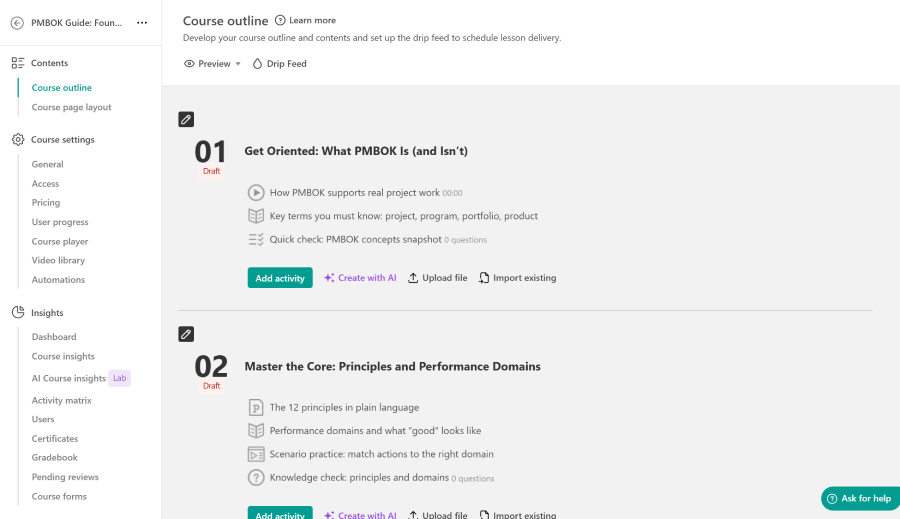
LearnWorlds is the first platform I would investigate when the course itself has become more sophisticated.
Its stronger areas include interactive video, assessments, learner analytics, and SCORM support. That makes it more interesting for businesses where instructional design has started to matter as much as selling the course.
I would shortlist LearnWorlds if you have outgrown a straightforward video-and-quiz structure, already own SCORM content, or need richer learner interactions.
If SCORM is important, do not test it with a vendor sample. Import one of your own packages and check completion, scores, resume behavior, and reporting. I use a similar process in my guide on how to test a SCORM package.
If you are deciding which SCORM version to use, it may also help to understand the differences between SCORM 1.2 and SCORM 2004.
I would be more cautious if your business is mainly a small catalog of straightforward video courses. LearnWorlds can give you more control, but there is no benefit in adding complexity that your courses do not require.
Thinkific also supports SCORM on Plus, so the question is not simply whether one platform “has SCORM.”
The better question is whether Thinkific Plus or LearnWorlds gives you the right combination of learning design, reporting, administration, and cost.
For more creator-focused options in this category, see my comparison of online course builders.
What I would test: Import one real course and check SCORM tracking, assessments, learner analytics, video behavior, and mobile delivery.
2. Kajabi: for a marketing-led knowledge business
Best for: Creators who increasingly see courses as one product inside a wider marketing and sales system.
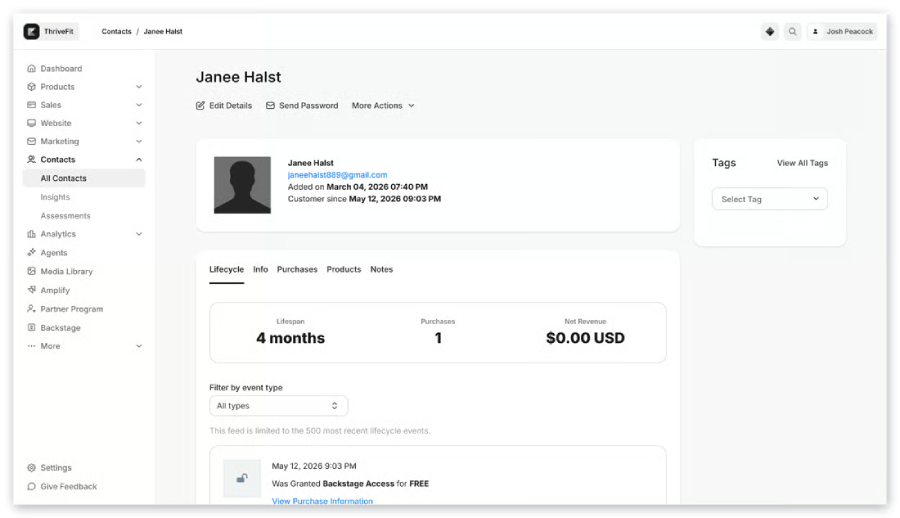
Kajabi makes most sense when the main reason for leaving Thinkific sits outside the course player.
The platform combines courses with landing pages, email campaigns, automations, funnels, checkout, communities, and other tools used to sell expertise online.
That can remove several connections between your LMS, email marketing platform, funnel software, website, and checkout tools.
This is the situation where I would put Kajabi on the shortlist:
You sell courses, but you also run lead magnets, webinars, coaching, subscriptions, upsells, email sequences, and several landing pages. Your marketing stack is becoming harder to manage than your learning platform.
Kajabi can make sense if replacing several tools reduces both cost and administration.
The calculation changes if you already have a website, CRM, email platform, and checkout setup that you like. In that case, you may end up paying for a broad platform while continuing to use much of your existing stack.
I would also avoid moving to Kajabi because its marketing page has a longer feature list. First map the systems you would genuinely remove after migration.
What I would test: Build one complete lead-to-sale journey, including the landing page, email sequence, checkout, course enrollment, and follow-up.
3. Circle: for community-first courses and memberships
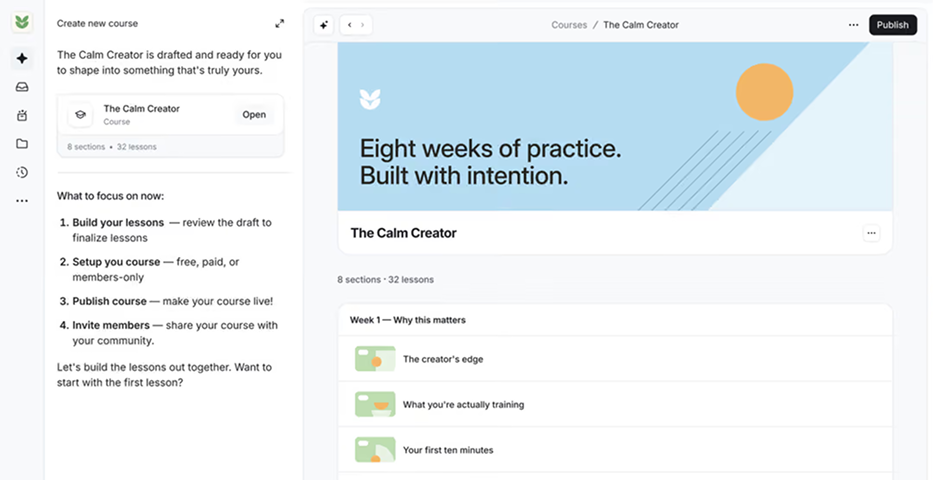
Best for: Memberships, cohort programs, professional communities, and course businesses where interaction between members is central.
Thinkific already has Communities, so I would not present Circle as a replacement simply because Thinkific lacks community features.
Circle becomes interesting when the community itself is the product.
It combines courses with discussions, member profiles, events, live sessions, spaces, workflows, and paid membership options.
That changes the structure of the learning experience.
Instead of:
course → discussion
you can build something closer to:
community → lesson → event → discussion → office hours → next cohort
That model can work particularly well for masterminds, professional memberships, coaching communities, cohort programs, and businesses where learners gain a large part of the value from each other.
I would be less interested in Circle if the main requirement is formal learning administration.
Compliance tracking, recurring certifications, complex reporting, and organizational structures point toward a proper employee or corporate LMS instead.
Thinkific may also remain the simpler choice if your courses are still the main product and its Communities feature already provides enough interaction.
What I would test: Rebuild one active cohort or membership and check whether learners can move naturally between lessons, conversations, events, and member interaction.
4. Podia: for a simpler creator business
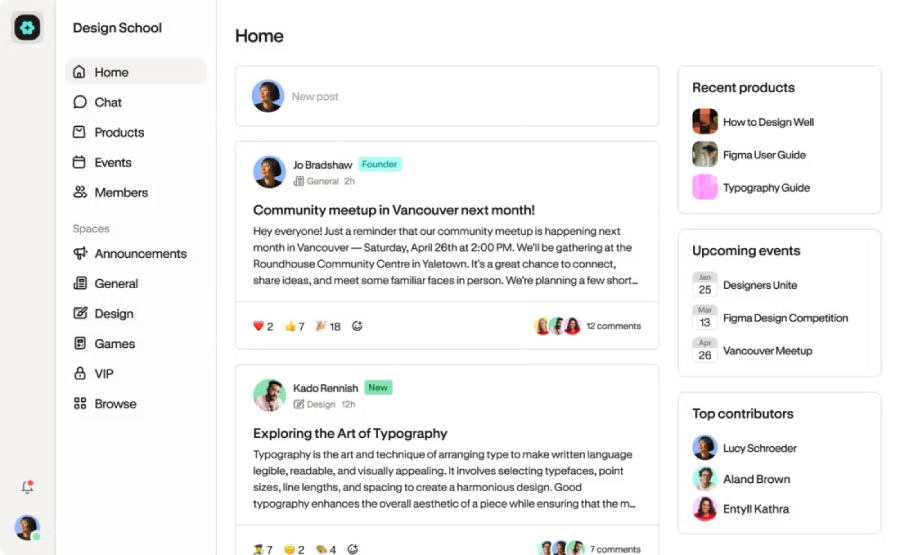
Best for: Solo creators and small teams selling several types of digital products without wanting a large technology stack.
Podia sits relatively close to Thinkific, but its appeal is simplicity.
It brings together online courses, downloads, coaching, community, email, a website, landing pages, checkout, and other creator-business features.
I would consider it if the main goal is to reduce the number of separate systems you maintain.
That makes sense for a creator who does not need the broader marketing engine of Kajabi or the learning depth of LearnWorlds.
The important part is to calculate the total cost at your actual revenue level.
A cheaper monthly subscription can stop looking cheap when transaction fees rise with sales. Email subscriber limits, additional products, and other plan restrictions can also affect the real annual cost.
I would therefore compare:
- platform subscription,
- transaction fees,
- payment processing,
- email costs,
- website costs,
- integrations,
- additional software you can actually remove.
I would skip Podia for complex training operations, formal compliance requirements, sophisticated learner administration, or demanding corporate reporting.
What I would test: Recreate your highest-selling product and calculate the annual platform cost using your current sales volume.
5. Teachable: for straightforward creator commerce
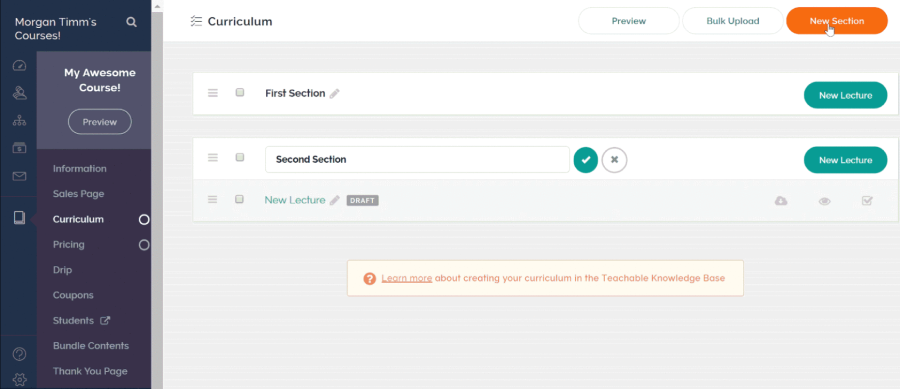
Best for: Course creators who want a familiar course-selling model with coaching, memberships, and digital products.
Teachable is one of the closest direct alternatives to Thinkific in this list.
Both platforms target creators who want to package and sell knowledge online rather than manage a corporate training operation.
That means I would evaluate Teachable primarily around the selling workflow.
Look at:
- checkout,
- payment options,
- subscriptions,
- payment plans,
- product limits,
- memberships,
- coaching,
- affiliates,
- student administration,
- taxes and payments in your target markets.
I would not choose Teachable because you expect a completely different type of learning system.
It remains a creator platform.
That is also why I would not put it on the shortlist if your problem is annual compliance training, client-level administration, recurring certifications, or detailed corporate reporting.
If you are comparing multiple creator platforms, spend more time recreating the checkout and learner journey than comparing feature tables.
What I would test: Import a group of existing learners and reproduce your real sales workflow from checkout to enrollment.
When Thinkific has turned into an employee LMS
The next two platforms solve a different problem.
Some companies start with Thinkific because the initial requirement is simple: upload several courses and give employees access. Over time, that setup changes.
HR wants automated onboarding. Compliance courses need to repeat annually. Managers need reports. Employees move between departments. Certifications expire. Live training needs to sit beside online learning.
At this stage, I would stop searching only for sites similar to Thinkific. You are now evaluating employee training software or a broader corporate training LMS.
6. iSpring LMS: for structured employee and compliance training
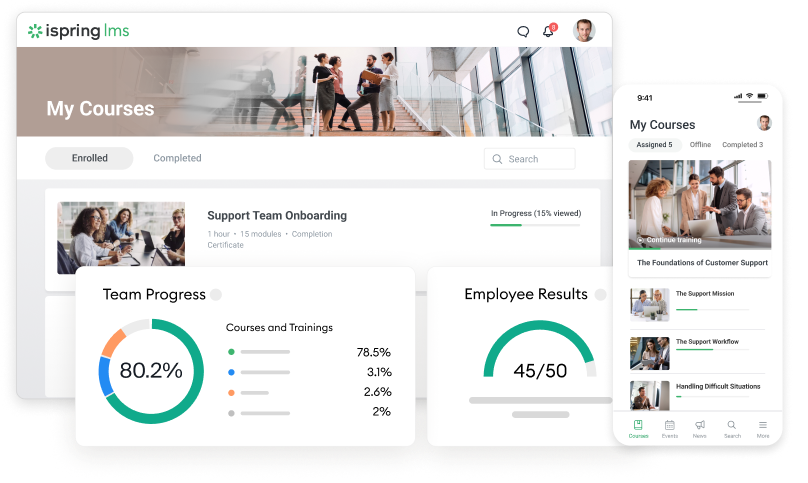
Best for: Companies that have outgrown Thinkific as an internal training system and now need structured onboarding, compliance, recurring training, and stronger administration.
This is where I would stop looking for another course-selling platform. If Thinkific started as a convenient place to host internal courses, it can eventually end up doing a job that requires a different type of system.
HR needs automatic assignments. Compliance courses need to recur. Managers need reports. Certificates expire. Different departments need separate learning paths. At that point, I would compare corporate LMSs.
iSpring LMS would be one of the first I would shortlist for a small or midsize L&D team.
It supports automated enrollment, certification, scheduled reports, learning paths, mobile learning, offline access, assessments, and blended training.
That combination makes it more relevant when the administrative side of training has become as important as course delivery.
For companies running annual certifications or regulated training, I would also compare it with the systems in my guide to compliance training software.
Mobile access is another area I would test with real learners rather than screenshots. I compare this requirement separately in my list of mobile LMSs.
iSpring can also support blended programs where classroom sessions, webinars, and self-paced content need to sit together. You can see other platforms designed for this setup in my guide to blended learning LMSs.
One reason iSpring may appeal to an L&D team is the connection with iSpring Suite AI, its separate authoring product. That matters if the same team creates a large volume of internal training and wants a close course-authoring workflow.
But I would keep that distinction clear: iSpring Suite AI is an authoring tool, while iSpring LMS manages and delivers training. You can read my detailed iSpring LMS review for a closer look at the system itself.
I would skip iSpring if the main requirement is a public storefront, creator memberships, marketing funnels, and selling courses directly to consumers.
In that case, Thinkific, Kajabi, Podia, or Teachable are closer matches.
What I would test: Set up one real recurring compliance program, including learner groups, automatic enrollment, deadlines, reminders, certificates, manager reporting, and recertification.
7. TalentLMS: for simpler employee training
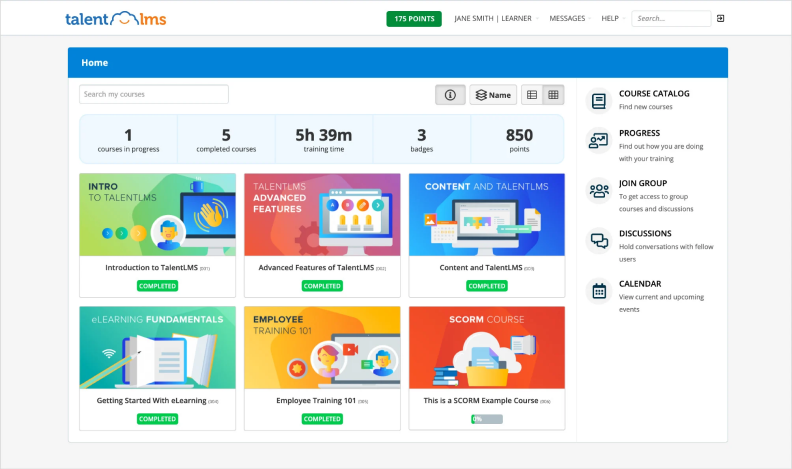
Best for: Small and midsize companies that need a relatively straightforward LMS for onboarding, compliance, and recurring employee training.
TalentLMS belongs beside iSpring for readers whose requirements have moved away from selling courses.
I would look at TalentLMS when a company wants a conventional employee LMS without building a complicated learning technology stack.
It covers courses, assessments, certifications, learning paths, reporting, automation, mobile learning, and instructor-led training.
You can read my full TalentLMS review if you want a more detailed look at its current strengths and limitations.
I would compare TalentLMS and iSpring when onboarding, compliance, recurring assignments, and employee development are the main reasons for leaving Thinkific.
The choice would come down to the workflows your team uses most.
I would put more weight on iSpring if the team creates a lot of training internally, wants close integration with a dedicated authoring tool, or places more emphasis on structured training administration.
TalentLMS deserves a closer look when the requirement is a relatively conventional LMS that a smaller organization can configure without a large implementation project.
Neither platform is a close replacement for Thinkific’s creator-commerce model.
If selling courses, memberships, and digital products remains your main business, I would stay in the first half of this list.
Small organizations comparing these systems may also want to look at my guide to LMS platforms for small businesses.
What I would test: Build an onboarding path with several learner groups, automated assignments, one live training session, certification, and the final management report.
8. LearnDash: for WordPress ownership and flexibility
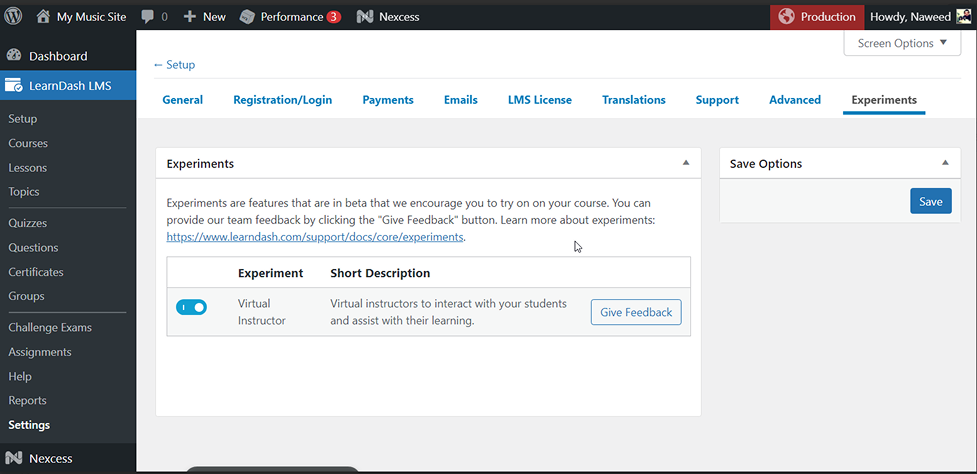
Best for: Businesses already committed to WordPress that want direct control over their site, LMS, ecommerce stack, plugins, and hosting.
LearnDash is different from the hosted creator platforms above.
Its core LMS runs inside WordPress.
For the right company, that architecture is the main attraction.
You choose the hosting.
You control the WordPress site.
You select the theme, checkout system, membership plugin, SEO setup, CRM connections, and other components.
That gives you considerably more room to customize your setup.
It also gives you considerably more responsibility.
Hosting, caching, plugin compatibility, backups, updates, security, checkout configuration, email delivery, and WordPress maintenance all become part of the platform you manage.
That is why I would choose LearnDash when ownership is a genuine requirement rather than something that simply sounds attractive during evaluation.
The total cost also needs to include more than the LMS plugin.
Add hosting, paid extensions, payment tools, maintenance, development work, and any plugins your workflow depends on.
What I would test: Build the complete setup on a staging site. Test registration, checkout, password resets, emails, mobile use, plugin updates, backups, and every critical integration.
9. Guroo Academy: for B2B training businesses
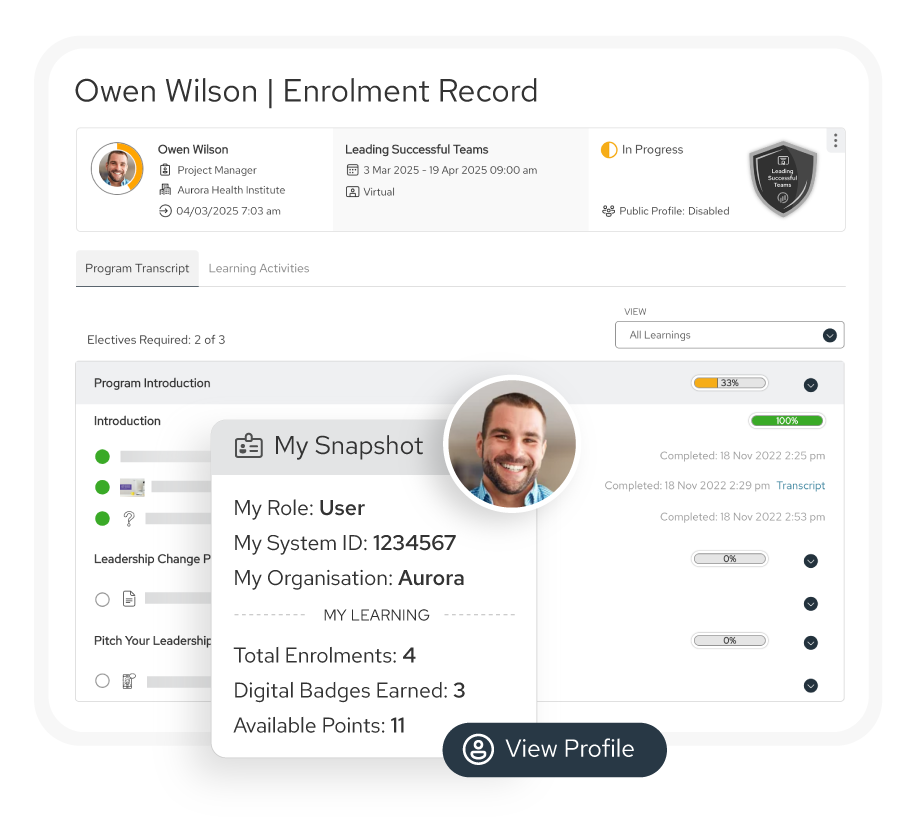
Best for: Training providers selling structured programs to companies rather than mainly selling individual courses to consumers.
This is where generic Thinkific competitor lists often become less useful.
A training business with ten corporate clients does not necessarily need another creator platform.
It may need a system designed around customer organizations, buyers, cohorts, company pricing, reporting, and client administration.
That is why Guroo Academy is on my shortlist.
Its positioning is much closer to professional training companies than solo course creators.
I would consider it if your sales team is closing company-level training deals and your operations team has started building workarounds around a consumer course platform.
The workflows I would investigate include:
- customer organizations,
- corporate buyers,
- bulk enrollment,
- client administrators,
- separate reporting,
- cohort delivery,
- company-specific pricing,
- customer portals,
- blended programs,
- repeat business.
This is a substantially different operating model from selling a $199 course to individual learners.
I would not move a straightforward solo creator business to a B2B platform like this.
The additional administration only makes sense if client-level training operations are already becoming a core part of your business.
What I would test: Ask the vendor to demonstrate your full corporate workflow, from company purchase through learner enrollment, client administration, reporting, invoicing, and renewal.
Which Thinkific alternative fits your reason for switching?
I would use this table before booking nine demos.
| If your main issue is… | Start with | Also consider | What I would verify |
| Advanced learning or SCORM | LearnWorlds | Thinkific Plus | SCORM tracking, assessments, analytics, mobile delivery |
| Marketing and funnels | Kajabi | Podia | Email automation, landing pages, funnels, checkout |
| Community-first membership | Circle | Podia | Events, discussions, cohorts, workflows |
| Simpler creator stack | Podia | Teachable | Total fees, email limits, checkout, product limits |
| Straightforward course selling | Teachable | Podia | Student management, payments, subscriptions |
| Employee compliance training | iSpring LMS | TalentLMS | Recurring assignments, certificates, reports |
| Smaller corporate LMS setup | TalentLMS | iSpring LMS | Administration, automation, reporting |
| WordPress control | LearnDash | Self-hosted alternatives | Hosting, plugins, security, maintenance |
| B2B training clients | Guroo Academy | Corporate LMS platforms | Client administration, reporting, bulk enrollment |
| Lowest operational complexity | Hosted creator platform | Stay with Thinkific | Whether migration actually removes complexity |
This is also why the phrase best alternative to Thinkific for scaling needs context. Scaling a creator funnel points toward Kajabi. Scaling sophisticated learning may point toward LearnWorlds. Scaling employee training may point toward iSpring or TalentLMS. Scaling corporate training customers is another problem again.
Are there free Thinkific alternatives?
There is a difference between a permanent free plan, a free trial, and software with a low entry price.
I would not choose an LMS simply because it is free.
Free plans often limit users, courses, storage, automations, reporting, branding, or integrations. Those limits can become expensive to work around once a real training operation develops.
If budget is the main constraint, my list of ffree LMS platforms gives you several options to investigate.
WordPress is another route, but self-hosting does not mean zero cost.
You still need to account for:
- hosting,
- LMS plugin,
- paid extensions,
- backups,
- maintenance,
- security,
- email delivery,
- payment tools,
- developer support where needed.
For a small course business, I would compare annual cost at your actual number of learners and sales.
Transaction fees can matter more than a difference of $20 or $30 in the monthly subscription.
How to test a Thinkific replacement before you migrate
I would never evaluate a replacement using only the polished sample course supplied by the vendor.
Use your own content and your own awkward workflows.
My test would look like this:
- Move one real course. Include video, downloads, quizzes, drip settings, SCORM, and anything else you regularly use.
- Rebuild your main enrollment or checkout route. Test coupons, subscriptions, payment plans, company purchasing, or whatever matters to your business.
- Migrate a small learner group. Check account creation, passwords, historic data, enrollments, and communications.
- Recreate one important report. More dashboards do not automatically mean better reporting.
- Test your engagement workflow. That might mean email automation, community posts, cohort events, reminders, or manager notifications.
- Connect the systems you cannot remove. CRM, webinar software, payment tools, HRIS, analytics, SSO, or automation platforms.
- Export the data again. A migration decision should include how easily you could leave the new platform later.
- Calculate the full annual stack. Include subscriptions, transaction fees, email contacts, add-ons, mobile apps, hosting, plugins, integrations, and administration.
I go into the process in more detail in my LMS migration guide.
If the new platform requires major configuration, it is also worth planning the LMS implementation separately from the migration itself.
And if several business systems need to exchange learner or user data, check the vendor’s options against your actual LMS integration requirements before signing a contract.
A migration is successful when the new system fixes the problem that caused you to search for alternatives in the first place.
Changing platforms and rebuilding the same awkward process is an expensive way to end up in the same place.
When I would stay with Thinkific
Sometimes my recommendation would be to stop looking for a replacement.
Thinkific already supports a fairly broad creator-business model.
If your company is still centered on selling courses and digital learning products, identify the exact problem before migrating.
If the issue is an email tool you dislike, replacing the email tool may be easier.
If community engagement is weak, another community platform may not fix the underlying problem.
If administration has become messy because of your internal process, a migration can reproduce that mess on another system.
I would switch when the current platform blocks an important business or training workflow.
I would not switch simply because another vendor has a nicer feature comparison page.
If you are still unsure whether you need another creator platform or a completely different type of LMS, my broader guide to LMS alternatives can help separate those categories.
Final thoughts
The most useful Thinkific alternatives are not the platforms with the longest feature lists. They are the ones that solve a specific reason Thinkific no longer fits.
If marketing has become the center of the business, test Kajabi. If the community has become the product, look at Circle.
If your courses need more learning depth, LearnWorlds deserves a closer look. If WordPress ownership matters, LearnDash gives you that route.
And if Thinkific has gradually turned into your employee LMS, stop limiting the search to creator platforms. iSpring LMS and TalentLMS are much closer to the problem you are now trying to solve.
The same applies to B2B training. Once you are selling training programs to companies, a platform such as Guroo Academy may fit the business model better than another creator storefront.
Define that change first. Your shortlist should become much shorter once you know what you are actually replacing.
FAQs
What are the best Thinkific alternatives in 2026?
The strongest option depends on the reason for switching. I would look at LearnWorlds for advanced learning, Kajabi for marketing, Circle for community, Podia or Teachable for creator commerce, iSpring LMS or TalentLMS for employee training, LearnDash for WordPress, and Guroo Academy for B2B training.
What is the best Thinkific alternative for scaling?
It depends on what needs to scale. Kajabi suits a growing marketing-led knowledge business. LearnWorlds makes more sense when course design and learning requirements are expanding.
iSpring and TalentLMS address structured employee training. Guroo Academy is more relevant when you are scaling corporate training customers.
Is there a free alternative to Thinkific?
There are free LMS plans and open-source options, but I would not assume that a free platform has zero operating cost. Hosting, plugins, administration, integrations, storage, and upgrades can still create significant costs.
What is cheaper than Thinkific for a small course business?
Compare your full annual cost rather than subscription prices alone. Podia and Teachable can be attractive for smaller creator businesses, but transaction fees, product limits, email requirements, and other plan restrictions can change the calculation.
Which Thinkific alternative is strongest for advanced learning and SCORM?
LearnWorlds is one of the first options I would test if SCORM and more sophisticated learning design are driving the move.
Thinkific itself also supports SCORM through Plus, so compare both using one of your real packages before migrating.
Which Thinkific alternative has stronger marketing tools and funnels?
Kajabi is the clearest candidate when marketing is driving the decision. It combines landing pages, email, automations, funnels, checkout, and courses within the same broader platform.
Which Thinkific alternative is best for the community?
Circle is the first product I would investigate when the community itself has become central to the business. Thinkific already has Communities, so I would compare how each system supports your actual membership model rather than switch based on a feature checklist.
Which platform should I use for courses on WordPress?
LearnDash is the clearest option in this shortlist. It gives you much more control over hosting, site design, plugins, checkout, and data, but your team also becomes responsible for more of the technical stack.
Which Thinkific alternative should I consider for B2B training?
Guroo Academy is the most specialized option on this list for training providers selling programs to corporate customers. I would focus the demo on customer organizations, bulk enrollment, delegated administration, reporting, pricing, and client portals.
What should I use instead of Thinkific for employee training?
I would move into the corporate LMS category. iSpring LMS and TalentLMS are both more relevant than another creator platform when you need onboarding, compliance training, recurring assignments, certifications, and management reporting.
Which alternative has stronger reporting and compliance automation?
For internal company training, I would compare iSpring LMS and TalentLMS. If you are managing training on behalf of external corporate clients, Guroo Academy addresses a different B2B requirement.
Can I migrate my courses and learner data away from Thinkific?
Yes, but the difficulty depends on the destination platform and the data you need to preserve. Course files are usually easier to move than learner history, subscriptions, passwords, certificates, discussion data, reporting records, and automation rules. Test the migration with a small group before moving the full database.
What should I test before replacing Thinkific?
Test one complete workflow from start to finish. That should include course content, learner migration, checkout or enrollment, communication, one critical report, integrations, mobile use, and data export. Use your real content. A vendor demo account rarely exposes the problems that appear during migration.