
Online training software helps you create lessons, deliver courses, and track employee progress. Some products handle all three. Others specialize in authoring, giving you more control over content that you’ll publish through a separate learning management system.
In this online training software comparison, I examine 10 options from an independent consultant’s perspective. If you’re comparing online training tools, I’ll help you weigh course creation, administration, pricing, and user feedback against the work your team needs to do. The right choice should make your next course easier to build and your ongoing training easier to manage.
Training online tools: 10 best options compared
The products below cover different parts of a business training program. I’ve included dedicated authoring tools alongside LMS platforms, so you can compare both course production and delivery options.
- Articulate 360: Responsive course creation in Rise and more detailed interaction design in Storyline, with supporting review and distribution tools.
- iSpring Suite AI: PowerPoint-based authoring for interactive courses, assessments, dialogue simulations, and video tutorials.
- TalentLMS: Hosted course creation and learning administration for small and midsized teams moving training online.
- 360Learning: Collaborative authoring and LMS delivery that help internal experts contribute to training.
- Docebo: Enterprise learning administration for organizations training employees, customers, partners, and other audiences.
- LearnUpon: Separate learning portals for different audiences, with shared content and centrally managed training.
- Moodle Workplace: Configurable business training with programs, certifications, organizational structures, and automation.
- Adobe Captivate: Course authoring with software demonstrations and simulations for practicing application workflows.
- ProProfs Training Maker: An integrated course builder and LMS with assessments, certificates, and learner reporting.
- Absorb LMS: Business training administration with reporting, multiple audience support, and optional content and engagement products.
A shortlist gives you a starting point, but there’s more to choosing training software than comparing features. In the reviews below, I look at how each tool handles course creation or training management, what you’ll pay, and where users say it works well or falls short.
Online training system software: best solutions
I assess these products by the work they support: creating useful material, assigning it to the right people, and maintaining accurate training records, especially in web-based training programs used for remote delivery and broader online learning. The World Economic Forum’s Future of Jobs Report 2025 estimates that 59 out of every 100 workers will need training by 2030. Scalable training software platforms help deliver consistent employee training across large workforces at the same time. They are also cost-effective because they reduce spending on travel, printed materials, room rentals, and flying in instructors. That’s a forecast based on employer expectations, but it’s a good reason to plan for regular updates rather than a one-time course launch. The reviews below combine documented product capabilities with published user feedback. Their global reach also helps remote teams in different time zones, and 68% of employees feel more prepared when companies invest in employee training programs.
1. Articulate 360
G2: 4.7
Capterra: 4.7
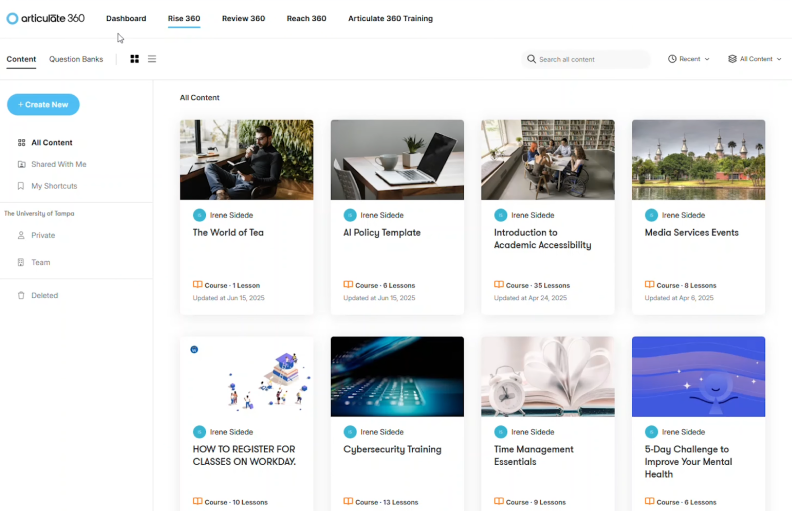
Articulate 360 includes Rise for responsive course creation and Storyline for more customized interactions. It also provides tools for collecting feedback and distributing training.
The two authoring approaches suit different projects. Rise helps you assemble consistent courses with templates and prebuilt structures that speed course design and support varied training materials without deciding every screen detail. Storyline gives you more control over branching, activities, and course behavior. As online training course development software, the suite makes sense when your team produces enough varied content to use both, especially since better course design can improve learner engagement and retention.
Pricing
Annual pricing includes $1,749 per seat for Articulate 360 AI Teams and $1,449 for Personal. Confirm the collaboration capabilities, learner allowance for distribution, and any additional products your program needs.
What users think about Articulate 360
Pros
Many reviewers praise the mix of rapid course creation and customized development. Reviewers also value the review workflow, which helps authors gather comments and make revisions without managing separate feedback documents.
Cons
User feedback includes concerns about the learning curve, bugs, and performance. More detailed Storyline projects take time to master and maintain. Some reviewers also want greater customization.
Is a free trial available?
Yes. Articulate advertises a 30-day trial without requiring a credit card.
What are the best features?
- Responsive creation of online training courses in Rise
- Custom interactions and branching in Storyline
- Assessments and scenario-based activities
- Shared review and feedback tools
- AI-assisted course development
- LMS software compatibility and distribution through Reach
Who is this online training software best for?
Articulate 360 suits instructional designers and content teams that need to create courses at different levels of complexity and build a varied course library. I would agree on when to use Rise and when Storyline is justified before production begins, especially if you need to support a more complete course library. That keeps routine lessons manageable and reserves detailed development for learning activities that benefit from it.
2. iSpring Suite AI
G2: 4.6
Capterra: 4.6
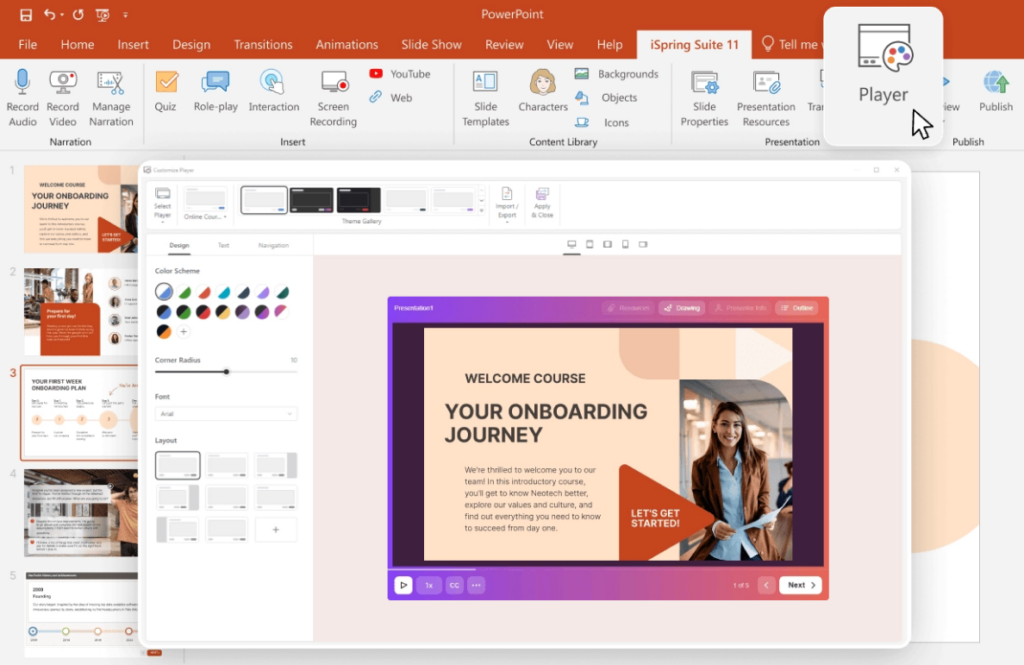
iSpring Suite AI is one of the e-learning tools suitable for building interactive training courses from existing slides and media, while also bringing course creation, quizzes, video tutorials, screen recordings, and conversation simulations into a PowerPoint-based authoring environment. You can build training from scratch or develop existing materials into interactive courses, with opportunities for learners to practice and check their understanding.
What appeals to me is how much of the course-building process you can handle within a familiar workspace. You might record a software walkthrough, create a branching customer-service scenario, or add an assessment with custom feedback. That flexibility makes it relevant to corporate training use cases, including onboarding, product training, and employee skills development.
For an all-in-one approach, iSpring LMS is a natural fit within the same ecosystem. An iSpring LMS subscription includes access to iSpring Suite AI, bringing course creation, training delivery, learner management, and reporting together under one subscription.
Pricing
iSpring Suite AI lists at $1,290 per author annually.
What users think about iSpring Suite AI
Pros
Reviewers appreciate the PowerPoint integration, accessible authoring workflow, and ability to produce interactive lessons. For occasional course creators, familiarity with the editor is a recurring advantage.
Cons
User feedback also mentions publishing glitches and limits on design and player customization. The slide-authoring workflow requires Windows and desktop PowerPoint, so check your authors’ devices.
Is a free trial available?
Yes. iSpring provides a 14-day free trial.
What are the best features?
- PowerPoint-based course authoring
- Quizzes with varied question formats and feedback
- Branching dialogue simulations for conversation practice
- Screen recordings, narrated video tutorials, and video courses
- SCORM, xAPI, and other publishing options
- AI-assisted creation and supporting cloud features on qualifying plans for managing training content
The authoring features make Suite AI relevant as interactive training software for teams that want to add practice without developing everything from scratch.
Who is this online training software best for?
iSpring Suite AI is a strong fit for lean HR and learning teams creating onboarding, sales, and process training from existing presentations. It can shorten the move from slide deck to course and speed the training process for lean teams.
3. TalentLMS
G2: 4.6
Capterra: 4.7
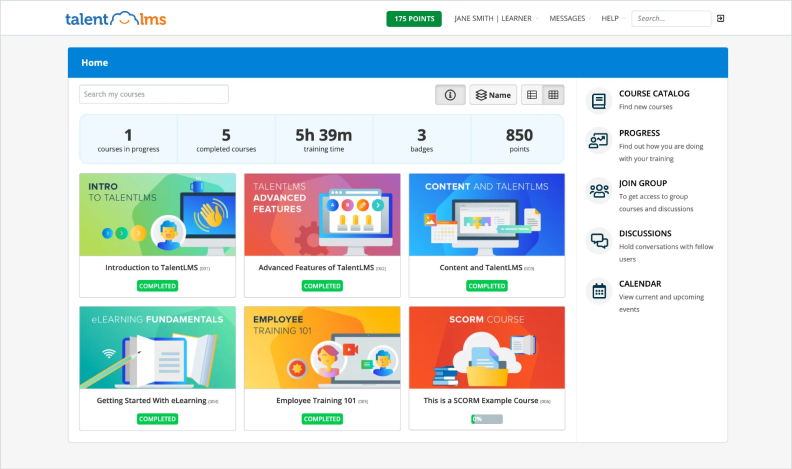
TalentLMS is one of the online learning platforms that combines course creation, learner management, and reporting in a hosted system. You can build lessons inside the system or import content from an authoring tool, then assign training and track learner progress.
Its branches let you create different training environments for departments, locations, or external audiences. I see this as a useful step up from shared folders and spreadsheets. Your team gains a central place to run training without taking responsibility for hosting the application.
Pricing
With annual billing, the Core plan starts at $119 per month for up to 40 users. Higher tiers increase capacity and add capabilities.
What users think about TalentLMS
Pros
Common feedback highlights approachable content creation, reporting, and everyday learner administration. Reviewers appreciate being able to build different types of lessons without an elaborate production process.
Cons
Some users report restrictions around exporting content, connecting business systems, or adapting administration to their organizational structure. Others mention glitches and report performance.
Is a free trial available?
TalentLMS offers a free plan for five users and 10 courses, with no credit card required.
What are the best features?
- Built-in course and assessment creation
- SCORM, xAPI, and cmi5 content support
- Separate branches for different training audiences
- Track Progress with learner reporting and completion tracking
- Certificates and gamification to support self paced learning with flexible course completion
- Mobile access and business-system integrations
Who is this learning management system best for?
In my opinion, TalentLMS belongs on the shortlist for small and midsized teams launching structured onboarding or employee development. It offers a manageable starting point.
4. 360Learning
G2: 4.6
Capterra: 4.7
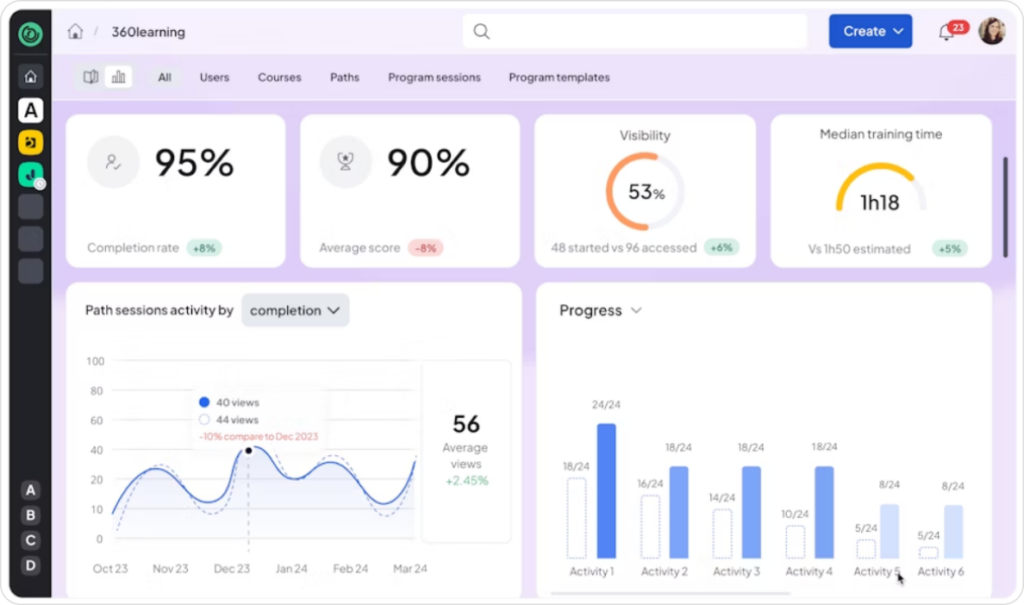
360Learning combines an LMS with collaborative course creation. Subject matter experts can contribute knowledge, review material, and help maintain training instead of leaving all production to a central learning team. It’s used by over 2,500 organizations.
I like this approach for product and process training that changes regularly. A support specialist might notice an outdated troubleshooting step before the course owner does, which supports collaborative learning as peers contribute and review content. The value depends on having a clear route from that feedback to an approved update, with someone responsible for making it happen.
Pricing
The Team plan costs $8 per user per month for up to 100 users. Business and Enterprise plans use custom pricing. Ask which integrations, support services, and advanced capabilities are included in your proposal.
What users think about 360Learning
Pros
Many reviewers highlight ease of use, course creation, and customer support. The ability to involve colleagues in training development is especially relevant when useful expertise is spread across departments.
Cons
Reviews also describe a learning curve and limits on customization. Some users want more freedom in content organization and report sharing. During evaluation, give your administrators realistic reporting requests rather than relying on the default dashboard.
Is a free trial available?
Yes. The pricing page advertises a 30-day free trial. Use it with a subject expert as well as an administrator so you can assess both the contribution and management workflows.
What are the best features?
- Collaborative course authoring and review
- AI-assisted content development
- Learner feedback and discussion
- Learning paths and LMS delivery
- SCORM content support
- Integrations with HR, communication, and virtual classroom tools
Who is this online training software best for?
360Learning suits organizations that want employee expertise to shape their courses, and over 2,500 organizations use it for employee training. I would prioritize it for changing products, shared procedures, and peer learning. If your program mainly distributes purchased courses, compare the wider administration and reporting capabilities to see whether the collaborative approach adds enough value.
5. Docebo
G2: 4.3
Capterra: 4.4
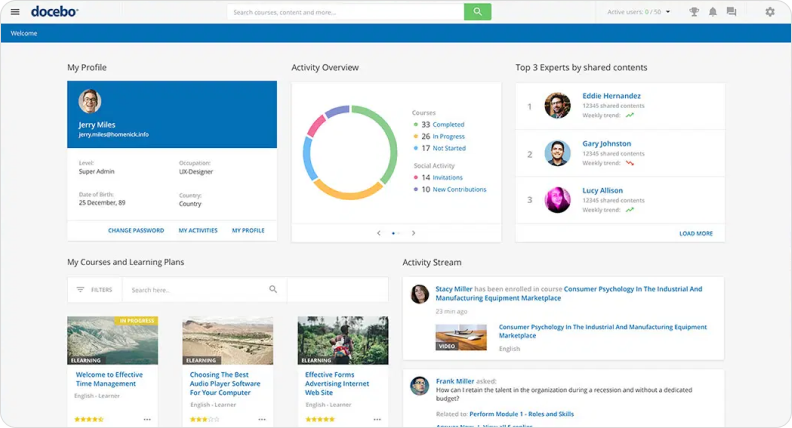
Docebo is one of the training platforms built for complex internal and external audiences across employees, customers, partners, and other groups. Its extended-enterprise capabilities let you tailor learning environments while coordinating the broader operation through one platform.
This is the kind of online training system I would evaluate for customer training as well as employee and partner use cases when a simpler LMS becomes difficult to manage across business units. The project needs decisions about access, course ownership, and reporting before configuration begins. A large feature set won’t resolve unclear responsibilities on its own.
Pricing
Pricing is customized around your tier, user model, usage, and optional features. Docebo says it typically suits organizations training at least 250 learners. Ask how monthly or yearly active-user billing would handle seasonal staff and occasional external learners.
What users think about Docebo
Pros
Many reviews highlight customization, functionality, and support. Some customers also describe everyday administration as efficient once the system is configured for their needs.
Cons
Other users find the platform complex or want features and customization beyond what their setup provides. Reporting feedback includes requests for more advanced options. These differences make a demonstration using your own workflows more useful than a general product tour.
Is a free trial available?
Docebo promotes demos and guided evaluation. Ask the sales team whether it can provide trial or sandbox access for your project, along with the duration and included functionality.
What are the best features?
- Separate experiences for internal and external audiences
- Learning plans and course administration in one LMS platform
- Automated learning workflows that streamline the training process
- Integrations with business systems
- Content discovery and personalization tools
- Extended-enterprise training and course-sales options
Who is this online training software best for?
Docebo is a serious candidate for midsized and large organizations managing larger employee training programs at scale. I would want a named implementation owner and a clear list of required integrations.
6. LearnUpon
G2: 4.5
Capterra: 4.7
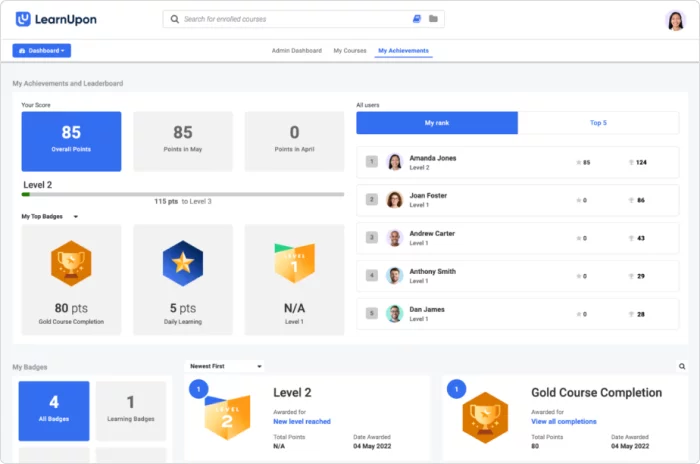
LearnUpon is one of the training software platforms built to support employee, customer, and partner education through audience-specific learning portals. You can tailor the content and branding while reusing suitable courses across those environments.
That structure is useful when learners share some requirements but need different access. The learning experience can differ by audience even when some content is reused appropriately. Your support staff and customers might both need a product introduction, for example, while internal escalation procedures should stay with employees. I would ask LearnUpon to demonstrate that separation with sample learners and local administrators.
Pricing
Request a custom proposal. The quote should identify your products, portal allocation, integrations, and support arrangements. Include any course-authoring requirements so you can compare the whole program cost rather than the LMS fee alone.
What users think about LearnUpon
Pros
People often praise the user friendly interface for administrators and learners, straightforward course setup, and helpful support. Those are useful strengths when managers or local teams share responsibility for training.
Cons
Some reviewers want more customizable reports, learner grouping, and catalog organization. Others describe limitations in learning journeys or account-access frustrations.
Is a free trial available?
Contact LearnUpon to discuss evaluation access for the LMS. Its Create+ authoring product advertises a trial request, but that shouldn’t be treated as confirmation of unrestricted access to the entire platform. Agree on the scope with sales.
What are the best features?
- Separate learning portals for different audiences
- Shared content across portals where appropriate
- Branded learner experiences
- Learning journeys and structured progression
- Course administration and learner reporting
- Tools for employee and external education programs
Who is this online training software best for?
LearnUpon suits organizations with clearly separated training audiences. As a professional training platform, its appeal is organizing those experiences without running unrelated systems. I would compare it closely with Docebo and Absorb using the same portal, permission, and reporting requirements, then assess how easily your team can manage them.
7. Moodle Workplace
G2: 4.1
Capterra: 4.3
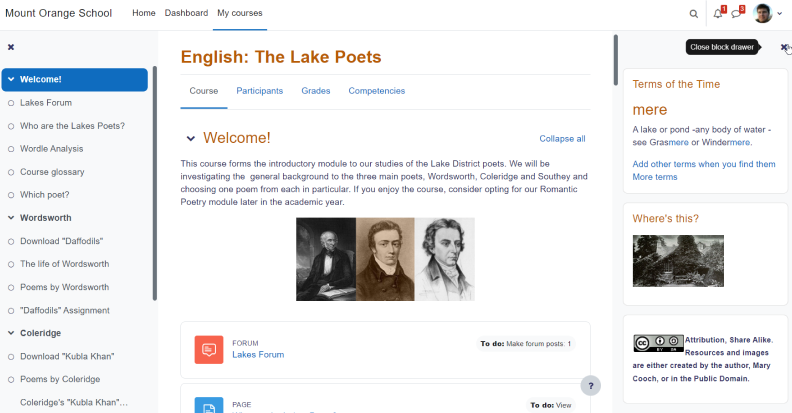
Moodle Workplace builds on Moodle LMS with features for organizational training. Programs, certifications, automation, reporting, and separate tenant environments support more involved business requirements, including compliance training.
If you’re considering custom online training software, I would explore a configured Workplace deployment before commissioning a completely new application. Start by documenting the difficult cases, like employees with several roles or different renewal schedules, and how automated reminders help manage renewals. That gives an implementation provider something specific to demonstrate and price.
Pricing
Moodle Workplace is licensed software available through its provider network. Your costs depend on hosting, setup, customization, and support. It isn’t the free Moodle LMS download, and a MoodleCloud price doesn’t describe a Workplace deployment.
What users think about Moodle Workplace
Pros
Moodle reviewers value flexibility, control, and the breadth of learning activities. Those themes help explain why organizations consider Moodle-based systems when standard configurations feel restrictive.
Cons
Some reviewers describe a learning curve and the effort needed to configure the platform. For Workplace specifically, ask your proposed provider for relevant customer references. Their implementation and support will influence your experience.
Is a free trial available?
Moodle offers Workplace demonstrations through its partners. Ask about a sandbox for your use case. A free MoodleCloud trial tests a different offering and shouldn’t substitute for evaluating Workplace.
What are the best features?
- Structured training programs and certifications, including support for safety training requirements
- Organizational roles and reporting relationships
- Rules for automating training administration
- Multi-tenancy for separate learning environments
- Reporting and learning records for visibility into employee performance
- Provider-supported configuration and integrations
Who is this online training software best for?
Moodle Workplace suits organizations whose workflows justify a more configurable system. I would want a knowledgeable internal owner and a dependable provider before proceeding. If you’re budgeting for custom training software, include ongoing maintenance and documentation in the comparison, not simply the initial build.
8. Adobe Captivate
G2: 3.9
Capterra: 4.4
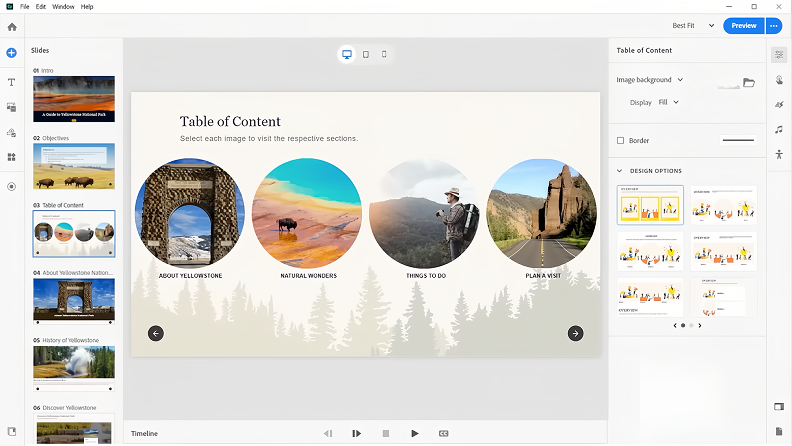
Adobe Captivate is suitable for building elearning courses, software demonstrations, and simulations. It’s particularly relevant when employees need to follow a sequence of actions in an application.
As application training software, it can help you move beyond showing a recording.
You can build activities that engage learners through practice and respond to their choices. I would start with a task that causes repeated mistakes, then decide whether simulation offers enough benefit to justify development and maintenance.
Pricing
Adobe offers individual subscriptions and team or enterprise licensing. Captivate and Captivate Classic have different workflows, so establish which product your authors will use.
What users think about Adobe Captivate
Pros
Common feedback includes positive experiences with interactive training and support simulations. Reviewers also describe using Captivate to develop software instruction and documentation.
Cons
Other reviewers find the authoring workflow cumbersome or report slow loading. Some feedback reflects older releases or Captivate Classic. I would check review dates and versions before assuming a criticism applies to the current product, then test the relevant workflow yourself.
Is a free trial available?
Yes. Adobe documents a 30-day Captivate trial. Use it to build a complete task, including feedback and LMS publishing, so you can assess the work involved beyond screen capture.
What are the best features?
- Software demonstrations and simulations
- Training and assessment modes for application practice
- Screen capture and interactive content
- Responsive course development
- Knowledge checks and assessments
- Publishing for delivery through a compatible LMS
Who is this online training software best for?
Captivate deserves a close look from teams teaching business applications or detailed software procedures. I wouldn’t automatically choose it for every policy lesson. Reserve more involved simulations for tasks that benefit from practice, and make sure another author can update the project when the application changes.
9. ProProfs Training Maker
G2: 4.6
Capterra: 4.8
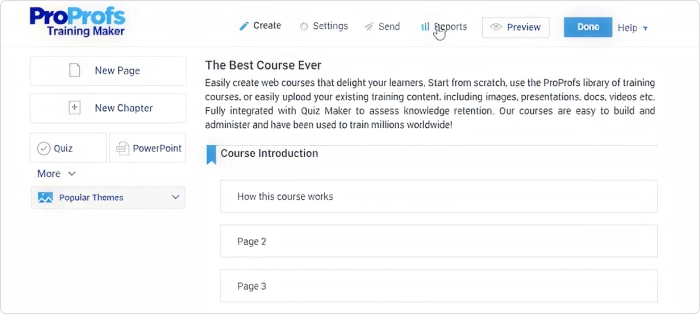
ProProfs Training Maker brings course creation, assessments, learner management, and reporting together. You can upload existing Training Materials, develop lessons, and track results without assembling several separate products.
I would consider this online training course software for a team formalizing onboarding or recurring internal training, while also delivering short, digestible lessons. A procedure document can become a lesson with questions and a completion record. Its ready-made course library can supplement your own material, and a Free Course can help teams get started faster, though you should review each course for relevance before assigning it.
Microlearning focuses on small, digestible units, can improve knowledge retention by up to 80%, works well in 5-10 minute sessions, and supports just-in-time training for immediate application.
Pricing
The free plan supports 10 learners. Essentials starts at $1.99 per active learner per month with annual billing. Higher plans add capabilities. Check the tier required for your content library, integrations, and administration needs, plus how active learners are counted.
What users think about ProProfs Training Maker
Pros
Typical feedback highlights ease of use, customization, and assignment management. Some reviewers also describe using it to create, adjust, and track required training.
Cons
Some users report a learning curve or difficulty with setup and more complex tasks. The review pool is relatively small, so I’d treat the scores as supporting evidence. Build your own lesson and check the resulting reports before judging how well it suits your operation.
Is a free trial available?
Yes. ProProfs offers the ongoing free plan and advertises trials for paid plans. Confirm which features the trial includes if you need to evaluate integrations or advanced administration.
What are the best features?
- Built-in and AI-assisted course creation
- Uploads of presentations, documents, and videos
- Quizzes, assessments, and completion certificates
- Learner groups and training assignments
- Reminders and progress reports with learner progress data insights, including reports on test scores and active study time
- Ready-made courses and integrations on qualifying plans
Who is this online training software best for?
ProProfs is a reasonable candidate for smaller teams that want course creation and delivery in one place. I would pay particular attention to reporting during the trial. Give a manager the task of finding overdue training, then check whether the available report answers the question without spreadsheet cleanup.
10. Absorb LMS
G2: 4.6
Capterra: 4.5
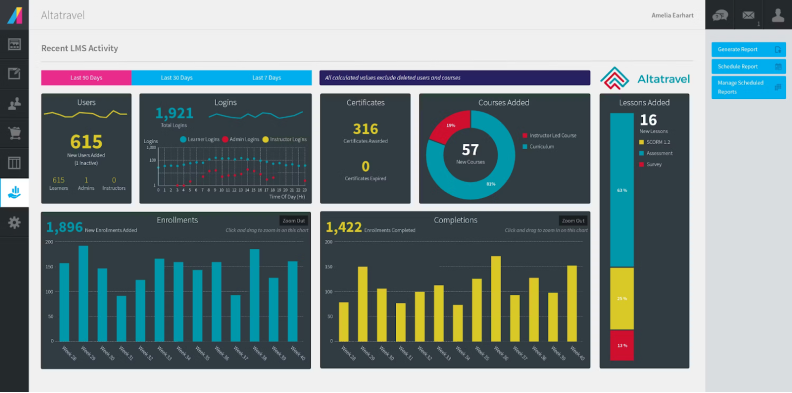
Absorb LMS is one of the management software options for employee and external training, with course administration, certifications, reporting, and audience-specific experiences. It also offers ecommerce and supporting products for content creation and engagement.
It merits a closer look when you expect your training operation to grow beyond one internal program. You might start with onboarding, then add compliance training, customer education, or paid courses; effective compliance training can also improve employee confidence. Ask the vendor to show how those additions affect administration, permissions, and cost before assuming expansion will be straightforward.
Pricing
Pricing is available by quote. The proposal should identify learner capacity, included modules, implementation, and support. Optional authoring or engagement products can change the total, so compare the configuration you actually need rather than the base LMS alone.
What users think about Absorb LMS
Pros
Reviewers regularly highlight ease of use and customer support. The learner experience and helpful support are reasons to include it when employees have varying levels of confidence with online training.
Cons
The same feedback includes concerns about customization, missing features, reporting, and the learning curve. I would investigate those areas with a realistic administrative task: assign training to a group, change a learner’s department, and produce the report their manager needs.
Is a free trial available?
Yes. Absorb promotes a free trial through a request form. Confirm the duration, available modules, and set up assistance with the vendor before scheduling your evaluation team.
What are the best features?
- Course and learner administration
- Certifications and training automation
- Reporting and dashboards
- Multiple audience environments
- Mobile learning and business-system integrations
- Ecommerce and optional content-creation tools
Who is this online training software best for?
Absorb suits established training teams coordinating employee and external education. When comparing online training software for businesses with several audiences, I would evaluate it alongside other tools. Have your future administrators complete the same tasks in each platform. That often reveals differences a feature checklist misses.
Find the right fit for your training goals
The best purchase depends on where your training work gets stuck. The key benefits are easier content creation, broader delivery, and better reporting for employee training and development. TalentLMS and ProProfs combine course building with delivery. iSpring Suite is worth considering when you need to turn PowerPoint materials into usable independent learning. Articulate 360 offers broader authoring choices, while Captivate is particularly relevant to software practice.
For more involved administration, LearnUpon, Docebo, and Absorb deserve a closer look. Moodle Workplace adds configuration options, and 360Learning emphasizes contributions from internal experts. Broad labels like “learning training software” won’t tell you which approach fits. Start with the audience, the course, and the records you need afterward.
I would test one complete lesson, including an update after publication. Check sign-in, assessment results, resume behavior, manager access, and report exports. My takeaway is to assess how easily you can add useful practice and revisit important knowledge, alongside checking completion tracking.
If PowerPoint is your starting point, explore the iSpring Suite trial with your own content. You can also evaluate iSpring LMS if you need a separate delivery platform. Some teams also compare these tools with the best online learning platforms when deciding whether to build internal training or publish broader online training courses. Use this online training software comparison to narrow your options, then put the relevant online training tools in front of the people who will create, manage, and complete the training.
FAQ
What is the best online platform for training?
If you’re comparing business tools rather than the best online learning platforms aimed at public course marketplaces, I would start with TalentLMS for straightforward business learning administration, LearnUpon for separate audiences, or 360Learning for collaborative course creation. If your main problem is producing better content, consider iSpring Suite or Articulate 360 alongside your delivery platform. Your authors’ skills, learner needs, and reporting requirements should determine the final choice.
Which software is best for online classes?
For live classes, evaluate a virtual classroom or meeting tool alongside the LMS that manages enrollment, materials, and results. For self-paced business courses, treat the format as online learning and choose an LMS that can track learner progress; video-heavy classes may also rely on video courses, while TalentLMS and ProProfs combine creation and delivery. iSpring Suite, Articulate 360, and Adobe Captivate offer dedicated authoring capabilities. Decide how much live discussion, independent practice, and progress tracking your classes need before choosing.
What are the top 5 LMS systems?
For business training, my starting shortlist is TalentLMS, 360Learning, Docebo, LearnUpon, and Moodle Workplace. They suit different requirements, so I wouldn’t treat that as a universal ranking. This online training software comparison also includes authoring products because training tools often work together. iSpring Suite can create content for a compatible LMS, for example, while the LMS manages assignments and learner records.