Most HR training management software gets bought in a hurry, usually the week after a compliance audit goes badly. I have spent fifteen years helping L&D teams choose and implement these systems, and the pattern repeats: somebody has to prove who was trained, on what, and when, and the spreadsheet has stopped coping.
This is my review of the training management system software I keep returning to. I have grouped the training management tools by what they are genuinely good at, because the category is wider than it looks. Some run instructor-led training at scale. Others are learning management systems with a scheduling layer bolted on.
What is employee training management software?
Ask five vendors what employee training software is and you get five answers, each describing their own product. A training management system is the record of how your organization plans, delivers and evidences its training programs. Training management software, sometimes sold as training administration software, is the wider market label.
The core jobs a training management system does
A training management system (TMS) is back-office software. It runs the logistics of corporate training: course scheduling, instructor assignment, venue management, enrolments, waiting lists, cancellations, and the invoicing that follows.
Learners barely touch it. Your training coordinator lives in it. If your week disappears into scheduling training sessions and chasing trainer availability, these are the training processes worth automating first.
Training management system vs learning management system
A learning management system points the other way. It delivers online courses, tracks completion, and stores training materials in one place. The learner logs in; the administrator watches the dashboard. Most learning management systems now handle blended learning too, mixing self-paced elearning courses with in-person sessions.
The practical test I use: if more than half your delivery is instructor-led, buy training operations management software first and a learning platform second. If most of your training programs are digital, buy the learning management system and accept an adequate scheduling module. A training management system (TMS) and an LMS are complements, not rivals.
Key features to expect
Whatever you buy, these key features separate real training management software from a shared calendar with ambitions:
- Course management and course creation, including course templates you clone rather than rebuild
- Automated notifications for joiners, cancellations and reminders, where most of the saving in your training processes comes from
- Compliance training tracking with expiry dates and automatic re-enrolment
- Reporting on learner progress and program effectiveness, not just completion ticks
- User management and roles, so line managers track progress for their own team only
- Booking of training resources: rooms, kit and trainer time
- Integrations with your HRIS, so you are not maintaining two employee lists
- Communication tools and mobile access for staff who never sit at a desk
What HR teams gain from training management tools
The honest answer is time. Josh Bersin’s 2025 research put it bluntly: roughly 68% of the work in the training industry is administrative rather than creative or consultative, exactly the slice training department software helps organizations streamline. Automating employee training programs removes a week of coordination per cohort.
The second gain is evidence. When an auditor asks who completed which compliance training, a training administration system answers in a minute instead of a fortnight. Dashboards that track progress cohort by cohort also give the valuable insights you need to defend a budget.
The third is retention, and here I would be careful with vendor numbers. LinkedIn’s 2025 Workplace Learning Report found 88% of organizations worried about retention, with learning opportunities the leading retention lever. Gallup reports 11% greater profitability where employee development is a strategic investment. Vendors promising a flat 10% uplift are quoting their own case studies, not independent research.
A quieter fourth benefit: spacing content out supports continuous learning and knowledge retention far better than the annual day-long session most employee learning still relies on.
Training management systems: my shortlist
Ten training management systems made the cut, from enterprise platforms to the lean training company system a small provider needs.
How I compared these training management platforms
I weighted four things: whether the tool genuinely runs instructor led sessions or merely stores a Zoom link; pricing transparency, because a vendor who hides prices usually has a reason; what verified reviewers say on G2 and Capterra, checked in August 2026; and which key features actually remove administrative work in the first quarter.
I have implemented or trialled eight of the ten training management systems below. Where I have not, I say so. I take no commission, and no vendor saw this article before publication.
The training management systems I reviewed
- Training Orchestra: training operations at scale, the reference for running instructor led training across large organizations
- iSpring LMS: a learning management system with built-in course creation, strongest for internal training and onboarding in mid-sized companies
- Arlo: training company management software for commercial training providers selling public and private courses
- accessplanit: a configurable training course management system favoured by UK training companies
- Docebo: enterprise breadth, with AI powered content tools and deep customization of training programs
- TalentLMS: the fastest platform to launch, with published pricing and a usable free tier
- Absorb LMS: a polished learning experience and strong compliance workflows for mid-market and enterprise
- Litmos: a large ready-made library of training content attached to a competent training management platform
- SafetyCulture Training: mobile-first microlearning and continuous learning for frontline, deskless teams
- Trakstar Learn: employee training software that plugs into a wider HR suite
What I left out and why
360Learning combines LMS and LXP features and suits collaborative, peer-built training content, but scheduling is thin for a training organization running weekly in-person sessions. Cornerstone and SAP SuccessFactors Learning are HR suites first, not training management systems. Trainual handles standard operating procedures and process training well, less so structured training plans with certification.
Training management tools: ten reviews
Prices were checked in August 2026 and move often. These are the best training management software picks I recommend, ordered by how often I recommend them.
1. Training Orchestra
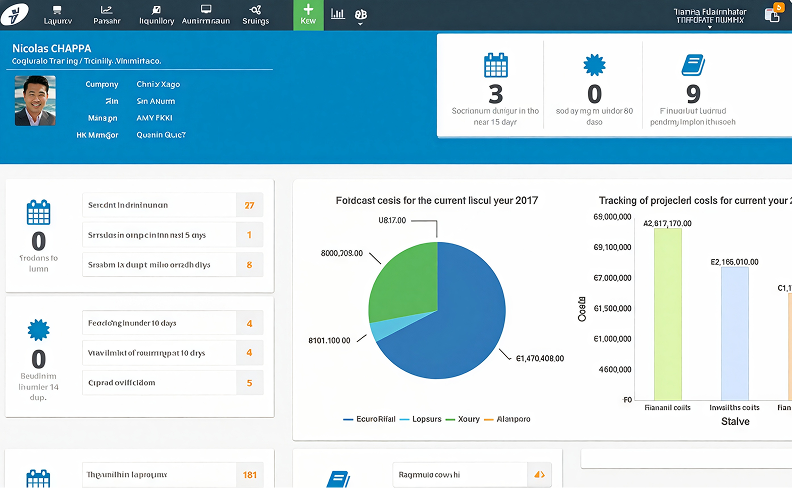
Training Orchestra does one thing better than anyone: training operations for instructor led training courses at volume. It is training resource management software at heart: planning training sessions, trainer availability, rooms, and cost tracking against budget. Fosway has named it a Strategic Leader in its 9-Grid for learning systems for five consecutive years.
It is not a learning management system and does not pretend to be, so expect two contracts and an integration project. Pricing is quote-only, normal for instructor led training management software at this level, and normal for training management software generally.
I would not recommend it below roughly fifty instructor led sessions a quarter; the configuration effort will not pay back.
2. iSpring LMS
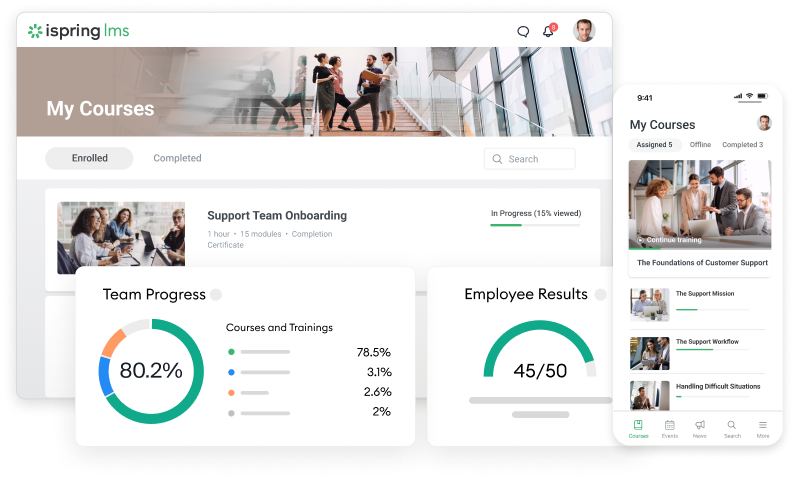
iSpring renamed iSpring Learn to iSpring LMS in October 2025, and iSpring Suite Max became iSpring Suite AI a week later, so ignore older comparisons. The line-up pairs iSpring LMS for delivery with iSpring Suite for course creation.
What sold me was the authoring loop. You build a course in PowerPoint, publish straight to the platform, and it is live in minutes, the quickest route I know to create engaging learning experiences without an instructional designer. The on-the-job checklists are a rare touch: a supervisor confirms the employee can do the task.
Pricing runs roughly $3.97 to $6.91 per active user per month, billed on log-ins only. Thirty-day trial, no card. It sits around 4.6 on G2, and it is user friendly enough that clients rarely need training on the training management software itself.
The limitation you should know about is learner progress reporting. iSpring surfaces the most recent quiz score rather than every attempt, which means manual work for a full audit trail, and its instructor-led training reporting is weaker than a dedicated TMS. Reviewers raise both consistently.
Motivera, a Swedish safety training provider, reports in iSpring’s own published case study that online delivery grew from 10% to 30% of its business and revenue rose 8 to 10%. Vendor figures, so weigh them accordingly.
3. Arlo
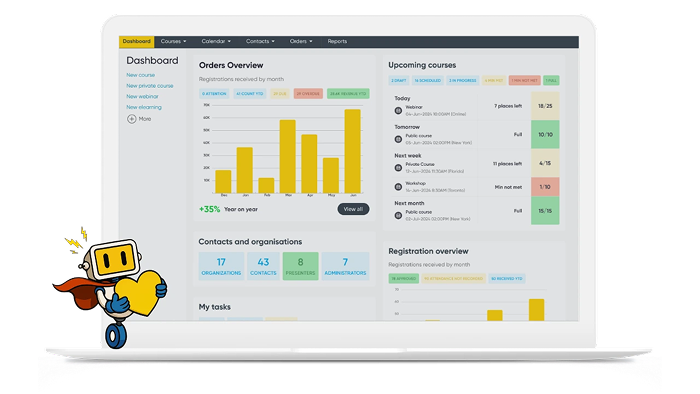
Arlo is training provider software, built for training providers who sell courses rather than for internal L&D. Scheduling, registrations, payments, a CRM and a website that updates itself when you add a session: the commercial aspects are the whole point of this training business software.
Plans start around $105 a month and rise with usage, with a 14-day trial. Independent estimates put a mid-sized training business at $15,000 to $25,000 a year. It sits near 4.5 on G2 and 4.6 on Capterra.
Reviewers flag limited customization of the registration flow, and the elearning side is thinner than the scheduling core. If you deliver courses commercially, like most training providers, it pays for itself quickly.
4. accessplanit
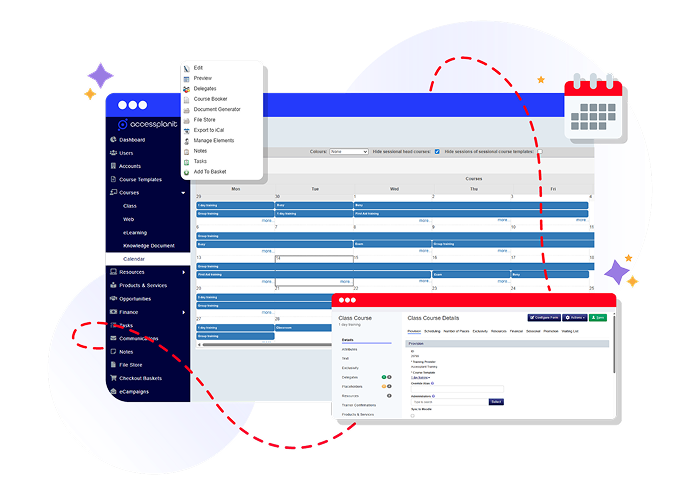
accessplanit is the British answer to Arlo, training management software aimed at training companies delivering hundreds of courses a year. Its workflow engine is the standout: define the rules once and confirmations, reminders, certificates and follow-up tasks fire without anyone remembering.
Pricing is quote-only, with implementation fees from around $7,000, a real number to budget for. G2 shows 4.7 but on very few reviews, so weight it lightly.
The recurring criticism is implementation length. Several reviewers describe onboarding as slower than expected, and survey building as clunky. The trial I ran with a safety provider took three weeks just to model their course catalogue. Budget a quarter, not a fortnight.
5. Docebo
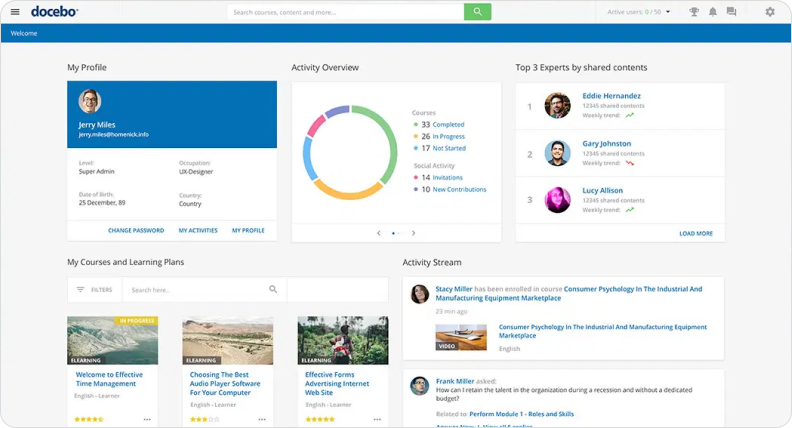
Docebo is a training management system for enterprises: multiple audiences, multiple branded portals, AI powered content generation and skills mapping. If you train employees, partners and customers from one platform, few training management software vendors handle that as cleanly.
The price of that flexibility is a steeper learning curve. Setup is a project, not an afternoon, and base reporting pushes you toward paid add-ons. Pricing is not published; expect enterprise quotes plus the AI credit system introduced in 2026.
It holds roughly 4.4 on G2 across more than seven hundred reviews, one of the deepest review pools here. Below three hundred learners, look elsewhere: you will pay for breadth you never touch.
6. TalentLMS
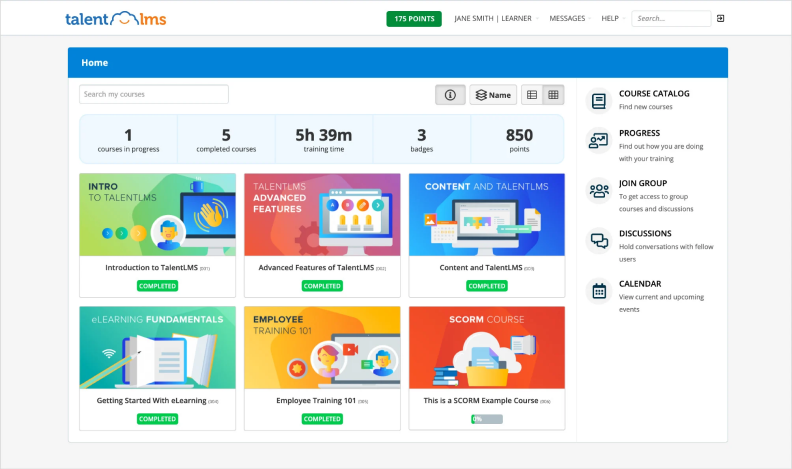
TalentLMS publishes its prices, rare in this market. The Core plan starts at $119 a month billed annually for up to forty users, and the free tier for five users and ten courses is genuinely usable. Older articles quoting $59 a month are out of date; I checked in August 2026.
You can have it running before lunch. The user friendly interface is the real selling point, along with gamification that measurably lifts learner engagement in the rollouts I have watched. For delivering online learning to a distributed team quickly, nothing here beats it.
Where it strains: the course editor formats awkwardly when you paste existing training materials into it, and reporting on learner progress thins out as soon as you want something custom. Prices step up sharply between tiers.
7. Absorb LMS
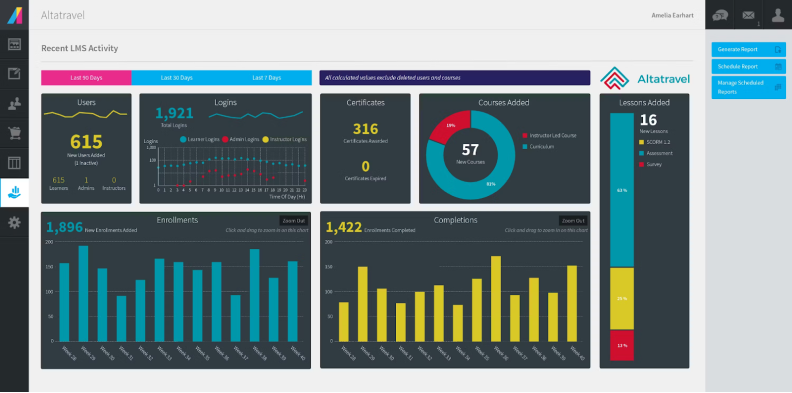
Absorb offers the most polished learning experience of any training management software here. The enrolment rules engine is excellent for compliance training programs: define who needs what and when it expires, and re-enrolment happens on its own. Certification tracking is strong, and user management scales without becoming a second job.
Pricing is quote-only and scales by learner band. Ignore the old per-learner figures on review sites; they date from 2021 and were never retested. It rates around 4.6 on G2 across more than eight hundred reviews.
Robust analytics require the paid Analyze module. Social and gamification features lag rival management systems, and content migration takes longer than the sales cycle suggests.
8. Litmos
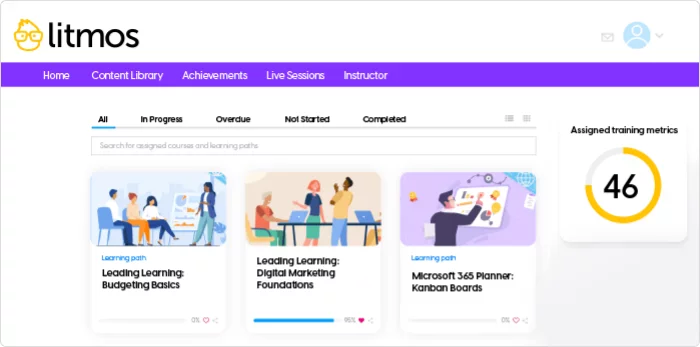
Litmos leads with content. Several thousand ready-made online training courses covering compliance and safety, which spares you building a library.
The training management software underneath is competent rather than exciting, with solid course management and a Salesforce integration that matters if your sales team is the audience. It sits around 4.3 on G2 and Capterra, will deliver courses to thousands without complaint, and reviewers call the learner side user friendly.
Pricing is quote-only across three tiers, and the recurring complaint is exactly that: unclear pricing, with new capabilities arriving as paid additions. The content library renews separately from the platform, which catches finance teams out. Catalogue organization frustrates reviewers more than in rival management systems.
9. SafetyCulture Training
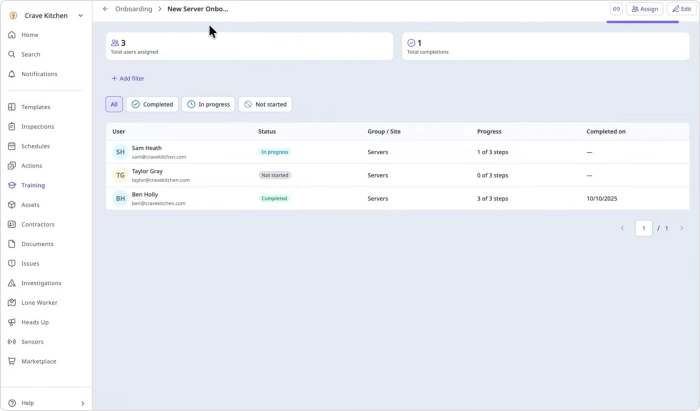
Formerly EdApp and mid-rebrand again in 2026, this targets people who never open a laptop. Short mobile lessons, dozens of languages, and spaced repetition that pushes a two-minute refresher instead of a thirty-minute module, which does more for knowledge retention than any classroom day.
Its real trick is the loop with SafetyCulture’s inspection app: an incident on the floor triggers targeted microlearning to the team involved. Nothing else here does that, and it turns virtual training into something closer to coaching.
There is a free tier for small teams and a premium plan around $24 per user per month billed annually. Reporting is basic next to enterprise management systems, and the single paid tier gets expensive at scale.
10. Trakstar Learn
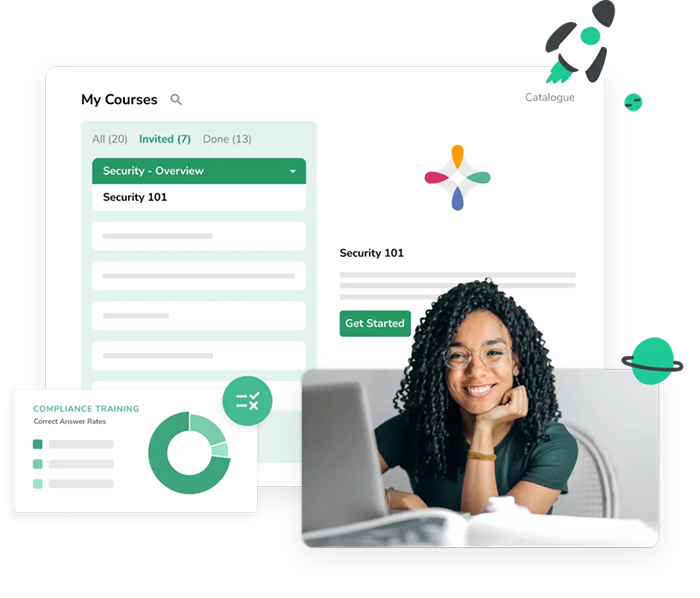
Trakstar Learn, part of Mitratech since 2023, is employee training software that makes most sense if you already use Trakstar for performance or hiring. Content conversion is the neat feature: existing PowerPoint and PDF files become online training modules without a rebuild.
Pricing is quote-only with no free trial, only a demo, which slows evaluation. Review volume is modest next to the others here.
It lacks gamification and personalized training paths, and the mobile app is weaker than the desktop version. The value sits in the shared employee record: hiring, performance and learning in one place, with no reconciliation. Standalone it is hard to justify; inside the wider suite, reasonable.
Conclusion
Nobody chooses badly for lack of options. They choose badly because they skipped the diagnosis. In fifteen years I have watched exactly one team regret buying too little, and dozens regret buying too much. The tool matters far less than the honesty of the audit you run before you shortlist anything.
How to choose your training management solution
Software for training managers only pays back if you start by counting. What share of delivery is instructor-led? What are your training needs over the next two years, not this quarter? Map your training processes before you book a single demo. Blended training changes the answer, because blended learning needs scheduling and delivery in one place.
Then check three points training management software vendors rarely volunteer: whether you pay per registered or per active user, what implementation and content migration really cost, and whether the HRIS integration exists today or sits on a roadmap. Capterra’s 2026 research found 59% of software buyers exceed their initial budget.
Free plans and the easiest platform to roll out
Yes, free options exist. TalentLMS gives five users and ten courses of free online training, SafetyCulture has a free tier for small teams, and Moodle is free to license though you pay for hosting instead. For ease of use, TalentLMS and iSpring LMS are the two I hand to teams with no technical support.
My final picks
If you run internal training programs and need a training management solution live this month, look at iSpring LMS. If you sell courses, Arlo or accessplanit. If instructor-led delivery is your core business at scale, Training Orchestra. For enterprise breadth, Docebo or Absorb.
The best training management software is the one your HR coordinator still uses in a year. Buy the training management system software that fits how you deliver training programs today, not the one with the longest feature list. Run a real pilot, on real employee training, before you sign anything.