There are hundreds of LMS products available to US buyers. The difficult part is deciding which ones deserve a serious look.
This guide compares 12 top LMS companies in USA that actively sell to and support US organizations in 2026. I have not filled the list with the same large vendors that appear in almost every roundup. Some familiar names remain, but only where I think they still give buyers a good reason to consider them.
The goal is simple: reduce a crowded LMS software market in the USA to three to five platforms that are actually relevant to your organization.
What Does “LMS Companies in USA” Mean Here?
I am using “in the USA” to mean that the provider actively sells to and supports US organizations.
The company does not need to have been founded or headquartered in the United States.
This article also covers LMS providers only. I am not including custom course developers, instructional design agencies, content libraries, or training companies. You can find those in my separate guide to eLearning companies in the USA.
TL;DR
For a lean L&D team, I would start with SkyPrep and iSpring LMS.
SkyPrep is a credible first option if you want a fairly conventional LMS with manageable administration and strong connections to common HR systems. iSpring LMS covers more ground, especially once course creation, structured training programs, reporting, mobile learning, assessments, and employee development become part of the requirement.
Confirm (formerly WorkRamp) and LearnUpon become more interesting when you need to manage employees alongside customers or partners.
360Learning has a distinct collaborative course creation model. Tovuti gives buyers a broad set of LMS functions with unusually visible entry pricing.
Bridge connects learning with skills and performance. Continu is a serious option for larger learning operations and has more real-world adoption than its visibility in generic LMS roundups might suggest.
Trainual suits smaller companies where training is closely tied to SOPs and internal processes. Thought Industries focuses heavily on customer and partner education. Absorb LMS remains a solid mainstream benchmark, while Axonify addresses a very different problem: training large frontline workforces.
Top LMS Companies in USA at a Glance
| LMS | Best fit | Main reason to shortlist | Main reason to skip |
| SkyPrep | Lean L&D teams wanting a conventional LMS | Straightforward administration and strong HRIS connectivity | Narrower than iSpring and larger platforms once requirements expand |
| iSpring LMS | Structured corporate training managed by a small team | Broad training management, content creation, reporting, and development tools | Less suitable if a huge enterprise application ecosystem is the priority |
| Confirm | Employee and customer learning under one vendor | Employee and customer learning within one ecosystem | More platform than simple internal training requires |
| LearnUpon | Structured multi-audience learning | Mature LMS with strong implementation and support | Not aimed at very small deployments |
| 360Learning | SME-led and collaborative course creation | Strong collaborative learning model | Less distinctive when L&D creates all content centrally |
| Tovuti LMS | Mid-sized teams wanting broad LMS functionality | Many functions included in one platform | Can be more system than a simple training program needs |
| Bridge | Learning connected to skills and performance | LMS, skills, and performance within one product family | Expensive starting point for basic LMS needs |
| Continu | Larger modern learning operations | Strong automation and credible large-company adoption | Current positioning makes more sense at larger learner volumes |
| Trainual | Process-led employee training | Strong connection between SOPs and training | Less LMS depth for complex learning operations |
| Thought Industries | Customer and partner education | Strong external academy and customer-learning capabilities | Internal employee L&D is not its main strength |
| Absorb LMS | Buyers wanting a mature general-purpose LMS | Broad LMS functionality and integration options | Pricing and add-ons need careful checking |
| Axonify | Large frontline workforces | Built around frequent frontline learning | Too specialized for many office-based organizations |
Pricing and packaging change. Price the exact learner population, integrations, implementation work, portals, and support you need before comparing proposals.
How I Selected These LMS Companies
I did not rank platforms based on who has the biggest brand or the most SEO pages.
To make this list, an LMS needed a current product, genuine US-market availability, enough product maturity to justify a serious evaluation, and a clear type of buyer it serves well.
I looked at administration, learner management, reporting, content support, integrations, scalability, implementation expectations, pricing clarity, and support.
I also looked for evidence that organizations actually use the products.
That matters. Search results contain LMS vendors that publish excellent articles about LMS software but leave much less evidence of meaningful product adoption.
I deliberately excluded several companies that appear in nearly every roundup. Absorb remains because I think it is useful as an established benchmark. The rest of the list gives US buyers a wider field without adding obscure systems simply to make the ranking look different.
If you are still defining the selection process itself, use my How to Choose an LMS guide.
1. SkyPrep
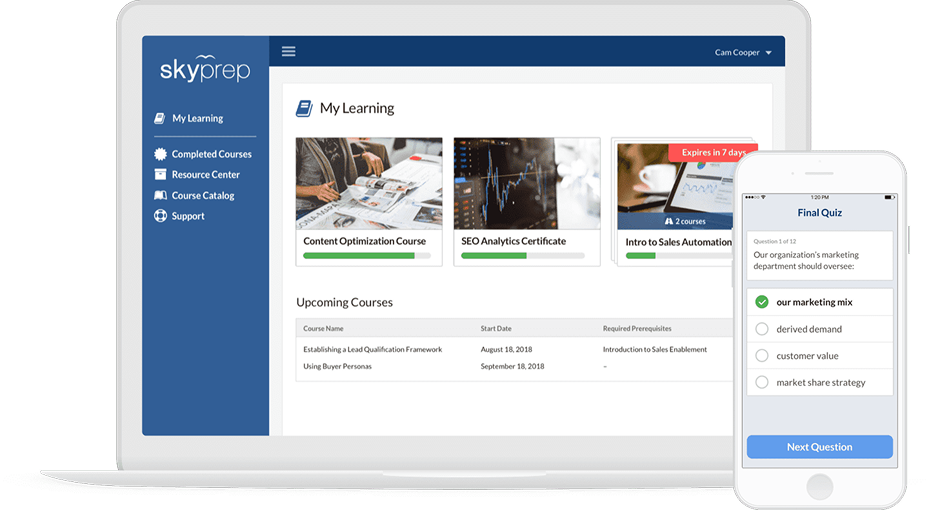
Best for: Small and mid-sized organizations that want a conventional LMS without a heavy administrative workload.
Pricing: Quote-based. Current plans begin at 100 active users, and a 14-day trial is available.
SkyPrep is one of the more interesting alternatives to the names that dominate small and mid-market LMS comparisons.
It covers the expected core: courses, SCORM content, instructor-led training, reporting, learner groups, branding, and training automation. Its stronger integration coverage also makes it more credible for companies that do not want learning data sitting in isolation from HR and business systems.
You can see the product in more detail in my SkyPrep LMS review.
Why I would shortlist SkyPrep
The biggest reason is administration. A one or two-person L&D team may not want months of configuration before it can start assigning training. SkyPrep keeps the basic LMS model fairly contained while still providing automation and connections needed by a real corporate training program.
That makes it a good first demo for organizations that want the LMS to stay an LMS.
Where SkyPrep is weaker
Its narrower focus becomes more visible when the project grows. If you need extensive course production, employee development, assessment, performance-related workflows, and a broader learning environment, other LMS solutions from my list cover more territory.
That does not make SkyPrep a poor choice. It simply gives the two products different ceilings.
What I would test
Connect SkyPrep to your HR system, create a learner group from employee data, assign training automatically, and then change that employee’s department. See how much of the process updates without administrator intervention.
2. iSpring LMS
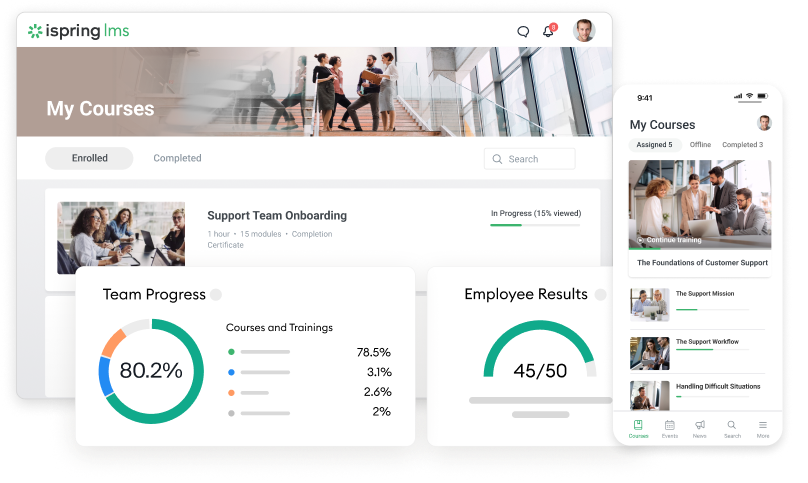
Best for: Companies that want to manage a broad corporate training program without building a large LMS administration team.
Pricing: Published annual active-user pricing. iSpring currently defines an active user as someone who logs in during the monthly billing period.
iSpring LMS covers more of the training operation than most systems aimed at this part of the market.
Alongside learner and training management, it currently includes course and quiz creation, structured training programs, mobile and offline learning, scheduled reporting, 360-degree feedback, on-the-job training, and the iSpring Suite AI authoring environment.
I cover the product itself in my iSpring LMS review.
Why I would shortlist iSpring LMS
It is a strong fit when the same L&D team is responsible for creating training, delivering it, tracking it, and reporting results to managers. This is where it goes further than SkyPrep.
Course creation and more extensive employee-development tools sit much closer to the core LMS experience instead of depending on a collection of separate products. Its current plans also include 24/7 live technical support.
If employees often train away from their desks, I would also compare its mobile experience with other systems in my best mobile LMS guide. For teams specifically comparing employee-assessment functionality, I have a separate guide to 360 feedback software.
Where iSpring is weaker
I would examine the integration requirements carefully in a very large enterprise environment.
If your organization expects the LMS to sit inside a huge HR technology ecosystem with dozens of specialist enterprise applications, larger platform vendors may offer a broader marketplace. That question is less important for many small and mid-sized companies.
What I would test
Build one complete program containing a SCORM course, quiz, live session, deadline, certificate, and manager report. Then complete part of it from a mobile device. That gives you a much better picture of the system than clicking through the administrator dashboard.
3. Confirm (formerly WorkRamp)
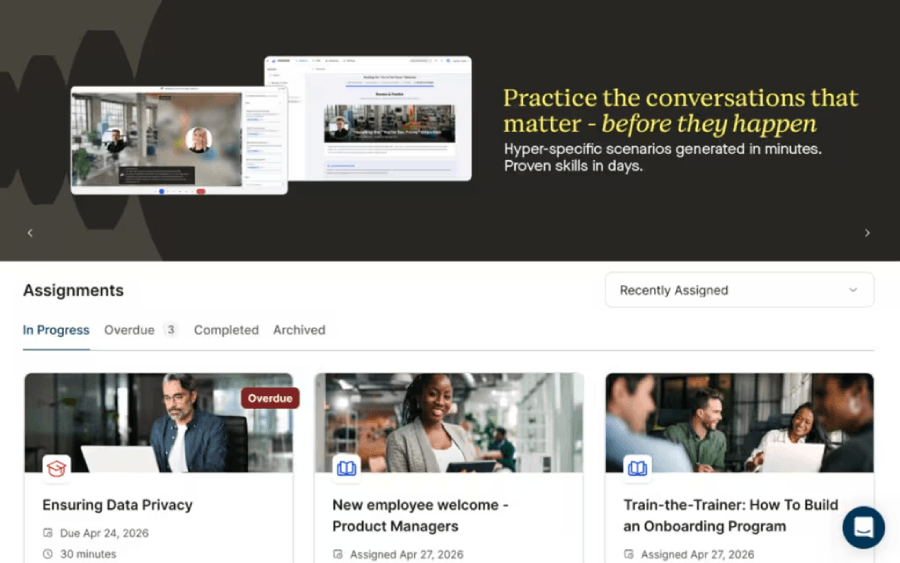
Best for: Companies that need both employee learning and customer or partner education.
Pricing: Learn starts from $9 per user per month, billed annually. Academy uses custom pricing.
WorkRamp is now part of Confirm. Its former employee LMS is now Learn, while Academy covers customer and partner education. That gives Confirm a clear role for companies managing both internal and external learning.
Why I would shortlist Confirm
I would consider it when employee learning and customer education are both serious programs. Learn handles internal training and enablement, while Academy supports branded external learning, certifications, and customer or partner education.
Where Confirm is weaker
If your main need is internal onboarding, compliance, and basic reporting, the broader Confirm ecosystem may be unnecessary. In that case, compare it with systems focused more closely onemployee training.
What I would test
Use the same learning content with one employee group and one customer group. Then compare enrollment, branding, permissions, reporting, and administration.
4. LearnUpon
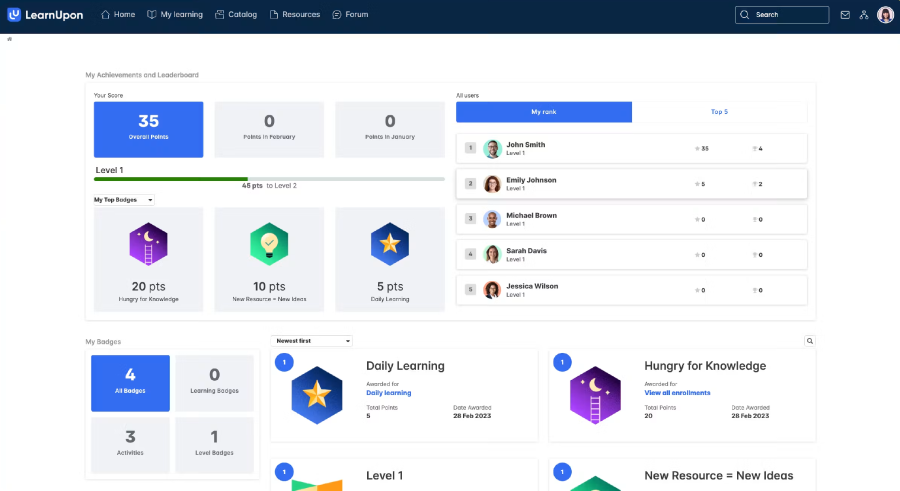
Best for: Mid-market organizations that want structured implementation, strong support, and several learner audiences.
Pricing: Quote-based. LearnUpon currently starts its employee product at 100 users and customer education at 300 users.
LearnUpon is established enough to be proven without turning into a huge talent suite.
The current platform supports SCORM and xAPI, live learning, learning journeys, certifications, reporting, HRIS connections, Salesforce, HubSpot, APIs, webhooks, and multiple learner environments. You can find a deeper product analysis in my LearnUpon review.
Why I would shortlist LearnUpon
I like it for a company that has moved beyond entry-level LMS needs and wants the vendor involved during implementation. Current plans include an implementation consultant, customer success support, and 24/7 technical support.
It also publishes a useful disqualifier: the product is not intended for companies looking for fewer than 100 users.
Where LearnUpon is weaker
That minimum removes it from many small-company evaluations immediately. It is also a more structured LMS purchase than a self-service training tool. If you want to buy software and launch a tiny learning program almost immediately, there are lighter options.
What I would test
Create two learner populations from your HRIS or CRM. Give them different learning journeys and reporting requirements. The value becomes clear when the platform removes audience-management work your team would otherwise handle manually.
5. 360Learning
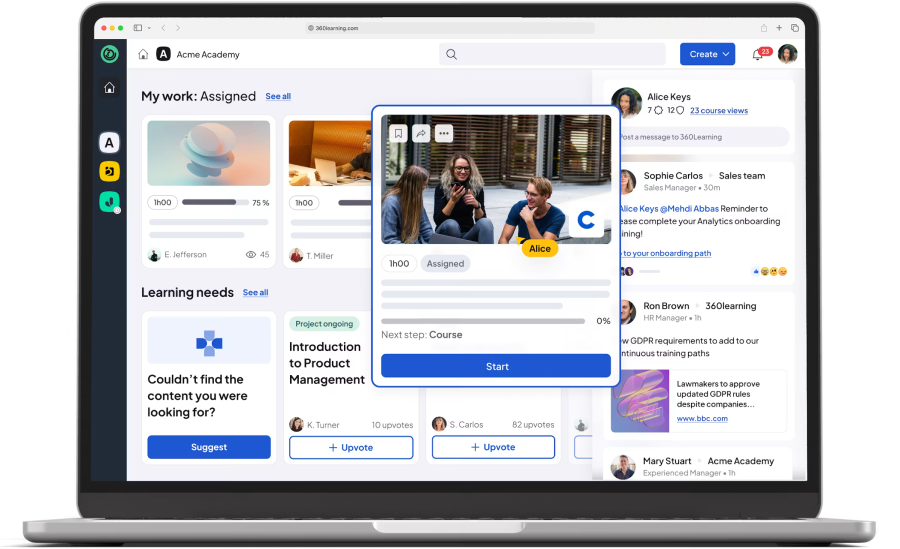
Best for: Organizations where subject-matter experts contribute directly to training content.
Pricing: The Team plan is currently $8 per user per month for up to 100 users. Larger Business and Enterprise packages use custom pricing.
360Learning has a more distinctive product philosophy than many LMS vendors. It is built around collaborative learning and co-authoring. The idea is that L&D should not have to turn every piece of internal expertise into a course itself.
Its current Team plan includes co-authoring, course management, user management, SCORM, instructor-led sessions, virtual instructor-led training, and blended learning.
Why I would shortlist 360Learning
I would investigate it when L&D has a content bottleneck. Your company may already have product managers, engineers, sales experts, and operations specialists who know what people need to learn. The problem is turning that expertise into usable training.
360Learning is designed around that workflow. If live sessions are central to your program, my guide to instructor-led training covers that model in more depth.
Where 360Learning is weaker
Collaborative authoring does not carry the same value everywhere. If your compliance, legal, or instructional design team controls course creation centrally, that part of the platform may solve a problem you do not have.
In that case, compare its administration and reporting directly with the other LMSs here.
What I would test
Invite one real subject-matter expert. Ask that person to build a short lesson, send it for review, make a correction, publish it, and respond to learner feedback. You will quickly see whether the collaborative model will work in your organization.
6. Tovuti LMS
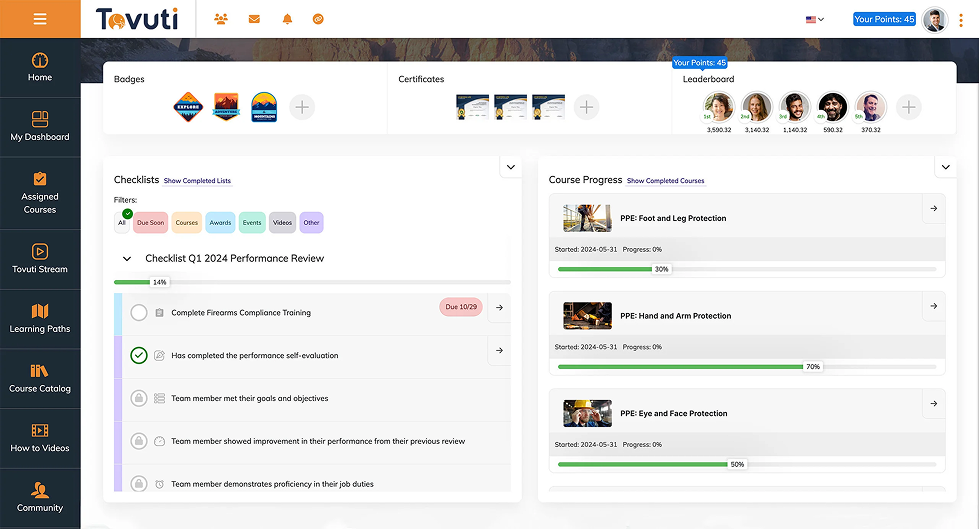
Best for: Mid-sized organizations that want a large number of LMS functions under one subscription.
Pricing: Tovuti currently starts at $7,500 per year for the first 100 annual learners.
Tovuti covers a lot of ground. Its current package includes courses, learning paths, H5P content, reporting, automated assignments, certification management, branded portals, mobile learning, eCommerce, events, instructor-led training, gamification, and integrations.
Why I would shortlist Tovuti
The first reason is breadth. If you are currently stitching together several systems for training, events, certificates, course content, and learner management, Tovuti may allow you to consolidate some of that work.
Its entry pricing is also much clearer than the usual “contact sales” model.
Where Tovuti is weaker
A broad feature set can increase administrator complexity. A training team that only needs courses, assignments, certificates, and reports may be buying far more interface than it needs.
I would pay close attention to the everyday administrative experience.
What I would test
Ask a future administrator to create a learner group, assign recurring training, schedule a live session, and build an overdue-training report. Do not let the salesperson perform every step.
7. Bridge
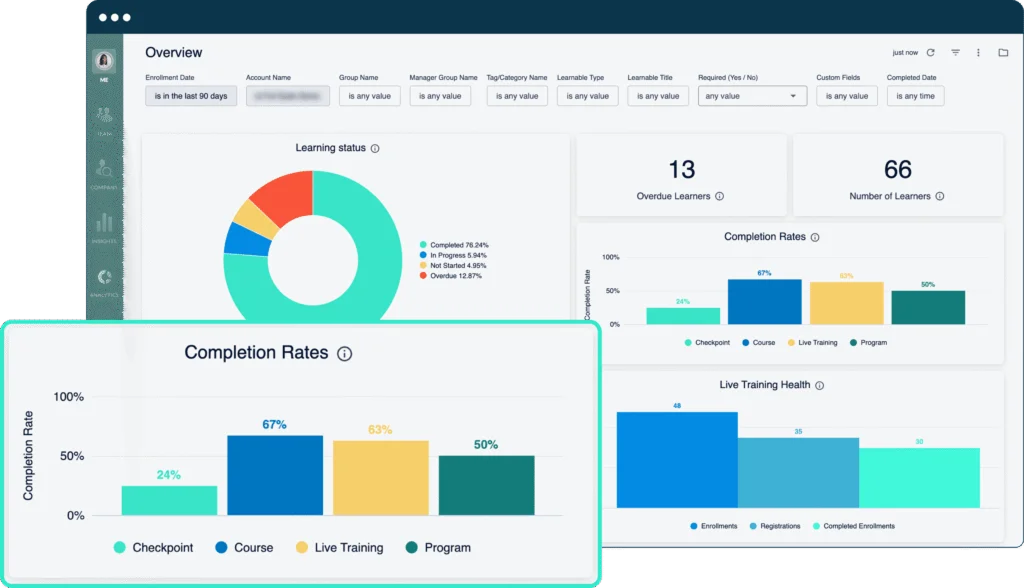
Best for: Companies that want learning connected with skills and employee performance.
Pricing: Bridge currently states that plans start at $15,000 annually.
Bridge has expanded beyond a standalone LMS. Its Learn plan covers the LMS itself, while broader packages add skills and performance functionality. The current LMS includes authoring, SCORM and xAPI, mobile learning, learning journeys, external training, reporting, and live training.
Why I would shortlist Bridge
It becomes interesting when your organization wants to move from “Which course did this employee complete?” to “Which skills do they need next?” If the LMS project is connected to employee development, that relationship can be useful.
Where Bridge is weaker
The starting price matters. A small organization with straightforward training requirements can find capable LMS products at a lower cost.
If you are buying for a smaller workforce, compare the requirements against my LMS for small business guide before paying for functionality you may not use.
What I would test
Start with a skill gap. Assign training against it, complete the learning, and see what happens in the employee’s skills or development record. That relationship is the main reason I would choose Bridge over a simpler LMS.
8. Continu
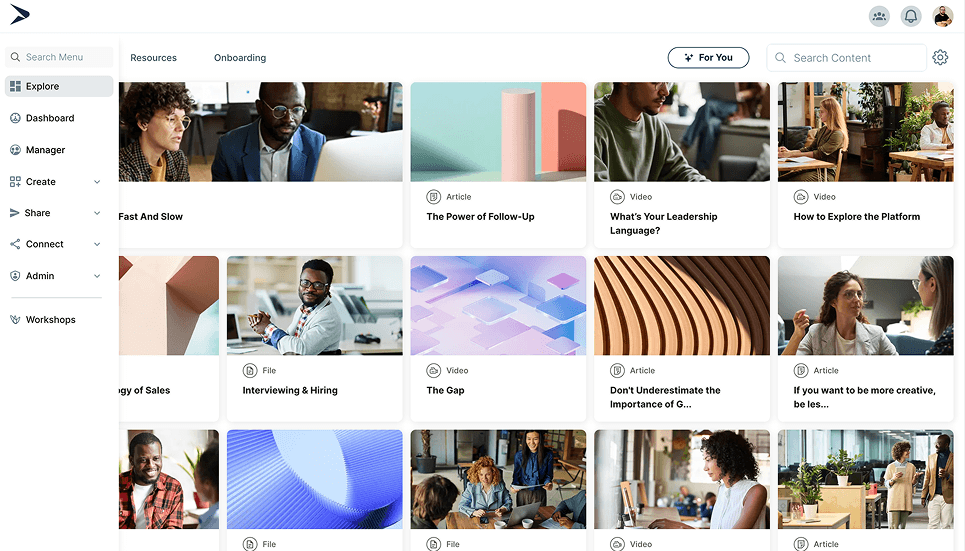
Best for: Mid-market and enterprise organizations with larger learning or enablement programs.
Pricing: Quote-based and structured around monthly active users. Growth covers fewer than 1,000 monthly active users, Professional covers 1,000 to 5,000, and Enterprise is designed for 5,000+.
Continu is one of the less obvious names here, but I would not confuse that with a lack of product substance.
Its current Growth package includes learning tracks, SCORM, custom reporting, SSO, workshops, assessments, automation workflows, learning journeys, and integrations with tools such as Slack, Teams, Zoom, and Google Meet. Higher levels add external users and more advanced integration and support options.
Why I would shortlist Continu
It fits an organization that has outgrown a basic LMS but still wants a relatively modern learning environment.
Automation is one of the areas I would investigate closely. The value increases when learner profile data can drive assignments and learning journeys without constant admin work.
Where Continu is weaker
Its commercial model clearly points toward larger deployments. A 75-person company is unlikely to be the natural buyer. For a much larger organization, I would also compare Continu with the products covered in my enterprise LMS guide.
What I would test
Create an automated learning journey based on role or learner data. Then change the employee’s role, department, or location and see how the system responds.
9. Trainual

Best for: Small and lower mid-market businesses where training is tightly connected to internal processes.
Pricing: Quote-based. Trainual currently positions the product primarily for organizations with 25 to 1,000 employees.
Trainual is the least conventional LMS on this list. That is why I included it.
Many smaller businesses do not really have an “LMS problem.” They have processes scattered across documents, experienced employees repeating the same instructions, and new hires who do not know where to find the right procedure.
Trainual combines documentation, roles, training, testing, tracking, and employee process knowledge. This puts it close to the tools in my best SOP software comparison.
There is also genuine overlap with knowledge-management software, which I explain in Knowledge Base vs. Wiki vs. LMS.
Why I would shortlist Trainual
For a 50-person or 150-person business, the distinction between an SOP and a training module can be artificial. Employees need to know what the process is, learn it, and show that they understand it. Trainual brings those activities together.
Where Trainual is weaker
I would not treat it as a direct substitute for every corporate LMS. Complex external academies, large certification programs, extensive learning catalogs, and sophisticated learning-data requirements are not its strongest territory.
What I would test
Take one real SOP. Turn it into training, assign it according to role, test an employee, update the procedure, and check how the new version is handled.
10. Thought Industries
Best for: Customer, partner, member, and professional education.
Pricing: Quote-based across Starter, Professional, and Enterprise packages.
Thought Industries is included for a very specific reason. Its product is built heavily around external education. Current plans cover certification pathways, live and on-demand learning, audience segmentation, learning portals, Salesforce integration, analytics, and progressively deeper eCommerce and data functionality.
Why I would shortlist Thought Industries
I would consider it when learning is part of your customer or partner experience. If you run a serious academy, paid training operation, certification program, or several branded external learning environments, the platform deserves a look.
Where Thought Industries is weaker
For internal employee learning alone, I would start elsewhere. You would be buying a platform whose strongest capabilities address audiences you may never use.
What I would test
Create two external customer organizations with different branding and content access. Then run certification and show how learning activity is passed back to your CRM or business reporting environment.
11. Absorb LMS
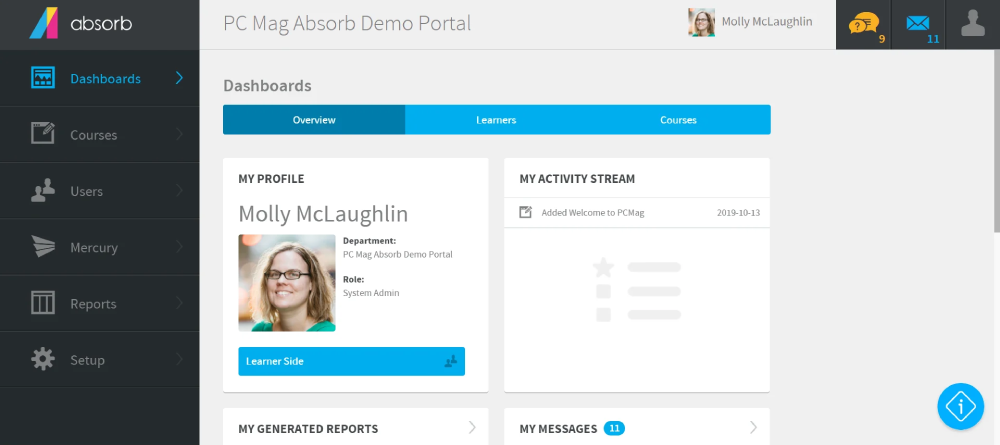
Best for: Mid-sized and larger organizations that want an established, general-purpose LMS.
Pricing: Quote-based.
Absorb is the familiar name I deliberately kept in this list. Removing every commonly recommended vendor would make the article different, but not necessarily more useful.
Absorb has broad experience across normal corporate LMS requirements, including internal and external learning. It also offers multiple ways to connect the LMS with other business systems. I cover the product in more depth in my Absorb LMS review.
Why I would shortlist Absorb
It is a useful benchmark. If you are comparing newer or narrower LMS products, Absorb shows what a more mature general-purpose platform can offer in terms of scale and breadth.
That makes it useful even if it does not end up being your final choice.
Where Absorb is weaker
I would pay close attention to the commercial configuration. With larger LMS platforms, the product demonstrated during sales calls and the exact package included in a quote are not always identical.
Ask which integrations, services, and advanced capabilities are included before comparing the price with a simpler LMS.
What I would test
Give Absorb your five required integrations before the demo. Ask the team to explain exactly how each one works, whether it requires extra licensing or services, and who maintains it.
12. Axonify
Best for: Organizations with large frontline workforces.
Pricing: Custom pricing based on organization size and package.
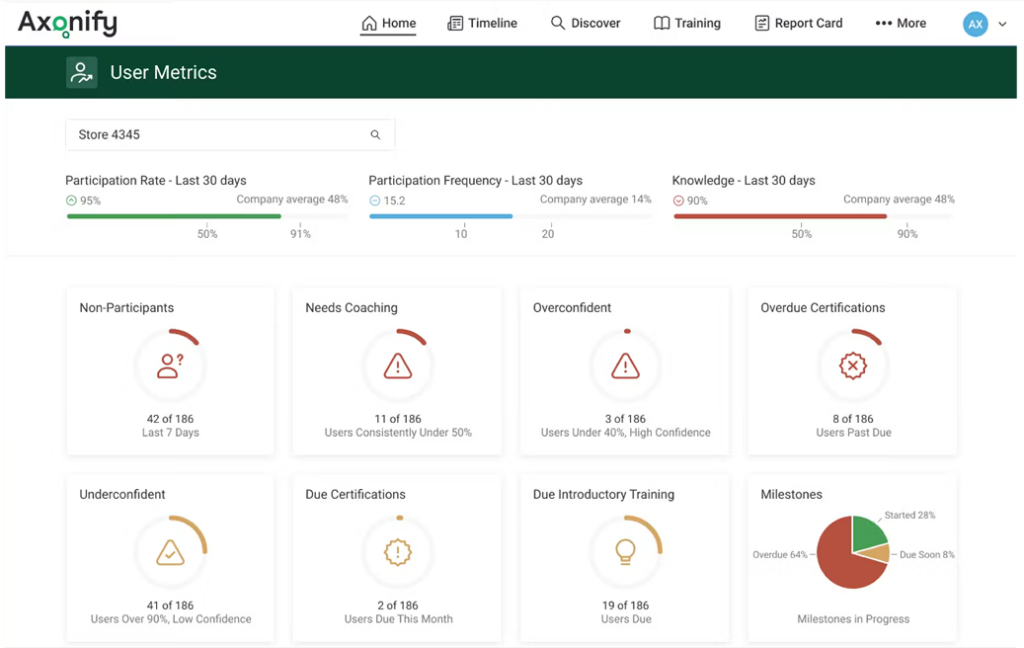
Axonify is deliberately the most specialized LMS company in this article. Its core focus is frontline performance. That makes it relevant to organizations where many employees do not spend their working day at a desk and cannot regularly sit through conventional online courses.
Why I would shortlist Axonify
Frontline learning creates a different set of requirements. Retail associates, distribution workers, field staff, and similar employees may need short, repeated learning that fits around active work.
Axonify has built its product around that model. If retail is your main scenario, I compare the wider market in my guide to LMS platforms for retail.
Where Axonify is weaker
Its specialization is also the reason to reject it quickly for many buyers. If most learners work at computers and need conventional course catalogs, longer development programs, or general corporate learning, other LMSs on this list will usually be easier to justify.
What I would test
Use the real workflow of a frontline employee. Show when training appears, how they access it, how long an interaction takes, what happens when training is missed, and what the manager sees. Do not evaluate Axonify from an office worker’s perspective if frontline learning is the reason you are considering it.
How These LMS Providers Differ
Once you have 12 vendors, comparing hundreds of features becomes less useful.
I would group the products by the way your learning operation works.
| Your situation | LMS companies I would investigate first |
| Lean L&D team, straightforward administration | SkyPrep, iSpring LMS |
| L&D also creates a lot of training content | iSpring LMS, 360Learning, Tovuti |
| Employees plus customers or partners | Confirm, LearnUpon |
| Customer education is a major program | Thought Industries, Confirm |
| SOPs and company processes drive training | Trainual |
| Learning needs to connect with skills | Bridge |
| Larger modern learning operation | Continu, Absorb LMS |
| Large frontline workforce | Axonify |
| Public entry pricing matters | 360Learning, Tovuti, Bridge, iSpring LMS |
| Small team needs broad functionality | iSpring LMS, Tovuti |
If a vendor’s strongest capability solves a problem you do not have, remove it.
That is usually more effective than scoring another 50 features.
Which LMS Companies Are Easiest for a Small L&D Team?
For conventional internal training, SkyPrep and iSpring LMS are the first two I would test. SkyPrep keeps the core LMS model relatively simple. iSpring covers a larger part of the L&D workload, especially when the same team creates content, manages structured programs, runs reports, and handles additional employee-development activities.
Trainual deserves consideration for a different reason. If the central problem is teaching employees how your company operates, it may fit better than a traditional LMS. I would not put Continu, Thought Industries, or Axonify at the top of a 100-person company’s shortlist without a specific requirement that leads there.
Which LMS Companies Publish Pricing?
Pricing transparency is still inconsistent. Among the companies in this article:
360Learning publishes its Team plan at $8 per user per month for up to 100 users.
Tovuti starts at $7,500 per year for 100 annual learners.
Bridge says its plans start at $15,000 annually.
iSpring LMS publishes active-user pricing, with prices changing by learner volume.
Do not compare the headline numbers without checking the licensing metric. Registered users, monthly active users, annual learners, and other models can produce very different costs from the same workforce.
US-Specific Checks Before You Shortlist an LMS Provider
A vendor serving US organizations will not automatically match your contract, technical, and support expectations. Here are the checks I would make before the final demo round.
1. US support coverage
Ask who answers when your administrators have a problem during your normal working day. Do not rely on a generic statement such as “global support.”
2. Billing and licensing
Confirm the contract currency and the exact metric that creates a bill. Use your real learner activity to model the cost.
3. Integrations
Ask whether each required integration is native, paid, partner-built, API-based, or dependent on implementation work. A logo on an integration page does not answer that question. My LMS integration guide covers this evaluation in more detail.
4. Security and data requirements
Have your IT or security team inspect the vendor’s current documentation. Depending on your organization, this may include SSO, user provisioning, security audits, encryption, retention requirements, and hosting options.
5. Accessibility
Ask what parts of the platform have been tested and which responsibilities remain with your course creators. An accessible LMS interface does not automatically make every uploaded training course accessible.
6. US references
Ask for customers with a similar workforce, technical environment, and training model. A famous customer logo tells you very little about whether an LMS will work for your 300-person organization.
How to Narrow 12 LMS Companies to 3 to 5 Demos
Start by trying to remove vendors. Choose five or six requirements that are genuinely non-negotiable. They could include your learner population, one important integration, external training, a required content standard, support coverage, or a strict budget limit.
Any vendor that fails one leaves the list. Next, ask every remaining provider to price the same configuration. Use the same learner numbers, administrators, portals, integrations, implementation services, and support requirements.
Then give each company the same demo tasks:
- Create or synchronize a learner.
- Assign training based on the person’s role.
- Deliver one of your existing courses.
- Produce a manager report.
- Change the learner’s department or role.
- Repeat one common administrator task without help.
Those workflows reveal much more than another presentation about features. Once you have selected a system, use my LMS implementation guide to plan the rollout.
If you are replacing an existing platform, the LMS migration guide covers the issues that appear when courses, users, historical records, and integrations need to move.
Final Thoughts
I would approach the top LMS companies in USA by starting with your operating model, not the largest vendor names.
SkyPrep deserves attention as a relatively straightforward, connected LMS for lean teams. It is also narrower than iSpring LMS once the requirement expands into content creation, structured programs, reporting, assessment, mobile learning, and broader employee development.
Confirm and LearnUpon become more relevant when several learner audiences matter.
360Learning has a distinctive collaborative model. Tovuti offers considerable breadth with visible entry pricing. Bridge connects learning with skills. Continu has a credible place in larger learning operations.
Trainual belongs in the conversation because many smaller US businesses need process training more urgently than they need a conventional LMS. Thought Industries earns its place through customer education. Absorb provides an established general-purpose benchmark, while Axonify solves a specific frontline-learning problem.
You do not need twelve demos. A good LMS shortlist should make it easier to reject vendors until only three to five systems still fit the way your organization actually trains people.
FAQs
What are the top LMS companies in the USA?
My 2026 shortlist includes SkyPrep, iSpring LMS, Confirm, LearnUpon, 360Learning, Tovuti LMS, Bridge, Continu, Trainual, Thought Industries, Absorb LMS, and Axonify. They solve different problems.
SkyPrep and iSpring make sense for relatively lean internal L&D teams. Confirm and LearnUpon handle multiple learner audiences well. Thought Industries focuses heavily on external education, while Axonify is designed around frontline workers.
I would not put all 12 through a demo.
Are US-based and US-available LMS companies the same?
No. A US-based LMS company has its headquarters or corporate entity in the United States. A US-available LMS provider may be headquartered elsewhere while still selling to US organizations and offering suitable contracts, support, integrations, and implementation services. For most buyers, those operational details matter more than the headquarters address.
Which LMS providers suit small and mid-sized companies?
I would look first at SkyPrep, iSpring LMS, 360Learning, Tovuti, and Trainual. They do not solve the same problem. Trainual works well when internal processes are at the center of training. 360Learning focuses more on collaborative content creation. SkyPrep is closer to a focused LMS, while iSpring handles a broader corporate training workflow.
Which LMS providers support SCORM and xAPI?
Support varies by vendor and package. LearnUpon, Bridge, and several other systems here publicly support both SCORM and xAPI.
If compatibility with existing eLearning packages is one of your central requirements, see my SCORM-compliant LMS comparison.
I would also upload one of your own packages during the evaluation. A compatibility checkbox does not tell you how the content actually behaves.
Do I need an LMS provider headquartered in the United States?
Usually not. I would focus on US support availability, contracting, billing, security requirements, implementation, integrations, and customer references. A company headquartered elsewhere can meet those requirements perfectly well.